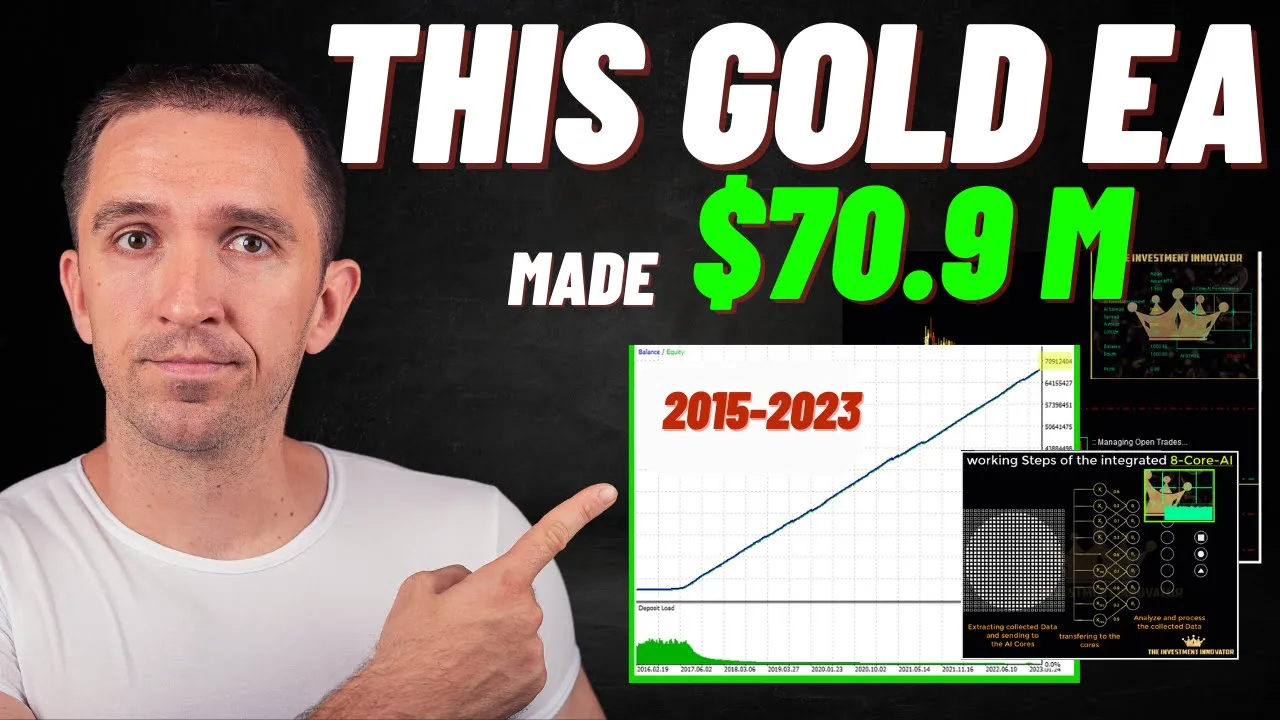
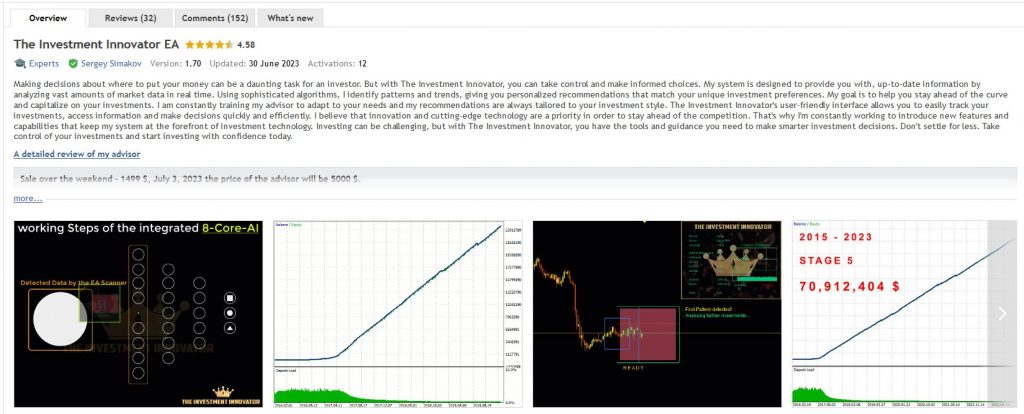
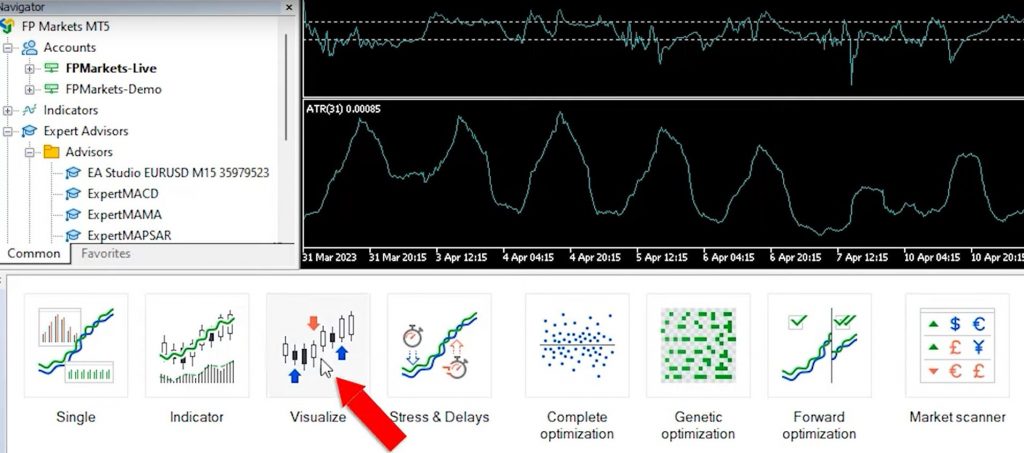
In today’s blog post, we’ll be diving into the world of Expert Advisors (EAs) with The Investment Innovator EA Review. Additionally, we’ll explore the workings of the MQL5 algorithm that determines the ranking of these EAs. As an experienced trader questioning some EAs like Bonnitta and Trade GPT, I’m excited to test the Investment Innovator EA and share my unbiased thoughts. Before we begin, let’s unravel the mystery behind the MQL5 algorithm and its impact on the top-ranked EAs.
Deciphering the MQL5 Algorithm
The MQL5 algorithm plays a crucial role in ranking Expert Advisors on the MQL5 Marketplace. While I’m uncertain about its exact workings, it’s clear that the algorithm’s ranking is not solely based on the number of demo downloads. It is a relief, as someone could easily manipulate such a metric. However, upon examining the current top-ranked EAs, it becomes evident that higher-rated EAs with better reviews and lower prices exist. This question arises: why do they give such prominence to the top three EAs?
The Investment Innovator EA Review: The Marketplace’s Perspective
One possible explanation for the ranking system is that the marketplace prioritizes profitability over quality. By featuring EAs with subpar performance at the top, potential buyers are forced to sift through a vast selection, increasing the chances of purchasing different EAs. This ultimately benefits the marketplace, as they earn commissions from each transaction. I’m eager to hear your thoughts on the MQL5 algorithm’s ranking system and its implications.
Investigation: The Investment Innovator EA
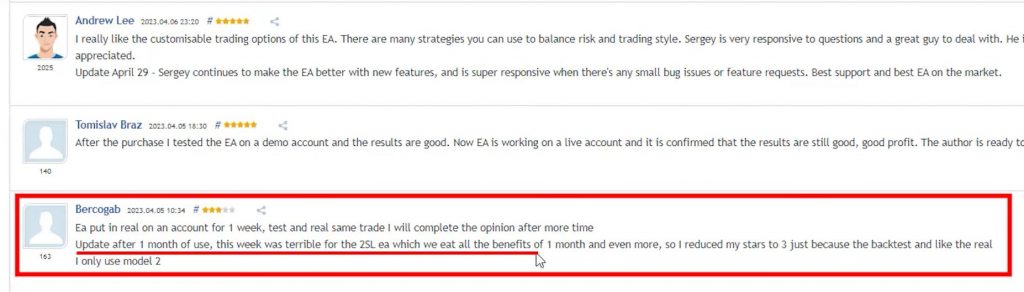
Now, let’s focus on the Investment Innovator EA, which I’ve chosen to review today. Its popularity, combined with positive reviews, caught my attention. While there is one 3-star review, I believe it’s important to consider all perspectives. The review states, “I tested this EA on a real account for one week, and I will provide an updated opinion after more time.” This user, like me, prefers to evaluate a product thoroughly before forming a final judgment.
The Investment Innovator EA Review: Update: A Challenging Week
After one month of use, the same user updated their review due to a challenging week for the Investment Innovator EA. They mentioned that two stop-loss events occurred, causing all the month’s profits to vanish. It appears that someone adjusted the user’s rating accordingly. While this feedback is crucial, it’s worth noting that every EA may experience occasional setbacks.
Examining Results and Signals
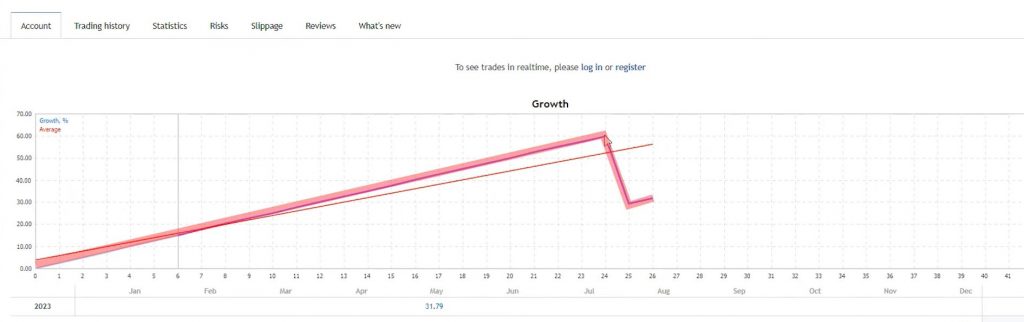
To gain further insights into the Investment Innovator EA, let’s explore its active signal accounts.It’s important to note that we have limited available data, which covers only two to three months. One signal account exhibited a substantial recent drawdown of nearly 30%, possibly aligning with the earlier mentioned three-star review. It’s essential to consider these results when evaluating the EA’s performance.
The Investment Innovator EA Review: Testing the EA on MetaTrader 5
For those using MetaTrader 5, the Investment Innovator EA is available for download. Users can access the EA from the market section and download a demo version for testing purposes. This provides an opportunity to explore the functionality and performance of the EA through backtesting. However, it’s crucial to note that live trading with the demo version is not possible.
Analyzing Backtesting Results
One notable aspect of the Investment Innovator EA is its impressive backtesting results. The EA’s historical performance showcases promising returns, indicating potential profitability. More on the backtesting a little later.
The Investment Innovator EA Review: Analyzing Chart Analysis and Broker Choice
To begin, let’s examine the chart analysis capabilities of The Investment Innovator EA. By opening a new chart window for Gold and switching to the M30 timeframe, users can easily drag and drop the EA to view its endpoints. It’s crucial to choose a trusted and regulated broker to ensure the reliability of backtesting results and live trading.
Understanding Broker Regulation and Safety
Regulation is a vital aspect to consider when you select your broker. Always choose a broker regulated by several authorities, such as the Financial Conduct Authority (FCA) in the UK, which is one of the most well-known and reputable ones. The FCA monitors broker transactions to ensure the safety of clients’ funds. Before making any decisions, it’s crucial to research and choose a well-regulated broker to ensure the security of your investments.
The Investment Innovator EA Review: Exploring EA Inputs and Customization
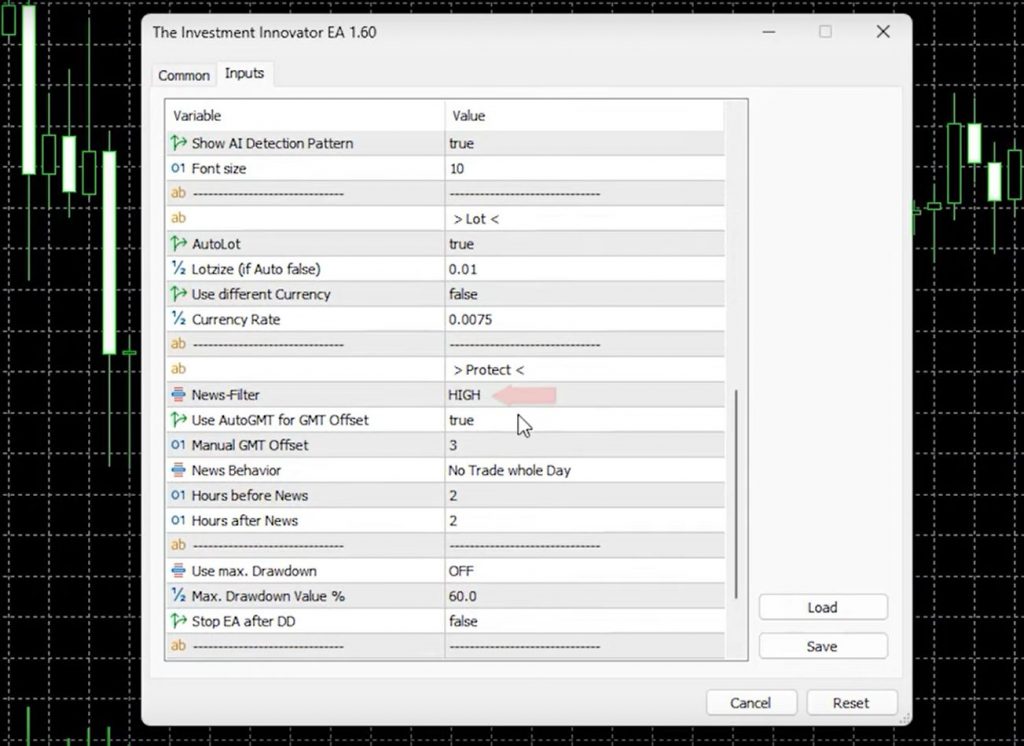
The Investment Innovator EA offers various models and stages, giving users the ability to customize their trading experience. The default settings include options for trailing start, trailing stop, take profit, and stop loss, which are set at 150 pips for Gold. Additionally, users can adjust the lot size, activate news protection, and utilize the Max Drawdown feature, particularly useful for those doing the FTMO or other proprietary firm challenges.
Performing Backtests and Assessing Results
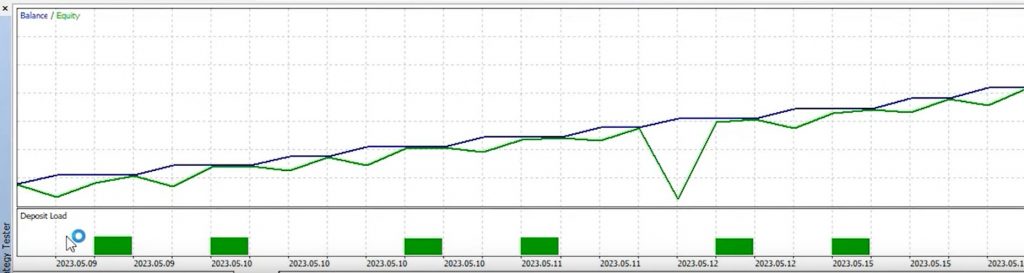
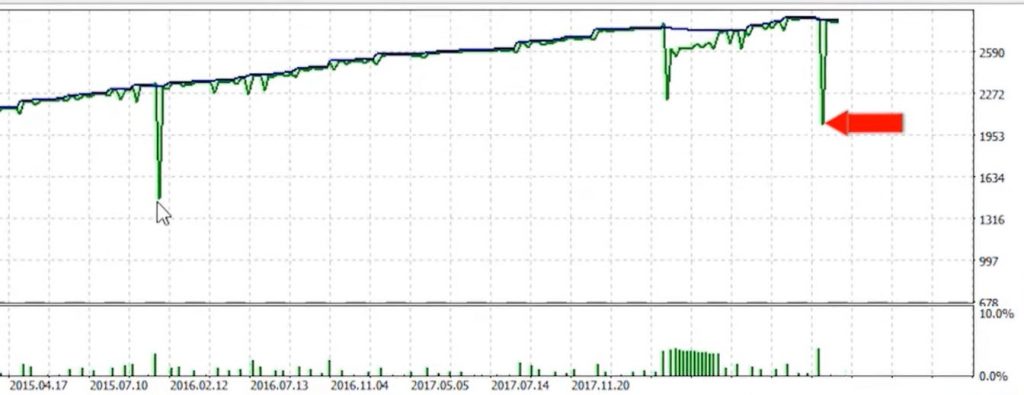
Backtesting is a valuable tool for testing an EA’s past performance. By doing backtests in MetaTrader using The Investment Innovator EA, users can assess its potential profit over different time periods. Initial backtests for one month showed a 40% net profit, while longer backtests covering the entire year showed impressive gains of $320,000. However, it’s important to note that significant drawdowns were seen during these periods.
The Investment Innovator EA Review: Addressing User Reviews and Stop Loss Claims
In user reviews, one trader mentioned the presence of two stop losses, which were not visible during backtesting. It’s essential to consider that the EA’s performance may vary based on the chosen inputs, including the selected model and stage. While the purchase of the EA may provide a guide or PDF explaining these differences, skepticism remains regarding the accuracy and viability of the backtesting results.
The Importance of Live Account Testing
Although the backtesting results may appear positive, caution should be taken when moving over to a live trading account. Backtests can sometimes be overly optimized, resulting in unrealistic profitability. It is advisable to test the EA on a demo account first to gain a better understanding of its strategy and performance. Real experiences on live accounts can provide a more accurate assessment of the EA’s effectiveness.
The Investment Innovator EA Review: Conclusion
In this review of The Investment Innovator EA, we’ve explored its features, backtesting results, and user reviews. We’ve discussed the importance of selecting a regulated broker that ensures the safety of your funds. Customization options, including various models and stages, allow for personalized trading experiences. However, skepticism surrounds the backtesting results, highlighting the need for cautious interpretation. Testing the EA on a demo account before moving over to live trading is recommended.
Check out as well one of the EAs we trade on a few live accounts.
Please note that this blog post is for informational purposes only and should not be considered as financial or investment advice. Trading and investing involve risks, and it’s important to conduct thorough research and consider your individual circumstances before making any financial decisions.
Are you interested in creating your own Forex trading Expert Advisors (EAs) but don’t have any programming skills? In this video, we’ll explore a simple and efficient method to help you build your first trading Robot from scratch in just a few minutes. The best part? You can do it for free! Let’s dive into the step-by-step process that will allow you to generate profitable strategies without the need for coding.
How to Create Forex Trading EA: Define Your Strategy
To begin, it’s crucial to have a clear understanding of the trading strategy you want to implement. Coupled with your own trading experience, identify a proven strategy that has worked for you in the past. This will serve as the foundation for creating your EA. Moreover, take some time to explore different approaches and determine the one that aligns with your trading goals and risk tolerance.
Access EA Studio
In 2023, creating your own strategies and Expert Advisors has become easier than ever. Head over to eatradingacademy.com and click on the Expert Advisor Studio software. Sign up for a free trial and log into the software. By doing so, you’ll gain access to a wide range of tools to create your trading Robots. This program removes the need for complex coding, making it accessible to traders of all skill levels.
How to Create Forex Trading EA: Utilize the Generator
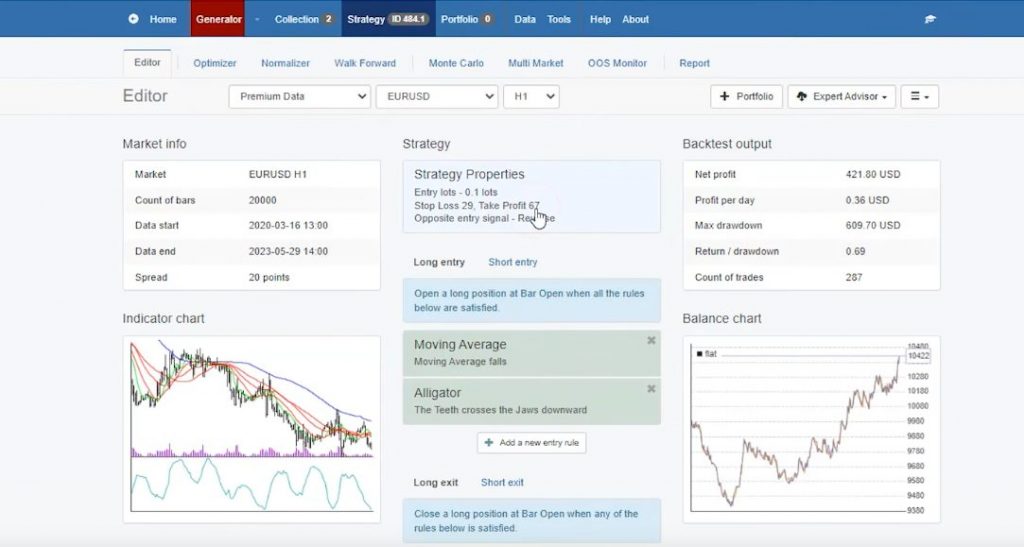
Once you’re inside the EA Studio software, go to the Generator tab. Here, you can specify the trading symbol you want to use. For example, EURUSD is one of the most commonly traded currency pairs. Set the timeframe to H1, which uses historical data from candlesticks to generate strategies. The software uses this information to analyze market patterns and develop possible profitable trading styles.
Customize Strategy Properties
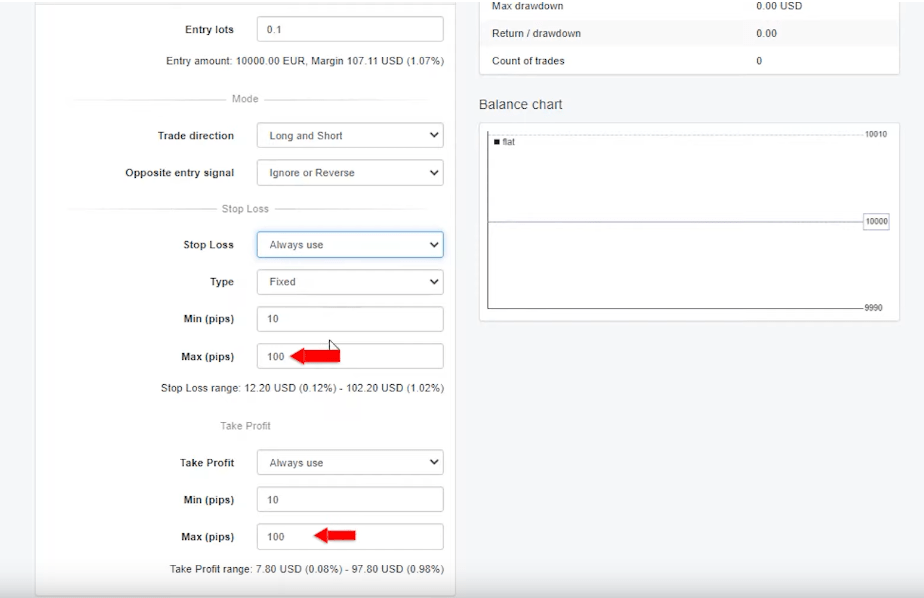
In order to customize your strategy, open the Strategy Properties panel. Thereafter, determine the lot size you want to trade with and decide whether to include a stop loss. It is recommended to use a stop loss to protect your account from significant losses. Then, set your desired stop loss and take profit levels. These parameters play a crucial role in managing risk and optimizing your trading results.
How to Create Forex Trading EA: Generator Settings
In the Generator settings, you have the option to keep the default values or adjust them based on your preferences. For example, you can set the minimum count of trades to 200 to ensure robust backtesting of the strategy. What this means, is that the strategy will be tested against a significant number of historical data points, which gives a more accurate evaluation of its performance. Aim for a minimum profit factor of 1.1 to create profitable EAs. This factor shows us that the strategy’s profitability outweighs its losses.
Start the Generator
Click on the Start button to start the strategy generation process. The powerful algorithm in EA Studio will quickly generate a variety of strategies based on the criteria you specified. The software’s remarkable speed and efficiency will save you valuable time. It’s important to note that the generation process may take some time depending on the complexity of the strategy and the available computing resources.
How to Create Forex Trading EA: Evaluate and Filter Strategies
Once the Generator completes its analysis, it’s time to review the generated strategies. Pay close attention to factors such as drawdowns and profitability in their backtest results. To clarify, drawdown refers to the peak-to-trough decline experienced by the strategy, showing the potential risk involved. Use filters, like the Squared filter, to narrow down the selection and identify the most promising strategies. By adding filters, you can focus on strategies that exhibit positive risk-reward profiles.
Export the Expert Advisor
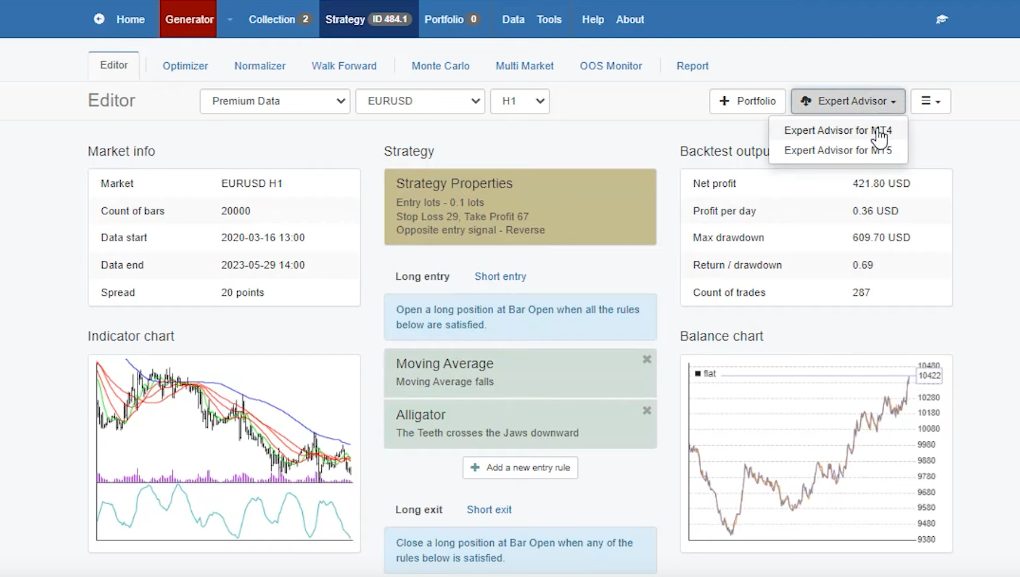
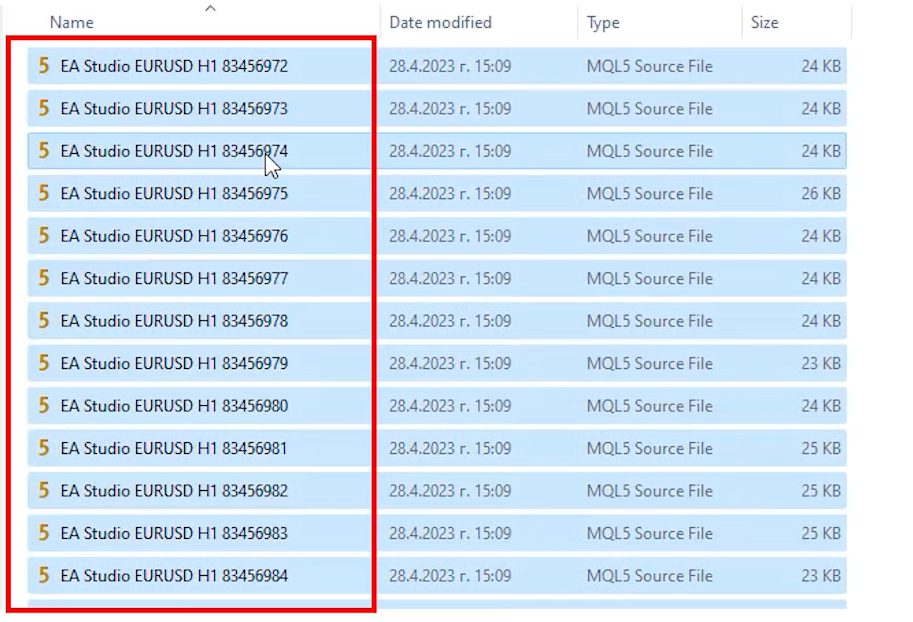
Next, from the list of strategies, select the one that best fits your needs. With EA Studio, you can export the chosen strategy with a single click for MetaTrader 4 or MetaTrader 5. Moreover, the source code will be automatically extracted without the need for any programming skills on your part. This simple export process ensures that you can use your chosen strategy without any technical hurdles.
How to Create Forex Trading EA: Implement the Expert Advisor
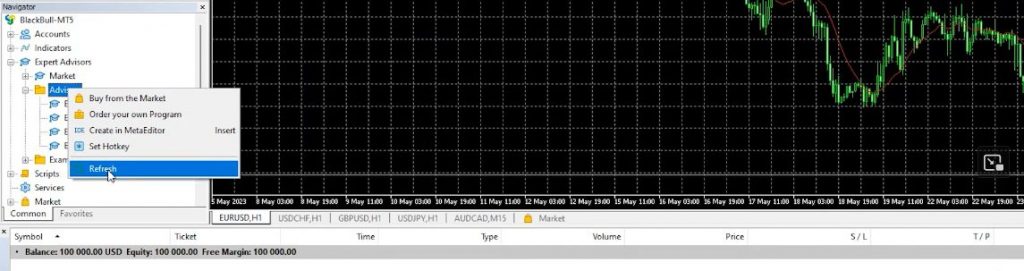
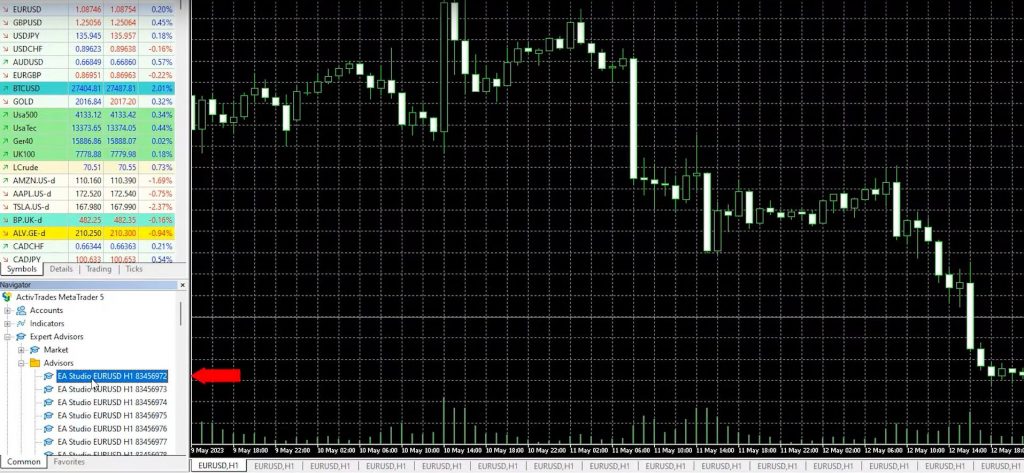
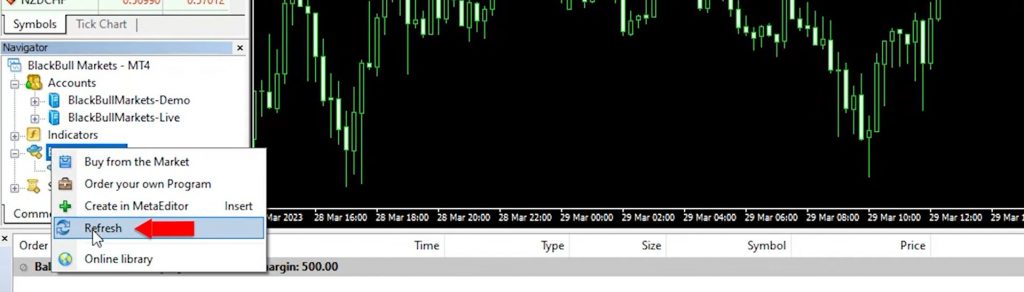
Finally, copy the extracted robot and open your MetaTrader platform. Then, navigate to the appropriate folder and paste the code into the Experts Advisors folder. Compile the code, and you will see the Advisor in your Navigator’s tab. By refreshing the platform, the Expert Advisor will become visible. This step connects your strategy with the trading platform, which allows you to automate your trading based on the predefined rules.
Monitor and Optimize
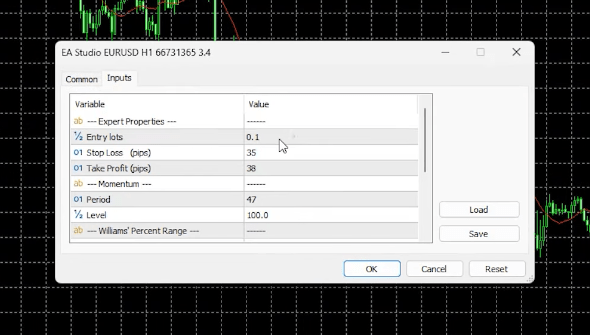
Once the Expert Advisor is set up, you can monitor its performance on the charts. Pay attention to the entry and exit conditions, lot size, stop loss, take profit, and various indicators. Then, evaluate the strategy’s performance over time and make adjustments as needed. Refine and optimize the strategy to enhance its effectiveness and adapt to changing market conditions. In addition, regularly review and analyze the trading results to ensure that your EA remains profitable and aligned with your trading goals.
How to Create Forex Trading EA: Conclusion
Creating your own Forex trading Expert Advisors no longer requires advanced coding skills. With EA Studio, you can generate profitable strategies in minutes, even without prior programming experience. By following this step-by-step guide, you can take advantage of the software’s capabilities and build your trading Robots. Start exploring EA Studio today, unleash your inner trader , and elevate your trading to new heights.
Note: For a more thorough demonstration of the process and to access five free Expert Advisors created with EA Studio, be sure to check out the accompanying video on our YouTube Channel. The video provides additional insights and visual guidance to help you navigate the process smoothly. Embrace the power of automation and unlock the potential of your trading strategies with EA Studio.
Welcome to my TradeGPT EA Review blog. Today, we will delve into the highly popular TradeGPT trading Bot that has been dominating the MQL5 Marketplace. If you have been keeping an eye on this website, you might have noticed the recent price increase from $590 to $780. This hike piqued my curiosity, leading me to question the motives behind the seller’s decision. In this review, we will explore three possible reasons for the price increase and unravel the strategy and workings of the TradeGPT Expert Advisor.
Reasons for the Price Increase:
Demand and Profits: One possibility for the price surge is the high sales volume and profitability of the trading Bot. With a significant influx of interested buyers, the seller might have raised the price as a reflection of increased demand.
Enhanced Performance: Another reason could be that the Robot has undergone significant upgrades, making it more profitable than before. If this is the case, the increase in price would align with the Bot’s improved capabilities.
Inflation Adjustment: Lastly, it is possible that the seller raised the price to combat the effects of inflation. In a constantly changing market, adjusting prices can help maintain the Bot’s value in real terms.
TradeGPT EA Review: Analyzing the TradeGPT Expert Advisor
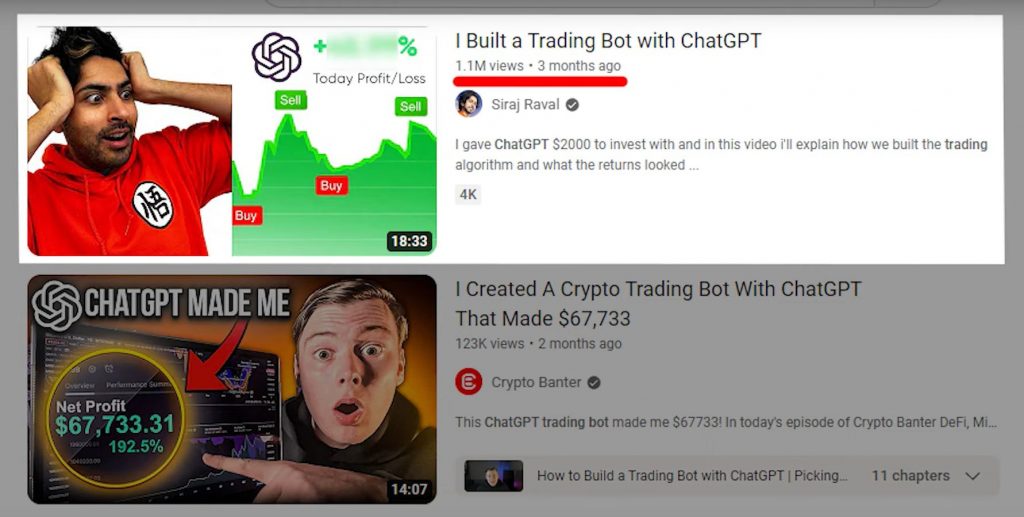
Now, let’s explore the intricacies of the TradeGPT Expert Advisor together. Before diving in, I want to emphasize the importance of researching thoroughly and reading reviews from satisfied traders before investing in any trading Robot. In recent times, ChatGPT has gained a great deal of popularity across various social media platforms and YouTube channels. It seems that content creators everywhere are eager to feature ChatGPT-related content, considering its large search appeal.
My Experience with ChatGPT
In my previous videos, I highlighted the limitations of ChatGPT when it comes to coding an Expert Advisor from scratch. I found it necessary to utilize more advanced tools such as EA Studio and FSB Pro to complete the code effectively. However, I also discovered that ChatGPT can be valuable in suggesting how to select an Expert Advisor from the Marketplace. In fact, one of my videos on this topic has garnered over 20,000 views, showcasing the widespread interest in ChatGPT.
TradeGPT EA Review:The Marketing Influence of ChatGPT
It is crucial to approach products related to ChatGPT with caution due to its substantial marketing presence. Some trading Bots in the market might exploit the name and logo of ChatGPT to attract sales. Therefore, skepticism and careful evaluation are vital to ensure you make informed decisions.
Examining the TradeGPT Robot
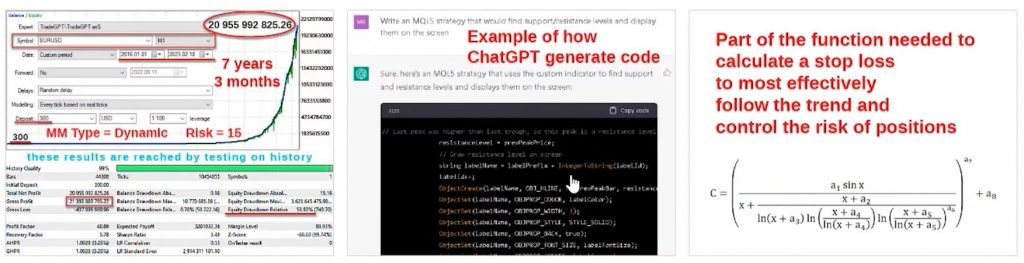
Before we dive into the details, let’s first examine three attached pictures shared by the seller. These images provide valuable insights into the TradeGPT Robot. The first picture showcases a backtest with a staggering profit of over $20 billion over a span of seven years and three months. While such impressive backtest results might raise skepticism among experienced Expert Advisor users, it’s important to keep an open mind and proceed with caution.
The second picture depicts an example of the code generated by ChatGPT. However, it is worth noting that relying solely on ChatGPT-generated code is unlikely to produce a functional Expert Advisor. Furthermore, the third picture showcases a part of the function used to calculate the Stop Loss, aiming to effectively follow the trend and control position risk. Although the formula might appear complex and advanced, it is not always the case that intricate strategies outperform simpler ones in the realm of Expert Advisors.
TradeGPT EA Review: Exploring the TradeGPT Robot Description
Now, let’s delve into the description provided by the TradeGPT Robot. According to the seller, they utilize ChatGPT to identify the best Market Entry strategy. This approach seems logical, considering ChatGPT’s capabilities. Additionally, the seller claims to incorporate their secret advanced mathematical model, which suggests that they have added extra knowledge and skills beyond ChatGPT’s capabilities. Such additional expertise is crucial when utilizing ChatGPT for trading purposes.
Key Details and Settings
The TradeGPT Robot is optimized for trading on the EURUSD pair, using the M1 timeframe. The recommended minimum Trading Capital to start with is $300. It is important to note these specifications as we proceed to test the Robot.
Analyzing TradeGPT Settings
Let’s begin by examining the settings of the TradeGPT EA. Surprisingly, there are not many inputs to control. You have the ability to manage risk, determine the lot size, enable hedge mode, and set virtual Stop Loss and Take Profit levels. While the simplicity of the settings may raise questions about the strategy behind the Robot, we will have to rely on the trustworthiness of the seller as they do not provide detailed explanations.
TradeGPT EA Review: Conducting a Backtest
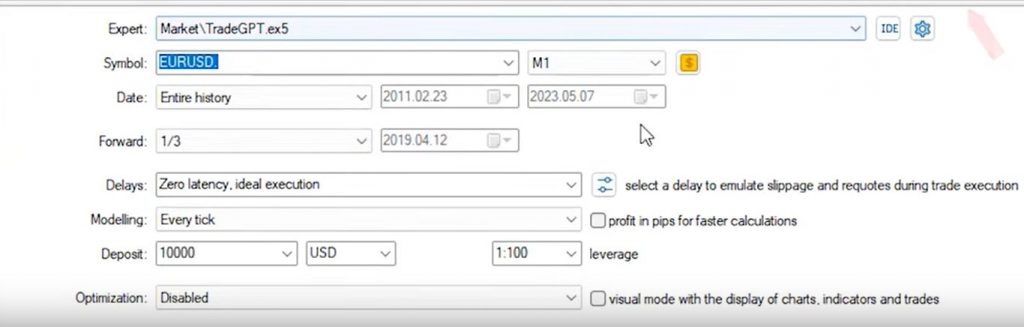
To gain insight into the performance of the TradeGPT EA, I will now conduct a backtest using the recommended settings. I will select the EURUSD pair and the M1 timeframe for the entire available historical data. By starting the backtest, we will observe the opening and closing of trades, as well as any drawdowns that occur. Drawdowns are particularly important to monitor, especially when trading with strict daily drawdown limits.
Interpreting the Backtest Results
As the backtest continues, we can see trades being opened and closed, along with occasional drawdown periods. Although the account balance shows steady growth, it is worth noting that the backtest we are observing differs from the impressive screenshot boasting a $20 billion profit. Furthermore, the large portion of the profits occurred in the last two to three years of the backtest period. While the overall results appear promising, it is crucial to manage expectations and remain cautious.
TradeGPT EA Review: Visualizing the Trades
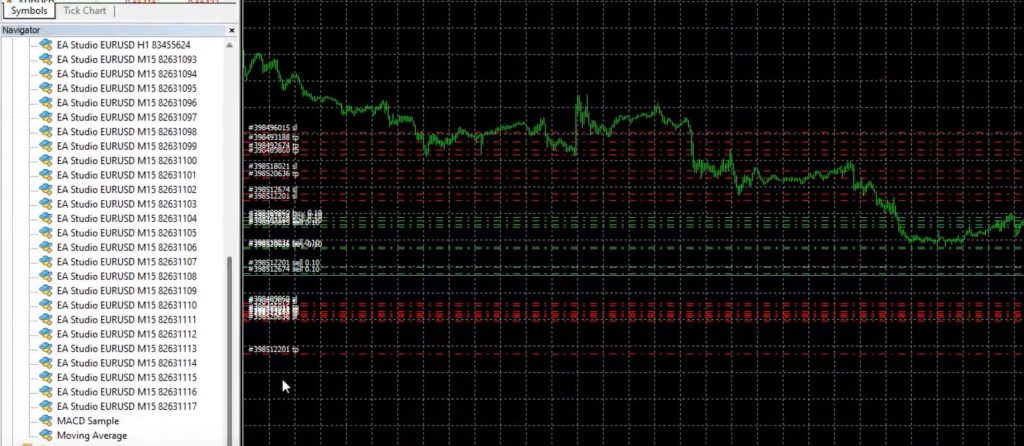
Next, let’s visualize the trades to gain a better understanding of how the TradeGPT EA operates. By running the visual mode, we can observe the opening and closing of trades on the chart. While analyzing the visual mode, I noticed that the graph does not display any indicators, trendlines, or horizontal lines. However, we can observe trades being opened and closed, with the presence of trailing stop-loss levels that move to lock in profits. It seems that the EA employs either a trailing stop-loss mechanism or utilizes specific indications to manage its positions.
Analyzing TradeGPT’s Trading Approach:
Upon investigating the TradeGPT EA, it became apparent that it opens multiple trades simultaneously. While this approach can be profitable, it also carries the risk of significant losses if the market moves against the trades. Surprisingly, there is no indication of a Martingale System to mitigate potential losses. Let’s take a closer look at the trades and their outcomes.
TradeGPT EA Review: Evaluating Trade Results
Upon reviewing the trade history, an intriguing pattern emerges. Regardless of whether the trades hit the Stop Loss or Take Profit levels, all of them appear to be positive. It is indeed impressive to see such a track record, where even losing trades eventually turn profitable. The EA seems to rely on Trailing Stop Loss levels to secure profits. While the positive trade results are encouraging, we must exercise caution when relying solely on backtest data.
Concerns and Considerations
In algorithmic trading, we typically encounter two scenarios with Expert Advisors. The first scenario involves EAs that generate both losing and profitable trades. Strategies falling into this category aim to achieve an overall profit by designing a strategy with more winning trades than losing trades. However, there is always a possibility of encountering losses along the way.
The second scenario involves EAs that utilize a Martingale System to manage losses and recover from drawdowns. While this approach can potentially yield consistent profits, it comes with the risk of substantial losses that could lead to account depletion. In the case of TradeGPT, we did not observe a Martingale System during our review.
The Lack of Transparency
One major concern with the TradeGPT EA is the lack of transparency regarding its indicators and underlying strategy. Without a clear understanding of the methodology employed, it becomes challenging to place trust in the EA’s performance. As an informed trader, it is crucial to thoroughly comprehend the mechanisms behind any trading system before deciding to use it.
TradeGPT EA Review: Final Thoughts
In conclusion, this honest review of the TradeGPT EA aimed to shed light on its strategy and performance. While the EA showcases an impressive backtest without losing trades or a Martingale System, it raises skepticism. As traders, it is vital to exercise caution when relying solely on backtest results. The lack of transparency regarding the strategy further adds to the doubts surrounding its reliability.
As always, this review is not financial advice but rather a means to provide insights and encourage critical thinking. It is essential to conduct thorough research, consider alternative opinions, and make informed decisions when selecting a trading tool. Thank you for joining me today, and be sure to check out our detailed review of the Waka Waka Expert Advisor on my YouTube Channel.
Disclaimer: The information provided in this review is based on personal experience and research. Trading involves risk, and past performance does not guarantee future results. Always exercise due diligence, seek professional advice, and trade responsibly.
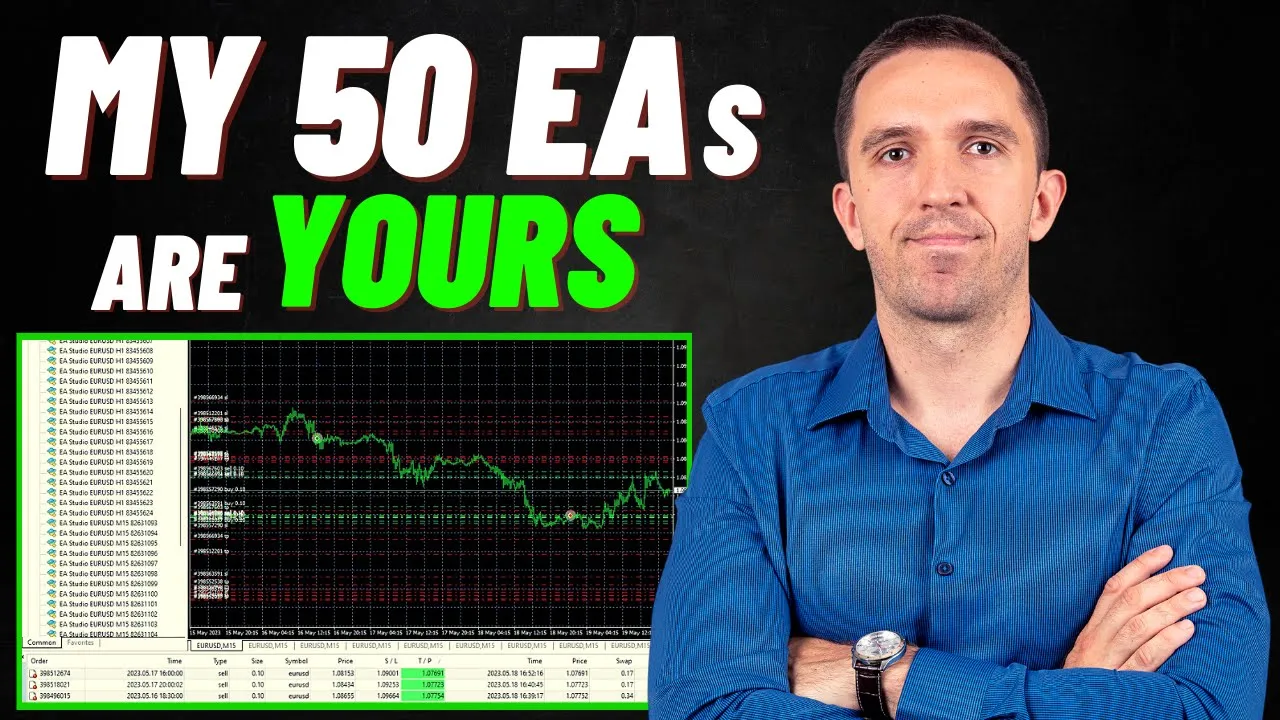
Welcome to today’s blog post, where I’ll reveal the truth about Expert Advisors (EAs) and explain why I prefer trading with 50 EAs instead of relying on just one. In the world of trading, scams and false promises are rampant, making it difficult to find a reliable set-and-forget EA. To counter this, I dedicate myself to daily testing and experimentation with EAs. Further, in this post, I’ll share my journey, including how I create my own EAs and my strategy of trading with multiple bots to balance risks. As a bonus, I’ll provide you with all 50 EAs for free! Let’s get started.
Trading Bots: Unveiling the Scams and False Promises
The realm of Expert Advisors is filled with scams and deceptive marketing practices. Many individuals make hefty profits by selling EAs that fail to deliver on their promises. However, finding a trustworthy and profitable EA has become incredibly challenging. To combat this, I engage in thorough testing and analysis using EA Studio and FSB Pro.
Choosing the Right Platform and Broker
To begin your journey with trading bots, it is crucial to select a reliable trading platform and broker. MetaTrader 4 and MetaTrader 5 are the leading platforms for algorithmic trading. However, for our demonstration, we will focus on MetaTrader 4. Ensure you opt for a Hedging account, as it allows for different positions for each trade, providing better insights into the performance of individual Expert Advisors.
Trading Bots: The Quest for the Perfect Expert Advisor
Through my extensive experience, I’ve come to the realization that there is no single EA capable of consistently generating profits without occasional drawdown periods or stagnation. This understanding has led me to adopt a diversified approach by trading with multiple Expert Advisors concurrently.
Harnessing the Power of Diversification
By utilizing multiple EAs, I’ve discovered a powerful strategy to compensate for losses and maintain consistent profitability. When one EA experiences a drawdown, others step in to generate profits, effectively balancing the overall performance. This approach minimizes the impact of individual EA weaknesses and provides a smoother equity curve.
Trading Bots: Continuous Testing and Experimentation
In my relentless pursuit of success, I explore various EAs available on the marketplace and continuously scour the internet for potential gems. Despite my extensive search, I’ve yet to find an EA that meets my rigorous criteria for long-term trading. Consequently, I remain committed to ongoing testing and experimentation, enhancing my trading strategies and unearthing promising new EAs.
Sharing the Wealth of Knowledge
Now, let’s move on to the exciting part – I’ll provide you with the opportunity to access the 50 Expert Advisors I currently employ in my trading. I firmly believe in the power of knowledge sharing and creating a community of well-informed traders. Moreover, by offering these EAs to you for free, I hope to contribute to your trading journey and assist you in achieving better results.
Trading Bots: Utilizing the Expert Advisors
Once you download the EAs, you’ll need to install them on MetaTrader and conduct your own tests. This will enable you to identify the best-performing robots, which can then be separated into a secondary demo or your live account. I’ll guide you through this step-by-step process, ensuring you make the most of these EAs.
Accessing the Expert Advisors
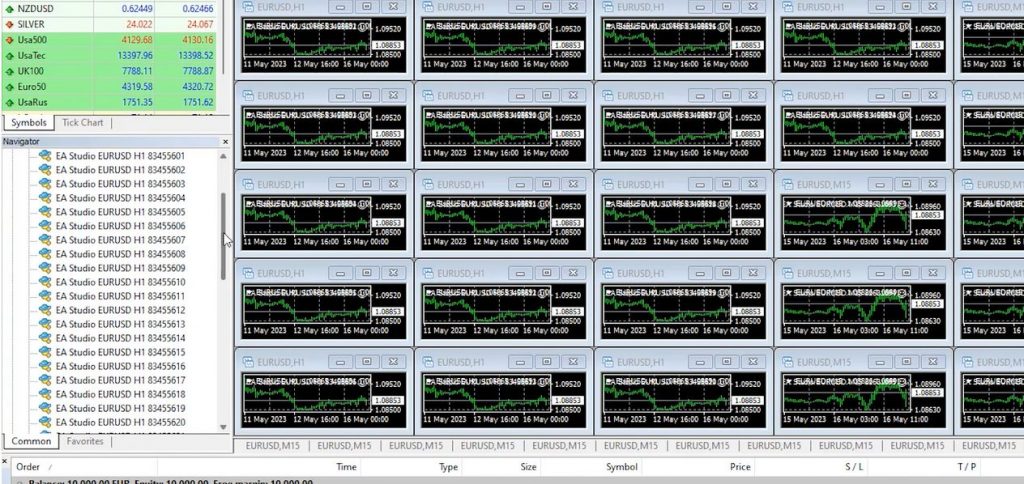
To begin, open the folder provided in the video description. Inside, you’ll find two setup files – one for MetaTrader 5 and another for MetaTrader 4. For this tutorial, we’ll utilize MetaTrader 5. Open the MT5 Experts folder, select all the EAs (25 for H1 and 25 for M15), and copy them.
Trading Bots: Pasting EAs in MetaTrader 5
Navigate to File > Open Data Folder > MQL4 > Experts within MetaTrader 5. Click on Advisors and paste the copied Expert Advisors into this folder. Close the folder and right-click on Expert Advisors. Although the refresh trick doesn’t work in MetaTrader 5, you can still achieve the same result by closing and reopening MetaTrader 5.
Attaching Expert Advisors to Charts
Upon reopening MetaTrader 5, you’ll find all the Expert Advisors in the Navigator tab. To attach them to charts, ensure that Algo trading is enabled. Begin by attaching the H1 robots, followed by the M15 robots. Set all your charts to the H1 timeframe. Despite the Auto Trading option being enabled, if you find your trading bots are not opening trades, check to ensure Auto Trading was enabled before placing the EAs on the charts. If you haven’t done this, you’ll need to remove the EAs, enable AutoTrading, and re-attach the EAs to your charts.
Attaching M15 Expert Advisors
Similarly, open 25 M15 charts and attach the corresponding M15 Expert Advisors to each chart. Follow the same steps as before to ensure proper configuration.
Trading Bots: Configuring Expert Advisor Settings
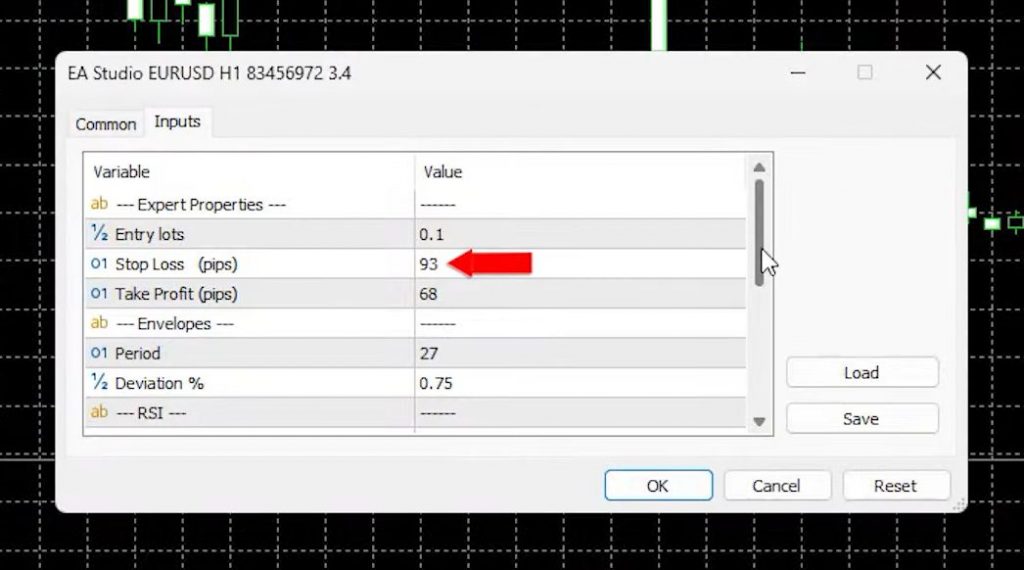
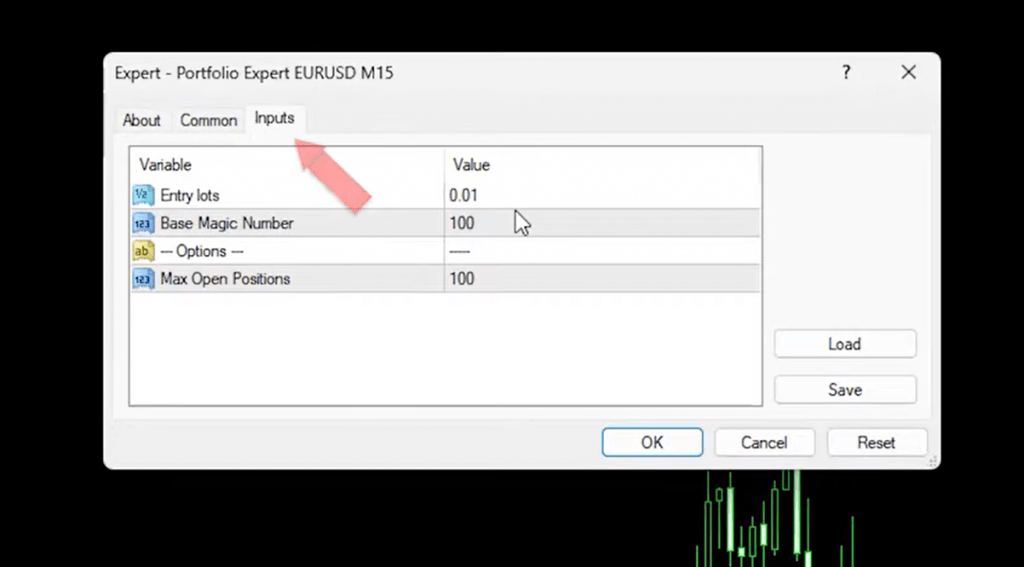
For each chart, drag and drop the desired Expert Advisor onto the chart. In the input settings, you’ll find options such as Lot size, Stop Loss, Take Profit, Envelopes, RSI, Stochastic, and the unique Magic Number. Feel free to adjust the Lot size according to your preference. The Magic Number helps track the performance of each Expert Advisor.
Observing Results and Performance
Once all the EAs are attached, you’ll notice that the indicators appear automatically on the chart. While trading with multiple EAs, the focus should be on overall results and performance, rather than individual indicators or trade execution timings. Assessing the top-performing EAs among the 25 H1 Expert Advisors is crucial for success.
Trading Bots: Monitoring Expert Advisors
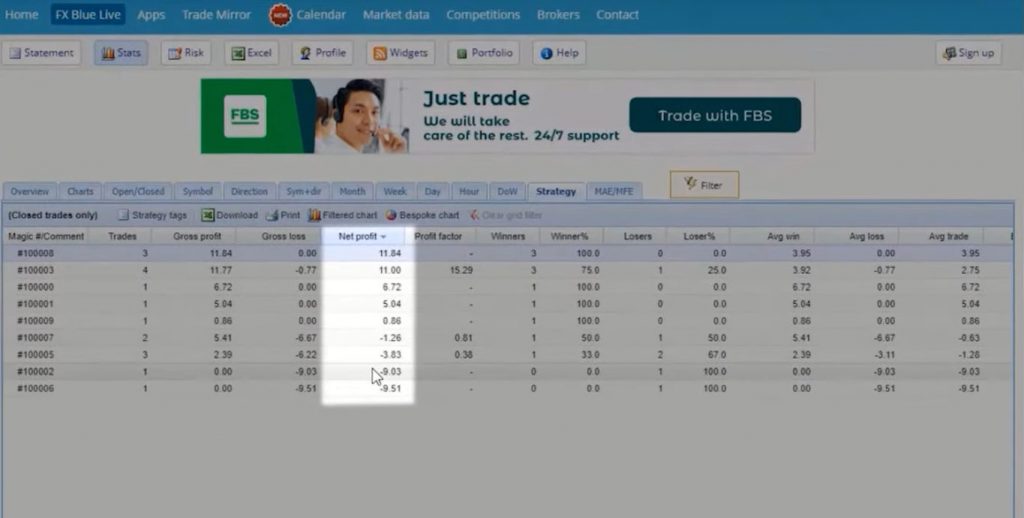
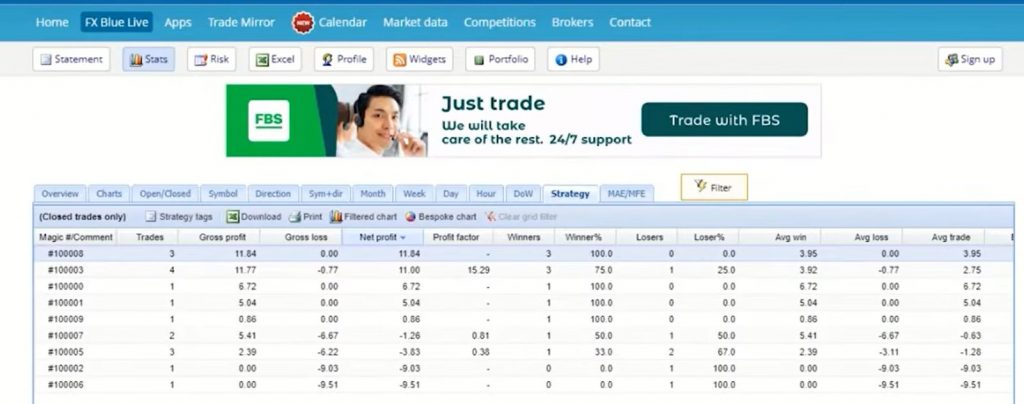
Equally important, is analyzing your trading bots. To analyze the results, you can connect your trading account with popular analysis websites like FX Blue or My FX Book. Above all, these platforms allow you to sort strategies based on Magic Numbers, enabling you to identify the top-performing Expert Advisors among the 50 attached. Select the ten most profitable ones, considering the current market conditions.
Testing Strategies in a Demo Account
To simulate live trading without risking real money, create a separate Demo account where you can test the top-performing Expert Advisors. Moreover, step allows you to refine your strategies and gain confidence in their profitability. Once you have mastered the process, you can proceed to use the most successful strategies in a live trading account.
Remember to exercise caution and consider using a second Demo account to further simulate live trading. This additional step minimizes the risk associated with real-money trading, ensuring you have thoroughly tested and validated your strategies.
Trading Bots: Conclusion
Trading bots, or Expert Advisors, offer immense potential for enhancing trading performance and efficiency. By carefully selecting the right platform and broker, attaching Expert Advisors to your charts, and analyzing their performance, you can identify the top-performing strategies. Through systematic testing in Demo accounts, you can refine your strategies and eventually transition to live trading with confidence.
Today, I am thrilled to share my insights and experiences in this review, which is available for MT4 and MT5. In this review, I will delve into the reasons behind my selection, introduce the developer behind the EA, and most importantly, outline the process of testing the EA on both Demo and Live accounts. So, let’s dive right in!
Testing the Expert Advisor
After purchasing an Expert Advisor, it is crucial not to rush into trading real capital with it, especially if there is a money-back guarantee period. For instance, with the Golden Pickaxe EA, I have a generous 30-day money-back guarantee, providing ample time for testing. Therefore, the first step is to test it on a Demo account for one to two weeks. This allows us to ensure everything is functioning correctly, evaluate the developer’s support, verify trades against My FX Book open trades, and, most importantly, determine if the EA meets our expectations. The Golden Pickaxe EA is available on the MQL5 Market Place, for both MT4 and MT5.
Meet the Developer – Valeria:
The developer behind the Golden Pickaxe EA is Valeria, whom you might recognize from my previous review of the Waka Waka EA. Having already experienced positive results with the Waka Waka EA, I felt confident purchasing the Golden Pickaxe EA. On my screen, you can see Valeria’s profile – Michenko Valeria. For those who missed my earlier review, the Golden Pickaxe EA can be considered the golden version of the Waka Waka EA.
Impressive Performance Statistics
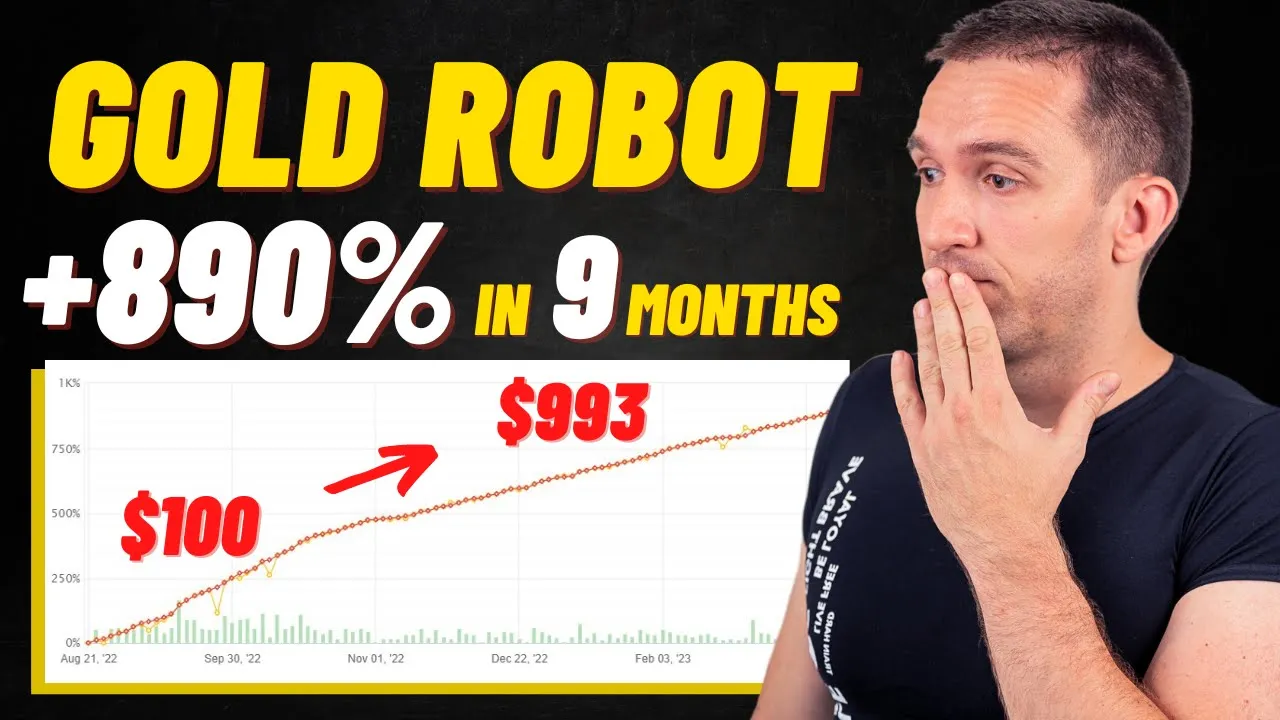
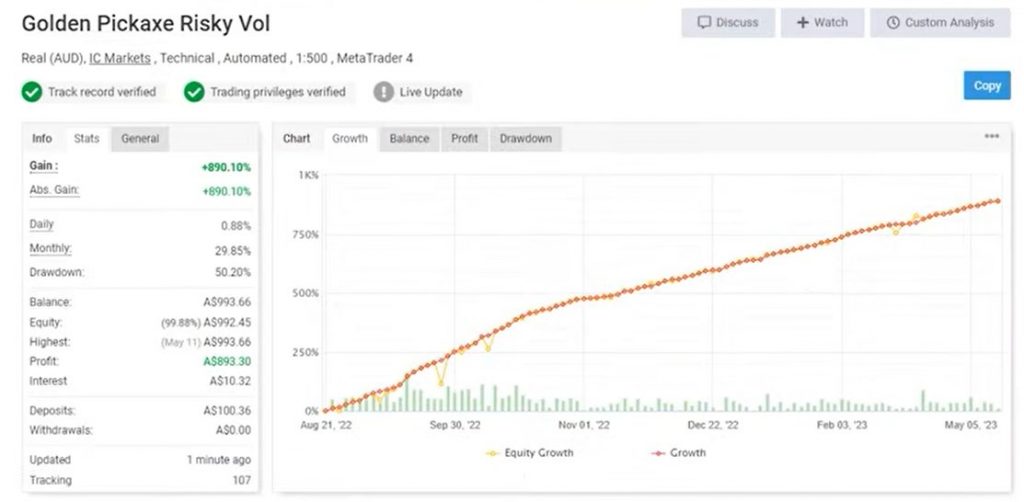
Let’s examine the statistics of the Golden Pickaxe EA. As of the time of recording, the EA has yielded a remarkable 890% gain, with a verified track record starting from August 2022. The initial deposit of 100 AUD has grown to a current balance of $993, showcasing consistent and steady growth. Moreover, the EA has generated over 35,000 pips, which is truly remarkable.
The monthly performance has also been positive, with January showing over 16% gain, February with 9%, and March maintaining a near break-even performance. Even in the worst-performing months, the EA has managed to avoid losses. As for the current year, April has yielded 7% and May has shown a 3% gain.
Looking back to 2022, we witness several months with substantial profits, such as September, which boasted a remarkable profit of 250%. However, it’s important to note that these impressive gains were achieved with a small initial account size of 100 AUD.
Personal Testing and Considerations
To test the Golden Pickaxe EA, I am using a $500 Demo account. At the time of recording, I had recently opened a trade on the M1 time frame, resulting in an 83 cent profit. However, it is still too early to determine if this EA will be suitable for my Live account.
If the EA passes my tests on the Demo account, I plan to begin trading with a small Live account, ranging from $500 to $1000. Gradually, I might consider scaling up to a larger account. Please note that these numbers are my personal choices and should not be construed as financial advice. I simply aim to share my testing process before committing to a larger account.
The Golden Pickaxe MT4 and MT5: Landing Page
On the Golden Pickaxe landing page, you can download the EA for free and test it yourself before making a purchase. At the time of writing this post, the discounted price for the EA was $665. While I won’t go into all the details here, you can find all the information you need, including the fact that the Golden Pickaxe combines elements from the Waka Waka EA and the gold asset.
Calculating Risk Settings
Advanced Risk Money Management
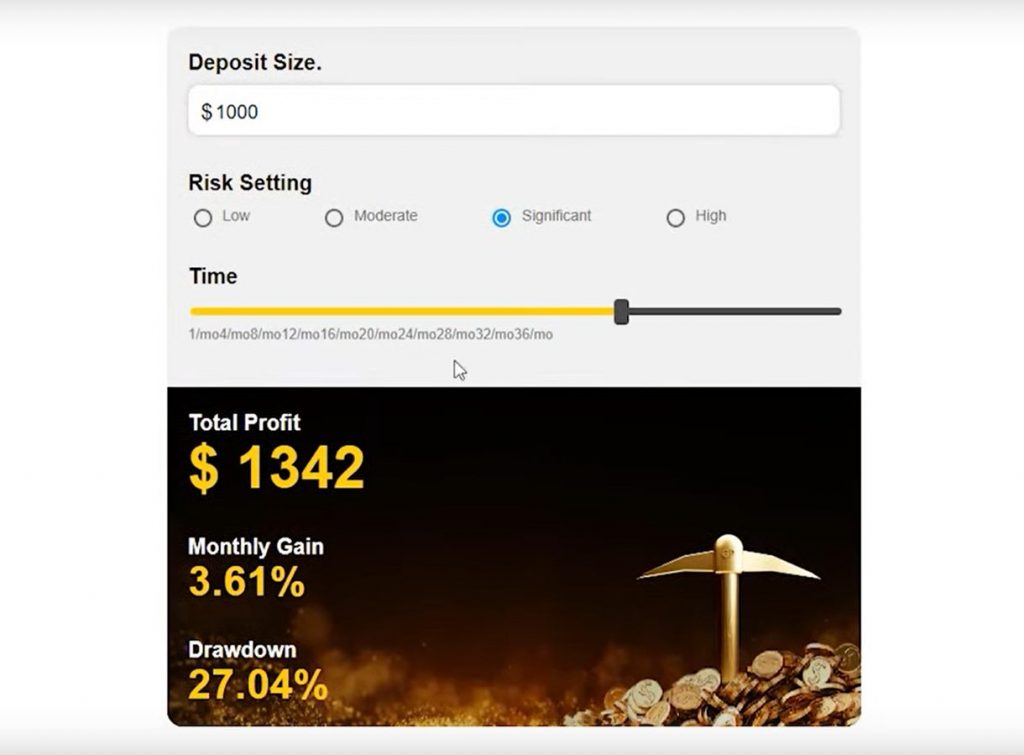
One of the standout features of the Golden Pickaxe EA is its advanced risk money management system. With this tool, you can calculate the expected returns based on different risk settings. Furthermore, it provides insights into the maximum drawdown experienced in the past 12 and a half years, allowing you to make informed decisions about risk tolerance. The Annual return metric further aids in evaluating the EA’s long-term performance.
Low Risk
When I set the risk level to the lowest, the drawdown decreases to 8.6, and the total profit amounts to $210. This option is suitable for traders who prioritize capital preservation over high returns.
Golden Pickaxe EA Review: Mid-Risk
Moving to the mid-risk level, we observe moderate results. While the total profit increases, the drawdown also rises accordingly. This setting offers a balanced approach between risk and reward.
Significant Risk
At the significant risk level, the total profit surges to $2,500, with a monthly gain of 5.16. However, it is important to note that higher risk settings come with larger drawdowns. Traders should carefully assess their risk tolerance before selecting this option.
Testing on Demo Account
For my testing purposes, I have opted to use the high-risk settings on a Demo account. This approach allows me to explore the worst-case scenario and assess the EA’s performance under challenging conditions. Keep in mind that testing on a Demo account is an essential step before venturing into Live trading.
Alongside testing the Golden Pickaxe EA, you can join the Telegram group, where many active traders gather. While I must admit that keeping up with all the messages can be challenging, it provides an excellent opportunity to connect with fellow traders who are utilizing the Golden Pickaxe EA. Additionally, you can find testimonials and gain further insights into the EA’s performance. There are also reviews available from users of the Golden Pickaxe EA on the MQL5 Market Place.
Exploring Expert Properties
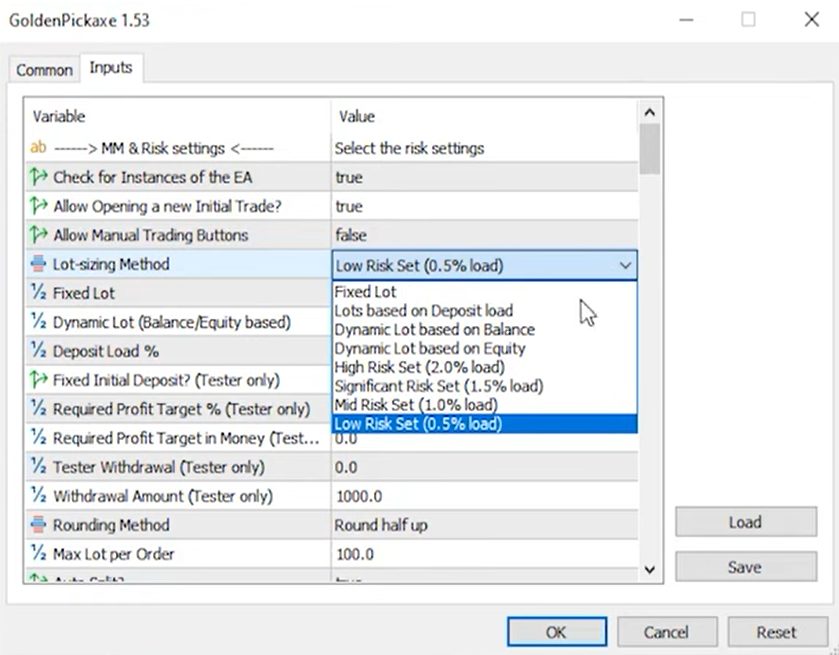
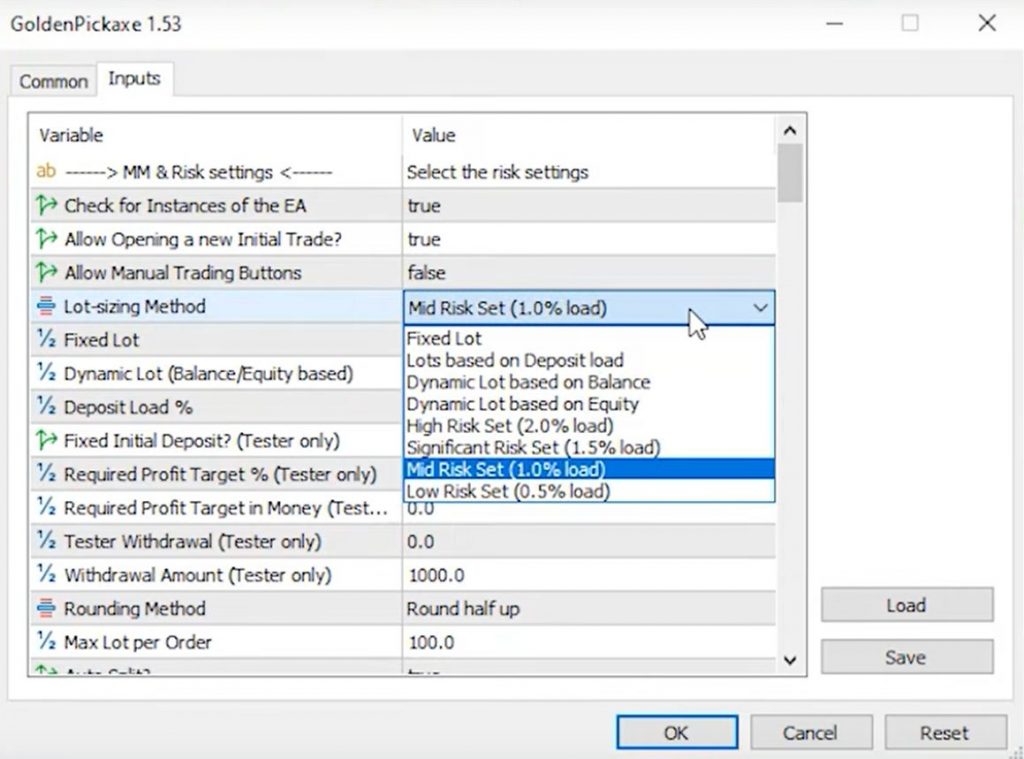
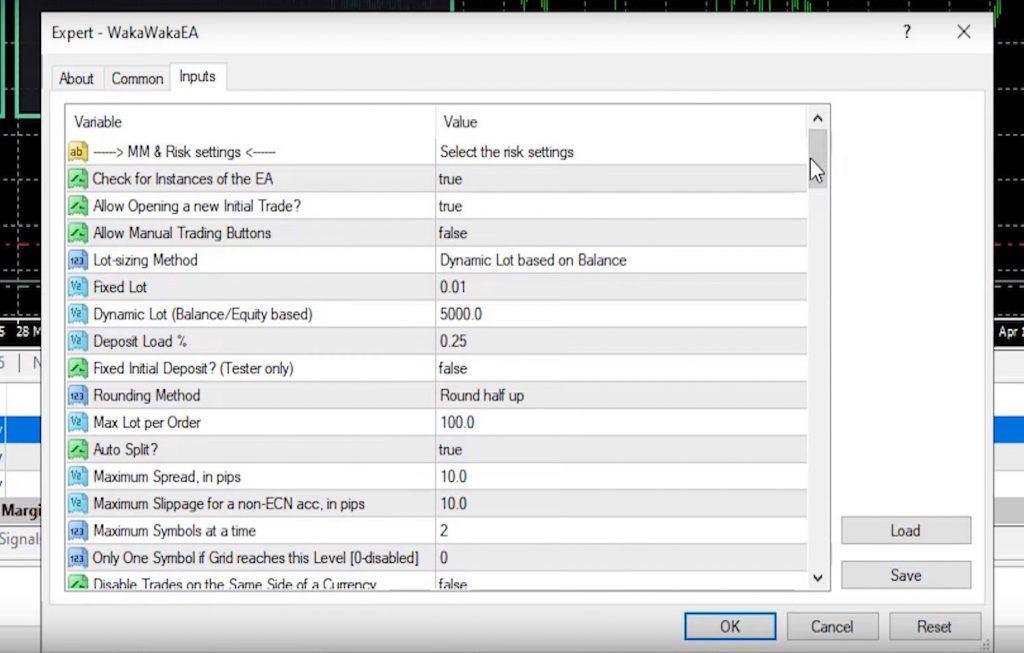
Now, let’s shift our focus to the Expert Properties. While I won’t go through every input, I will highlight the most crucial aspects. At the top, we find the risk settings, offering options such as Mid-risk, Significant risk, and High-risk.
As mentioned above when it comes to testing the Golden Pickaxe EA, my preferred approach is to start on a Demo account with maximum risk. This allows me to assess its performance under challenging conditions and gain valuable insights before venturing into Live trading. By testing the Robot thoroughly, we can make informed decisions about its suitability for our trading strategies.
Customizable Risk Settings
Within the Golden Pickaxe EA, you have the flexibility to choose between Fixed Lot and Dynamic Lots. Additionally, there are Spread filters available for those trading Gold. Keep in mind that the number of digits your broker uses may require recalibration. Down in the settings, you will find Max Daily Drawdown limits that can be customized according to your preferences. For example, I have set mine to 4 for my FTMO funded account, ensuring I stay within their trading objectives.
Determining Trading Frequency
The Golden Pickaxe EA offers the option to define your trading frequency. You can choose to trade every day or select specific days of the week based on your preferences. Moreover, there is a machine learning setup available to further enhance your trading experience.
Golden Pickaxe for MT4 and MT5: Simplified Set Files
To simplify the setup process, the Golden Pickaxe EA provides pre-configured set files after purchasing on the MQL5 Market Place and downloading it. These set files align with different risk profiles, making it easier for traders to implement their desired risk settings. By loading the appropriate set file, you can quickly apply the recommended inputs for your preferred risk level.
Comprehensive Setup Guide
When you purchase the Golden Pickaxe EA, you will receive a detailed setup guide containing extensive information to assist you from start to finish. This comprehensive guide ensures that even those with prior experience with Expert Advisors can easily navigate the setup process. From risk management to performance analysis, the setup guide covers it all.
Engaging Community and Resources
After you have purchased the Golden Pickaxe EA from the MQL5 Market Place, it comes with access to an active Telegram group, where you can connect with fellow traders. This community serves as a valuable resource for sharing insights, experiences, and trading strategies. Additionally, you will find a wealth of resources, including PDFs and other materials, to support your journey with the EA.
Unbelievable Profits in a Matter of Minutes
I must admit, I was taken aback by the Golden Pickaxe EA’s performance. In just 13 minutes, it generated a profit of over $500 in my $500 account. Yes, you read that correctly—a 100% return! I understand that this may sound too good to be true, so let’s move over to my computer screen, where I will show you the evidence. Are you ready? Let’s delve into it!
Exploring the Trades
I want to highlight an additional trade that recently closed with the Golden Pickaxe EA, which I purchased on the MQL5 Market Place. Remarkably, it yielded a profit of $407.43. If we combine this with the earlier trades from this morning, my total profit stands at $910. Consequently, my account balance has increased to $1410.
Testing the Golden Pickaxe EA
As discussed above, initially, after purchasing the Golden Pickaxe EA from the MQL5 Market Place, I decided to test this EA on a $500 Demo account. My plan was to observe its performance over a period of time. If I was satisfied with the results, I intended to deploy it on a small $500 Live account and conduct further testing before scaling it to a larger Live account.
Analyzing the Trade History
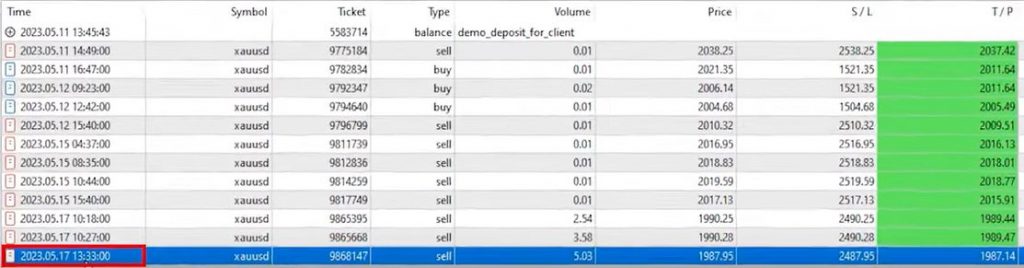
Now, let’s delve into the trade history and examine each trade’s opening and closing positions. This will offer us valuable insights into the Golden Pickaxe EA’s underlying strategy. Initially, I tested the EA with conservative settings, opting for a low-risk approach and a volume of 0.01. However, given that I was using a Demo account, I decided to explore the EA’s performance with higher-risk settings. In the inputs, I selected the High Risk set and loaded the risky set provided with the Expert Advisor purchase. As a result, recent trades were executed with larger lots, such as 2.5, 3.5, and 5 lots.
Unveiling the Trading Strategy
Although the exact opening and closing positions for the first two trades were not visible on the chart due to switching between my Live and Demo accounts, I fortunately record my screen during trading sessions. This allows me to provide you with a detailed analysis of the strategy behind the Golden Pickaxe EA.
Golden Pickaxe EA for MT4 and MT5: Impressive Trade Results
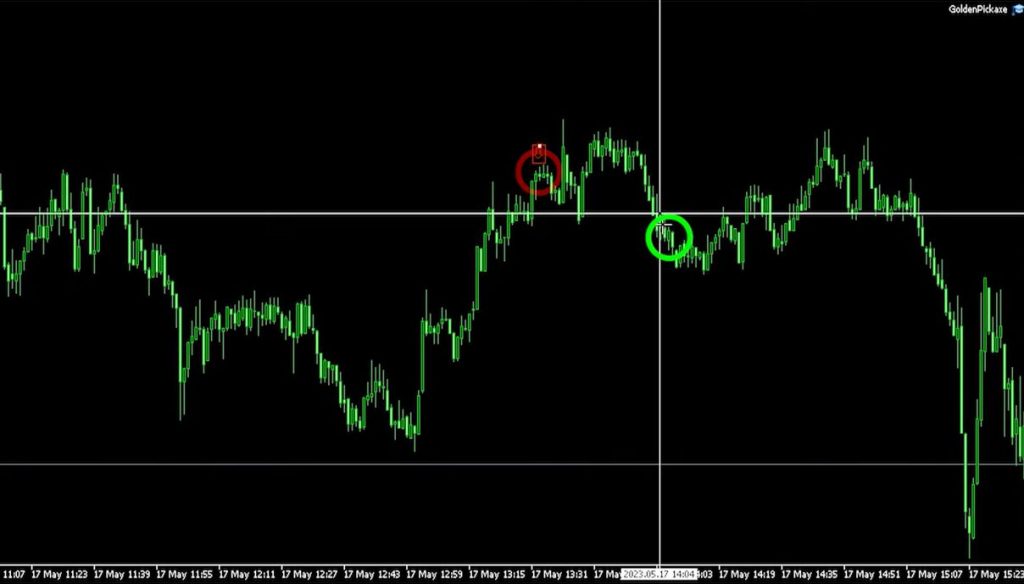
During my testing, I recorded two trades that occurred at the beginning of a significant market move. The EA executed a short trade, which was closed for a profit. Following that, another short trade was closed with a profit as well.
In just 13 minutes, the Golden Pickaxe EA generated a stunning $500 profit. It appears that the EA identifies selling opportunities at market tops and buying opportunities at market bottoms. In cases where the price moves against the trade, the EA employs a Martingale System to recover potential losses.
Analyzing Trade Execution
I want to direct your attention to the third trade, which opened at 1:30 PM. It can be seen on the chart at that specific candlestick. After approximately 6 minutes, at 2 PM, the trade was closed. This occurred during a bullish move, indicating that the EA sold at the right moment and closed the position for a $400 profit.
While trading with such a high volume in a $500 account is undoubtedly risky, I intentionally push the limits during testing to assess the EA’s capabilities fully.
Configuring Risk Settings for Live Account
Now, let’s discuss the risk settings I will be using for my Live account. To strike a balance between risk and potential gains, I will load the “balanced volume” set file and opt for the “Mid-risk” set for lot sizing.
These settings align with my trading strategy for the $500 Live account. I have chosen a regulated broker due to their low spreads and my positive experience during extensive testing. Remember, it is always advisable to test Expert Advisors on a demo account before implementing them on a live account.
Next Steps and Trading Safely
I recently funded my Live account and am eagerly awaiting the transfer to be completed. Once the funds are available, I will seamlessly switch between my demo and live accounts to continue testing the Golden Pickaxe EA on a smaller live account. I believe it’s essential to stay up-to-date with market conditions and trade safely, and that’s precisely what I aim to accomplish in this journey.
These steps provided a glimpse into the incredible profits achieved through testing the Golden Pickaxe EA. The EA’s strategic selling and buying approach, combined with the Martingale System, have proven to be highly profitable. As I transition to my live account, I have carefully configured risk settings to strike a balance between potential gains and account safety.
RESULTS
Testing on Demo Account
When I initially purchased the Golden Pickaxe EA from the MQL5 Market Place, I made a commitment to test it on a demo account using high-risk settings. In a subsequent video, I revealed the impressive results achieved during this testing phase.
The robot surpassed even my expectations, generating profits of over 100 percent. Allow me to demonstrate these results by accessing the VPS where the Golden Pickaxe is running alongside the Waka Waka trading on my FTMO Funded account.
Impressive Results on Demo Account
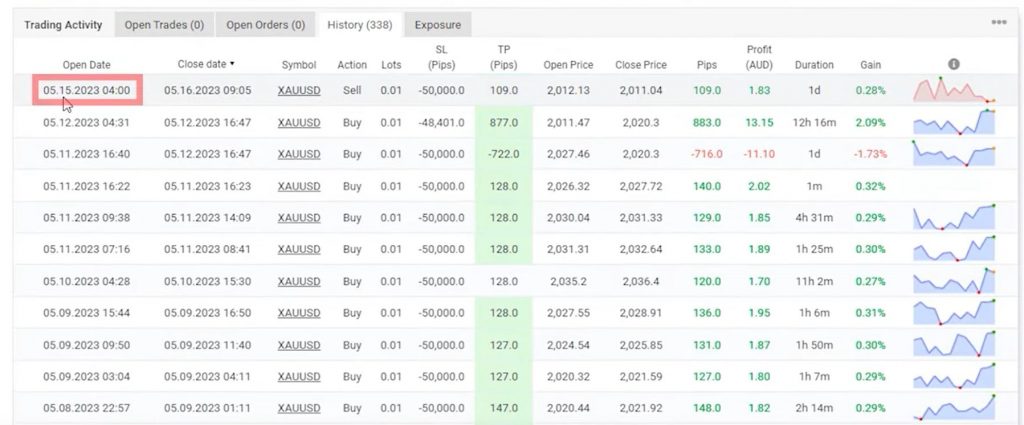
Upon examining the account history, you’ll notice that initially, I executed a few trades with a volume of 0.01. However, the two trades I showcased in a previous video truly stood out. These trades yielded a profit of nearly $500 in a $500 account, an astonishing 100 percent return.
While recording that video, another trade materialized, generating an additional $400 in profit. As you can observe, the volume gradually increased with each trade, signifying the EA’s ability to adapt and take advantage of market conditions.
The Pitfalls of Impulsive Trading – When Direction Doesn’t Matter (The May 18th Lesson)
Novice traders often find themselves enticed by such promising results and regret not deploying the EA on a live account to capitalize on these profits. However, it is crucial to exercise caution and avoid making impulsive decisions. Let me illustrate why through an example. If you examine the account history, you will come across a significant loss incurred on a trade opened on the 18th of May at 4:08 AM.
This trade, executed as a short position, initially showed promise, but the price fluctuated slightly, causing the account to blow due to the substantial volume traded (approximately 10 lots). Had this trade been executed with a lower lot size, it could have eventually turned profitable. This instance emphasizes the importance of thoroughly testing the maximum risk levels on a demo account before deploying an EA on a live account.
Golden Pickaxe EA for MT4 and MT5: Managing Expectations and Avoiding Gambling
It’s important to note that despite the negative overall profit of $500 in the demo account, this outcome was expected and intentional. As I mentioned in my previous videos, my objective was to test the EA’s capabilities under maximum risk conditions on a demo account. I caution against succumbing to the allure of quick profits and immediately transitioning to a live account with high-risk settings. This approach would resemble gambling rather than thoughtful trading.
Analyzing Account Activity
Upon examining my screen, you’ll observe that the experts’ box states “signals ignored” and the volatility equals 84.5. If we navigate to the end of the chart, it becomes evident that today is already the 31st of May. I funded the account on the 24th of May, which means it has been approximately seven days without any open trades.
Initially, I became concerned and thoroughly reviewed the provided guide and messages in the Telegram group, hoping to uncover the reason behind the lack of trades.
Understanding Trading Patterns
To gain further insights, I visited my FX book and accessed the Golden Pickaxe balanced volume account. Surprisingly, the last trade in that account was opened on the 15th of May, which indicates that even in the main account, the robot has not been actively trading for the past two weeks.
This revelation clarified why my live account has remained inactive. It’s important to note that when we purchase an expert advisor and deploy it with balanced risk settings, immediate trading should not be expected.
The realization:
When you select balanced risk settings, you’re explicitly telling the EA: “Don’t trade unless conditions are nearly perfect.” High volatility (84.5 in my case) means the EA sees market conditions as too risky for entry.
Most traders, myself included initially, install an EA expecting immediate action. We want to see trades opening within hours. When nothing happens for a week, we assume something’s wrong.
But here’s the truth: Patience is protecting your capital.
My $500 live account deposit remained exactly $500 after seven days. If I’d used the high-risk settings like on my demo account, I might have blown through that capital in 2-3 days chasing volatile market movements.
Zero trades means zero losses. Sometimes the best trade is the one you don’t take.
Emphasizing Capital Protection
This realization aligns with a principle I adhere to when creating expert advisors using strategy builders. The emphasis should always be on capital protection, taking trades only when reliable signals with low risks present themselves. Had I opted for very high-risk lot sizing methods and set files, I may have jeopardized the account within a matter of days, despite the potential for quick profits. Personally, I choose not to take such risks.
Golden Pickaxe EA for MT4 and MT5: Performance Variation and Risk Settings
It’s crucial to understand that the same expert advisor can exhibit vastly different performances based on the risk settings employed. For my live account, I have chosen the mid-risk set with a 1% load and the balanced volume set.
This selection reflects my preference for patient trading, patiently waiting for the first trades to materialize. Ultimately, it’s essential for each trader to comprehend the risks associated with the Golden Pickaxe EA and determine their risk tolerance accordingly.
Testing the EA: Free Trial and Demo Accounts
I highly recommend testing the Golden Pickaxe EA during the free trial period on a virtual demo account. This approach allows you to observe the varying performance levels based on different risk settings.
For your convenience, I have included a link below to access the Golden Pickaxe EA, and using the link, you can grab it from the MQL5 Market Place with a huge 20% discount. I firmly believe it holds immense potential. Moving forward, I will monitor the performance of this robot on my live account over the long term.
Final Thoughts On Golden Pickaxe EA
In this review of the Golden Pickaxe EA, which I bought on the MQL5 Market Place, we witnessed astounding profits within a remarkably short period. The EA’s performance exceeded expectations, making it an intriguing tool for traders seeking lucrative opportunities. As I continued my testing journey, I closely monitored its performance, especially as I transitioned to Live accounts.
Understanding the impact of risk settings on the Golden Pickaxe EA is vital for successful trading. By selecting appropriate risk levels, we can protect our capital and make informed decisions. Patience is key, as immediate trading activity should not be expected when using balanced risk settings.
Remember, responsible trading requires a thoughtful and calculated approach. For those interested in exploring the Golden Pickaxe EA further, I have provided a link below for get a massive 20% off the listed price. Stay tuned for future updates on the EA’s performance on my live account. Thank you for reading this post, and don’t forget to check out the results of the Waka Waka Expert Advisor, which I also purchased and reviewed.
For traders interested in deeper insights, Algo Trading Space offers a VIP Club that provides exclusive access to our complete trading results dashboard, priority support, and early intelligence on high-performing EAs before they become public knowledge. Members also get downloadable set files, access to our private Discord community, and our full course library.
Frequently Asked Questions
What does “signals ignored” mean in Golden Pickaxe EA?
“Signals ignored” indicates the EA is filtering out potential trades due to unfavorable market conditions, typically high volatility. When my live account showed volatility at 84.5 with signals ignored, it meant market conditions exceeded the EA’s safe trading parameters for balanced settings.
This isn’t a malfunction; it’s the EA protecting your capital by refusing to trade in dangerous conditions. The vendor’s balanced account showed similar behavior, with no trades for two weeks during volatile periods, confirming this is a normal conservative operation.
How can the same trade direction result in profit on one account and blow another?
Position sizing creates entirely different outcomes even with identical entry timing and direction. The May 18th trade on my demo account entered short correctly, price did eventually drop as predicted.
But with 9.99 lots on a $2,000 account, the small adverse movement (just a few dollars) triggered a margin call before the trade could profit. Lower lot sizing would have survived that minor fluctuation and closed profitably hours later. This demonstrates why risk settings matter more than entry accuracy.
Should I expect immediate trading activity with balanced Golden Pickaxe settings?
No. Balanced settings prioritize capital protection over frequent trading. My live account went seven days without a single trade after funding, and the vendor’s balanced account showed a two-week gap between trades during high volatility periods.
This patience is intentional; the EA waits for high-probability, low-risk setups rather than trading constantly. Traders expecting daily activity should understand that conservative settings may produce weeks of inactivity during unfavorable market conditions.
Welcome to today’s blog post, where I will outline my Prop Firm Trading Plan for managing over $1.3 million in funded accounts through Prop firms. In this blog post, I’ll share the details of my plan, including the costs involved and the estimated timeline to achieve this goal. If you’re ready to learn, let’s dive in!
Prop Firm Trading Plan: Introduction and Background
My name is Petko Aleksandrov, and I’ve been an active trader for the past 10 years. In previous videos, I have discussed how I utilize Expert Advisors to pass Prop firm challenges like FTMO. I’ve demonstrated my success in completing the FTMO challenge and verification with the EAs I create, and subsequent trading in a funded $10,000 account using the Waka Waka Expert Advisor. However, the quickest way to reach over $1 million in funded accounts is through different Prop firms.
Diversification and Portfolio Building
Just like investing in stocks, diversification is essential when it comes to Prop firm challenges and funded accounts. It is unwise to concentrate all your efforts and capital in a single company. Therefore, my plan is to pass one Prop firm challenge every month, collaborating with various firms. By doing so, I will gradually build a diversified portfolio of different accounts across different Prop firms.
Prop Firm Trading Plan: Realistic Steps to Build a $1.3 Million Portfolio
In this section, I will provide you with a realistic blueprint to construct a portfolio consisting of $1.3 million in funded accounts. Before proceeding, please note that I won’t cover the details of passing challenges in this blog post, as I have already addressed that in my previous videos on YouTube.
The Importance of a Trading Plan
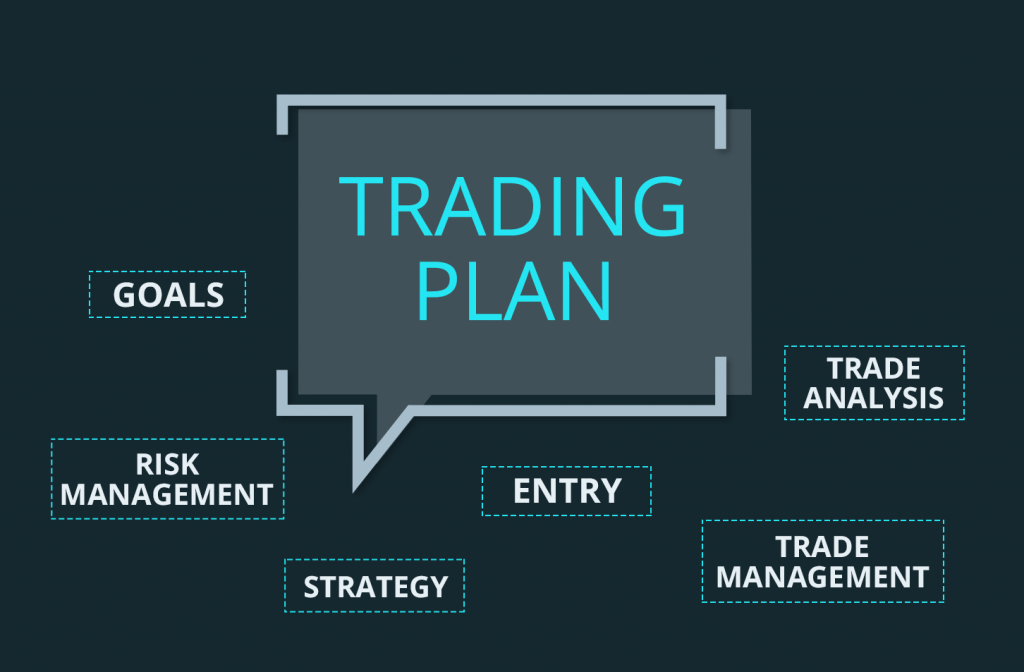
To achieve success in Prop firm trading, it is crucial to have a well-defined trading plan. This plan should outline your goals, risk tolerance, and trading strategies. I highly recommend creating a comprehensive trading plan that encompasses both manual and algorithmic trading methods. It will serve as a roadmap on your journey to building a substantial portfolio.
Prop Firm Trading Plan: Utilizing Proven Trading Systems and Expert Advisors
As part of my trading plan, I have developed proven trading systems that combine manual and algorithmic approaches. These systems have helped me pass Prop firm challenges successfully. To further support your trading journey, I offer an FTMO course where I share these systems and provide Expert Advisors that can assist you in passing challenges.
Managing Costs and Time frame
Now, let’s discuss the costs and time frame associated with building a $1.3 million portfolio through Prop firm trading. As you progress through different challenges and accumulate funded accounts, you will encounter costs such as challenge fees, profit splits, and subscription fees for trading platforms or Expert Advisors. It is essential to factor in these expenses while formulating your plan.
Prop Firm Trading Plan: Tracking Progress and Adjusting Strategies
Throughout your journey, it is crucial to track your progress and evaluate the performance of your trading strategies. Regularly reviewing your trading plan and making adjustments when necessary will help you stay on track towards your goal. Keep in mind that trading is a dynamic process, and adapting to changing market conditions is vital for long-term success.
Introducing the Waka Waka Expert Advisor
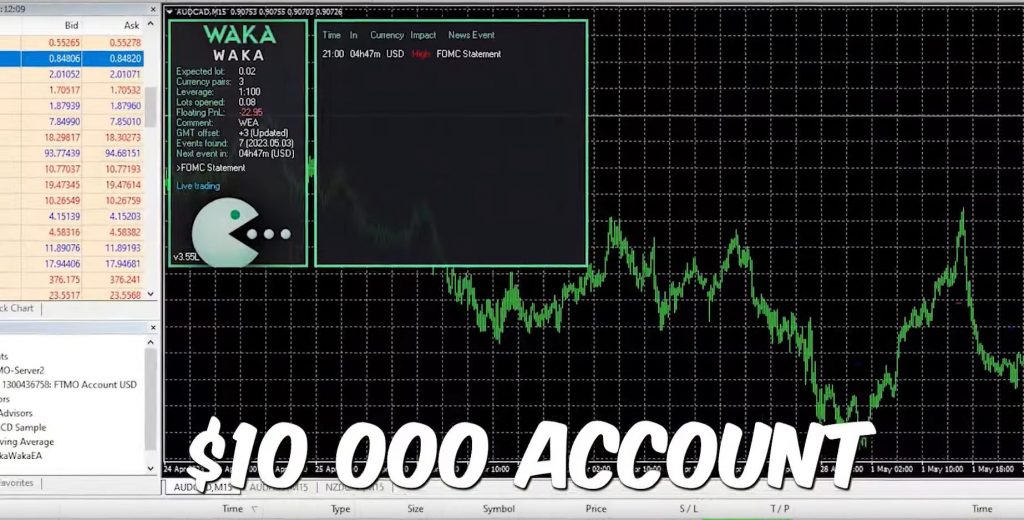
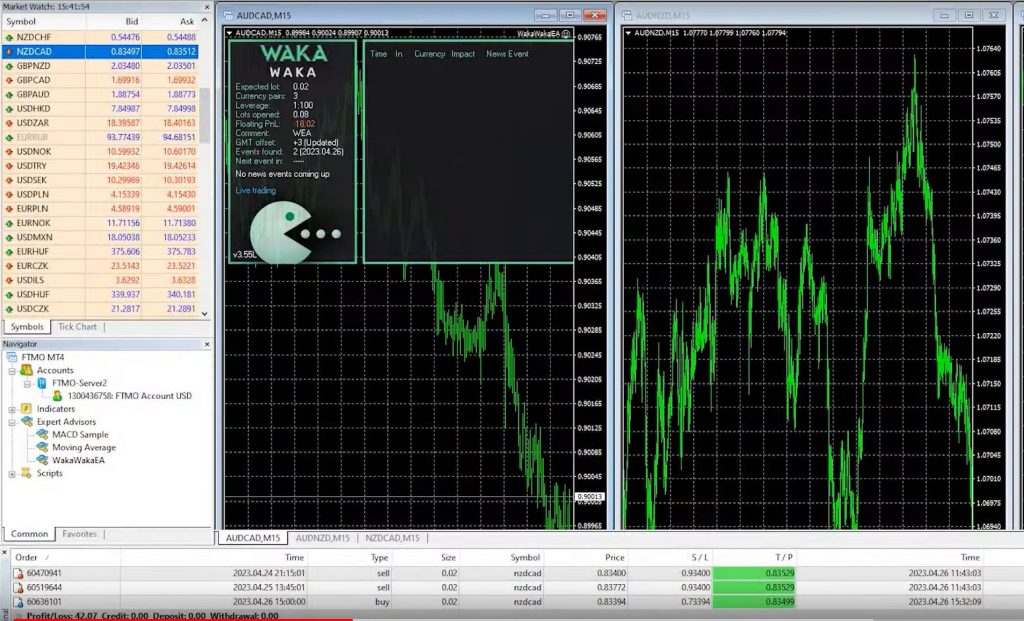
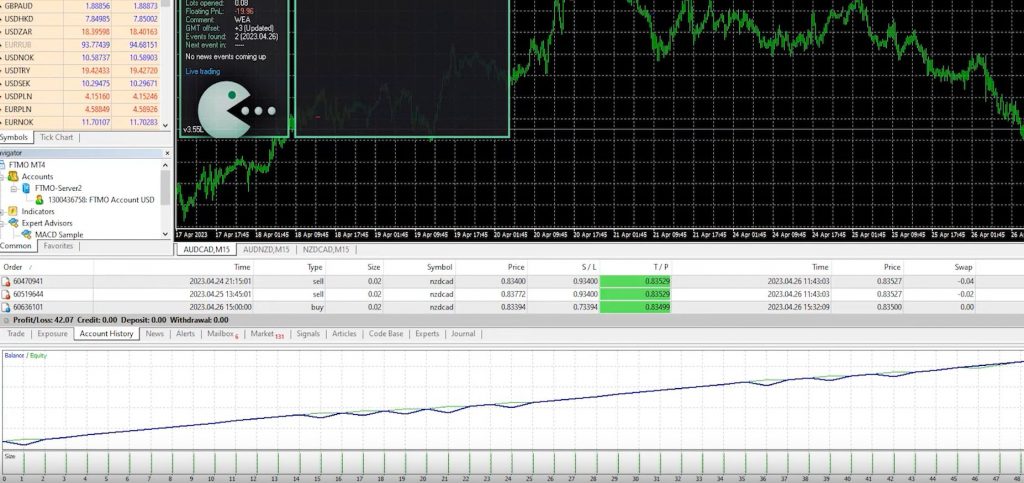
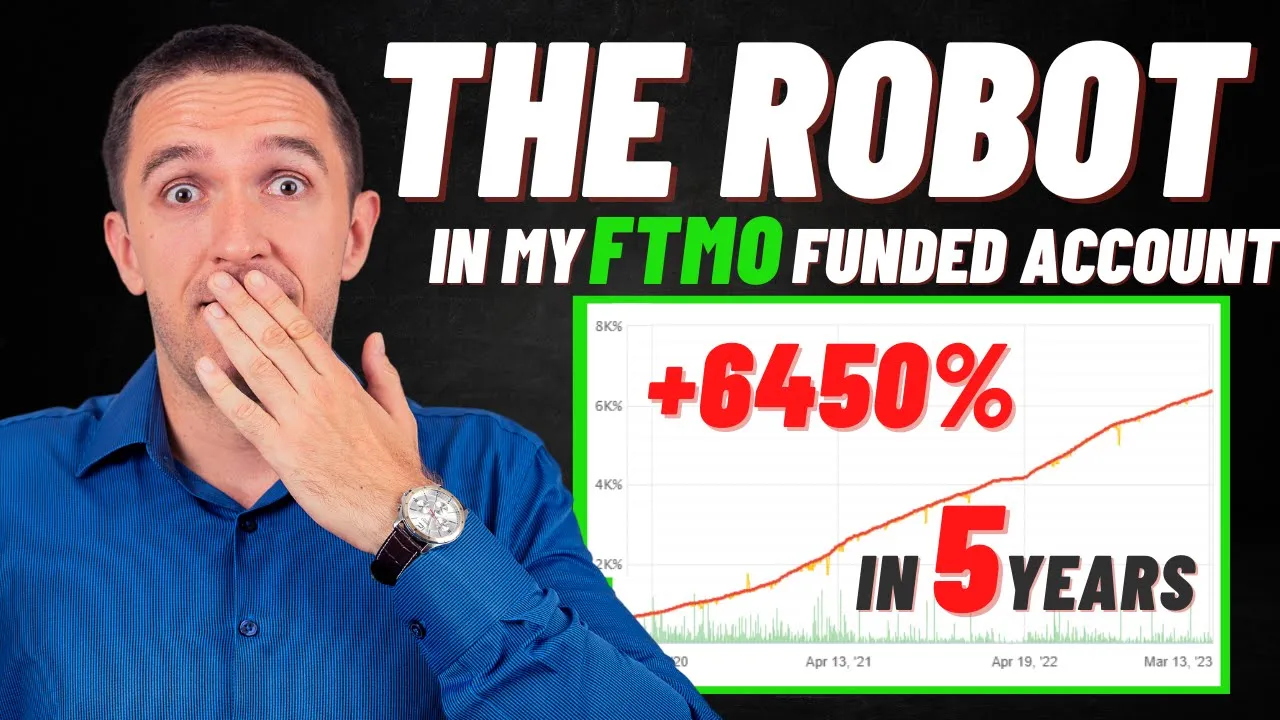
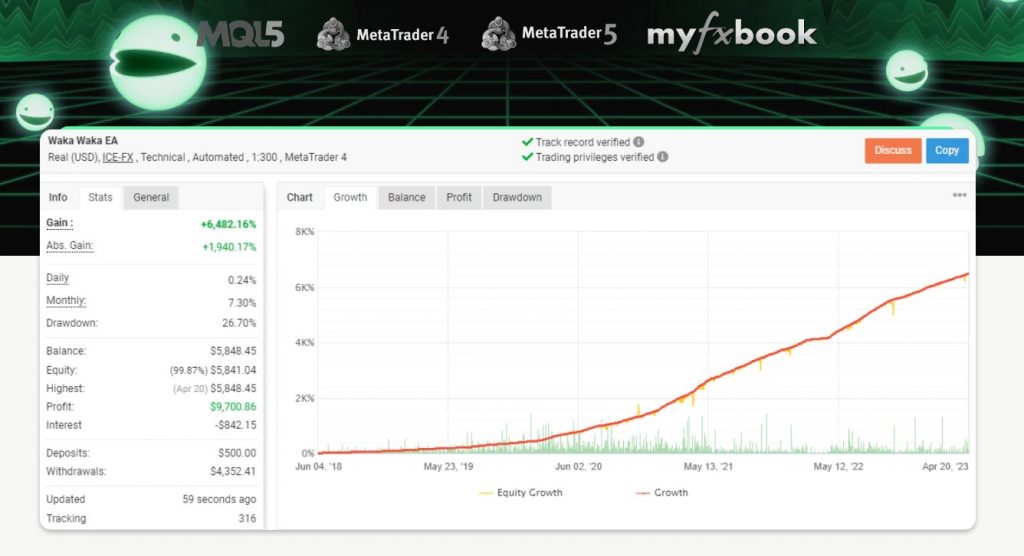
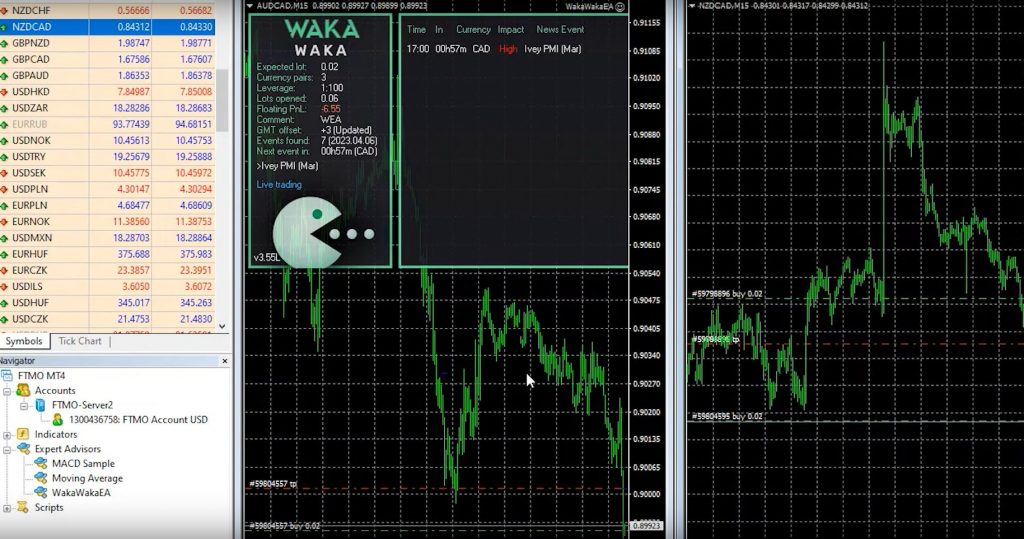
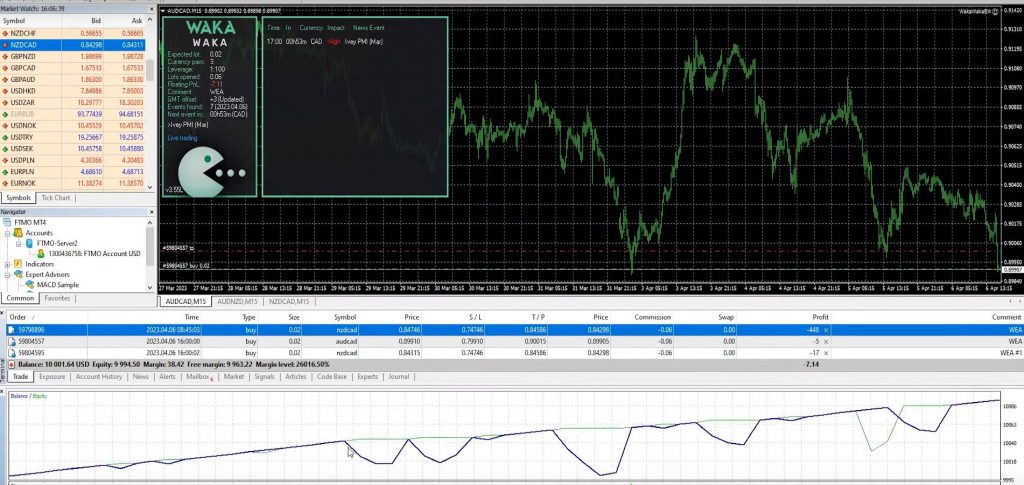
Before we explore the Prop firm challenges, let me introduce you to the Waka Waka Expert Advisor. This fully automated trading system has been successfully trading in my $10,000 FTMO funded account, generating a profit of $42. The Waka Waka Expert Advisor will play a crucial role in my trading plan as I intend to utilize it across different Prop firm challenges once I secure funding. Manual trading across multiple accounts can be overwhelming, and employing an automated system helps maintain consistency and efficiency.
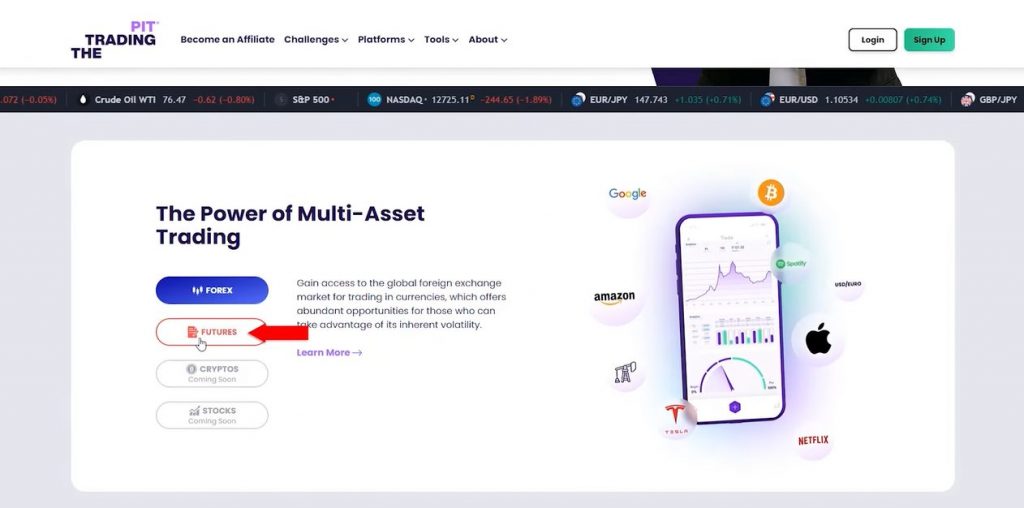
Prop Firm Trading Plan: The Trading Pit Challenge:
Now, let’s delve into the Trading Pit, my next target challenge. I have opted for the 100,000 Euro account, which is the largest available option. At the time of recording this video, the cost stands at around a thousand Euro. Moreover, the advantage of this challenge is the extended duration of 90 days, providing ample time for trading activities. In Phase one, the profit target is set at 8%.
Notably, the features of the Trading Pit challenge include a static 3% daily drawdown, a maximum drawdown of 10%, and leverage of 1 to 30. Excitingly, the Profit Share can reach up to 80%, while the Max capital Growth can potentially reach an impressive $700,000. Additionally, the Trading Pit allows for scalability up to a staggering $5,000,000, which presents remarkable opportunities for growth.
Alternative Options: Futures Challenge
For those interested in Futures trading, the Futures Challenge presents a viable alternative. This challenge offers different pricing, which is comparatively cheaper, and provides a larger challenge account balance. However, given my specialization in Forex trading, I will be focusing on the VIP challenge account specifically tailored for Forex Trading.
Prop Firm Trading Plan: Prop Firm Overview:
Let’s now explore the different Prop firms I plan to engage with, along with their associated costs and funded account sizes.
The Trading Pit: For this Prop firm, I have chosen to invest 999 Euro. Successfully passing this challenge will result in a funded account of 100,000 Euro.
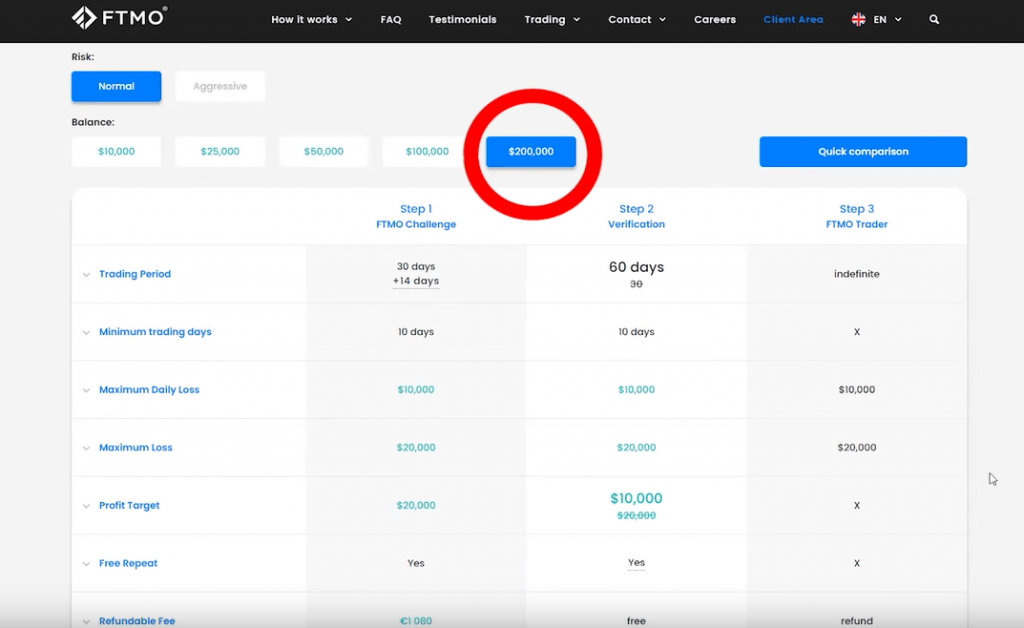
FTMO, the second Prop firm on my list, offers a $200,000 account for a cost of 1080 Euro. Similarly, to my experience with the $10,000 Challenge, successfully completing this challenge will result in an additional 181,000 Euro added to my funded portfolio.
My Forex Funds: Moving forward, I will be taking on the Forex funds challenge, where the largest account available is $300,000. The associated cost for this challenge is 1389 Euro, providing an opportunity to secure a funded account of 272,000 Euro. Phase one targets an 8% profit, while Phase two aims for a 5% profit.
True Forex Funds: The fourth Prop firm on my journey is True Forex Funds. Upon examination, the largest account size available here is 160,000 Euro. The initial payment required for this account is 998 Euro.
The Trading Capital: Finally, I will be considering Тhe Trading Capital, a well-known Prop firm based in the US. Their biggest account offering is $500,000, equating to 454,000 Euro. This evaluation ranges from $50,000 to $500,000. The associated fee for this account is approximately 1800 Euro, based on the current EURUSD price.
Additional Cost: Waka Waka Expert Advisor:
In addition to the challenge fees, I want to highlight another expense: the Waka Waka Expert Advisor. At the time of writing this blog post, the cost of the Expert Advisor is $1980. However, this purchase provides me with 10 activations, of which I have already used two. I utilized one activation for testing purposes on a demo account, and the second one for trading my 10K FTMO funded account. Therefore, I have sufficient activations remaining for the other funded accounts.
Backtesting the Waka Waka Expert Advisor:
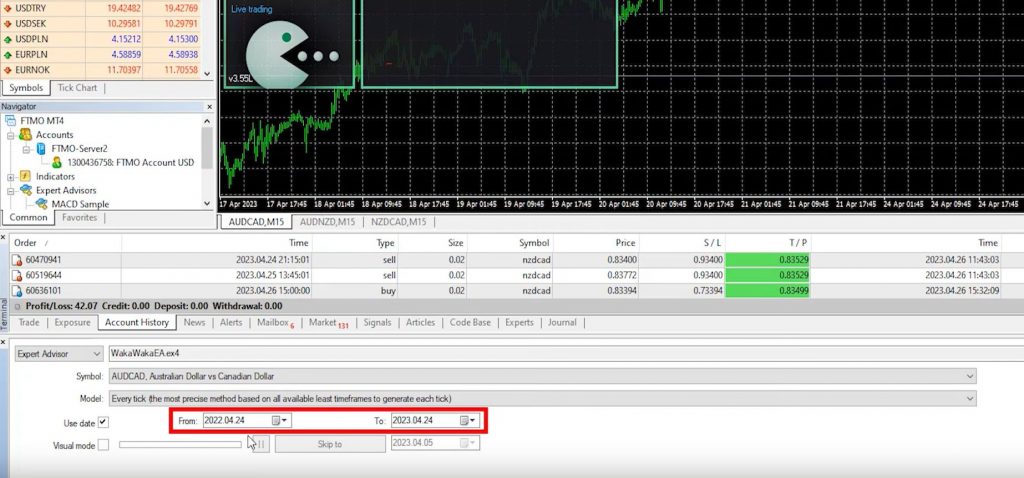
Now, let’s examine the backtest results of the Waka Waka Expert Advisor. I will simulate the trading of a combined balance of $1.3 million, which represents the hypothetical scenario of having all the funds in a single account. Using the data from April 2022 to April 2023, let’s analyze the approximate performance of the Expert Advisor over one year. Moreover, the backtest will provide valuable insights into the potential profitability of the system.
Prop Firm Trading Plan: Steady and Automated Trading:
For those who missed my previous review of the Waka Waka Expert Advisor and its application on my FTMO funded account, I have included a link in the description below. It’s important to note that this Expert Advisor is reliable and fully automated. It consistently generates stable profits while adhering to the rules and regulations of FTMO, the Trading Pit, or any other Prop firm that I choose to utilize. This ensures compliance and compatibility with the objectives of different Prop firms.
Backtest Results and Profitability:
Upon examining the backtest, we can observe a minor drawdown. However, overall, the report reveals a profit of approximately $116,000 over the past year. This equates to a respectable return of nearly 10%. Achieving such consistent and automated profit with a sizeable account demonstrates the effectiveness of the Waka Waka Expert Advisor. Moreover, this performance aligns with the trading goals and expectations of various Prop firms.
Prop Firm Trading Plan: Starting Small and Growing:
If you are new to Prop firms, I recommend avoiding jumping into high-risk challenges right away. Instead, consider starting with a free trial or small-scale challenges. For instance, if you have a thousand dollars available for Prop firm challenges, it would be wise to divide that amount into smaller challenges until you become comfortable with the trading system. This allows you to carefully select the Expert Advisor or manual strategy that best suits your preferences and trading objectives.
Realistic Expectations and Calculating Costs:
The purpose of this video was to demonstrate the importance of structuring a well-defined trading plan. By accurately calculating the costs and expenses associated with each challenge, selecting an appropriate Expert Advisor for the funded account, and successfully completing the challenges, you can develop realistic expectations regarding potential earnings.
Prop Firm Trading Plan: Conclusion:
Creating a profitable Prop firm trading plan requires careful consideration of various factors. Additionally, diversifying across multiple Prop firms, incorporating reliable Expert Advisors, and starting with manageable challenges contribute to long-term success. By analyzing backtest results, considering performance metrics, and calculating associated costs, you can ensure a well-informed approach to prop firm trading.
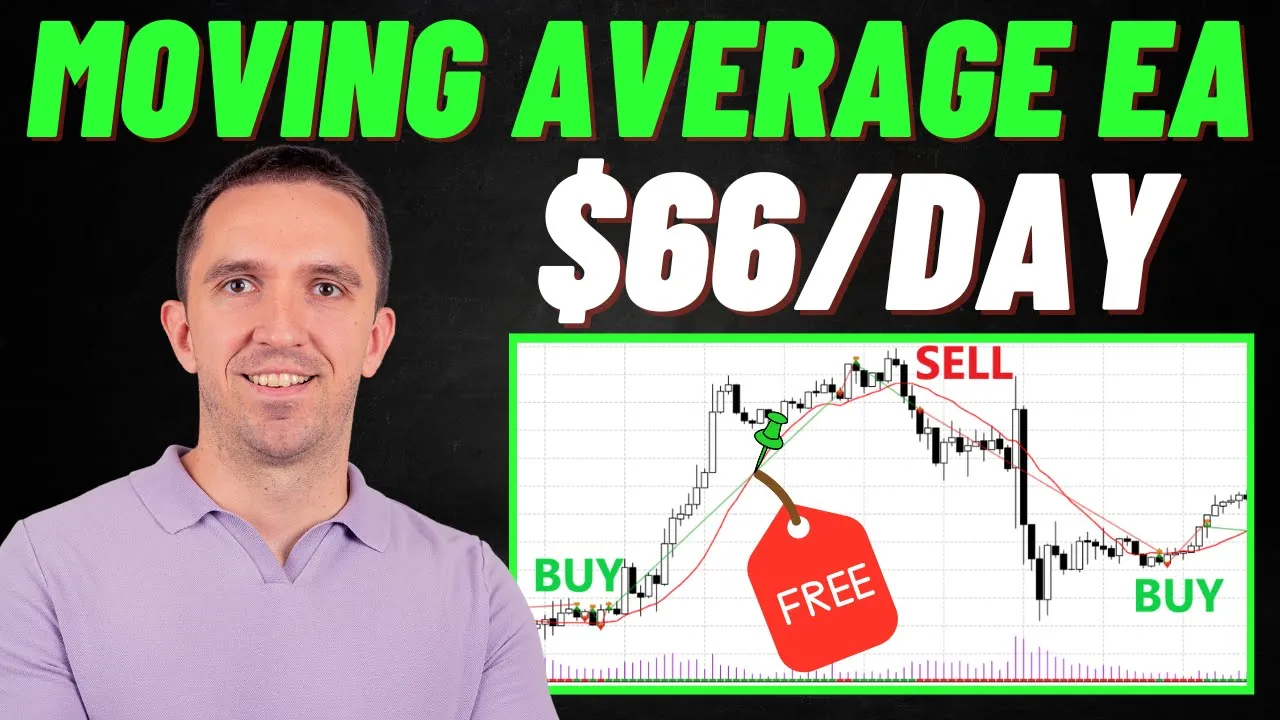
In this blog post, I will introduce you to an easy Moving Average Expert Advisor that you can download for free. By testing this Expert Advisor and exploring its source code, you will gain valuable insights into its functionality. But before you dive into the technical details, let’s take a moment to understand how moving averages work in Expert Advisors and explore the advantages and disadvantages they offer.
Easy Moving Average Expert Advisor: Combining Strategies
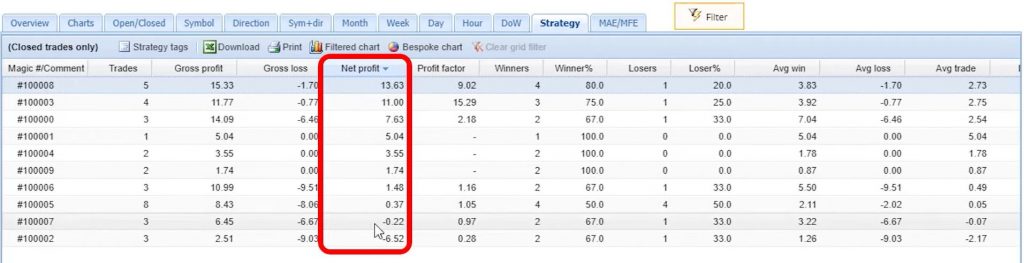
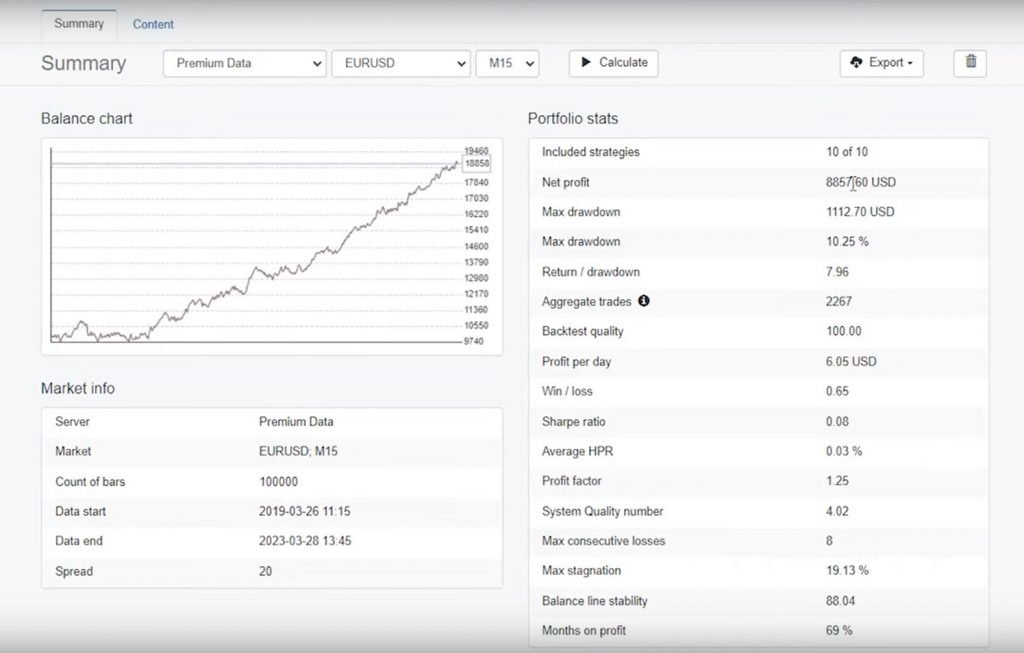
About two weeks ago, I shared a video with you called “10 EAs in 1 Best Moving Average Robot,” where I combined ten different strategies or Expert Advisors into a single moving average portfolio. If you watched the video and downloaded the robot, you already know that you can trade all ten strategies on one chart. Additionally, I demonstrated how you can connect your trading account to FXBlue to monitor performance.
Over the past two weeks, two of the strategies have performed exceptionally well. The top-performing strategy generated a profit of $13 while trading with a volume of 0.01. If the volume had been 0.1, the profit would have been $130. Remarkably, this strategy consistently produced profits in a small account.
Analyzing Strategy Performance
Upon closer inspection of the results from the ten strategies, it became apparent that some were outperforming the others. In this blog post, I will focus on the top-performing strategy and share why it outshined the rest. Now, let’s dive into the details of the best-performing strategy and the easy moving average Expert Advisor.
Understanding the Easy Moving Average Expert Advisor Strategy
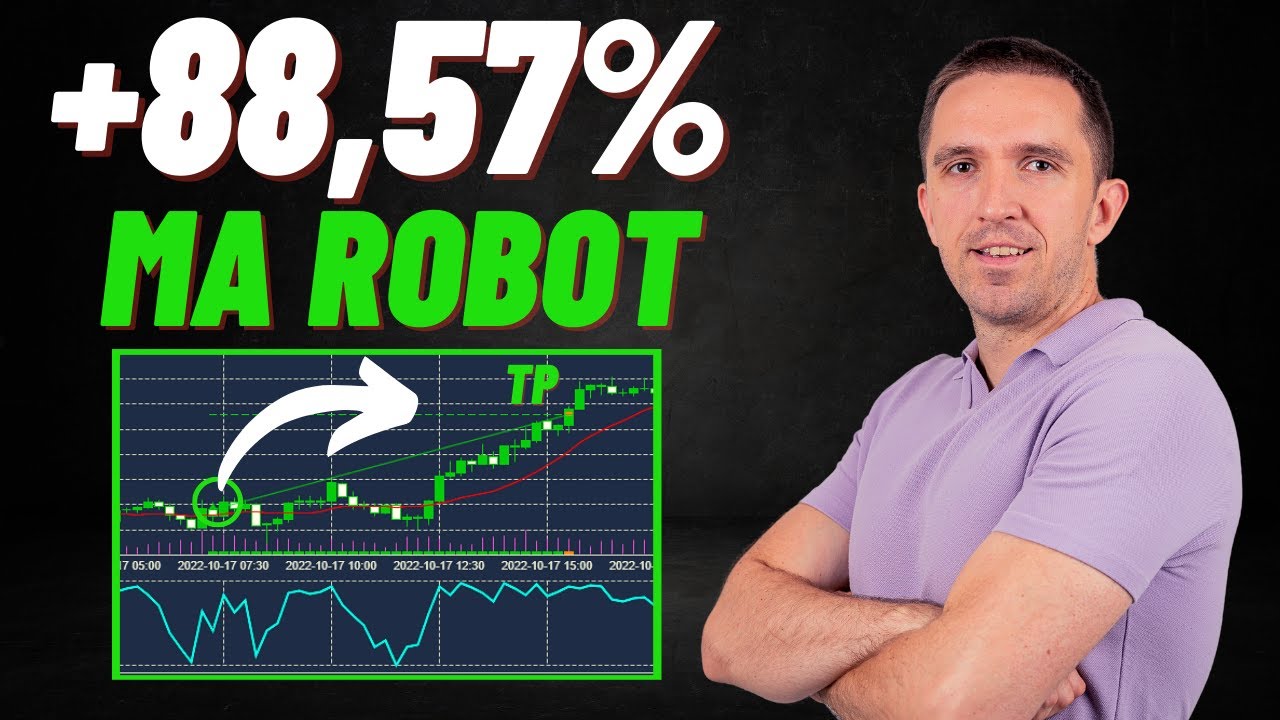
The key takeaway from this discussion is that moving averages work exceptionally well in Expert Advisors, especially when combined with other indicators. If you were to use only one moving average, buying when it changes direction upwards and selling when it changes direction downwards, you would generate profits during trendy market conditions with significant up and down trends.
However, you would likely experience losses when the market moves sideways. This is because the moving average lags behind the price, particularly on lower time frames.
The Perils of Relying Solely on Moving Averages
To illustrate the potential risks of relying solely on moving averages, let’s consider a hypothetical scenario. If you were to trade solely based on the moving average, you would enter numerous trades on low time frames. Unfortunately, this approach often leads to unfavorable results.
Later on, I will show you just how many trades you would have executed and the corresponding outcomes using only the moving average strategy.
Exploring the Easy Moving Average Expert Advisor
Now, it’s time to reveal the strategy behind the easy moving average Expert Advisor. Moreover, I will provide you with the source code and guide you through the process of backtesting it with your broker. By gaining a deeper understanding of the Expert Advisor’s inner workings, you will be better equipped to leverage its potential for your trading endeavors.
Understanding the Entry Conditions:
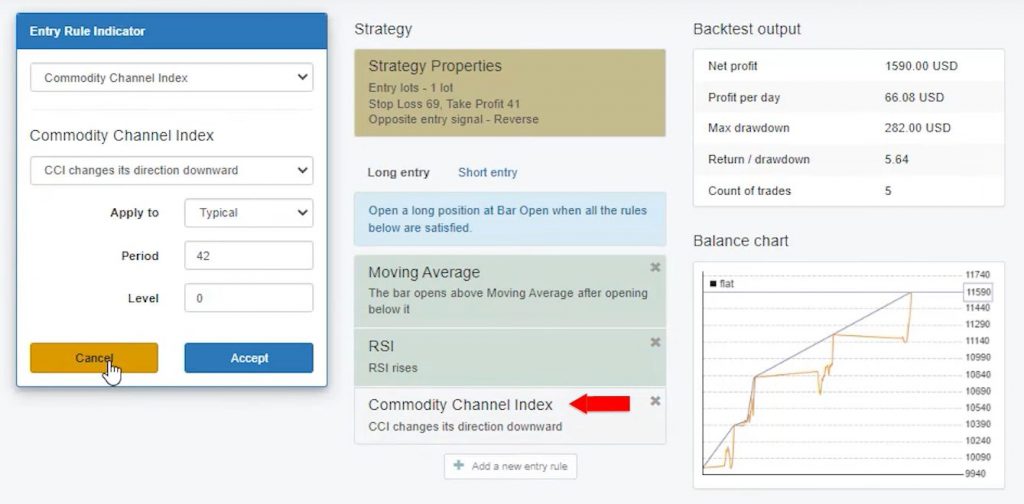
The first condition for entering a trade with this strategy is that the bar should open above the 40-period moving average after opening below it. This ensures a long trade opportunity. However, relying solely on the moving average for entries would result in numerous trades, potentially leading to losses.
To avoid this, the strategy incorporates two additional indicators, RSI and CCI, to confirm the validity of the entry signal.
Easy Moving Average Expert Advisor: The Role of RSI and CCI:
In addition, by including RSI and CCI as the second and third entry conditions, respectively, the strategy seeks confirmation beyond the moving average. These indicators help filter out false signals and provide a more accurate entry point.
Without them, the strategy would generate a large number of trades, leading to unfavorable outcomes.
Analyzing the Indicator Chart:
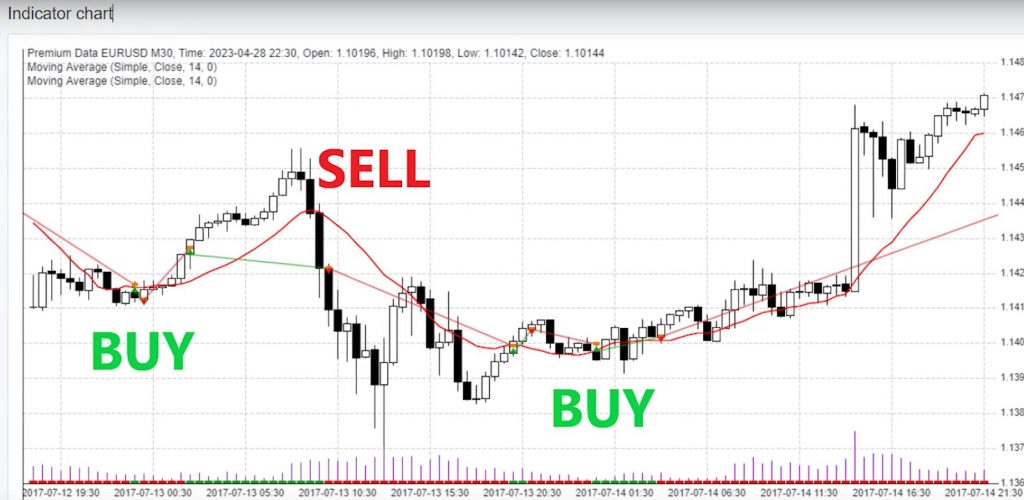
To gain a better understanding of the strategy’s performance, let’s take a look at the indicator chart. Here, we can observe a profitable short trade, a long trade that opened and closed at specific points, and several other trades.
While the results from the portfolio Expert Advisor, combining ten strategies, can be challenging to track, using EA Studio simplifies the process by visually displaying where trades open and close.
Exploring the Source Code of the Easy Moving Average Expert Advisor:
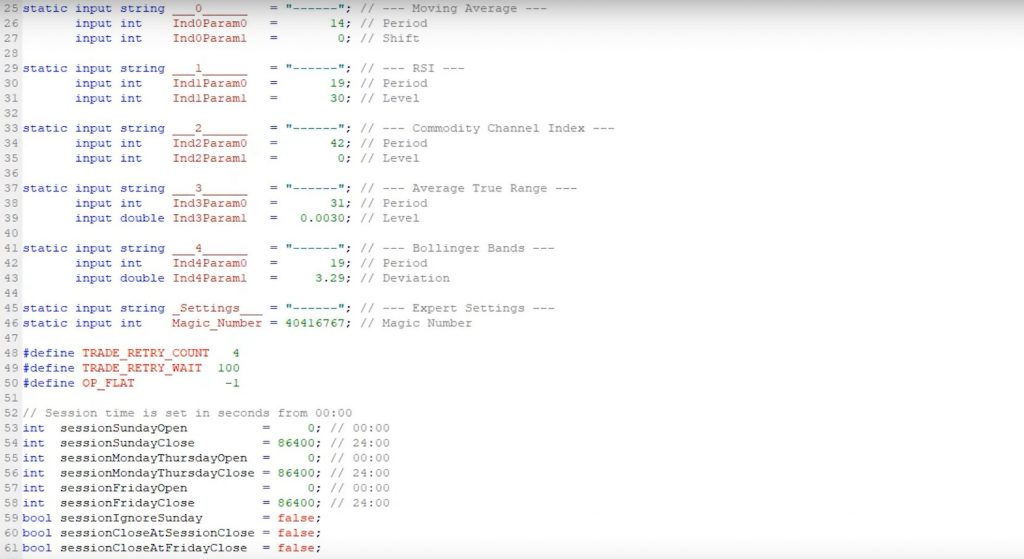
For advanced developers interested in modifying or adding to the strategy, the source code offers a structured and organized framework. With over 550 rows, the code provides flexibility for customization while maintaining the strategy’s integrity.
However, it’s important to note that modifying source code requires expertise and caution.
The Impact of Indicator Removal:
To highlight the significance of RSI and CCI, let’s consider what happens when these indicators are removed from the chart. In a simulated scenario, with RSI and CCI removed, the strategy generates over 200 trades in less than a month. This influx of trades would likely result in losses, demonstrating the importance of the additional indicators in confirming entry signals and filtering out false trades.
Using the Easy Moving Average Expert Advisor on MetaTrader 4
Back to the MetaTrader platform, where I will guide you through the process of using the Easy Moving Average Expert Advisor. By following these steps, you can easily download, install, and backtest this powerful tool. Let’s get started!
To begin, download the Easy Moving Average Expert Advisor and save it to your computer. Next, open the MetaTrader platform and go to “File” > “Open Data Folder.” In the opened folder, locate “MQL4” and then click on “Experts.”
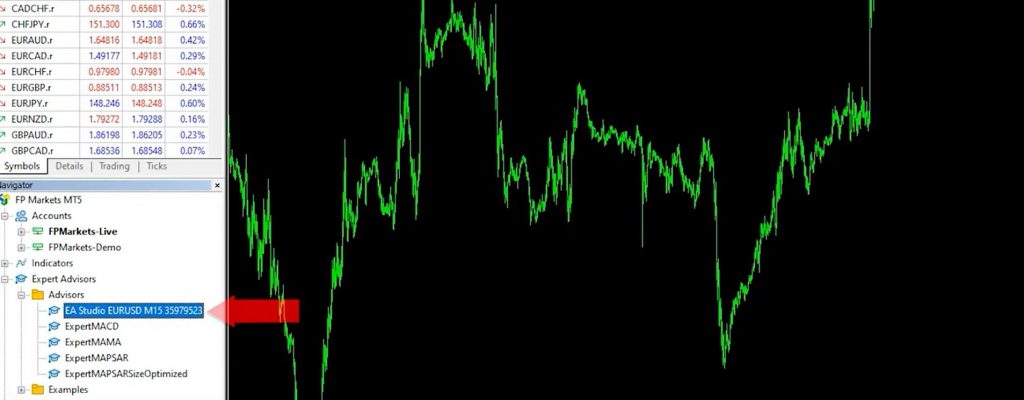
Inside the “Experts” folder, paste the downloaded Expert Advisor. Now, open the source code and click on “Compile” to generate the ready-to-use file. You will find the Expert Advisor in the Navigator window.
Step 2: Placing the Easy Moving Average Expert Advisor on the Chart
To use the Expert Advisor on a chart, simply drag and drop it onto the desired chart. A window with input settings will appear. Review and adjust the inputs as needed, then click “OK” to apply the changes. A recent update from EA Studio allows you to see the indicators directly on the MetaTrader chart when exporting the Expert Advisor, which enhances the user experience.
Step 3: Backtesting with MetaTrader Strategy Tester
Backtesting with MetaTrader Strategy Tester Performing a backtest is a crucial step for every new strategy and Expert Advisor. To conduct a backtest, go to the “View” tab and click on “Strategy Tester.”
In the Strategy Tester window, select the Expert Advisor and choose the symbol and timeframe you want to test. Ensure that the modeling is set to “Open Prices Only” as the Expert Advisor functions based on bar openings. Click on “Start” to initiate the backtest.
Step 4: Analyzing Backtest Results of the Easy Moving Average Expert Advisor:
During the backtest, you can utilize the visual mode to observe trades being opened and closed. By adjusting the playback speed, you can carefully analyze the performance of the strategy. For example, you can identify short trades that were profitable after the bar opened below the moving average, followed by confirmation. Take note of the final balance achieved during the tested period.
Step 5: Utilizing Backtest Results to Improve Strategies
Backtesting is a valuable tool for refining strategies and Expert Advisors. In addition, by analyzing the entry and exit rules and reviewing good and bad trade entries, you can identify areas for improvement. Strategies often incorporate indicators, stop losses, take profits, and other elements, offering various ways to build an effective Expert Advisor. Moreover, continuously testing and updating strategies based on backtest results is crucial for success.
Easy Moving Average Expert Advisor: Conclusion:
The Easy Moving Average Expert Advisor can be a valuable addition to your trading strategy, enhancing your potential for success. By incorporating multiple indicators, such as the moving average, RSI, and CCI, this Expert Advisor aims to filter out false signals and provide reliable entry points. Remember to download the Expert Advisor and test it on a demo account with a trusted broker like FP Markets. Always conduct thorough due diligence and consider your own risk tolerance before implementing any trading strategies. With the Easy Moving Average Expert Advisor, you can optimize your trading decisions and work towards achieving your financial goals.
Disclaimer: Trading in the financial markets involves risk, and past performance does not guarantee future results.
As a professional trader with over 10 years of experience, I understand the importance of using effective Trading Tools to enhance your trading journey. In this blog post, I will share two remarkable trading tools that can help you make informed decisions, manage risk, and increase your chances of success. These tools have been meticulously chosen based on their functionality, user reviews, and affordability. So, let’s explore these game-changing trading tools together!
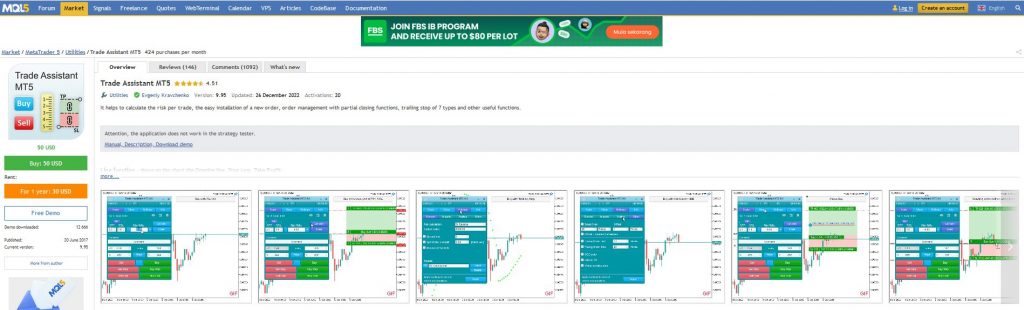
Trading Tool #1: Trade Assistant for MetaTrader 5: Streamline Your Trading Process.
The Trade Assistant for MetaTrader 5 is a remarkable tool that provides very helpful assistance in calculating risk per trade and facilitating order placement. Designed with simplicity and efficiency in mind, this tool enables traders to make decisions based on available data quickly. Here’s a closer look at its key features:
Risk Calculation Made Easy: With the Trade Assistant, you can easily calculate the risk-reward ratio of your trades. By adding your desired Stop Loss and Take Profit levels, you gain a clear understanding of the potential risk involved before entering a trade. This feature assists you to make well-informed decisions based on your risk tolerance.
Advanced Order Options: The tool also offers various order options to cater to different trading strategies. Whether you prefer using trailing stops or placing pending orders, the Trade Assistant provides the flexibility to set buy limits or sell limits according to your trading approach. This functionality allows for precise trade execution and automation, reducing manual effort and potential errors.
User-Friendly Interface: The Trade Assistant’s easy-to-use interface ensures a pleasant user experience. With excellent video guides and tutorials provided by the developer, you can quickly grasp the tool’s functionalities and maximize its potential. It’s like having a trading mentor by your side, guiding you through every step of the process.
Affordability and User Satisfaction:
Priced at a reasonable $50, the Trade Assistant has gained positive feedback from a large user base. Equally important, with over 130 reviews and more than a thousand comments, it’s evident that traders find immense value in this tool. The positive ratings and testimonials serve as a testament to its effectiveness and reliability.
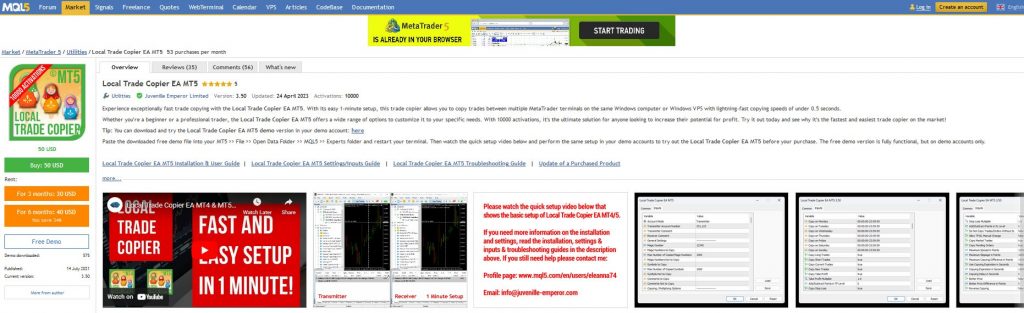
Trading Tool #2: Local Trade Copier: Seamlessly Copy Trades Across Platforms
The Local Trade Copier is a powerful tool that caters to traders who utilize Expert Advisors (EAs) across multiple trading accounts. Whether you want to test your EAs with different brokers or copy trades between MetaTrader terminals, this tool simplifies the process and offers the following advantages:
Efficient Trade Replication: The Local Trade Copier allows you to effortlessly copy trades between MetaTrader terminals installed on the same Windows computer or Windows Virtual Private Server (VPS). This removes the need to manually place trades on each terminal, saving you time and effort. Whether you’re trading on MT5 or MT4, this tool ensures seamless trade copying.
Compatibility and Versatility: This tool is compatible with various scenarios, allowing you to copy trades between different MetaTrader versions (MT4 to MT5, MT5 to MT4, or MT5 to MT5). It provides the flexibility to execute trades across different platforms without any compatibility issues. The versatility of the Local Trade Copier ensures that you can trade without limits.
Try Before You Buy: To ensure complete satisfaction, the Local Trade Copier offers a demo account option. This allows you to test the tool’s functionality and assess its suitability for your trading needs before making a purchase. The ability to try it out for free ensures that you can make an informed decision and invest wisely in your trading journey.
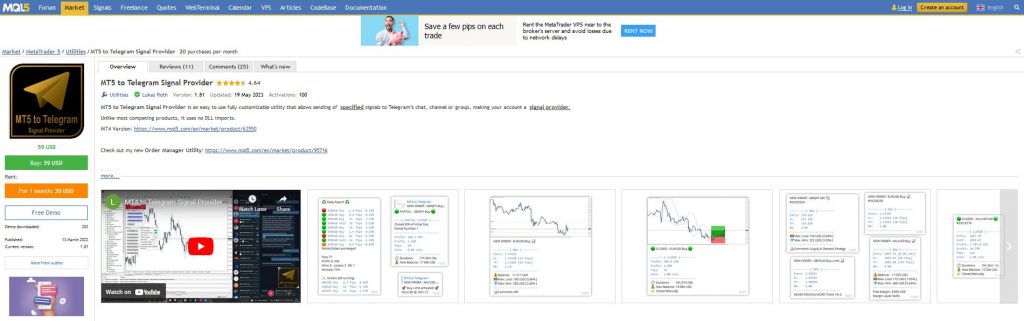
Trading Tool #3: Telegram Signal Provider: Automate Signal Delivery
The Telegram Signal Provider tool enables you to automatically send signals from MetaTrader 4 to a Telegram channel or group. It is particularly valuable if you are a signal provider or aspire to become one. Moreover, this tool allows you to effortlessly share your trading signals with your community, making it convenient and efficient. Priced at just $59, it provides a cost-effective solution for traders looking to monetize their expertise and connect with a wider audience.
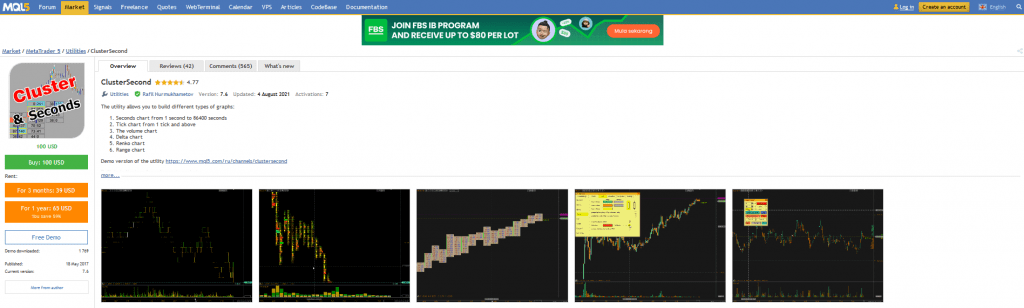
For traders who engage in scalping techniques, the Cluster Second tool is an invaluable asset. It’s priced at $100. This tool allows you to build second charts and tick charts. This offers enhanced precision for those trading on extremely low time frames. Additionally, Cluster Second offers features like Delta charts and Renko charts, enabling traders to explore alternative charting methods. Positive user reviews and many comments testify to the popularity and effectiveness of this tool.
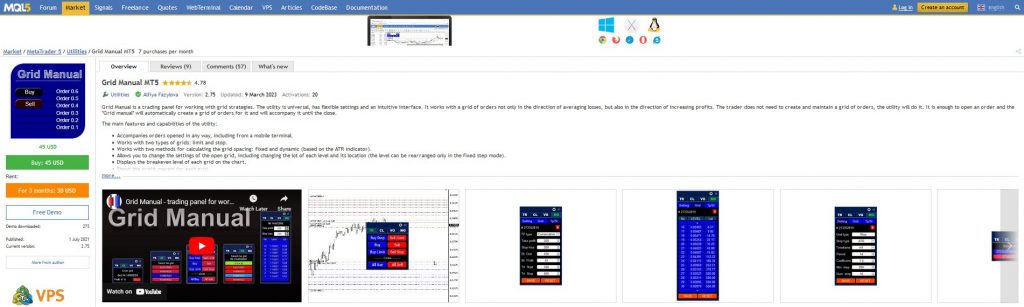
The Grid Manual for MT5 is a uniquely comprehensive trading panel designed specifically for grid trading strategies. Whether you’re a beginner or an experienced trader, this tool provides an intuitive interface to assist with your grid trading approach. It has positive reviews and the option to choose between 1-year or 3-month access. This tool offers versatility and customization to suit your individual trading preferences.
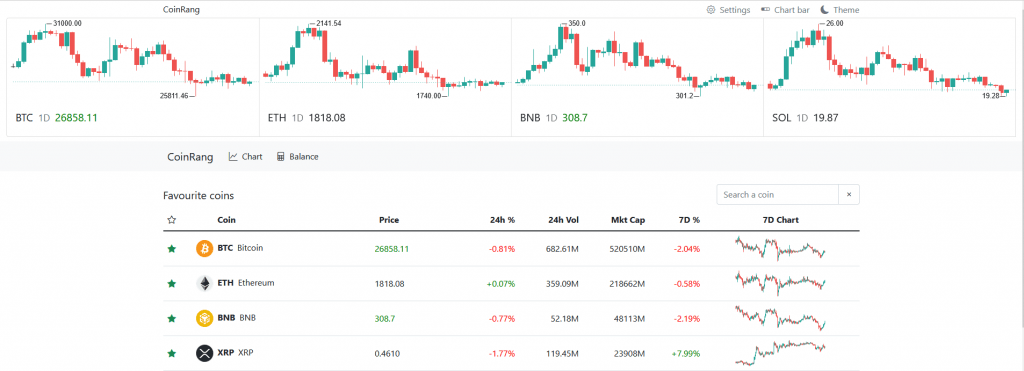
Trading Tool #6: CoinRang: Monitor Cryptocurrencies with Ease – For FREE
CoinRang is an independent website and offers a free and user-friendly platform to monitor various cryptocurrencies. This tool allows you to track different time frames and add indicators for in-depth analysis. In addition, CoinRang’s standout feature is its balance tracking capability, which simplifies keeping track of your cryptocurrency purchases across multiple exchanges and wallets. With the ability to export data to Excel, it enables you to maintain accurate records of your investments. CoinRang is a valuable resource for crypto enthusiasts seeking convenience and organization.
Conclusion
Incorporating the right trading tools can significantly enhance your trading performance and simplify complex strategies. The Telegram signal provider, Cluster Second, Grid Manual for MT5, and CoinRang offer unique functionalities to cater to different trading needs.
Remember to conduct your due diligence and assess each tool’s suitability for your trading style. By using the power of these trading tools, you can take your trading to new heights and achieve your financial goals.
Achieving success in trading is no easy feat, especially when it comes to meeting the requirements of a funded account, but using the Best Forex Expert Advisor will go a long way in helping you achieve your goals. Once you pass the rigorous FTMO challenge and receive funding, the real challenge begins.
You’re expected to generate consistent profits while adhering to strict trading objectives. In today’s video, I will introduce you to the best Forex Expert Advisor that I currently trade on my FTMO funded account. Not only will you learn how to test this Expert Advisor for free, but I will also provide realistic expectations if you decide to incorporate this robot into your trading strategy. Let’s dive in!
Introducing the Waka Waka Expert Advisor
In this blog post, I’ll be discussing the Waka Waka Expert Advisor, which I reviewed on my channel some time ago. I noticed a significant level of interest among my viewers regarding this Expert Advisor. I decided to create a second video as a continuation. After conducting extensive tests on both Demo and Live accounts, I’ve concluded that the Waka Waka Expert Advisor is highly suitable for my FTMO funded account.
Understanding the Waka Waka EA
In case you missed the first video, don’t worry—you can watch it by clicking on this LINK. However, let me give you a brief overview of the Waka Waka Expert Advisor. You can use this fully automated trading tool with Demo accounts as it is compatible with the MetaTrader platform. This in addition to Live accounts, or funded accounts with Prop Firms.
The video above demonstrates its performance on a funded account. This is because the developer specifically designed it for long-term trading and generating stable income. It’s important to note that Waka Waka may not be suitable for passing short-term trading challenges within a single month. This is often required by Prop Firms. If you’re interested in mastering the FTMO challenge, I have created a comprehensive course that includes another Expert Advisor specifically designed for this purpose.
Best Forex Expert Advisor: The Ultimate Goal of Using Waka Waka
My ultimate goal is to successfully pass the FTMO challenge and implement an Expert Advisor like Waka Waka on my funded account. By utilizing a fully automated system, I can eliminate the need to actively trade or worry about account management. This allows me to focus on other aspects of my trading business while enjoying the benefits of stable, automated income generation.
Exploring the Waka Waka EA
As I sit here, I have a $10,000 funded account in front of me, trading with the Waka Waka Expert Advisor. In the account history, you can see that I already have one profitable trade with $1.70 for the AUDCAD pair. Currently, I have three open positions: two for NZDCAD and one for AUDCAD.
Best Forex Expert Advisor: Understanding the Grid Martingale System
Let’s discuss the trading approach of the Waka Waka Expert Advisor. The system employs a Grid Martingale strategy. Now, I understand that many of you might be skeptical about Martingale systems, but with careful usage and thorough backtesting, it can be a viable option. When the price moves against us, the Expert Advisor adds to the position at a better price, thus improving the average price. This helps to mitigate risks associated with the Martingale approach.
Backtesting the Waka Waka Expert Advisor
To gain a better understanding of the Waka Waka Expert Advisor’s performance, let’s delve into its backtesting results. Right-clicking on the AUDCAD chart, I access the Expert Advisors menu and select Strategy Tester. By removing the visual mode, I initiate the test for the maximum historical data available from the FTMO server.
As the graph unfolds, we can observe the balance and equity lines. The balance represents the blue line, while the equity is depicted by the green line. Since the Waka Waka Expert Advisor uses a Grid Martingale system, the balance may fluctuate as trades move into negative territory. However, as the system adds positions at better prices, the balance tends to stabilize over time.
Best Forex Expert Advisor: Assessing Backtest Results and Drawdowns
Analyzing the graph, we can see that the Expert Advisor yielded approximately 10% profit during the tested period. There are instances of drawdowns, such as the one in mid-November last year. Upon inspecting the Results section, we can observe the sequence of short trades that were opened during that time. Despite the drawdowns, it’s important to note that the Expert Advisor remains within the risk management rules set by FTMO.
FTMO Risk Management and Protection
To protect traders from excessive drawdowns, the Waka Waka Expert Advisor includes built-in features. In the Expert Advisor’s Properties menu, you’ll find the Maximum Daily Drawdown Limits setting. For instance, when the drawdown reaches 4%, the Expert Advisor closes all trades and suspends trading for 24 hours. This protection ensures that the drawdown remains within the limits specified by FTMO. It’s worth mentioning that if you’re trading with a different Prop Firm, you should adjust these settings according to their risk tolerance.
Best Forex Expert Advisor: News Filter and Swing Account
Another crucial aspect for FTMO funded accounts is the ability to avoid trading during important economic news releases. The Waka Waka Expert Advisor incorporates a News Filter to prevent the opening of trades during crucial news events.. Additionally, we recommend having a Swing account with FTMO for smoother trading. This type of account allows trades to remain open during news releases and over weekends. This reduces the need for manual intervention.
Conclusion:
In conclusion, finding the best Forex Expert Advisor to use on your FTMO funded account can significantly enhance your trading experience. The Waka Waka Expert Advisor, which I have thoroughly tested and reviewed, offers a reliable and stable approach to long-term trading. It may not be suitable for passing short-term trading challenges. But it is an excellent choice for those aiming to achieve consistent profits and automate their trading process. Keep in mind that if you’re eager to master the FTMO challenge, I provide a comprehensive course that offers valuable insights and includes an Expert Advisor specifically designed for this purpose. With the right tools and strategies, you can maximize your chances of success in the Forex market. Happy trading!
Are you tired of buying robots from the marketplace that don’t perform as expected? Have you ever wondered how developers create robots without revealing their secrets? If so, then this blog post on The Best Moving Average Robot is for you.
In this article, I will share with you the Best Moving Average Robot that I created using the EA Studio Strategy Builder. We built this Portfolio Robot by including many different strategies inside the code to create a more powerful and reliable system.
What is a Portfolio Robot?
A Portfolio Robot is a trading robot that combines many different strategies inside the code. It is designed to improve the performance of a single strategy by combining it with other strategies. This way, the combined strategies compensate for each other’s weaknesses while producing better results.
How to Create The Best Moving Average Portfolio Robot
Creating a Moving Average Portfolio Robot is not as complicated as it may seem. On the contrary, with the EA Studio Strategy Builder, you can easily create a portfolio of strategies that use the Moving Average indicator.
To begin, I set certain acceptance criteria. These include Stop Loss between 10 and 100 Pips and Take Profit between 10 and 100 Pips. I also set a Minimum Profit Factor of 1.1 and required all strategies to have at least 200 trades.
After setting these criteria, I generated over 200,000 strategies using historical data from the broker where I trade. Then, I used the Monte Carlo Validation to filter out the strategies that didn’t meet my criteria.
Overall, I had over 50 strategies in my collection. They all used the Moving Average indicator and additional indicators generated by the EA Studio Strategy Builder.
Filtering the Strategies
To filter the strategies, I used the Maximum Consecutive Losses criterion. For example, I decreased the Maximum Consecutive Losses from 10 to 7. I found that 32 out of 52 strategies remained in my collection. Then I lowered it to 5 and only had 14 strategies left.
I then manually removed the strategies that didn’t meet my requirements, such as those with recent losing periods or high drawdowns. This left me with the top 10 strategies that I added to my portfolio.
The Benefits of The Best Moving Average Portfolio Robot with the Right Broker
One of the most significant benefits of a Moving Average Portfolio Robot is that it compensates for individual strategies’ weaknesses. When one strategy loses, another strategy may be profiting, and they compensate for each other. This creates a smoother balance chart and helps to reduce drawdowns. But it is also essential to select a trustworthy, regulated Broker. We recommend Blackbull Markets, a well-established, transparent, and regulated broker, that offer many trading instruments with very competitive spreads. Moreover, signing up with them, also earns you a FREE TradingView Pro account.
Creating the Best Moving Average Robot with EA Studio
To create the best Moving Average Robot, we will use EA Studio’s powerful algorithmic trading software. With just a few clicks, we can easily create a robust trading strategy that incorporates multiple Moving Average indicators.
Moreover, after creating our strategy, we can view the portfolio statistics to evaluate our performance. In our example, we have a Profit Factor of 125 and a monthly profit of nearly 70, with an impressive Return to Drawdown ratio of 7.96. These statistics demonstrate the power of combining multiple Moving Average strategies into one portfolio robot.
Best Moving Average Robot: Exporting the Portfolio Expert Advisor for MetaTrader
Once we have created our portfolio robot, we can export it as a Portfolio Expert Advisor for MetaTrader 4 or MetaTrader 5. We provide a download link in the description, so you can test the portfolio robot for yourself.
But before you download and test the robot, stay with us to see how we manage the Expert Advisor after deployment.
Managing the Best Moving Average Robot
After we have exported the portfolio robot, we can deploy it on a small live account. Once we have deployed the robot, we can monitor its performance and adjust our trading strategy accordingly. EA Studio makes it easy to manage our Expert Advisor, with a user-friendly interface that allows us to easily modify our strategies and set up our trading parameters.
Best Moving Average Robot: Setting Up a Moving Average Robot on MT4
The first step in setting up a moving average robot on MT4 is to open the platform and go to File, Open Data Folder, Click on MQL4, go to Experts and paste over here. The Expert Advisor, then you just double-click on it and you will see the code of the Expert Advisor, along with all the inputs. If you scroll down, you will see the section with all the strategies. Here is where you can remove a strategy from the Portfolio Expert.
Once you click on Compile, you will see the Expert Advisor in the Navigator’s tab or you can click on the Refresh button. Then, enable the AutoTrading and drag and drop the Expert Advisor or the Portfolio Expert Advisor onto the chart. Here are the inputs where you can set the entry amount. If you’re trading with ten strategies in one Portfolio Expert Advisor, it’s recommended to trade with a smaller amount of 0.01.
The base Magic Number can be left at 100. The system will mark the first trade opened in the Portfolio with 100 at the end of the Magic Number.. The second one will be marked as 101, the third one would be 102 and so on. Click on OK, and the Expert Advisor is now attached to the chart. Whenever one of the ten strategies open trades, you will see them in the terminal.
Optimizing Your Trading Strategy with Moving Averages
To optimize your trading strategy using moving averages, you need to keep track of your trades and analyze their performance. You can do this by connecting your account through the website FXBlue, where you can track your account and see which strategies are performing well and which ones are losing.
To do this, click on Account Synchronization, select MT4, and select the server of the broker, the account number, and the read-only password. Register your email and click register. Now, your MetaTrader platform is connected to the website, and it extracts all the trades or all the data.
With more results in the Account History, you will see the profitable strategies and the losing strategies. You can wait for a certain period of time, such as two weeks or a month, or a certain number of trades, for example, at least three trades to decide if you will keep the strategy in your Portfolio Expert Advisor.
When analyzing your trades, pay attention to the Net Profit, the Profit Factor, and the number of trades. Arrange your trades according to the Net Profit and look for strategies that have a minimum Profit Factor of 1.2.
EA Studio is the ultimate trading software for automated trading success. With its powerful algorithmic trading capabilities, you can easily create the best Moving Average Robot and optimize your trading strategy for maximum profitability.
In this post, we have shown you how to use EA Studio to create and manage a portfolio Moving Average Robot. We have also provided a free download link, so you can test the robot for yourself. So what are you waiting for? Start automating your trades today with EA Studio.