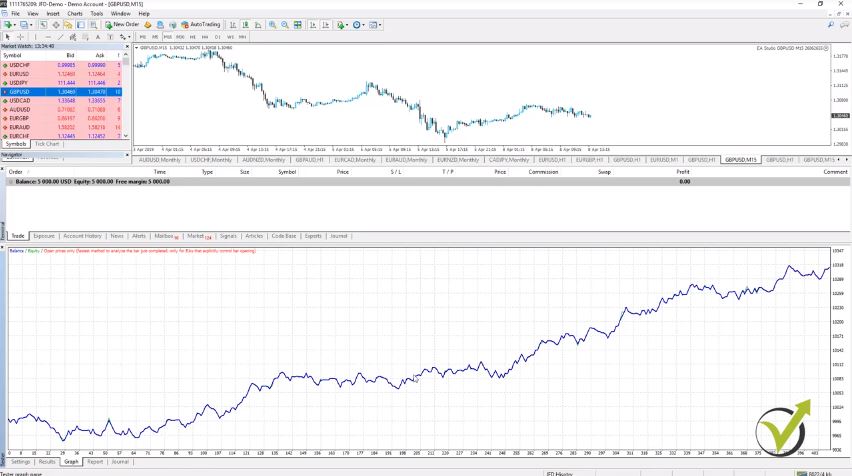
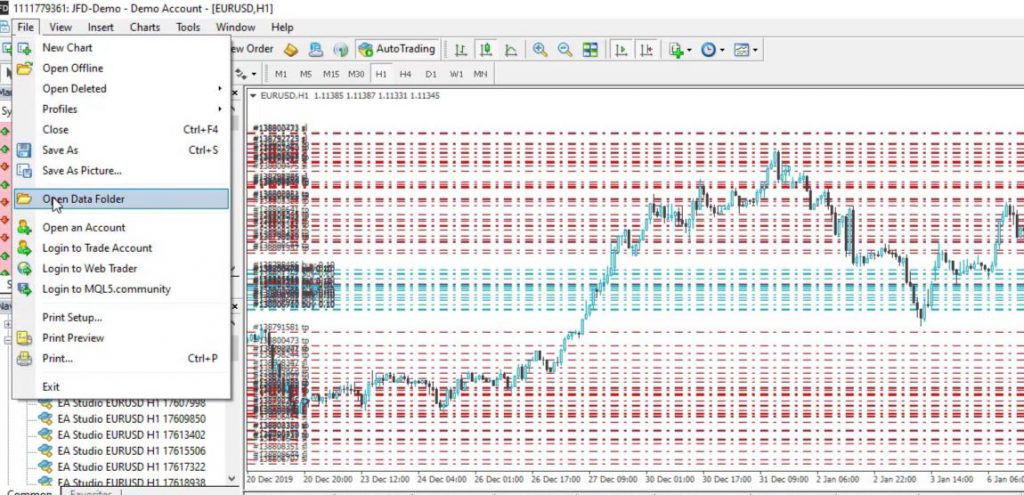
Hello, dear students, in this lecture I will be showing you how to install MetaTrader 4 on PC which is the first important step you need to take. And I have selected to use MetaTrader because it’s one of the most popular platforms for algorithmic trading, for manual trading.
Most of the brokers provide it and most of the traders use it. It is free.
This is very important because if you are a beginner and just want to practice on a virtual, Demo account you can do it for free. You have actual access to the market. You can open and close trades and you can trade with Expert Advisors for free.
No charges from the brokers. This is another important thing. You need to choose your trading broker before you decide how to install MetaTrader 4 on PC. Now, there are thousands of brokers, regulated, non-regulated. There are of course these scam brokers that do not offer really the services they promise.
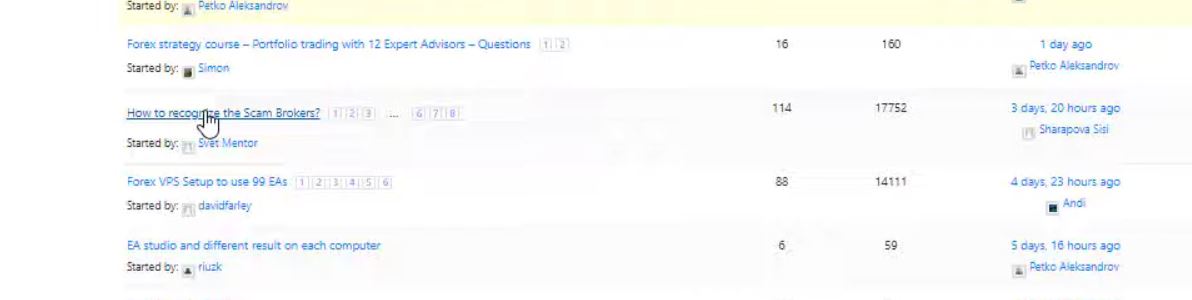
And in our forum at EA Forex Academy, we have one topic. You are very welcome to ask any questions as well or to read just for more information. There is this topic called: “How to recognize the scam brokers” and is very useful.
Our website forum.
It turned out that many people shared their bad stories with the scam brokers.
Choose a regulated broker.
In the beginning, we have described the most important things you need to know in order to recognize these scam brokers. Please spend like 5 minutes reading it. It will be very useful for you if you are choosing your broker for the first time.
So make sure when you’re choosing your broker to choose a broker that is regulated, that has no bad reviews over the internet, it has low spreads and commissions which is essentially important when you are trading with Expert Advisors.
Now, for the very beginner traders when we use Expert Advisors and when we are trading with brokers we do CFD trading. This is called Contract For Difference so no matter what you are trading, is it Forex, is it cryptocurrencies, is it commodities, stocks, we use CFD trading.
Simply said, this is a contract with the broker that they will execute our trades and if the price goes in our direction, they will pay us the profit.
If the price goes against us, of course, we will have a loss. But we are not actually buying the asset physically, we are trading on the value of the asset.
And this is how the Expert Advisors work and this is how Meta Trader works. And most of the brokers and traders use CFD trading. I will demonstrate it to you in the course.
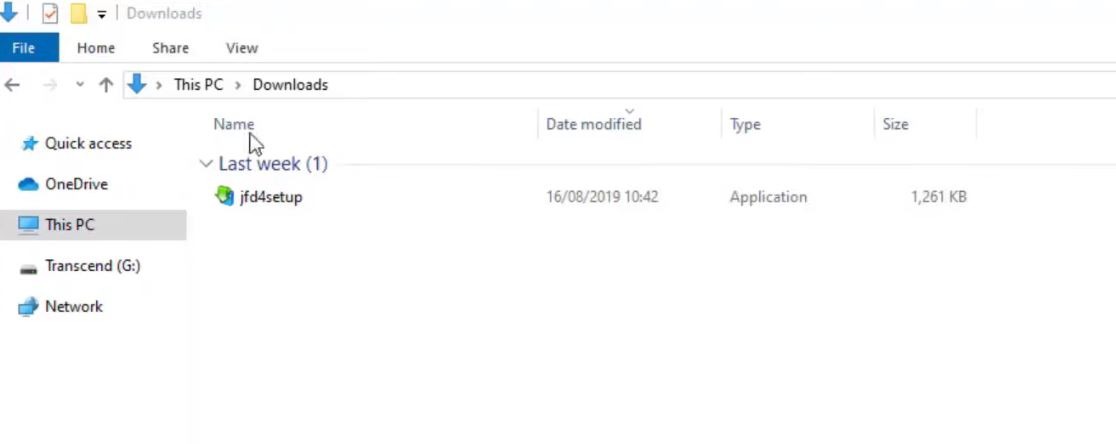
So once you choose your broker, what you need to do is to download the platform and it will come probably by email, after you register for a virtual account. And then you will see it in your Downloads folder.
The Downloads folder.
How to install MetaTrader 4 on PC: download Meta Trader 4 first.
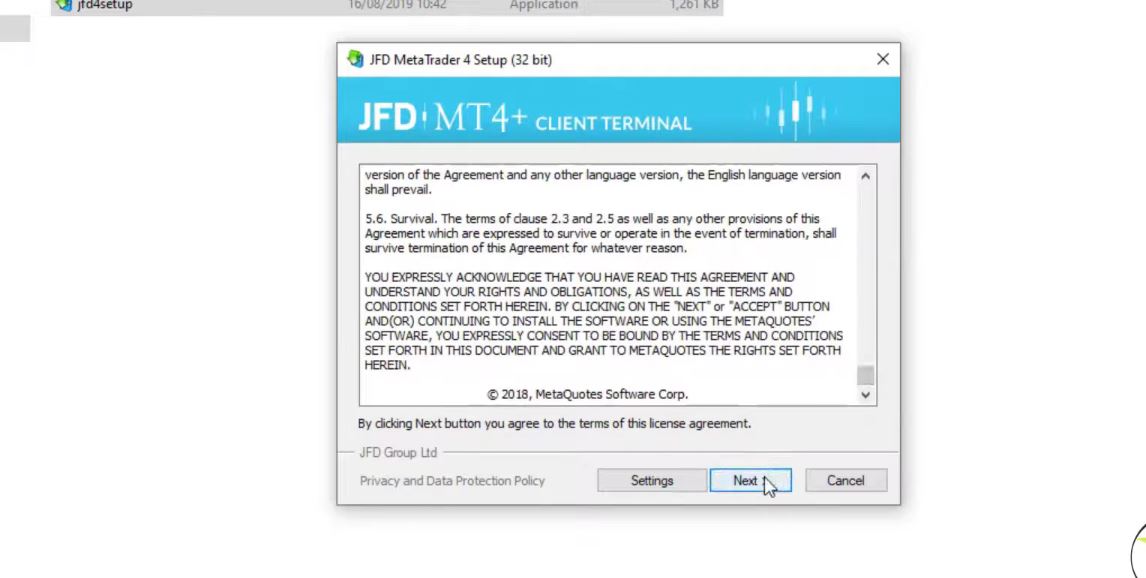
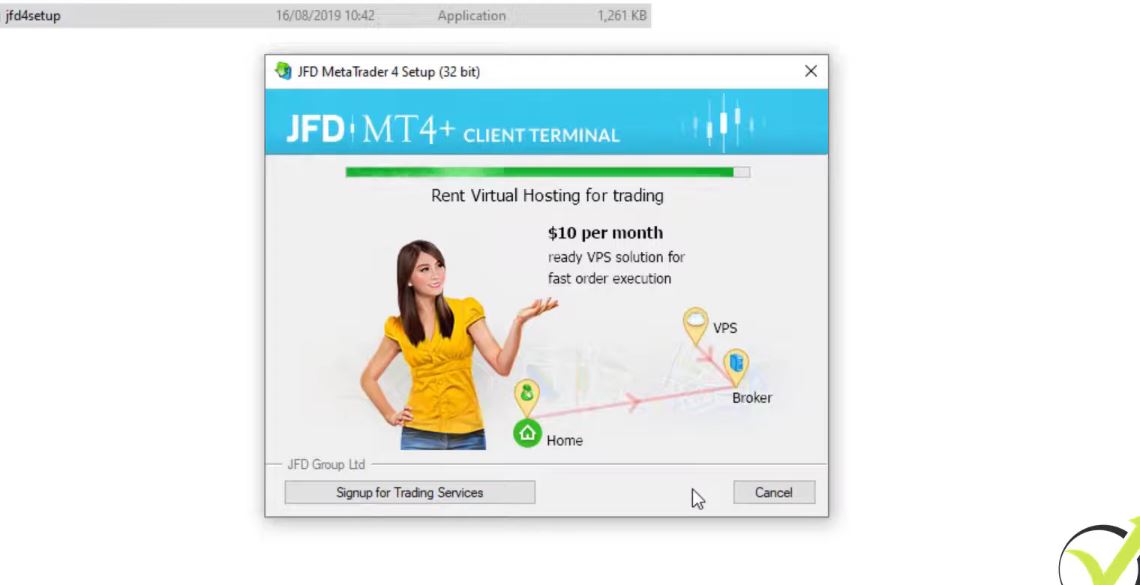
You need to open the folder and you need to click on the setup icon. I will double-click on it and the installation starts. So there are some terms and conditions and I click on Next,
Meta Trader 4 setup.
and it starts to install the platform.
Meta Trader 4 installation.
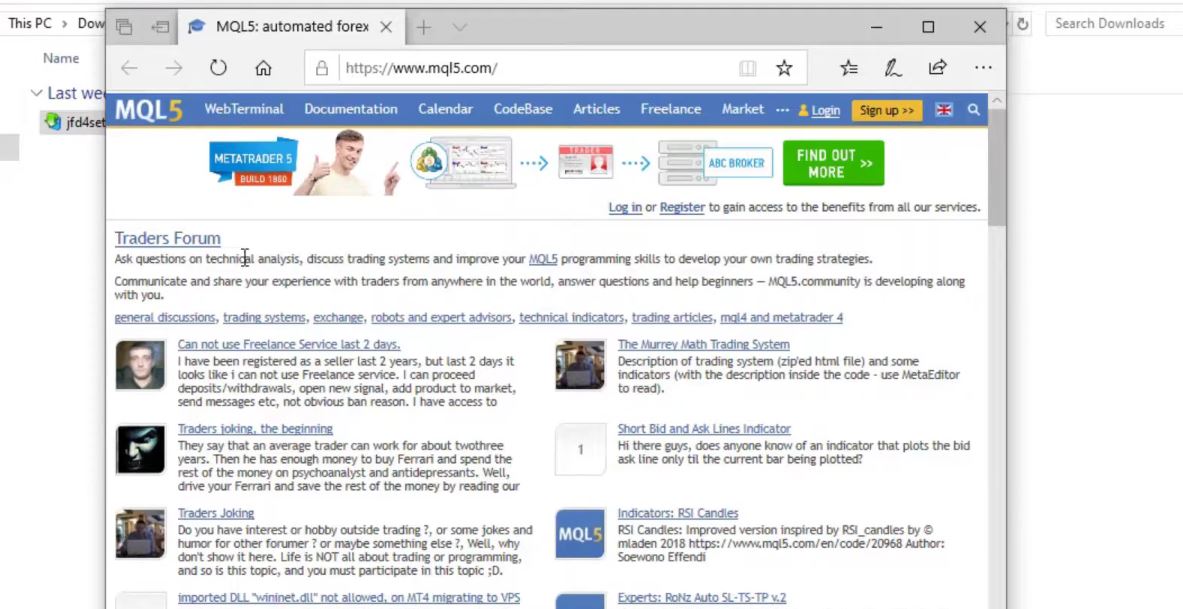
So it is very similar to any trading broker. It doesn’t really matter from where you will download it. The installation is very similar. And I click on Finish and automatically will open the MQL5 website which is the official website of MetaQuotes company that developed the platform.
MQL5 website.
And actually, if you want to download MetaTrader from the official website you will not find it because they want to push the traders to use MetaTrader 5.
But most of the traders still prefer to use MetaTrader 4. I personally prefer to use it. So how to install MetaTrader 4 on PC? If you want to use MetaTrader 4 you need to download it from the broker that you have selected to use.
Download the free MetaTrader 4 PDF guide
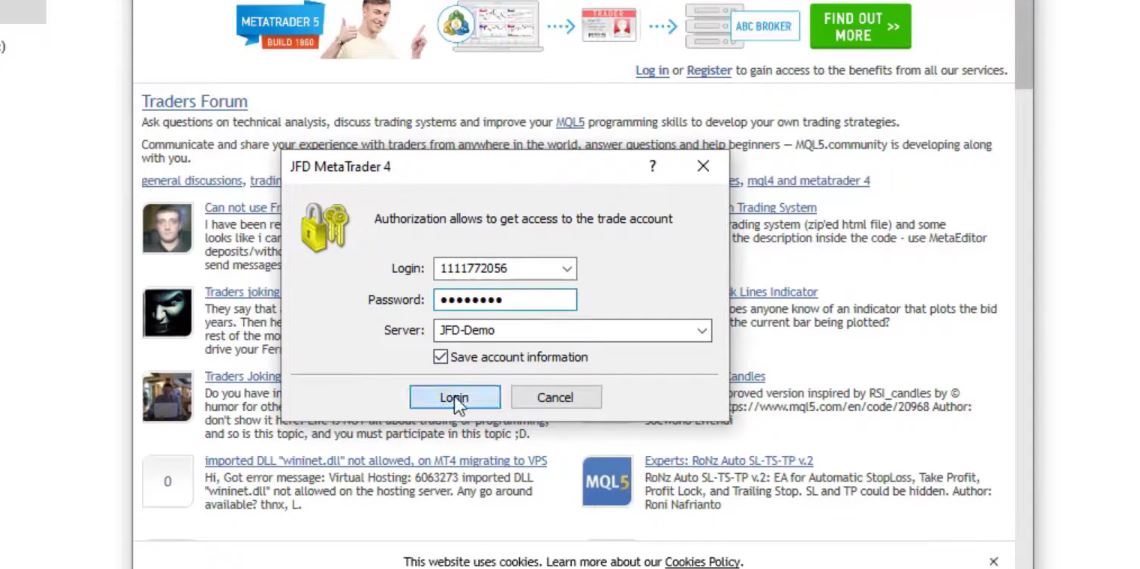
Actually right now the platform is on my other screen. Let me just log into the account and I will show it to you. So here is the login tab.
The login tab.
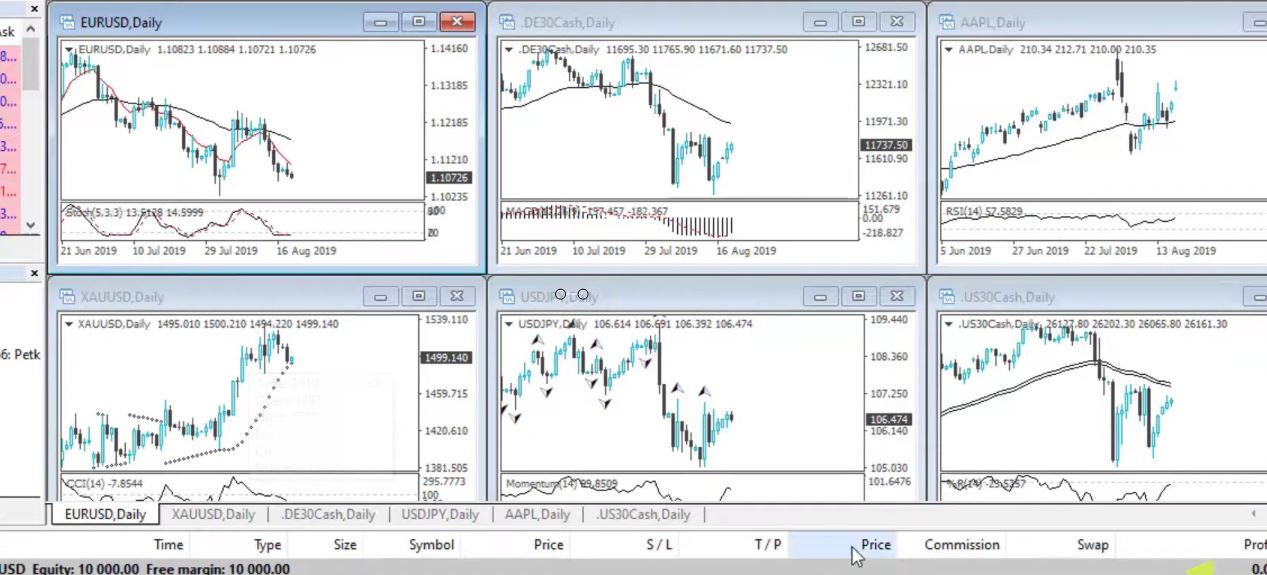
I will enter the login number and as well I will enter the password below. Here it is. And I click on log in and I will be logged in to the account. So for the very beginner traders, this is how it looks like. And when you install it for the first time, you will see some charts that are opened with some assets over here.
Practice on a Demo account.
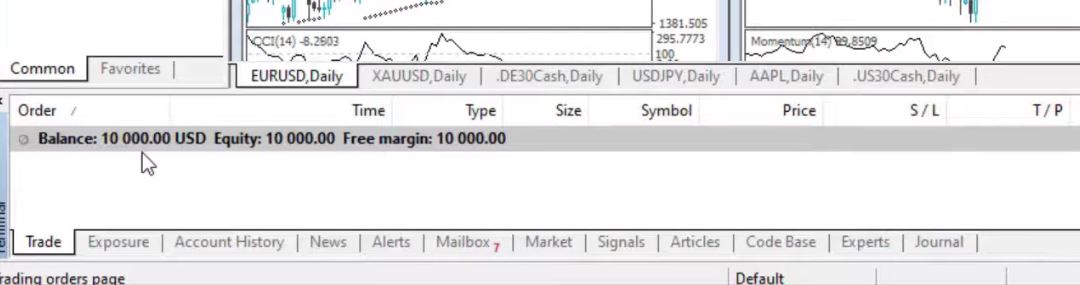
But we can change all of that. I have opened a $10,000 account. This is a Demo account for the demonstration of the system.
Demo account.
And I always suggest my students first test it all on a Demo account. It doesn’t matter what strategy, it doesn’t matter what system. Always test it first on a virtual account so you will not be risking any real money until you are satisfied with the results and you feel comfortable with the trading system.
So here you can see that I have opened EURUSD, the Gold, some indexes, USDJPY, and AAPL. Be sure to check out the lecture where we explain how to place a trade in MetaTrader 4 if you aren’t familiar with trading.
Different open strategies.
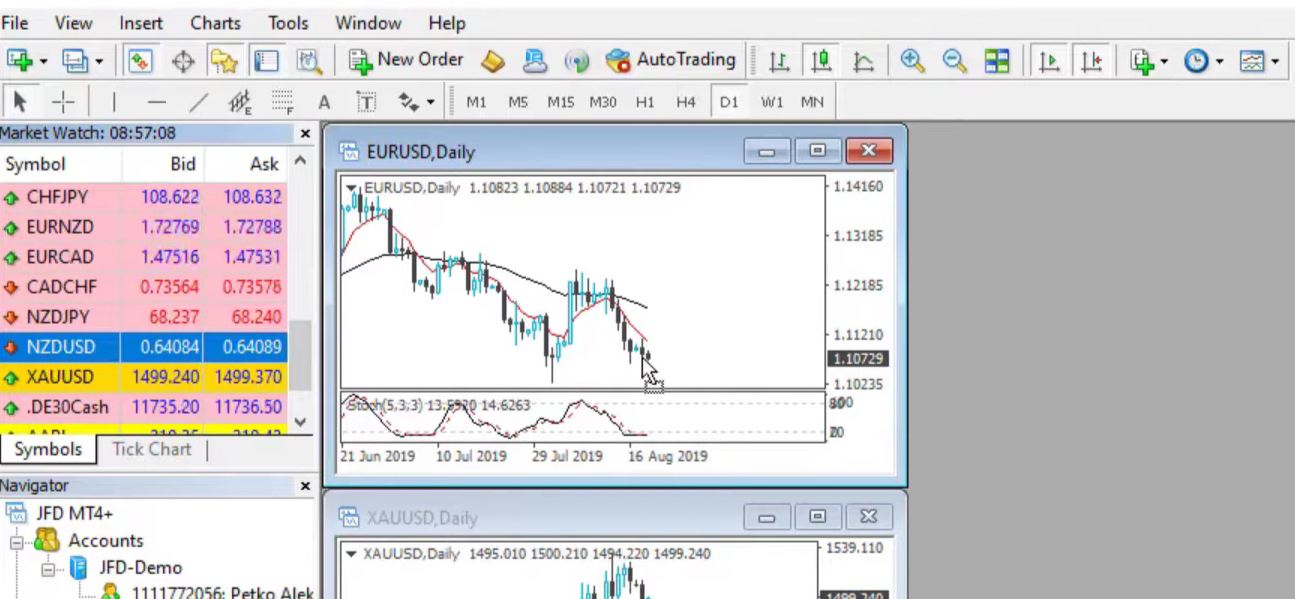
And all of that I can just close it or I can change to other assets. For example, if I want to trade the NZDUSD, I can catch it from the market watch. Let me see where it is, it’s right over here.
The Market Watch.
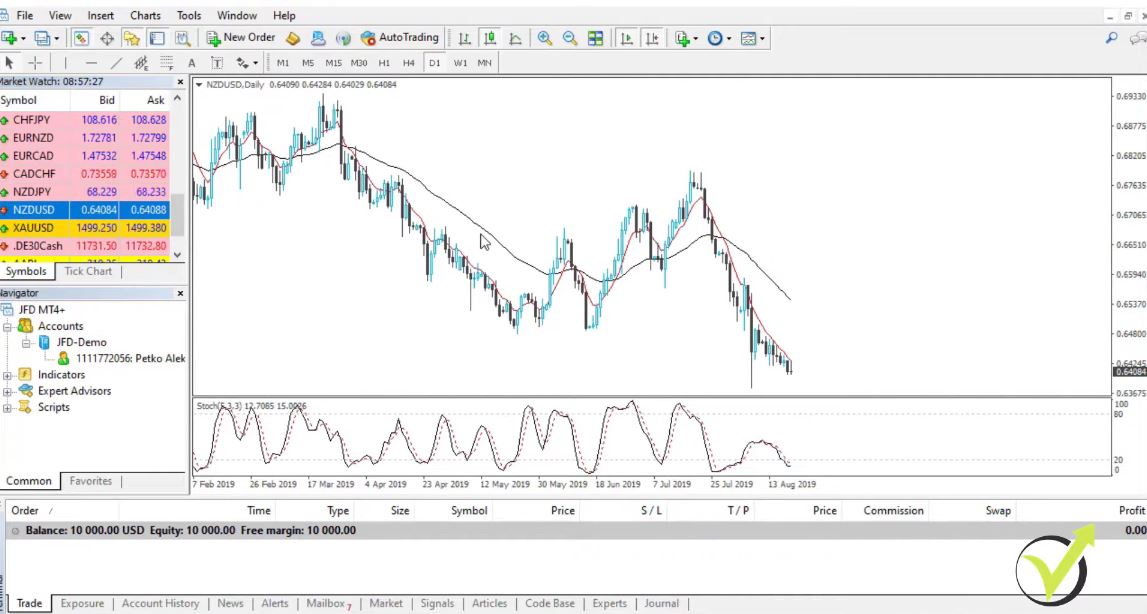
I can just drag it over the chart and the NZDUSD will appear on my chart and I can make it actually fullscreen.
Fullscreen chart.
You can see there are some indicators that came by default and in the next lecture, I will show the very basics of Meta Trader, how to remove indicators, how to insert indicators, what is the market watch, the navigator, the terminal.
Very simply, the basics of this platform for the people who didn’t use it, and for those who already have the experience you can simply skip the next lecture and continue with the course.
So this is how to install MetaTrader 4 on PC. Just a couple of steps and you have it installed on your trading platform. I will continue straight away with the next video. And if you have any questions, of course, you can ask me at any moment in our Forum.
In this lecture, I will show you 2 examples of Trailing Stop Loss that I have when selling Bitcoin. I was actually in Japan when I was trading these positions. I was a speaker at 2 seminars: one in Osaka and one in Tokyo the day after that.
And actually, I had a long flight and I missed to trail Stop Loss so I will show you what happened. But it happens obviously. We cannot be in front of the screen for 24 hours but since there is a Stop Loss, I don’t worry about the trades.
So here is our setup.
The setup.
You can see where is the Countertrend line. First, we had the cross of the EMAs and then we had the break of the recent low and we had the break of the Counter trend line.
So what happened then is the price made a new lower low, a new lower high and then a lower low breaks.
And it happened just before I left but I couldn’t record it. However, I succeeded to trail Stop Loss and for both positions, it is at $10,260.
Now, I will move it slowly to show you what happened after that. The price formed another lower high and another lower low.
New lower high and lower low.
Stop Loss
So this low was broken, this lower high was confirmed and I was supposed to move the Stop Loss at 9,970/9,980.
However, I would always put it above the 10,000, above the round number like 10,060. But, one more time, I missed to trail it because I was on board.
Actually, the price went up, it broke this high.
The price went up.
So if I was having the trailing Stop Loss here I would be out. And actually, I would be out on profit with the 2 positions because you can see where my entry price is, at 10,409 and at 10,111.
The entry price.
And now the price actually continued lower
The price goes lower.
which makes me think that at the current moment, this level of 10,200, 10,150, or the range between 10,150 up to 10,250 is important for the current market situation and the price fails to take it for the third time. 1 time, 2 times, 3 times. But at the same time, this lower high was broken.
And it was broken very aggressively which gives me the sign that the price might reverse upwards. So I have 2 options now, one is to leave the Stop Loss where it is because I have missed to trail it.
And it will be above these levels. Second is I will drag it where it was supposed to be trailed. 10,060, for example, or 10,000.
Trailing Stop Loss secures more profits
I think 10,060 will be too high, probably about 10,030 or 10,020. I want to be above the round number. So if I move the trail Stop Loss there, I will still give the chance for the 2 positions to go on a profit if the price continues lower.
And at the same time, if the price reverses, I will have the 2 positions on profit. I will make it a little bit lower at 10,020.
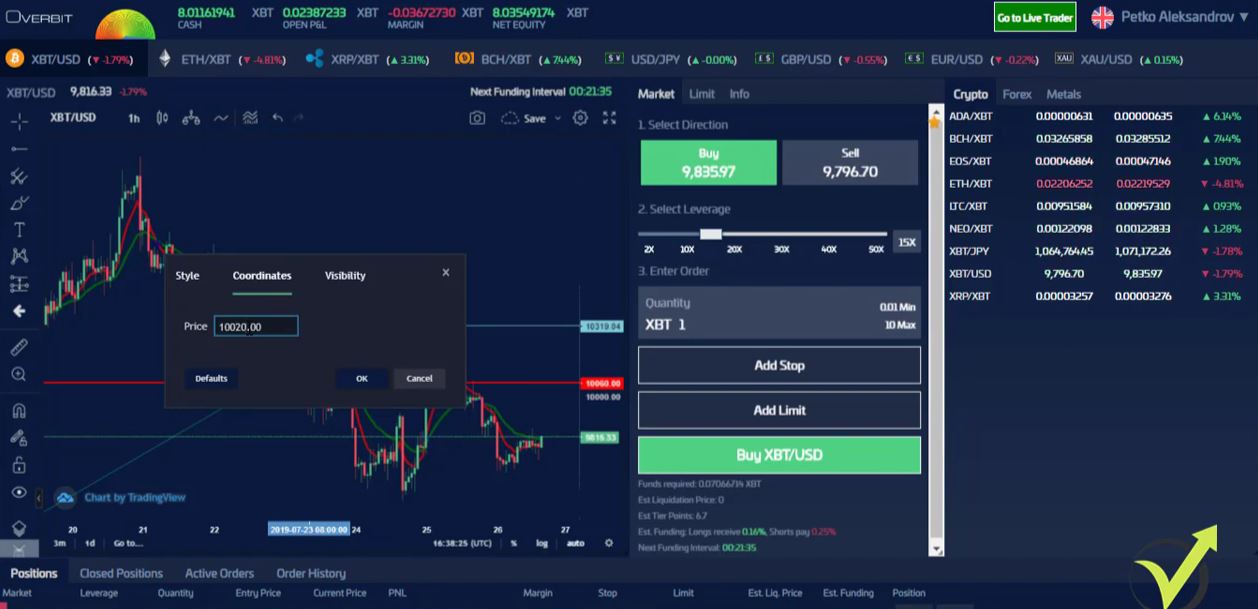
The coordinates.
I don’t want to give another $40 there. So 10,020, you can see it’s above this high and at the same time, it’s above 10,000 round number.
Anyway, it was broken but still, it is 10,000. So, one more time, this is how it was supposed to be. I was supposed to trail stop loss and the 2 positions were supposed to be closed. So what I will do, I will just leave it there and see what happens.
If it hits the Stop Loss and the 2 positions close, this is like I’m following the strategy as it was to happen. But at the same time, I will give the chance now to the price to go downwards and I will continue trailing it if the price continues downwards. So let me just modify now to 10,020.
Feel free to ask questions
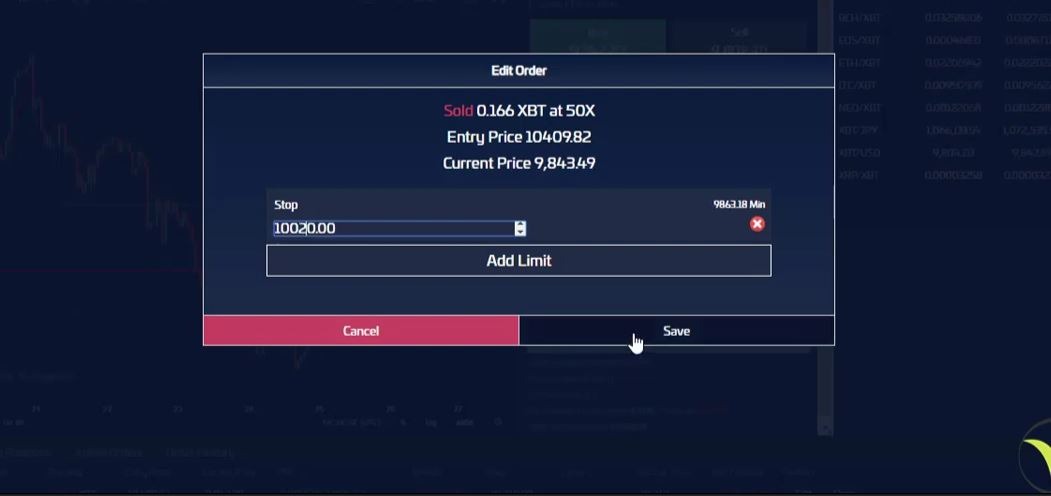
I will modify here 10,020.
Modifying the stop.
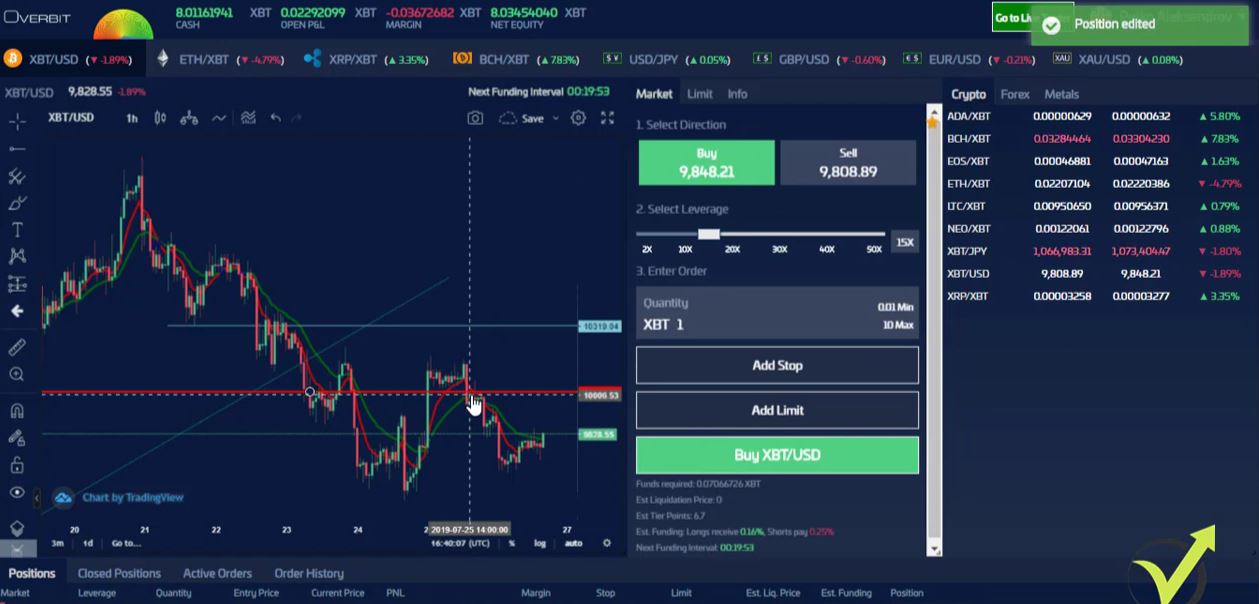
And I click on save. And then I will edit the other one 10,020, I click on save and the stop is right here now.
The new stop.
So I will continue when the price either breaks the trailing Stop Loss or when it continues lower. One more time, it happens that we will miss the trail, the Stop Loss, or you will miss taking some profit.
This is part of the trading. But having the trailing Stop Loss is important and it makes me relaxed even when I’m traveling. Because, if the price goes against me, I’m not risking a lot of the capital.
And in this way, when I’m using the trailing Stop Loss at this level of 10,020, I actually don’t risk anything right now.
If the price goes upwards and hits this level, I will be out even on a profit. So no losses. And I think the chance the price to reverse upwards is huge because, one more time, this high breaks here aggressively.
And I can see the price failing here to take the new low and we’ll see what happens. I will continue with the example. Don’t hesitate to ask questions if you have in the Forum.
Dear traders, in April 2020, I have decided to rerecord the lectures about the never losing formula that I use in my cryptocurrency training courses. There were so many questions throughout the years.
I launched the courses in 2017 and for 3 years, I’ve received hundreds of feedback and questions. For some, it was easy to understand the formula. But for others, it was not really clear.
So now, I will explain exactly how I have done the Formula and what is the logic. And I will make it easier for everyone to understand how the formula works, how I have calculated it and you will see that it’s nothing really hard.
So the never losing formula works great at all times. It worked brilliantly in 2017, 2018 cryptocurrency training videos that I recorded, until this moment. I’m sure it will continue working great for the future.
So I have calculated the never losing formula for the Bitcoin to protect us from the negative trades.
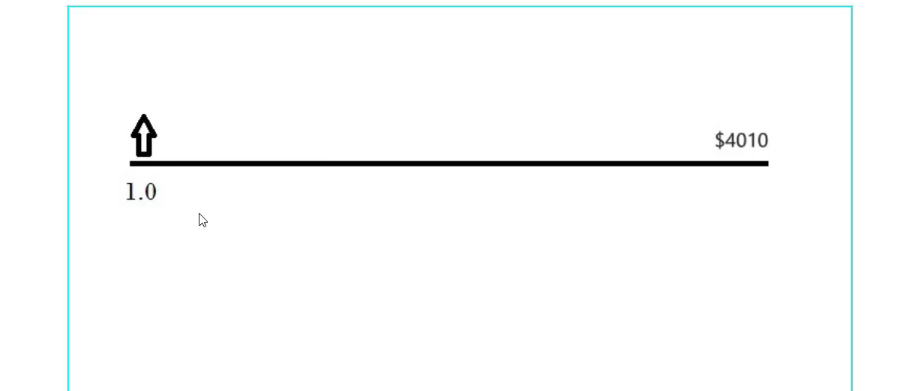
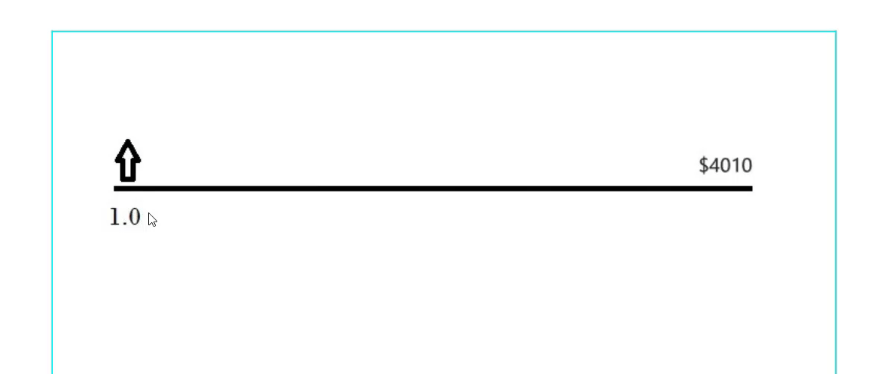
To make it very simple for the beginner traders, what is trading? Trading is when we buy an asset at one price and after that, we close the trade or we sell it back in order to benefit. So, for example, if we buy Bitcoin at $4,010,
If we buy at $4,010
and we close the position at $5,000, we will benefit $990 and this will be our profit. However, if the price goes against us, we will have a loss if we close the trade at a lower level. This is the trading, really nothing more complicated.
Cryptocurrency training without Stop Loss
But when we buy assets, we follow precise strategies which you will see in every cryptocurrency training course to execute the trades at the right moment and to take profit or to close the position on a profit at the right moment.
But as I said, there is the chance where the price will go against us. For this reason, people use Stop Loss. This is a level where we can close the trade, save the capital.
So, for example, if we buy Bitcoin at $4,010 and the price goes against us and our Stop Loss is at $3,400, for example, we close the trade there because we don’t want to hold any more losses.
We will have the loss which will be the difference between the 2 levels. And I really don’t like taking losses. And long ago, I calculated how I can avoid having losses and this is exactly what you will learn in this Cryptocurrency training guide. So I will start it very simply here.
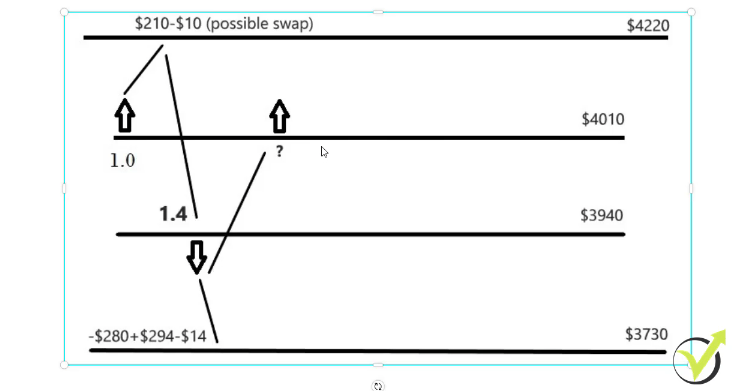
I will take an example where we buy 1 Bitcoin at $4,010, 1 lot.
The lot
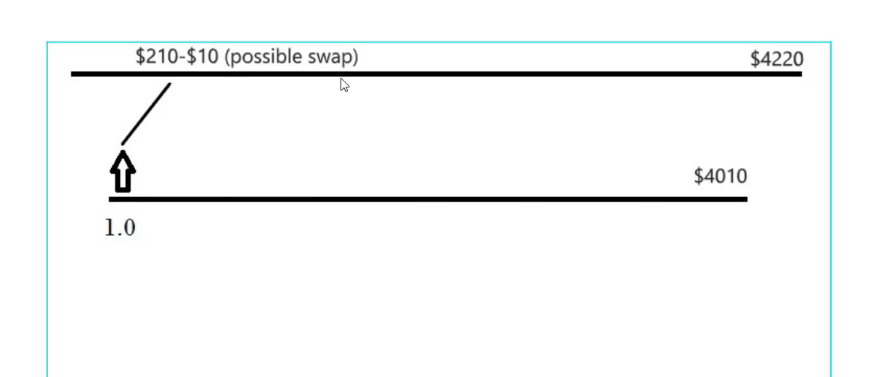
For the beginners, the lot is the quantity that we use. Or let’s say we buy 1 Bitcoin and our Take Profit will be at $210 higher which is the level of $4,220.
The swap is a cost with CFD trading
Now, when we use the trading brokers, we usually pay the swap or this is the fee to the broker if we keep the position overnight.
The swap
So if the trade is not closed within the same day, we will pay some swap.
And for this example, I will use $10 of a swap which actually will be lower. But if the trade goes for a couple of days, it will have more swap. So let’s give it a little bit more for this cryptocurrency training example and we round it to $10 which means that we will have a pure profit of $200.
This is the very first scenario that we can have on the market. We buy at $4,010, the price goes up and down, and at one moment it hits the Take Profit.
The trade will close automatically and we will have $200 as a profit. And later in the course, you will see how exactly I enter and how I put the Take Profit, the Stop Loss, everything. So this is the first option we have, the best option.
We enter on the market, the price hits the Take Profit, we have $200 of a profit. And this is $200 if we are trading with 1 Bitcoin or with 1 lot. Now, the second option is we buy and the price goes down against us.
CFD trading allows you to sell and profit
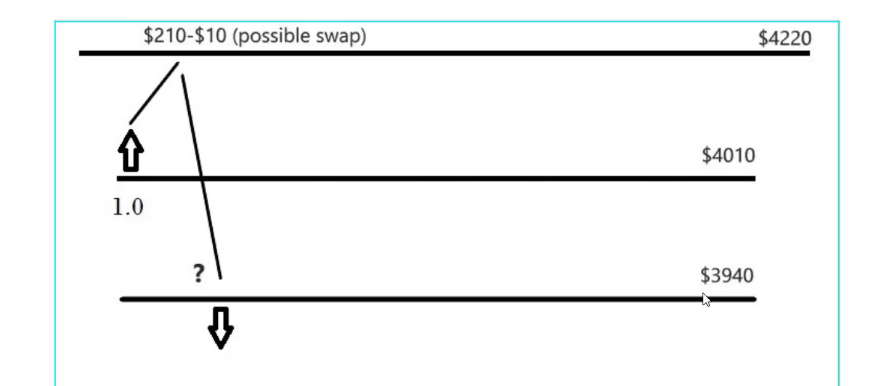
Now, the other possible outcome is the price to reverse after we buy it. If it does, I sell at the level of $3,940 which is $70 lower or this is one-third of the Take Profit distance.
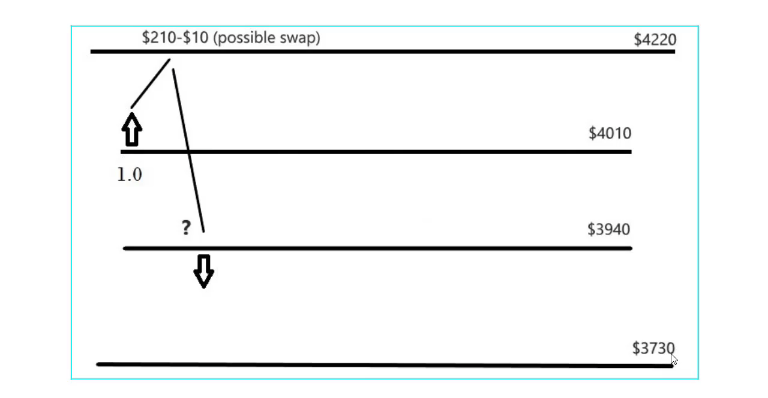
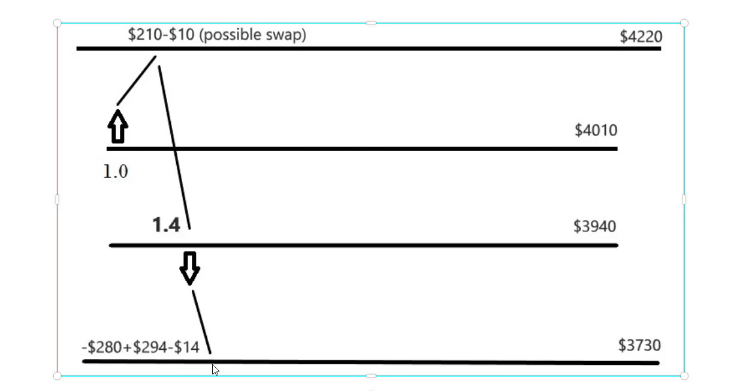
And we place the same Take Profit for the short trade. This would be at $3,730 and this is how it looks like in this cryptocurrency training course. So one more time, we are buying at $4,010, we place a Take Profit at $4,220 which is $210 higher.
If the price goes against us without hitting the Take Profit, if it reverses after we buy, I place a sell stop or this is a pending order. Basically, when the price reaches this level it will execute the sell order automatically or it will sell.
The sell stop
And for the beginners, when we do CFD trading or when we are using the trading brokers not the exchanges, we can sell an asset even if we didn’t have it previously.
I want to make it very clear. And this is the great thing with using brokers because we can profit, even when the price goes down we can sell at one level and we can take the profit at a lower level even without buying before that.
This is because we are trading on the value of the asset. We are trading on the difference in the price.
The idea of this cryptocurrency training Never Losing Formula
Stay with me, you will see how this works later on this cryptocurrency training guide, you will see how I am trading when I am buying and how I’m trading when I’m selling and you will see that it works really nice.
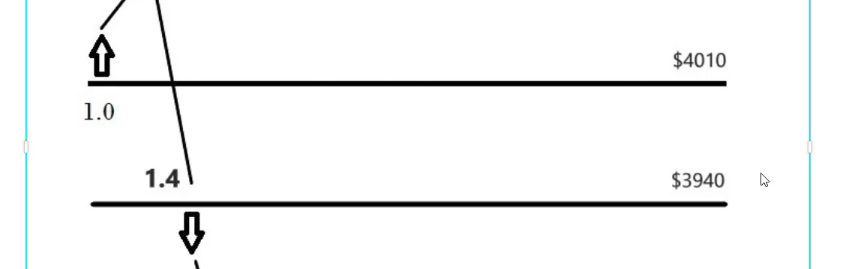
So when the price goes against us, I sell at $3,940 which is $70 lower or this is one-third of the Take Profit distance.
And for this short trade, we say short trade when we are selling, we have the same Take Profit of $210 which in this case will be at $3,730.
The short trade
It is $210, the same as the first Take Profit. So now the question is how much we should be selling here so it will compensate for the loss of our initial trade. If the price reverses after the first trade, we will be on a loss from this trade. The price will go down and we will be losing.
And what I’m asking you is how much I should be selling here so when the price reaches the level of $3,730, I will have the profit from this trade and at the same time I will compensate for this loss and I will be out with 0 losses. This is the idea of the formula in this cryptocurrency training class.
And I will tell you something, I don’t know which of the two levels will be hit first, but what I know with certainty is that at one moment the price will hit one of the two levels. This is 100% guaranteed.
We compensate for the loss if the price doesn’t hit the Take Profit
At one moment, the price will hit one of the two levels. And I know a second thing with certainty, it will not happen at the same time. This is very important. The price will only hit one of the two levels at one moment.
So my question is, how much will I be selling at this moment so when the price reaches the level of $3,730 I will have enough profit to compensate for the loss?
And I will give you the answer, of course, but I just want you to think about it for a minute. You will see that we compensate for the loss if the price doesn’t hit the Take Profit from the first time.
The calculation in this cryptocurrency training
I will do it very simply and you will see that it’s nothing really hard when we calculate it.
So in order to understand how much we need to sell at this level of $3,940 or $70 lower from the initial trade, we need to see how much is the loss. So how much is the loss from the first trade?
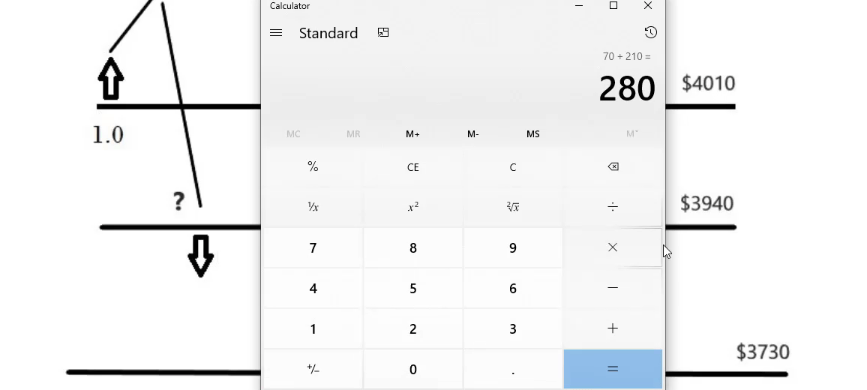
We have 1 lot, we have the distance of $70, and we have another distance of $210 which will be totally $280. If you use the calculator, 70 + 210 is $280.
Total loss if the price reaches the level of $3,730
We said that the distance between the first trade and the second trade is $70. And the second trade is with Take Profit of $210, another $210, and totally we have $280. So this is the loss that we will have if the price reaches the level of $3,730.
For the practice in this cryptocurrency training lesson, Let’s calculate how much we will need to sell over here at $3,940 so we will cover this loss of $280. If we sell 1.1*210, this is exactly 231 so it’s not enough. If we sell 1.2, we will have 252.
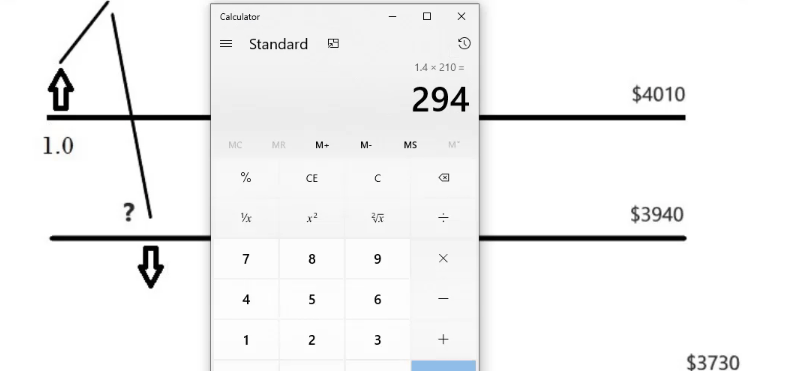
Not enough. Let’s increase it, 1.3*210, we have 273. So we are getting close. And if I go to 1.4, you will see that this is the exact lot size we need to sell because we will have 294.
The exact lot size we need
The logic behind the Never losing formula
And since we said we are giving $10 of a swap for 1 lot, and if I deduct $14, I will have exactly $280. If the price goes down and hits this level, we will have -280 from the first trade and then we will have a positive of 294 from the second trade minus 14 for the swap, we will be exactly with 0 losses.
We exit the whole equation with 0 loss
We will exit the whole equation without having any losses even if the price went against us.
This is because we bought at $4,010, the price went up, it didn’t reach the Take Profit, it went down, we sold 1.4 at $3,940 which is $70 lower, we placed another $210 as a Take Profit, and when the price hits this level we are out with 0 losses.
This is the Never losing formula. When the price goes against us, we are out without any losses. And the same logic repeats after that.
But I want you to understand how it works and what is the idea. We open the trade, if the price hits the Take Profit, fantastic, we are looking for the next trade. But if the price goes against us, I don’t want to take losses. And what do I do?
I sell, another Take Profit and I am out with 0 losses. And if this happens on the same day, which is very normal for the Bitcoin to go up and then down with $280, I will even be on a profit because I will not have the $14 as a swap.
How I come up with the distance
But for the calculation in this lecture, I will always add the swap so we will have the formula calculated more precisely. And many of the students ask me how I have come up with $210 as a distance and how I came with the $70 as a distance.
Now, $210 for the Bitcoin is a result of many statistics and researches that I did before launching the cryptocurrency training formula.
And especially from my experience with Robots and algorithmic trading where we use a lot of statistics, I saw that $210 or $200 of a profit is a realistic profit or a realistic distance for the Bitcoin.
I don’t want to put an unrealistic value like $1,000 and wait for it for weeks or months or something like that. And this is why I came up with the $200 because this is for 1 lot, for 1 Bitcoin.
Simply, if you want to have a bigger profit from the first trade, you can increase the lot. For example, if you do it with 2 lots or 2 Bitcoins, then you will have $400. You will need to increase the formula on the other side. And the $70 distance which I call the mid-zone,
The mid-zone
is because this is how the formula was calculated long ago for the currency pairs but I have just recalculated it for the cryptocurrency because it works much better with the cryptocurrencies, and especially for the Bitcoin.
You can change the values from the cryptocurrency training course if you wish
So accept these values as given. $210 and $70 which is one-third of the Take Profit distance. And if you want to change it, it is alright. You know how I’m calculating it.
Just keep the ratio 1:3. Don’t change this ratio otherwise, you will mess up. So it’s $210, $70, and $210 below. Keep the ratio if you decide to change the numbers.
There is the outcome as well when the price hits the $3,940 but it doesn’t go down towards the Take Profit, it goes up again. And what we will do, we will buy again at the level of $4,010 and you will see how the formula continues.
Feel free to ask if anything in the Forum if something is still unclear
I hope everything is clear so far. If it’s not, make sure to go over the post again and if it’s not, just ask me. I will always answer you and make it more transparent to the best of my ability.
But just try to follow the logic and you will see that it’s really easy. So I will make a quick recap.
We said we enter at a certain level, I took as an example $4,010 and we have the Take Profit.
If we have the Take Profit from the first time, great, we are out with $200 of profit if we trade with 1 lot and we are looking for the next trade. If the price goes against us, we sell $70 lower, 1.4 lot.
And for this trade, we put another $210 of a Take Profit. So if the price hits the Take Profit, we will be out with 0 losses. We will have a profit that is enough to cover the first trade and possible swap if the trade goes overnight.
And you will see how this works practically during the cryptocurrency training Bitcoin trading robot course but when the first trade is opened, I immediately place the second trade and it has a Stop Loss the same level as the Take Profit of the first trade.
And it has the Take Profit of $210 lower. And at the same time, the first trade has the Stop Loss on the level where we have the Take Profit of the second trade.
Keep in mind that the Bitcoin is very volatile
So this way, when the price hits the level we will have the 2 trades closed. But as I said, you will see this in examples that I have recorded for the course.
You will see how this works on the opposite side if we sell the first time then we buy 1.4. And it is the very same thing just mirrored. Very simple and very easy to follow.
Now, what happens if the price doesn’t reach the Take Profit of $3,730 but we opened the 1.4 trade and the price reverses upwards?
What if the price reverses upwards?
And in this moment, we will need to buy at the same level of $4,010. So once this second trade is opened, we are into the Never losing formula and we have this mid-zone form.
If the price goes in a range for some time, we will always buy at the level of $3,940 and we will always sell at the level of $4,010.
This is how we can compensate for the loss. And from my experience, it doesn’t happen more than 3 to 4 times because the Bitcoin is very volatile.
It doesn’t stay in the range for a long time but I want you to have the values for the next trades. So if it happens, you will know how much you need to buy and how much you need to sell.
This cryptocurrency training formula is great for you if you like mathematics and calculations
And, of course, I want you to learn how to calculate it because this way you will feel more confident. So if the price goes up what lot will we buy?
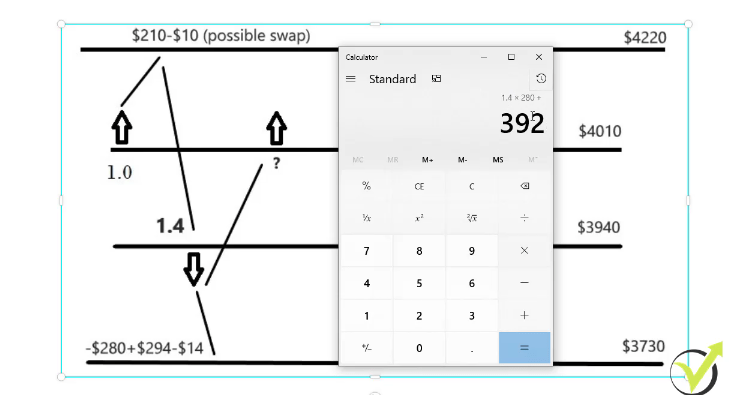
We will compensate for the loss from the 1.4 sell trade. Let me grab the calculator and see what we have. We will have 1.4*280, 70 + 210 is 280. We will have 392.
If the price reaches the level of $4,220
So totally, if the price reaches this level of $4,220, we will have 210-10-392 which is -192.
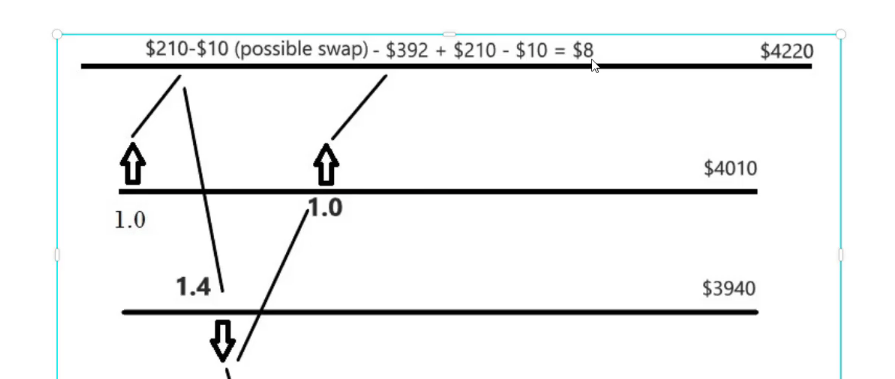
And I think it is very obvious that we will need to buy another 1 lot to compensate for this loss. And here are the calculations. 210 minus 10 from the first position minus 392 from the second position plus 210 minus 10 which equals $8 of a profit.
The calculation
So if the price reaches this level, we will be out with $8 of a profit. And now from there, again the calculation comes if the price goes down.
And as you already know, when we enter one of the trades there are 2 possible outcomes. Either the price will hit the level and we are out or it will go down and we will need to sell at this level again.
So basically, you will just continue the equation, the calculation, and the calculation on the top. And I don’t want to make it boring for the people who don’t really like mathematics and calculations.
Just practice this cryptocurrency tradining on a piece of paper
So after this cryptocurrency training post, you can have a look at the assignment int he course where I will ask you to do the steps one by one to calculate the formula.
Of course, if you don’t want to do it just go ahead with the course and the examples. But when you see actually the examples of how I’m using the formula, it will become clearer for sure how I practically do the formula and how I apply it.
And for the people who just want to know what are the next lots, they are provided.
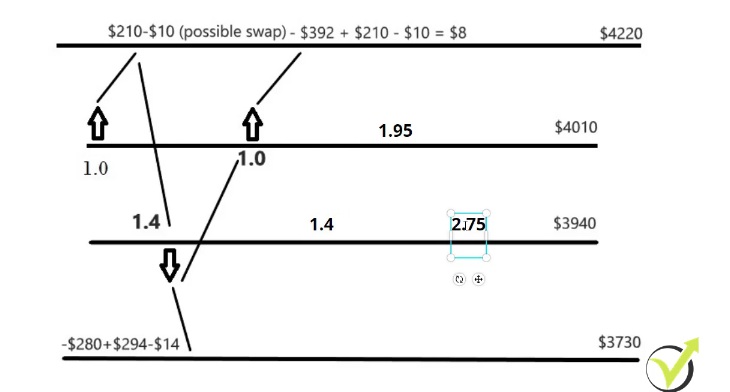
So the next time when we need to sell, we will sell 1.4 lot. And then if the price goes up again, we will need to buy 1.95. And then if the price goes down again, we will need to sell 2.75. I will put it right over here for you to see.
If the price goes up and down
And then if the price goes up again, it’s another lot. But I really want you to learn to calculate it so I will leave it to you.
And in the assignment below I will ask you to do all of these calculations. Just grab a piece of paper and draw these 4 lines where we enter, where is the Take Profit, the second entry, and the second Take Profit, and it goes this way.
We are just adding the calculations. And every time you have to add a new lot, you need to ask yourself the question of how much is needed to cover the loss from the last trade opened.
The mistake most beginner traders that do not take any cryptocurrency training is to hope
And as well, I will attach it as a resource file so it will be easier for you to follow it. And, of course, if you want to go over the lecture again you are very welcome to do it.
But simply, if you learn how to calculate it, you will see that it’s nothing hard. And, of course, I don’t calculate it every time I do the trading, I know what are the next lots.
So if the price hits one of the levels, I put the next trade. If the price hits this level, I put the next one and so on until I’m out of the trade without losses. And this is it. This is the Never losing formula, really nothing complicated guys. One more time, we exit the negative trades with 0 losses this way. We enter, if the price hits the Take Profit, perfect.
If it doesn’t, I don’t want to take losses. I don’t want to play chances and I don’t want to hope. This is the most important thing. I don’t want to hope that the price will recover. Maybe it will, maybe not, maybe in a couple of months, I don’t want to hope. And this is the mistake that most of the beginner traders are doing.
The formula is tested and proven
They open a trade and when it goes to a negative, they start to hope, to believe that the price will go back on profit again and they will actually recover the losses and very often this doesn’t happen. The price goes against the trader, they start to fear, they see the losses in the account and they close the trade on a loss.
Then the price goes up again and they buy again. In this case, you see what happens. If I buy, the price goes down, I recover the trade, I am out with 0 losses. I can buy it at a better price.
So this is the market. The price goes up and down. The important thing is how to hit the Take Profit more often.
This is what the strategy will teach you in this course and if the price goes against us, how we can recover from that with a mathematically proven formula that works.
I have tested it and thousands of students of this course have tested the formula and it works. So if it’s hard for you, just put some more efforts because it is worth it.
Just learn from this cryptocurrency training and you will improve your trading
Learn the formula, learn to apply it, learn from the examples that are coming in the next lectures and you will improve so much your trading because you’re not going to have losses in your account anymore.
Basic Forex education course is a must nowadays, otherwise, the risk of losing money is huge.
Hello, dear traders, this is Petko Aleksandrov and today I am going to answer the 10 most frequently asked questions that I receive for the Basic Forex education course. We have already thousands of students that joined Forex Academy, which makes me of course, very happy, and most of the time we get one and the same question.
So I have decided to make this series of frequently asked questions for all my courses which will be very helpful for everybody who has questions and wants to learn details about the course. I will answer them one by one.
1. “Why is it that my trading screen with Heiken Ashi does not look the same as yours on the Basic Forex education course?”
Heiken Ashi indicator normally is not a Meta Trader indicator that comes with the installation on Meta Trader. Some brokers put it additionally. You can put it by yourself, you can download it from the internet for free or you can find it from somewhere very easily actually.
And when you place it, it will come with different default colors which you can change. So it should not be the same as mine. Of course, you should find the color inputs or change the colors that you feel comfortable with when looking at a trading screen.
In the Basic Forex education course, you will see how to change the colors in the Meta Trader platform.
So it will always give you the same signals, it doesn’t matter what colours you will use.
2. “Is Forex trading shown in the Basic Forex education course gambling like in the casino?”
You will see this written in so many places over the internet, people who lost money with Forex say that this is like the casino. But I could tell you that 99%, probably 99.9% of them did not go through any education when they started.
And they are simply buying and selling without an idea, or after seeing something on the news, or after a friend told them something, which is totally different from what we are doing and what I am teaching in the course.
Even if I have no idea and I close my eyes and I go in one asset to just buy or sell, I will have a 50/50 chance to go with the market. Something nobody has in the casino.
It’s never 50/50 there. There you have no chances, it’s all on the side of the casino. That’s why you will never see me in the casino.
However, Forex trading is much more logical. And especially when you go through education, when you build a strategy, or when you learn the strategy like the one I’m teaching in the Basic Forex education course.
You have bigger chances on the market than someone who is gambling, someone who has no idea, who is lazy to go through an education and goes trading just without an idea.
3. “The Forex profit Supreme meter indicator does not display properly. What might be the issue?”
The number one thing is that you might not have all the assets in the Market Watch. So just right-click on any of the currency pairs and select Show all. Normally when you install the Meta Trader you will not see all the assets.
You just need to display them all and then once again put the indicator over the chart. So it has the information from the Market Watch. Second thing, I had a couple of reports from the students who didn’t fit the indicator and it was not showing the complete numbers.
I suggested for them to change the resolution and it worked fine. So it’s one of the two things.
Last, the Forex profit supreme meter works for MetaTrader 4 and it won’t work on MetaTrader 5.
4. “Why is it that with some currencies there are three numbers after the decimal and with some five?”
Three numbers after the decimal comma, this is with the Yen currencies. Simply, all the Yen currencies have three numbers after the decimal comma. All the rest have 5.
This is because the Yen is quite a cheap currency compared to the others. And the price normally is one hundred and something which is 3 digits and then we have 3 more left after the decimal comma. But in total, we have 6 digits like the other currency pairs.
5. “What leverage would you recommend trading with?”
I really avoid recommending brokers, starting amounts. And I always avoid these questions, I can say. But with the leverage, it’s not really important.
The most important thing is to keep good money management into the account and keep in mind that the leverage has nothing to do with the performance of the strategy.
It is up to you how much you are willing to risk from your account, what leverage you are using. If you have good money management the leverage is really not important.
The bigger the leverage gives you the chance to trade with bigger amounts than what you have in your account. But it is again connected to money management.
So even if you trade with huge leverage, keep smart money management into your account.
6. “The system in the Basic Forex education course is very interesting. Can it be automated?”
Well, I can say that nearly all the trading systems can be automated. But this is a manual course. And I have even more algorithmic courses but this is a purely manual course.
That’s why I didn’t automate the system and that’s why I explained it with manual trading. I also like sometimes to trade manually.
It makes me feel energetic and more of a trader because when we’re using Expert Advisors, sometimes I have the feeling that I manage them, but I’m not personally trading. And when I’m trading manually I feel really great and it makes me really happy when I’m trading manually.
That’s why this system is purely manual and it’s for the people who are interested in manual trading and not in algorithmic trading.
7. “When we do CFD trading, do we actually benefit the trade or not?”
This question is not really clear the first time, but I receive it frequently. When we are having CFD trading, we benefit the difference between the moment we enter or the price we enter until the price we exit. So yes, we can say that if we are on a profit, we benefit the trade because we benefit the profit if we are on a profit.
But we do not benefit the asset itself, it should be clear. So when we are buying, for example, gold with CFD trading, we’re not buying actual gold. We are trading on the price.
If we buy at 1200 and we close the trade at 1,300, we will benefit from this $100 of a profit. We don’t benefit $100 gold or something like that. We benefit from the difference.
That’s why it is called Contract For Difference, CFD trading. And obviously, if we’re in a loss we will lose the difference. So it’s always about the price where we enter and the price where we exit.
8. “Is the Basic Forex education course system applicable only to Meta Trader or not?”
Now, actually this system, as I said, is a manual system for trading. You can use it with any other platform. I have selected the Meta Trader simply because I’m using a lot of Meta Trader in the algorithmic trading.
But if you have the indicators on the other platforms, you can use the other platforms. What is good with Meta Trader is that you can easily separate a couple of charts, a couple of windows, and you can monitor the different time frames.
This is what I like in Meta Trader. It’s very easy to do that but in some platforms it’s not. With some actually, it’s not possible at all, to monitor one and the same asset with different time frames, on different windows. You need to switch between each one which makes it difficult for this system.
9. “Can we add the other time frames to confirm the trend direction?”
This question is regarding the strategy itself. And yes, you can add the other time frames to confirm the direction of the trend. But the more time frames you add, the more you will limit your entries. Keep that in mind.
If you place, for example, all the time frames and you want the Heiken Ashi to confirm the direction, sometimes probably you will wait for days or weeks to open a single trade.
That’s not the idea of trading. Basically, we don’t want to sit in front of the computer and wait for hours only to execute one trade or none. Simply, we will lose our time. That’s why I have selected these 2 time frames to filter. I think they’re enough, I have tested it a lot.
Already hundreds of students tested it as well and it works just fine. No need to make it more complicated or more engaging or more time-consuming.
10. “I understand the usage of the indicator but can we trade only one currency pair always?”
I will say the same thing as with the last question, if you trade only one currency pair, you will wait sometimes for hours or days to open a single trade because it will happen over a long time that you don’t have the confirmation. And we have so many currency pairs with the Forex market, this is the idea of trading the Forex market.
We should take the opportunity on different currency pairs at different moments. And there comes the Forex profit supreme meter which I have included to help you choose the currency pair.
But if you are stuck with one currency pair, yes, there will be trades but you will need to wait a long time to execute single trades. Because you will just look at one currency pair and you will have to wait for it.
Take the chances you have from the Forex market at every moment because there are many chances all day long.
Thank you guys for reading, if you have any other questions for the Basic Forex education course drop them in our trading forum at EA Forex Academy. And if you liked the video click on Subscribe and you will get all the new videos that I upload nearly every day.
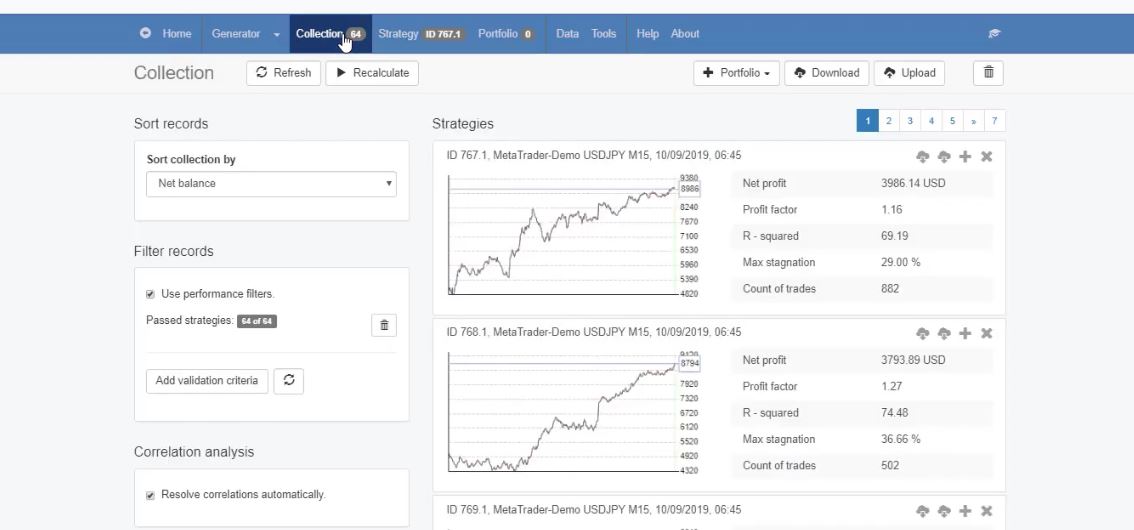
Forex EA Builder software EA Studio has a new great feature called Normalizer. Something very interesting we have now in Expert Advisor Studio. So if I click on the collection, this is one of the collections I generated for one of the courses.
The Collection.
And I will click on any of the strategies and I will demonstrate to you what is the normalizer.
So we can find it just right next to the optimizer in the Forex EA Builder software. It is very similar to the optimizer but as you understand from the name, it normalizes the strategies.
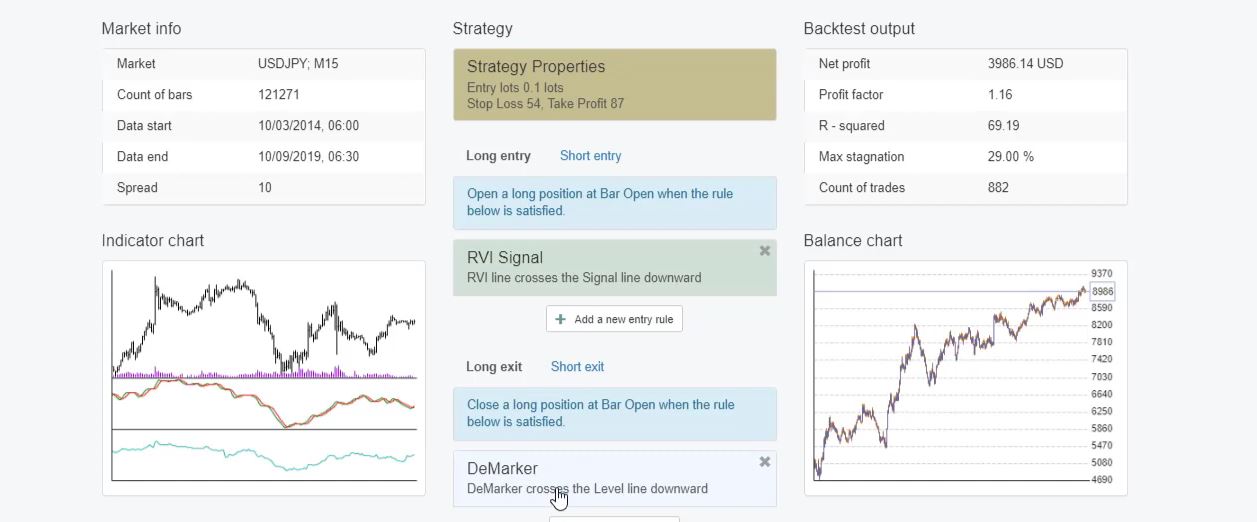
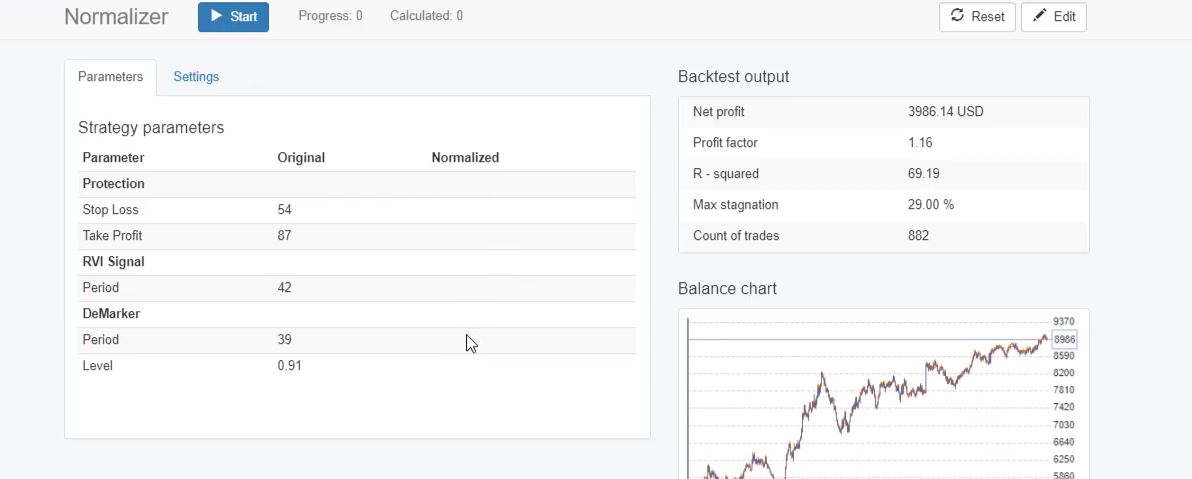
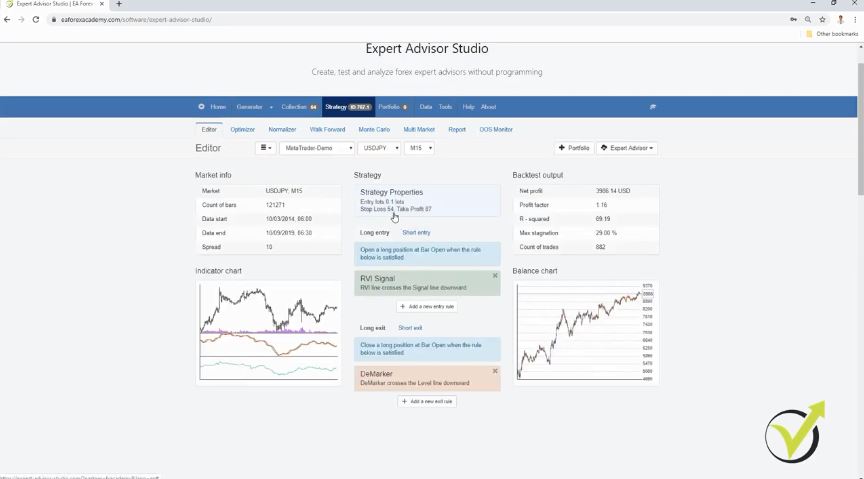
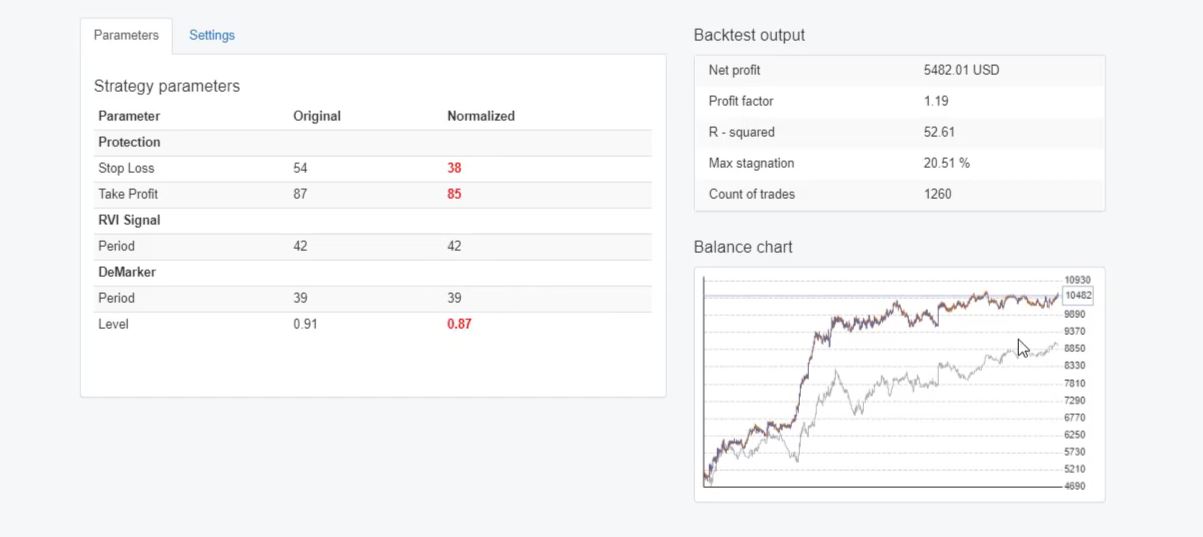
So this strategy has Stop Loss 54, Take Profit of 87, RVI signal indicator and we have the DeMarker as an exit indicator.
Strategy properties.
If I click on the normalizer, I have the parameters which say original and these are the parameters that we have in the strategy. And then we have normalized column where we have some changes, if they are needed of course.
The Normalizer parameters.
So how does the normalizer in Forex EA Builder software work?
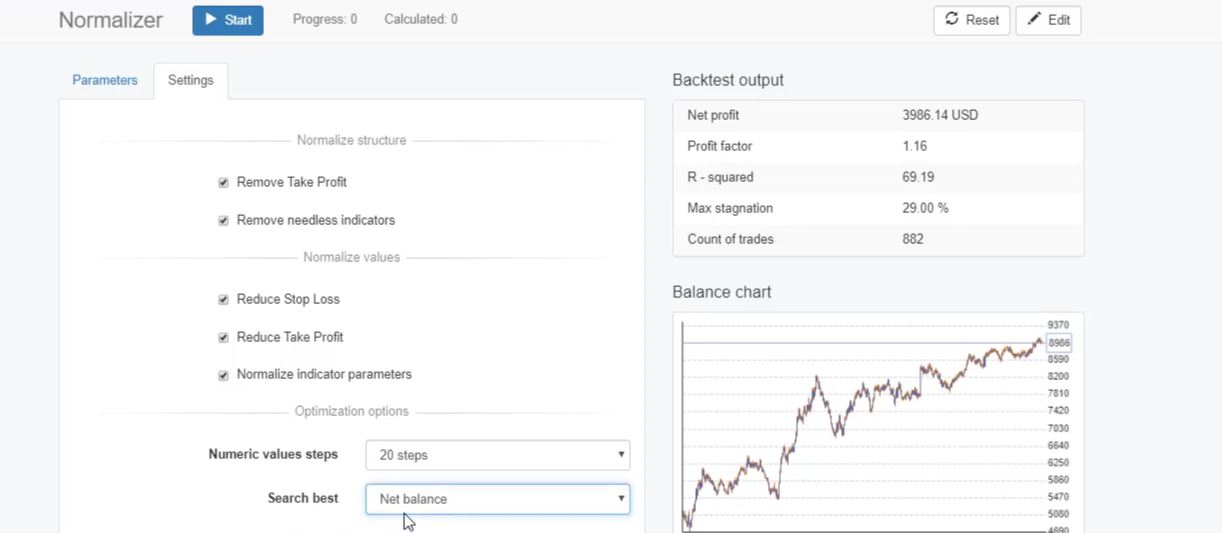
If I go to settings, we have the option to choose if we want to remove the Take Profit, if we want to remove needless indicators. This is very interesting.
And we have reduce Stop Loss, reduce Take Profit, normalize indicator parameters and then we have similar options to the optimizer where there are the steps and the method we are looking for a better strategy.
Stop Loss and Take Profit values.
Normally, I keep it as a net balance so I want to see the strategies that make more profit.
The Normalizer settings.
Now, the first thing is to remove the Take Profit and to remove the needless indicators. The strategy has only 1 entry indicator and 1 exit indicator so there is nothing to be removed.
And this strategy has just 1 entry indicator so there is no indicator to be removed. And as well, the Take Profit could be removed. So if the Take Profit is removed, the strategy will exit only from the exit condition. And then if I go down, there is the option to reduce Stop Loss and to reduce Take Profit.
Why have they made these options? This is because when we have a smaller Take Profit and a smaller Stop Loss, we have more precise calculations from the Expert Advisor.
This is a little bit more technical, I will not go into details. But if I really need to say it in simple words, it means that if we have fewer values in the Take Profit and the Stop Loss, we will have faster signals.
As well our trades will not last for a long time because if we have huge values for the Stop Loss and for the Take Profit, some of the trades last for days, even weeks.
And it is much better actually to have faster signals, faster closing of the Stop Loss and the Take Profit, faster hitting for the Stop Loss and the Take Profit, and then looking for the new opportunity.
Meta Trader indicators default parameters will make you lose.
But the idea here is that actually, it will reduce the Stop Loss and the Take Profit if only it finds a better backtest. So, for example, here the Stop Loss is 54, if it finds that Stop Loss of 50 is better, it will take it as a value only if it shows more profit. If the strategy is better because we have search best as net balance.
The Editor.
Actually, it’s the same thing for all of the options. They will do some action, they will change something if only there is a better balance chart, balance line for the strategy.
And then we have normalized indicator parameters. If we keep this option, this means that the Forex EA Builder software will change the parameters to be optimized, towards the default parameters.
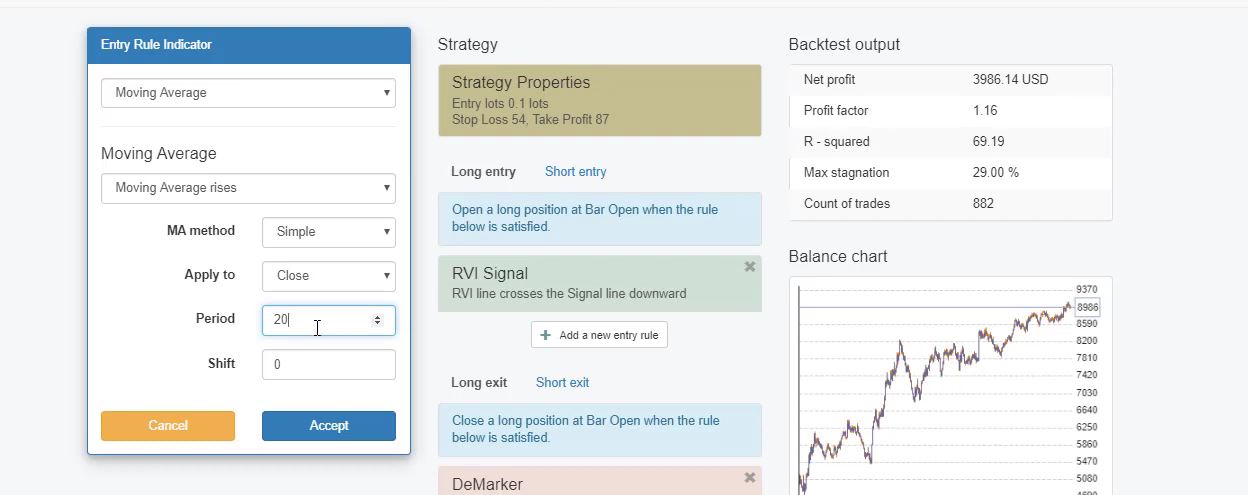
So what I mean is if I go to the strategy and let me add, for example, a simple moving average, one of the most popular indicators, and the average value that comes is 14. And these are actually the default parameters that are coming from Meta Trader indicators. And if the generator shows, let’s say, period of 20, it will check for better results towards the 14.
So it will not optimize the strategy for values of 22, 24 and above. It will go down to the default parameters.
The Moving Average.
I will teach now how it works. So I will go to the normalizer, I will keep all the settings so we can see how it goes and as well I will keep the common Acceptance criteria which means that if the normalizer finds better strategies, they will need to go through the Acceptance criteria in order to keep the change.
The backtest in Forex EA Builder software.
So I will go to parameters and I will click on start. On the right side, we have the values and you will see how they change.
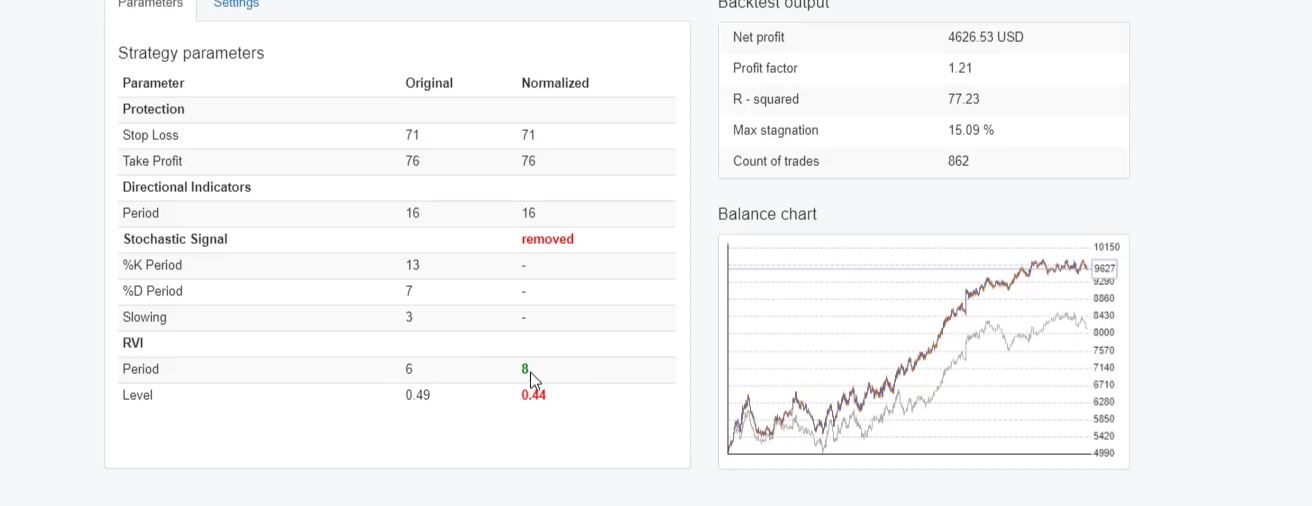
So the Stop Loss, it went to 38, the Take Profit from 87 down to 85 and what we have, the DeMarker 0.91 down to 0.87. And we have a much better strategy.
The grey line is the old backtest and here we have the new one. Better backtest with better backtest output. And it only reduces the values.
The strategy parameters.
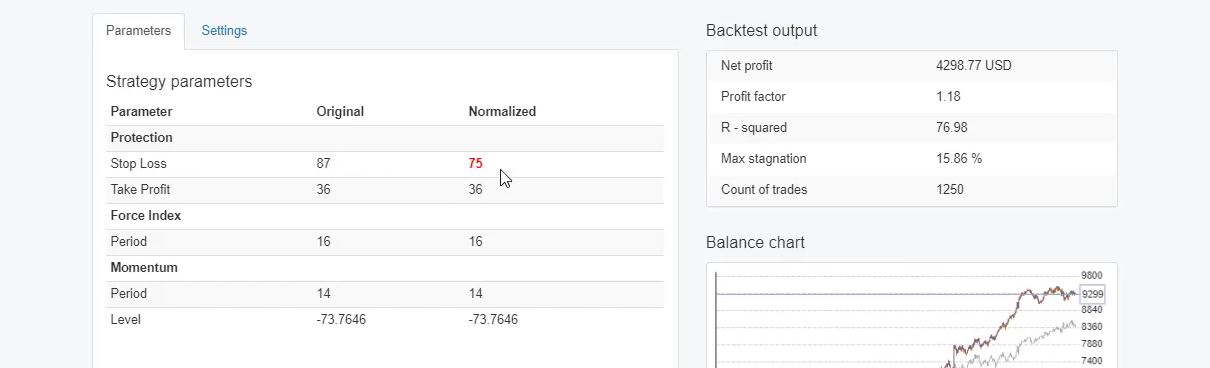
Here not that much but they are lower and as well we see a better backtest. I will grab another strategy from the collection, I will pick any randomly. OK randomly I will go again to the normalizer, I will click on start.
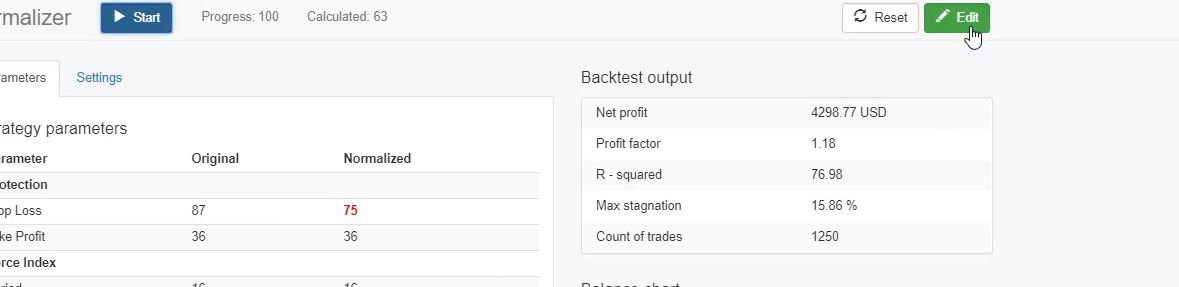
It has a huge Stop Loss probably it will be reduced. And the only change we have here is from 87 down to 75.
The Stop Loss changed.
And if you actually want to get the new strategies and use it, you just need to click on the edit button
Edit button.
and here is the new Stop Loss. Let me grab another strategy where we have more indicators.
I will click randomly on any. I just want to see a strategy with 2 indicators at least so we can have more changes from the normalizer.
Strategy with 2 indicators.
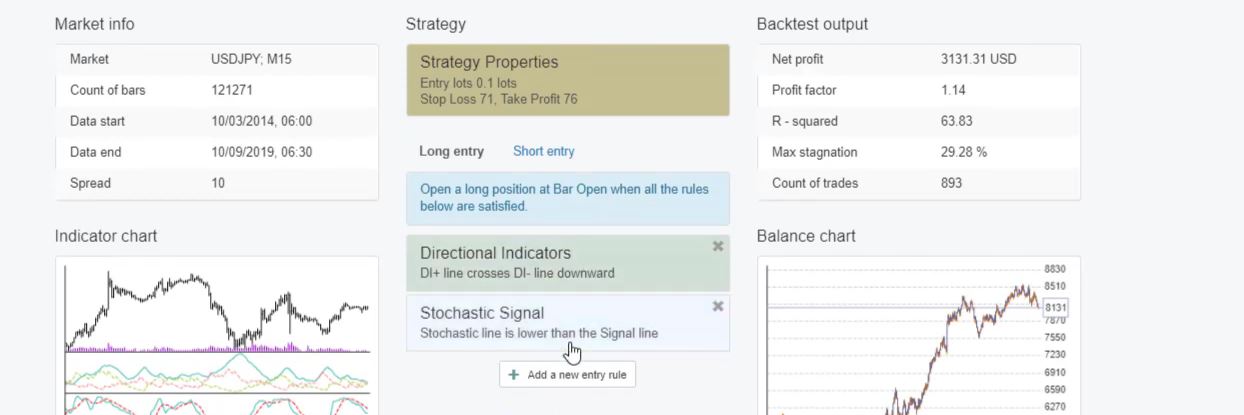
Again I will click on the Normalizer in the Forex EA Builder software, I will click on start and one of the indicators was removed. The stochastic signal. And as well, the RVI was reduced, Stop Loss and Take Profit are with the same values.
Difference between the optimizer and the normalizer in Forex EA Builder software.
So the strategy had 1 indicator more coming from the generator but after the normalizer, it was removed and as well the values were changed. Now, the RVI went to 8 and not to 6.
The strategy parameters.
So, one more time, if I keep it all it means that the normalizer looks for the option to remove the Take Profit.
There is now the option to remove the Stop Loss and, of course, this is by purpose. Because having no Stop Loss is risky. There is no protection for the account so Stop Loss is always recommendable.
And then it looks for needless indicators and then it looks for the option to reduce the Stop Loss and the Take Profit and the Forex EA Builder software normalizes the indicator parameters towards the default parameters.
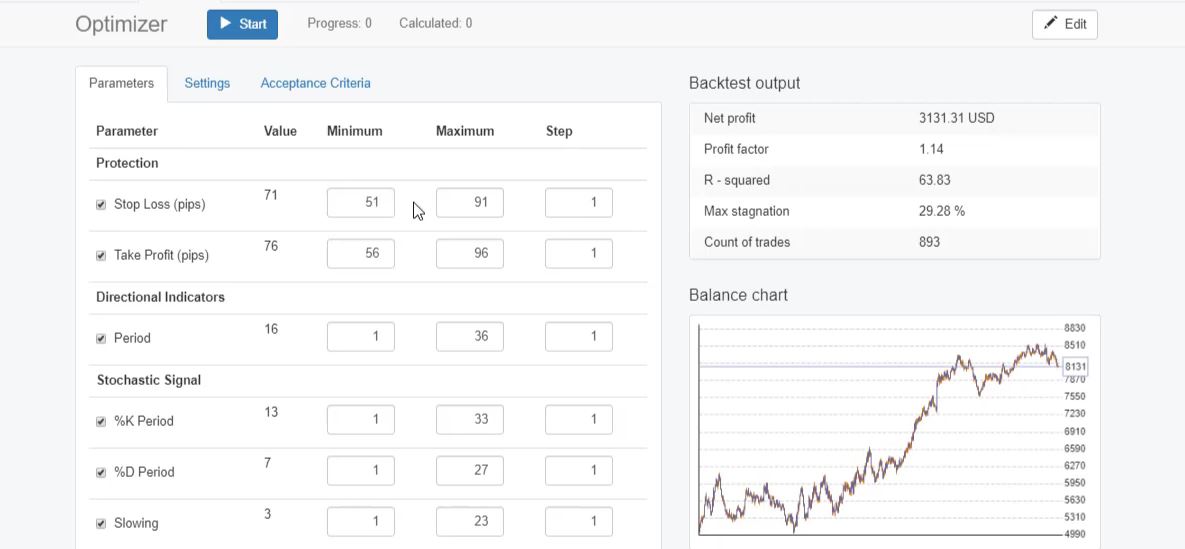
So basically the difference with the optimizer is that when we have a Stop Loss, it looks to reduce it. While in the optimizer, if we have, for example, this strategy from 71, you see the minimum is 51, the maximum is 91, step of 1, it looks for the values above 71.
So imagine 71 is in the middle, it will look for the values towards 51 and the values towards 91.
The Optimizer.
While the normalizer will look for the values only towards 51. The lower values, the lower numbers for the Stop Loss. It will not look for higher numbers. This is how the normalizer works. If there are any updates on it, I will let you know.
Feel free to drop any comments or questions about the Forex EA Builder software in the Forum.
The good thing is that the normalizer is included in the reactor. So if you generate strategies, you can use it. I have tested it, it looks really nice.
The strategies that are generated are nice. I think it’s a really useful feature in Expert Advisor Studio. And give it a try, see how it works.
If you have any comments or questions, feel at liberty to post them. And if you have watched and enjoyed the video and you find it useful, make sure to like it and subscribe to our channel if you want to be notified when we upload new videos and new updates about Expert Advisor Studio.
Crypto trading course for ETH is one of our best courses for price action trading with the direction of the trend
Welcome to the 10 most frequently asked questions for the Crypto trading course: Learn to TAKE the Profit. These are questions that I receive daily and I decided to make such articles for all of my trading courses.
So I will give more details about each topic and, of course, if you have more questions you are always welcome to drop them in the Forum.
I will answer you very quickly. There are other traders who will share their experience with you so don’t hesitate to ask questions. It’s very important in trading if you have any questions, to have the answer for them.
1. “This strategy in the Crypto trading course is suitable for other assets?”
Absolutely. This strategy could be used for anyother cryptocurrencies, stocks, indexes, currency pairs, whatever trading assets you are interested in. The strategy is based on the trend and every asset has its trend at the moment.
This is why you can implement this strategy to any trading asset, just the same way that I have shown in the course.
2. “Do we define the trend on all time frames in the same way?”
Yes, the trend is defined as a series of higher highs and higher lows for an uptrend and series of lower lows and lower highs for the downtrend. Now if you look, for example, at the hourly trend you can see that it’s in an uptrend, for example.
And if at some moment you look at a lower time frame as M15, M5 or M1, you might notice that actually, it’s the opposite direction.
And this is quite normal because obviously, it is a different time frame. That’s why when you are looking for the system when you’re looking for the entry conditions to enter into the trade according to the trend, you need to look at one and the same time frame.
So just don’t mix it because obviously, in one time frame you can be in an uptrend, in the other one you can be in a downtrend for the very same asset.
3. “What exactly is CFD trading in the Crypto trading course?”
Now CFD trading is one and the same thing with all assets, with all cryptocurrencies or currencies or stocks, indexes, anything that you have with your broker. CFD trading stands for Contract For Difference. This means that we are not really buying Ethereum, Bitcoin or oil, gold…but what we are doing, we do a contract for difference with the broker.
This means that we fund an account and we have this money with the broker and we can use this money to buy or to sell an asset. So even without having the Ethereum previously, we can still sell it. If the price goes down and we close the position, we will take the profit. So this is CFD trading.
We made a contract with the broker and if the price goes in our direction, the broker will pay us the difference. If the price goes in the opposite direction, trade is closed and we will pay this loss to the broker.
4. “Can we use Meta Trader with the exchanges?”
Meta Trader platform
As far as I know, there is no exchange that offers Meta Trader. Meta Trader is a platform that is provided by the brokers. So how is it working? MetaQuotes Company developed The Meta Trader platform and they provided to the brokers.
So the brokers pay to the MetaQuotes Company and the brokers provide the platform to us the traders for free. So we don’t need to pay for the platform to anyone.
But one more time, as far as I know, the exchanges do not offer Meta Trader. That is why in the Crypto trading course I selected to use the CFD brokers and not the exchanges.
There were some reviews from my students who shared, they succeeded to connect it via API but I really don’t know how they did it. I’m not really interested in exchanges. So there are some tricks that I’m not really familiar with.
So you can look for it but I would stick to Meta Trader with the brokers if I’m using Meta Trader. But if you’re using exchanges just stick with the platforms that the exchanges offer.
5. “Why is it better to use Stop Loss and Take Profit?”
less time in front of the screen
lowers the risk for the trading account
locks the profits from the strategy we use
eliminates emotions while trading
This is very simple. When we use Stop Loss and Take Profit, we limit the time that we are staying in front of the computer. We don’t want to wait for the price to reach a certain level.
So, for example, if now Ethereum is, let’s say, at $200 as an example, and we put our Take Profit at $220. And what we need to do, we will need to stay in front of the computer and wait for the price to reach there in order to close the trade manually. But we don’t want to do that.
We want to place our Take Profit at this level so when the price reaches, it will close the trade automatically, and even during this time, we could be sleeping. Same with the Stop Loss, we might limit our loss if this is your strategy. And you should do this by using the Stop Loss and not by waiting in front of the monitor to do it manually. I will demonstrate that in this Crypto trading course.
6. “What risk to have when trading with the system from the Crypto trading course?”
Now at the end of the Crypto trading course, I have attached one sheet with an example, “Risk Management” and what I’m following is 2%. No bigger risk. No matter whether it is this trading system or it is another trading system, I don’t risk more than 2% from my account.
So, for example, if I’m trading $1,000 then 2% is $20. But this doesn’t mean that I will open a trade using $20, I will have my Stop Loss maximum at $20. Because I can open a trade using $15 from my account but if it goes to a big loss, it will be more than 2%.
So it’s not important with how much you’re trading, it’s important how much you’re risking. This is very important.
7. “Can I open a Demo account with every broker?”
Normally yes, you can open a Demo account with every broker and I’m talking about the legit and the regulated brokers. As far as I know, there were some scam brokers that do not offer Demo trading. They will tell you that it’s not reality, that you are not learning when you’re trading with Demo account, you should put real money and so on.
This is absolute scam guys. The regulated brokers offer Demo accounts and you can open as many as you want. And you can practice as long as you wish.
You can practice on a Demo account for years and the regulated broker should not say a word about it. It’s your choice if you will be trading on them or you will be risking your real money. So yes, look for those regulated brokers that will give you a Demo account without any problems.
8. “I do not see the Ethereum with my broker?”
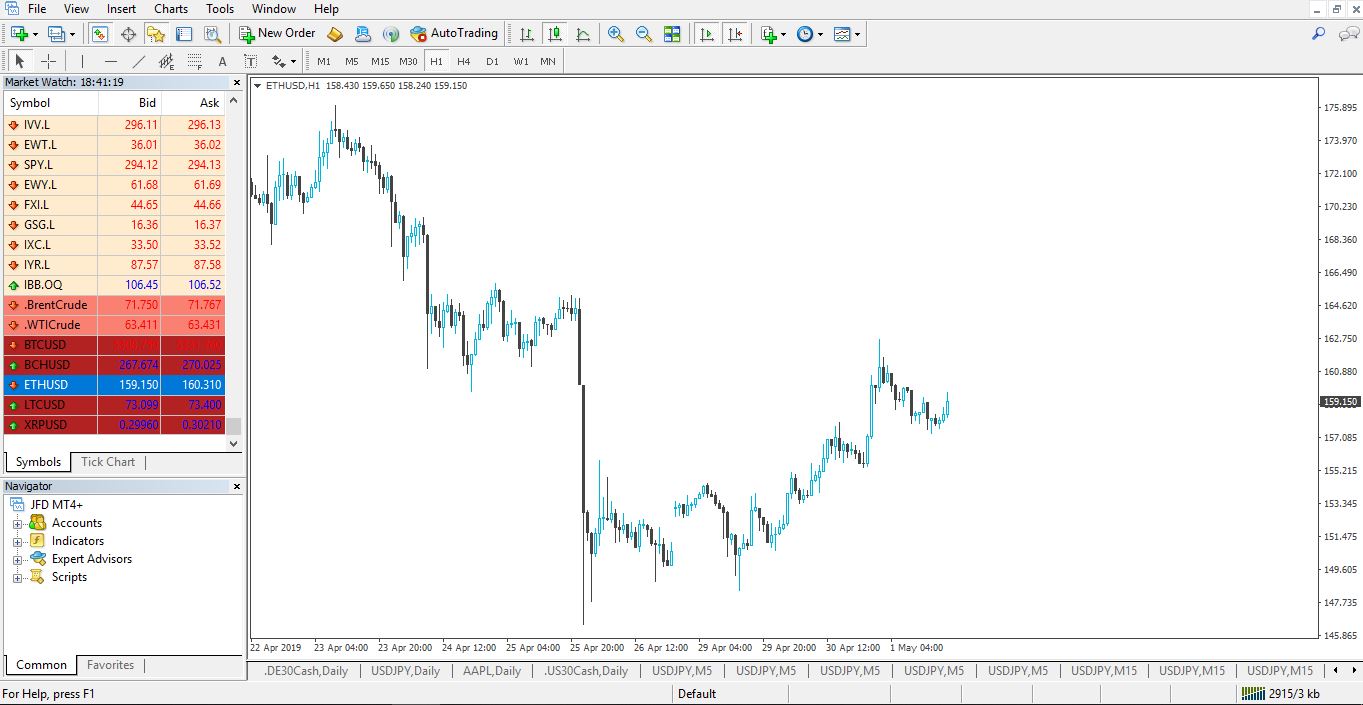
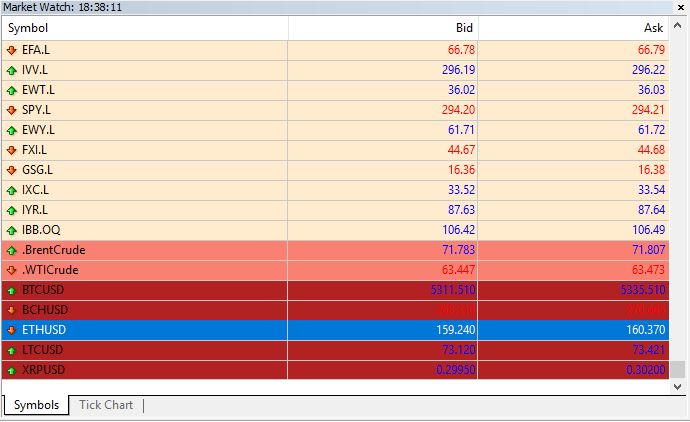
Now if you don’t see the Ethereum with your broker, what you might try is just right click over the Market Watch and select “Show All.“
crypocryptocryptoETHUSD is normally how you will find it.
This will show you all the trading assets provided by your broker. If you still don’t see the Ethereum, then probably this means that your broker does not offer the Ethereum.
But if you see it and you want to open the chart and you cannot open a trade with Ethereum, this might mean that your broker keeps the Ethereum on the market watch but they have disabled the trading with Ethereum. In 2018, the beginning of 2018 and the end of 2017, many brokers disabled the trading with cryptocurrencies because the market was crazy. They couldn’t afford it.
So some of the brokers really removed the cryptocurrencies which were, I can say, not really proper from their site according to the connection between the broker and the trader. Because when we have opportunities on the market, we want to use them. They should give us the chance to the traders to trade these volatile moments.
But obviously, many brokers lost money. Some nearly closed doors because they lost a lot. And one of the protections they did, it was just to remove the cryptocurrencies.
Anyway, now the market is calm and the spreads are back to normal. All the brokers that normally had the cryptocurrencies put them back in. This makes the Crypto tracing course suitable for everyone who wants to trade!
9. “Can I use the system from the Crypto trading course on exchanges?”
Yes, you can use the system on exchanges. You can use it on any trading platform, web-based platform…it’s not meant to be on Meta Trader. I like Meta Trader because I use algorithmic trading and Expert Advisors on Meta Trader.
But you can use the system from this Crypto trading course for any assets on any different platforms or exchanges. I don’t see a reason why you cannot do it.
10. “I cannot download Meta Trader 4, it always installs Meta Trader 5.”
This is probably if you install or download the Meta Trader platform from the MQL5 website. This is the official website of MetaQuotes Company. There, they have removed the Meta Trader 4 because they want to push the traders to Meta Trader 5. However, most of the traders prefer still to use Meta Trader 4.
I still prefer to use Meta Trader 4 and I think it will stay for a longer time. So these are the 10 frequently asked questions that I receive. And one more thing about the last question, if you want to use the Meta Trader 4 you need to download it from your broker.
From their website or when you register for a Demo account, they will send you the link via email. Click on it and you will download it from there. But not from the official website.
Thanks for reading, these are the 10 frequently asked questions that I receive for the Crypto trading course: Learn to TAKE the Profit. If you have any other questions drop them in the Forum.
Dukascopy Review: detailed and unbiased, its pros, and cons.
If you are looking for high-volume trading, Dukascopy may fit your niche. Dukascopy provides market professionals and high-volume forex traders with cutting-edge tools and market research.
It is one of the most trusted and low-risk brokers primarily for Forex and CFDs.
What is Dukascopy?
Based out of Geneva, Dukascopy was founded in 2004 as an online forex broker platform that offers one-stop banking and trading services for Forex, Metals, Gold, Silver, binary options, stocks, cryptocurrencies, and CFDs.
If you prefer to compare Dukasckopy with other brokers, give it a try with the Trusted Brokers we have on the website.
The banking company now also has a Japan-based unit since the acquisition of Alpary Bank in 2015. In addition to this, they have established offices in Moscow, Zurich, Riga, Kyiv, Hong Kong, and Kuala Lampur. In 2006,
Dukascopy started its own unique Swiss FX marketplace (SFXM) and acquired the Swiss banking license in 2010 eventually launching Dukascopy Bank.
Our research and Ducascopy Review show that by today, they employ over 300 staff and render competitive pricing for access to their 61 Forex currency pairs and 593 CFD market on the JForex platform suite, their proprietary trading platform.
Although the fee is slightly higher than average for some pairs, they have a transparent and straightforward pricing model. They have exceptional operational metrics topped with historical data feed and in-depth market monitor.
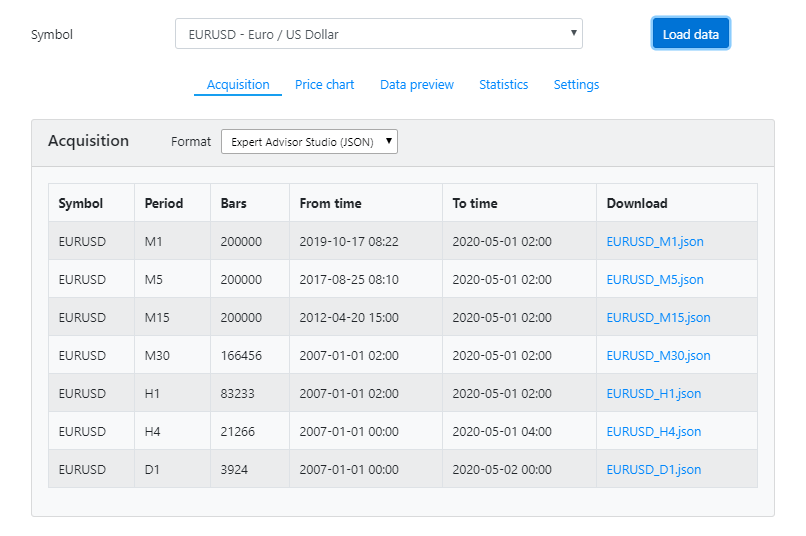
We have this data converted into bars which is sutaible for algorithmic trading on MetaTrader using EA Studio and FSB pro.
Clients can also access the popular MetaTrader platform on their Android and iOS devices. Furthermore, they have comprehensive market research trading tools which include their Dukascopy TV. Also, they offer diverse trading contests, bonuses, and also leverage that goes to 1:200 on request.
Dukascopy Review for Investment products
Apart from 653 symbols, 61 forex pairs and 593 CFDs to choose from, it also offers cryptocurrency trading with CFDs on major crypto assets and non-CFD on its proprietary launched crypto-asset Dukascoin (DUK+).
By utilizing this in-house cryptocurrency, they built a solid blockchain technology where the users can even trade with CFDs on Bitcoin and Ethereum.
As inferred from their balance sheet in June 2019, they have over 148 million Swiss Francs (CHF) worth of assets. Each trader is entitled to get 100,000 CHF worth insurance protection from its compensation fund.
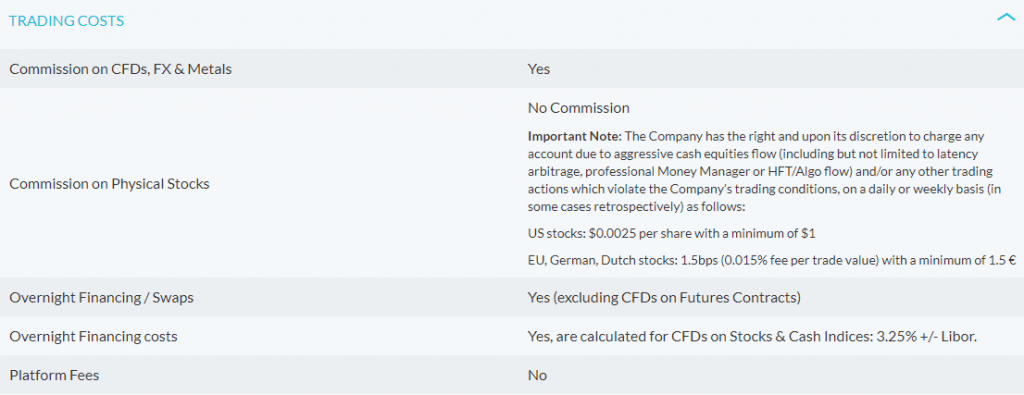
Dukascopy fees and commission
Dukascopy has laid out some trading conditions that you have to check. When it comes to the trading costs, they compete with the top forex brokers out there. They are among the few options that have an automated trading platform, support active trading programs, and offer bonuses.
Account opening and Initial investment
Opening a Forex ECN account can be either through Dukascopy Europe or the bank in Switzerland. Besides the regulatory jurisdiction, they have different compensation limits and initial investments.
The EU entity minimum is fixed at $100 while for Swiss Entity it is $5000 unless you are a Swiss resident, where the minimum drops to $1000.
This can be a little unappealing for amateurs who want to start small, but their intuitive platform and impressive market research tools can probably turn a rookie into a pro-trader.
They offer Demo accounts for both Forex and binary options traders and an Islamic account for Sharia Law followers.
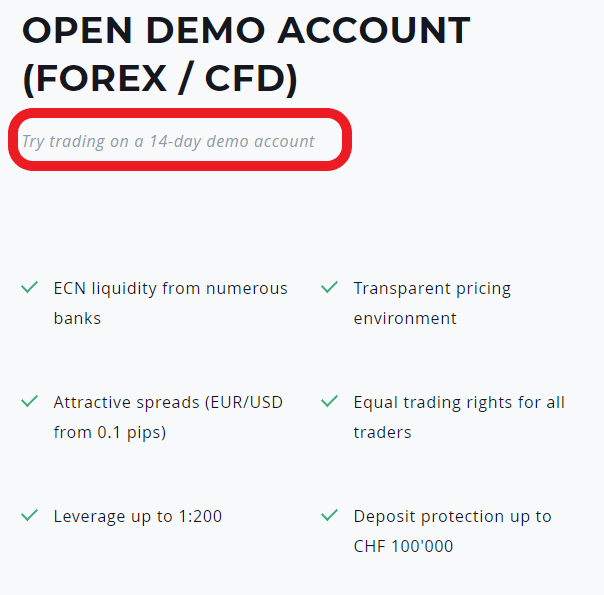
Keep in mind that the Demo account is for 14-days. It is not a problem to extend it, but you need to ask their support.
An interesting feature about them is that traders can open an account and deposit $10,000 simply by scanning their passports.
Dukascopy Review: Spreads and Commissions
The Average spread and commission are variable. Although Dukascopy has only one trading account type under its ECN account, the execution method may vary.
The spreads remain the same for all clients in one ECN account. The commission you pay varies a lot depending on the balance, net deposits, and volumes.
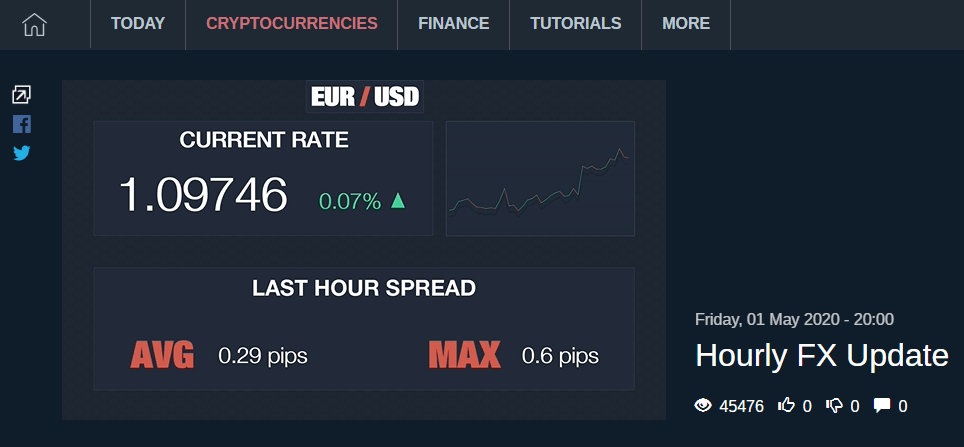
The spreads also depend on the trading platform used, for instance, the average spread in Q2 2019 for EUR/USD was 0.28 pips for European sessions as compared to 0.34 pips in Asia sessions.
The EUR/USD pair spread is at 0.3 pips average for Q3 2019 and the commission of 0.7 pips per round turn making it really low and competitive compared to most other brokers whose default commission ranges between 1 – 1.3 on EUR/ USD pair.
Maximum leverage
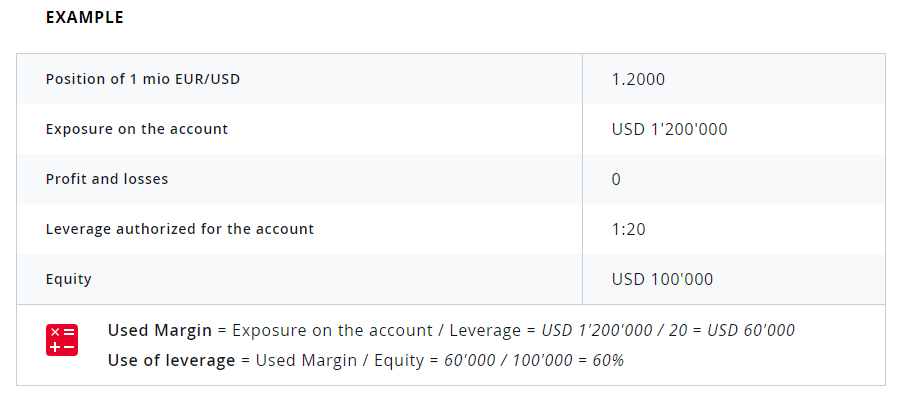
The maximum leverage at Dukascopy isn’t the best but still at par with many other brokers. It offers margin trading with leverage up to 1:200.
However, the default leverage is 1:100 and you can increase it on request. Many other brokers provide leverage over 1:500 but there is surely a significant risk in trading at that margin.
Dukascopy Review for Trading platform
Dukascopy utilizes modern trading technology with its proprietary and advanced JForex platform suite – JForex 3, compatible with both Windows and Mac Desktop, and Android/ iOS devices. Some traders prefer their supportive MetaTrader 4 (MT4) platform, however, the JForex 3 endows an immersive and best in class trading experience.
JForex 3 vs MT4
The MT4 is highly prevalent and praised by all professional traders. With amazing charting, automated trading bots (Expert Advisors), and sleek indicators, MT4 hardly needs an introduction.
But, if we break it to you, we found JForex 3 more useful and interesting for automated trading or building testing strategies with JAVA Programming.
The rich and easy-to-use trading tools can provide you with a great technical analysis with 24 different drawing tools, 291 plus technical indicators, and an ability to add custom indicators.
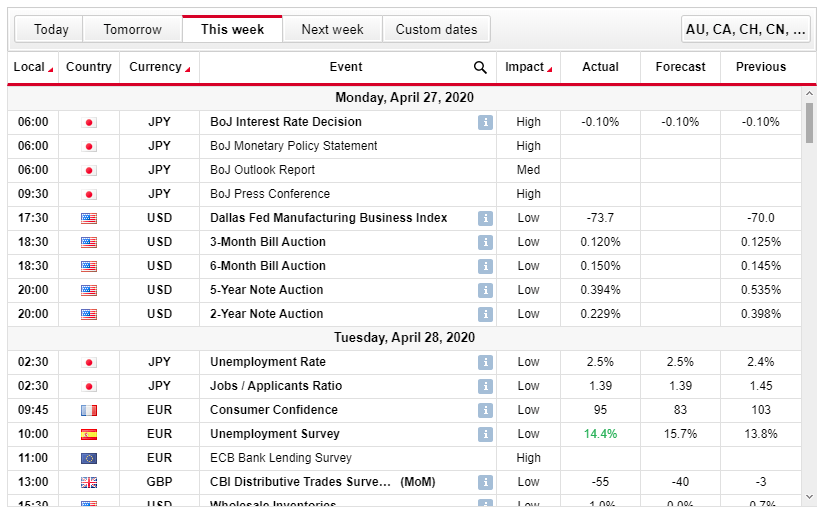
They have integrated it with Calendar for important economic events and news. For 24-hour hard-core and uninterrupted trading, they facilitate cloud storage and VPN access.
Also, you get a social trading feature. Another reason to use JForex 3 instead of MT4 is the lack of few currency pairs and higher commission in the latter.
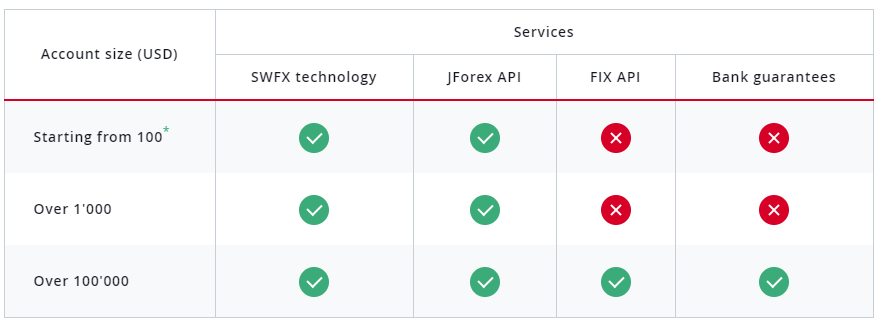
They also facilitate API integration for traders who deposit more than 100,000 USD. This would allow the, to receive real-time data feed, automated trading notifications, and set/modify/submit/cancel order easily all at one go. Also, you get a “Cancel All” feature tab which can cancel all orders conveniently.
JForex Mobile trading platform
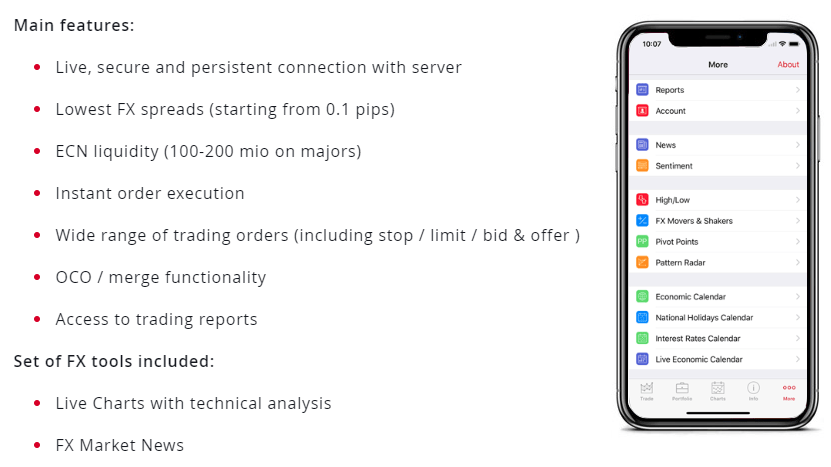
The JForex Mobile trading platform stands as one of the best in the industry due to its robust and customizable charting, technical indicators, solid advanced features, and a stunning range of market research tools. In fact, it is one of the most effective mobile trading platforms in 2020.
The JForex Mobile facilitates seamless syncing between the platforms. JForex Mobile provides a good organization of the menus but the customization has limitations compared to the web version.
It allows the user impressive charting tools with several customization parameters and notification alerts. It has 46 technical indicators which are way more than the industry average for mobile trading platforms.
The advanced features provide them a solid edge over their competitors. They offer level two quotes and numerous order type incorporating bid and conditional orders for trade positions.
The users can also employ trading strategies from their repository created by the Dukascopy community within the mobile app. If there’s one thing Dukascopy can never disappoint with is the astonishing range of research tools it has to offer.
Lined up a customizable view of marker movers adaptable across various time frames from hourly to monthly with numerous pre-defined screens and a useful pattern recognition tools for insightful trading ideas.
The only thing it lacks is a two-tier authentication. Also, users are subject to pay a small broker fee if they ask for over 20 SMS alert per month.
Dukascopy Research Tools and Insights
As stated earlier, the comprehensive research materials are made available by knowledgeable in-house analysts and are synced regularly on the web and mobile versions.
The diverse range of trading tools includes streaming market news from MarketPulse, Reuters, an economic calendar for consensus forecasts, spectacular technical pattern analysis, automated trading system, and market sentiment indicators for smooth and insightful trading.
Education
To cater to both beginner and expert, they have a series of video tutorials explaining various aspects of Forex trading with CFDs. This includes trading with leverage, account opening, automating trading, and more. They also host live seminars in different languages for people all over the globe.
If you want to improve yourself as a trader beyond that, take a look at the trading courses from Forex Academy.
Our Forex education is not related to any trading broker. In the courses, we select different brokers so that we show we are not promoting any broker.
Of course, we have to chose one to record the videos. This is why in this Dukascopy review we would like to share more of our experince with this broker, which will make it easier for you to decide wether this is your broker or not.
Dukascopy TV
The endless Dukascopy review and research benefits are incomplete without the Dukascopy TV feature. The DukasCopy TV is a professional TV studio that features countless timely video clips from in-house reporters with thorough market analysis and interviews.
It is a repository for astute and perceptive data created by professionals, best in the industry. Materials are well-organized and include a dedicated search tab for searching anything from a social sentiment review to complex technically oriented trading ideas, making it useful for all traders, regardless of their skill set.
Active Contests and Bonuses
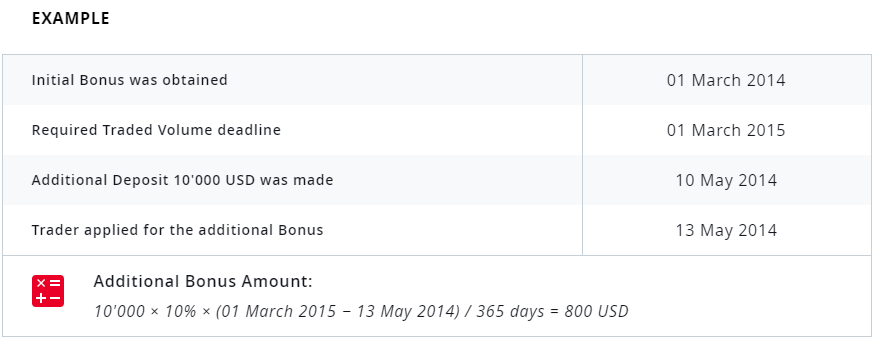
Promotions form a crucial part of DukasCopy with them hosting several contests and Bonuses for the clients. However, due to tightening regulation in different countries, the bonuses vary and changes drastically from 10% to even 100%.
So, its better to check on their platform for active bonuses and offers.
Active clients can refer the platform to their friends and benefit from it. If someone you refer joins and makes their first trade, you get a 100% discount up to $100 over your next trading commission.
Trading contest on a quarterly or monthly basis takes place frequently at Dukascopy. Last time we checked, they gave a $16,000 and $11,500 Signal provider Grand Prix quarterly prizes to the most consistent traders on their platform.
They had hosted various fun contests including a Miss Dukascopy Contest where girls all over the world competed to demonstrate their intelligence and knowledge to receive a whopping $350,000. The contest prize goes up to 2 million USD on their website.
Dukascopy Payment methods
Clients can choose among several Payment methods for their deposits and withdrawals. However, there are certain limitations as payment methods don’t include e-wallets like PayPal, Skrill, or Neteller.
They only support bank wire transfer, Credit Cards ( MasterCard and Visa), and Debit Card (Visa and Maestro).
The most important in this Dukascopy review: Is Dukascopy Safe?
Dukascopy broker has a license in Switzerland and falls under regulation by the Swiss Financial Market Supervisory Authority ( FINMA). In the EU, they have regulation by Latvia’s Financial and Capital Market Commission (FCMC).
Also, after subsidiary acquisition in Japan, they are also regulated by the Japanese Financial Services Authority (JFSA ) making the broker a low-risk and secure banking and security service provider.
Getting licensed with these authorities is a herculean task with the broker meeting a range of strict requirements including a minimum of 20 million worth capitalization.
The Swiss entity provides Investment protection of 100,000 CHF while in the EU, it is 20,000 EUR.
They are not publicly traded and just operate as a banking provider. They exercise consolidated supervision with the Swiss Authority FINMA over its subsidiary, ensures risk diversification, high liquidity, capital adequacy, and cash in-flows.
Extensive documentation on execution policies, certificates, and license, transparent pricing model has developed trust among investors. So, it is safe to say that the broker is legit and can be trusted.
However, we found some security features to be lacking with no two-tier authentication, however, MT4 supports OTPs for login.
How good is Dukascopy Customer Sevice?
Customer service is equally important as an outstanding feature. Dukascopy offers 24/7 Customer support. You can contact them anytime through a local or toll-free phone or through email.
The live chat can be accessed by active and prospective clients. All our chat inquiries were answered promptly. Dukascopy maintains a dedicated support forum and various social media portals.
Surprisingly, the web-based forum is not linked directly to the website forcing you to search for the forum separately or access the trading platform on your app or desktop.
Pros and Cons from this Dukascopy Review
Pros
Trusted and well-regulated by renowned authorities
Facilitate Automated trading with JForex platform and MT4 Support
Wide range of market research tools, advanced charting, and promotions
Sleek iOS and Android app support
Tight spreads and competitive commission
Cons
High Initial deposit Requirement
No two-factor Authentication for JForex platform
Mediocre leverage levels
Conclusion
From this Dukascopy Review, we can say that this broker/bank is a great fit for highly experienced volume traders and professionals with extensive market research materials, advanced charting, competitive pricing, and excellent discount program.
The broker is well-regulated by major authorities offering you a safe platform for trading in Forex, commodities, and CFDs.
With a focus on market professionals, smaller traders can also join their platform as they believe in skill-building with their insightful data and useful education tutorials.
This is clubbed with a robust community and customer support paving a way for an upward path for both starters and experts.
Feel free to share your comments and reviews below. This will help all the traders in our community.
Lastly, use the Brokers Page to select more regualted Forex brokers.
Gold Expert Advisor is the thing every trader looks for in 2020. In this article, I will show you the process of creating Expert Advisors and strategies. No programming or trading experience is needed.
And I will create actually hundreds of strategies and I will show you how I filter them with the Expert Advisor Studio. This is the software that is integrated on our website.
With the EA Studio, you can create not only Gold Expert Advisor but any type of robot, for any trading asset.
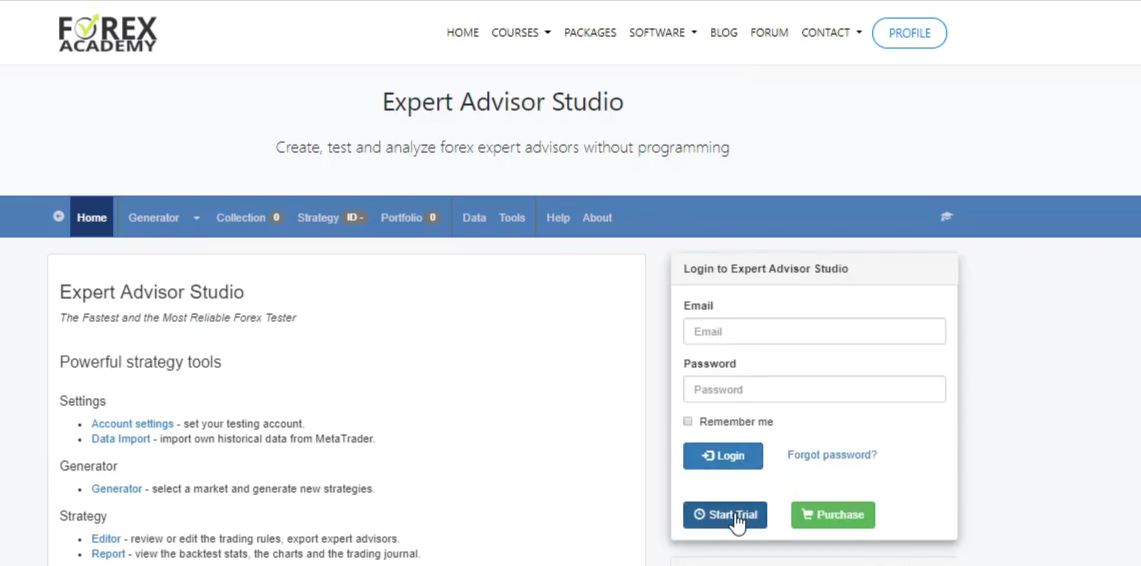
You can find it already on many websites. The good thing is there is 15 days free trial which you can use just to test creating a Gold Expert Advisor.
EA Studio free trial.
And during this time, you can export as many Expert Advisors as you wish.
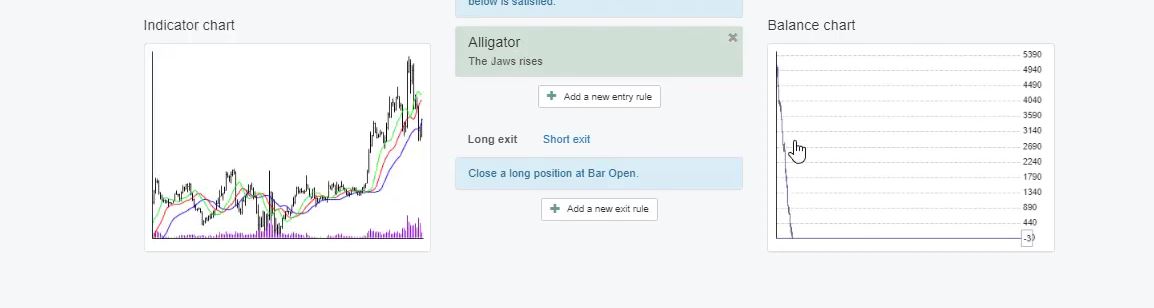
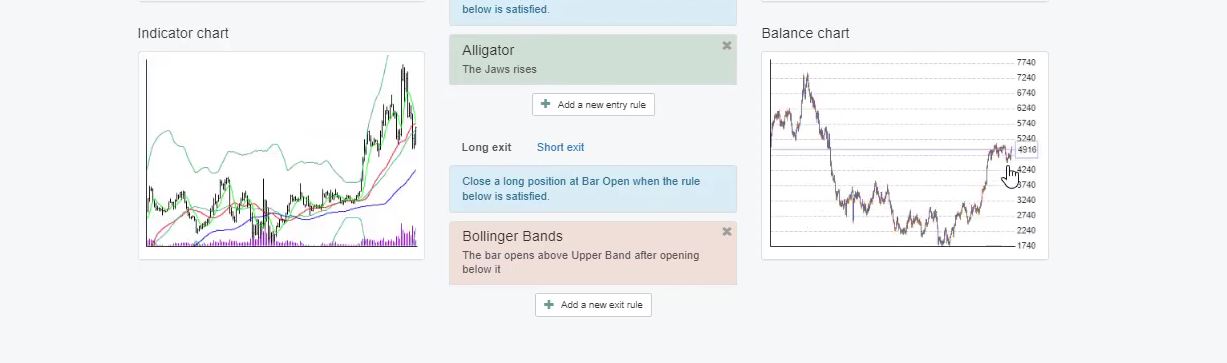
The key point here is that we can export strategies with one click as Expert Advisors without any programming skills. So even if you have some manual strategies, you can put here your entry rule. For example, let’s take the alligator indicator.
I will not do it in details but, for example, if the teeth rises and here is the standard inputs, you can see this is a dramatic loss for this strategy.
The strategy shows a dramatic loss.
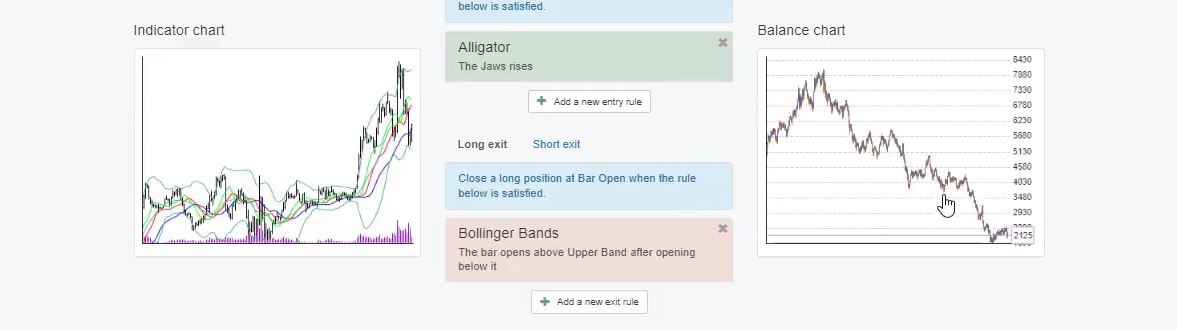
And if I have the Bollinger bands, the rule the bar opens above upper band after opening below it which was the example strategy, you can see we have already a balance chart. But it’s still losing.
The strategy with the Bollinger Bands.
The Stop Loss and Take Profit in the Gold Expert Advisor.
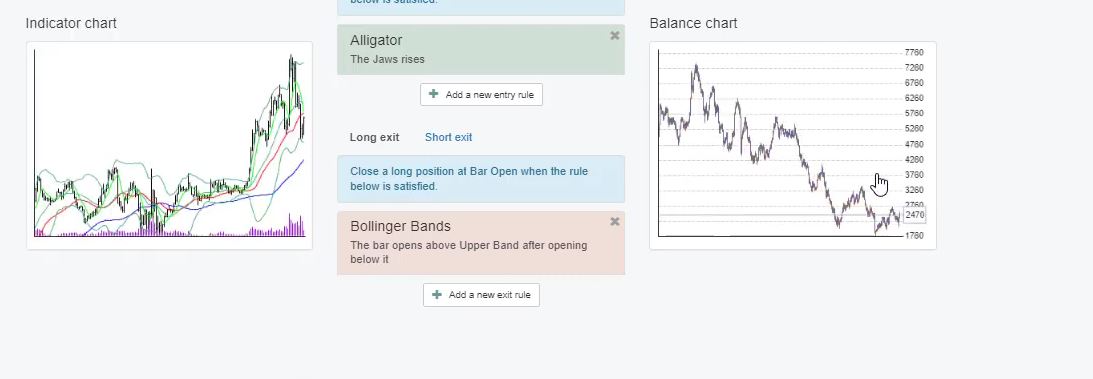
And we can add here the Stop Loss, the Take Profit, entry lot with how much you’d like to trade. For example, here if I add Stop Loss of $99, I will click on accept. And if I add a Take Profit, let’s say of $93 and here is in pips, so with the gold, this is $99 and $93.
And if I change not used to fixed and as well for the Take Profit and I click on accept you will see there is a difference in the balance chart. Let’s change the parameters of the alligator.
For example, I will change the jaws period to 31, the jaws shift I will change it to 15, teeth period as well I will change it to 15, teeth shift I will change it to 3 and then the lips period I will change it to 3, lips shift 1.
And if I click on accept you will see again the strategy changes.
The strategy changes.
Now, if I change the Bollinger bands as well, you will see again the change in the balance chart. So the period of 20 I will change it to 37 and deviation I will change it to 3.62 and I will click on accept. You can see the strategy is different.
The strategy changes again.
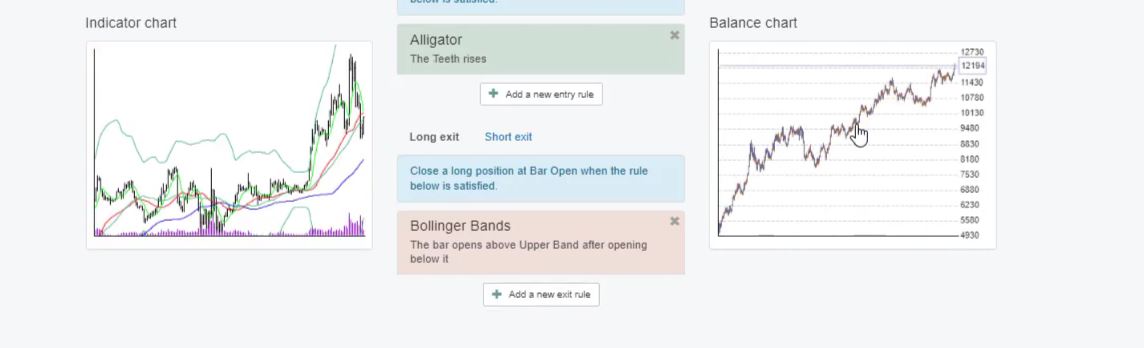
It goes down, then it goes up on a profit. And actually, here I had the teeth rises not the jaws. Sorry guys. I had the teeth rises. And I click on accept and you will see the balance chart.
We can export the strategy as Gold Expert Advisor for Meta Trader 4 and Meta Trader 5.
You can see the balance chart is very nice, it is stable, it actually matches the backtest of the Meta Trader that we did. Just that here it’s in a very small window and more detailed. And here we have actually count of trades – 893.
So we had this strategy executing trades 983 times, not just 30 or 50 which makes the backtest much more reliable. And the thing here is with one click, we can export this strategy as Expert Advisor for Meta Trader 4 and for Meta Trader 5.
So this is why I am using this Strategy Builder and we have implemented it in our website because it helps me and it helps my traders and students to trade automatically with Expert Advisors without programming skills.
So I don’t need to have a developer in the team to develop the strategies. And I can do it, but I have done that. It is very hard to give strategies to someone to automate.
And actually, even if you automate the strategies you don’t know what are the best parameters, you don’t have all the statistics that are here in the Strategy Builder EA Studio which helps a lot the trading and it helps me to improve the strategies. However, I am not going to talk in details about the EA Studio.
Strategy properties in the Gold Expert Advisor.
There are many free videos about it and I have created already many free videos that you can have a look at and learn more about how it works. So now I will generate the strategies. I will delete the strategy that I have created from the collection.
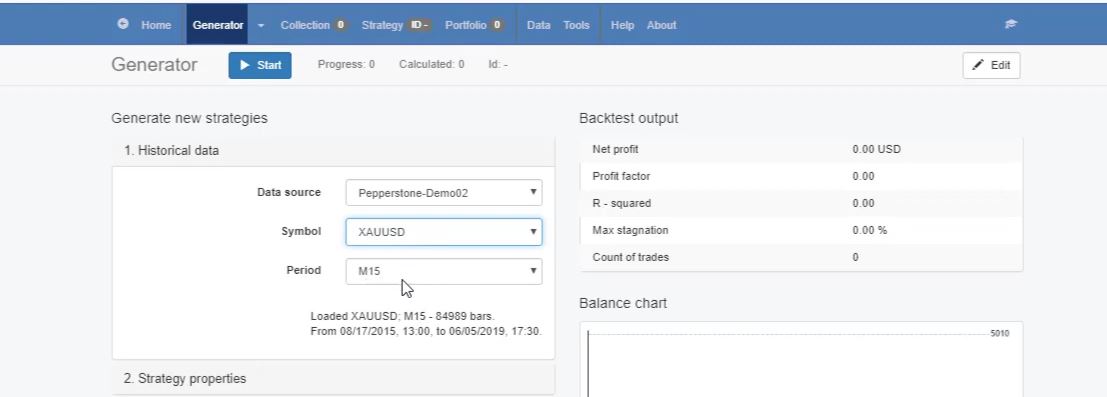
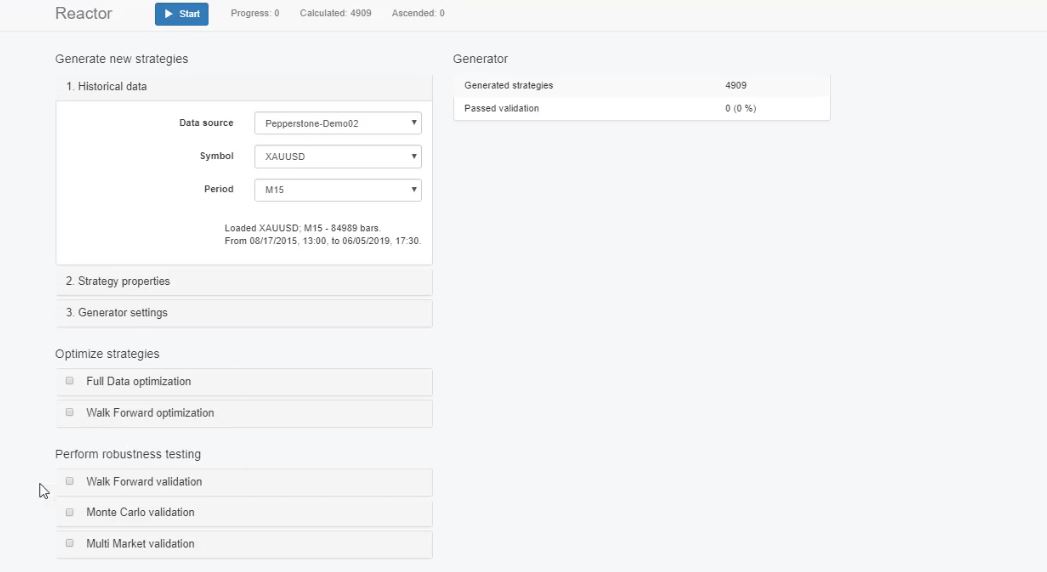
So in the collection, we collect all the strategies that we have created. And I will go to the generator. Simply the generator creates strategies over the historical data that I have selected. In this case, I will use the gold on M15 chart.
The Generator.
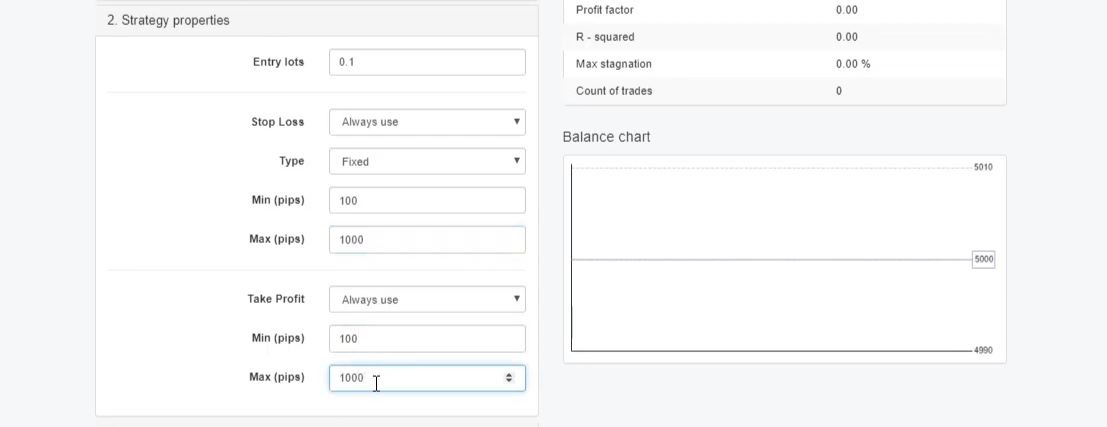
Then from strategy properties, I can select what entry lot I want to have, what type of Stop Loss to use; trailing, fixed or trailing, I will stick with fixed. And then we have the range for the Stop Loss and the Take Profit, so I’ll go between $10 and $100 for the gold Expert Advisor and the same with the Take Profit.
The strategy properties.
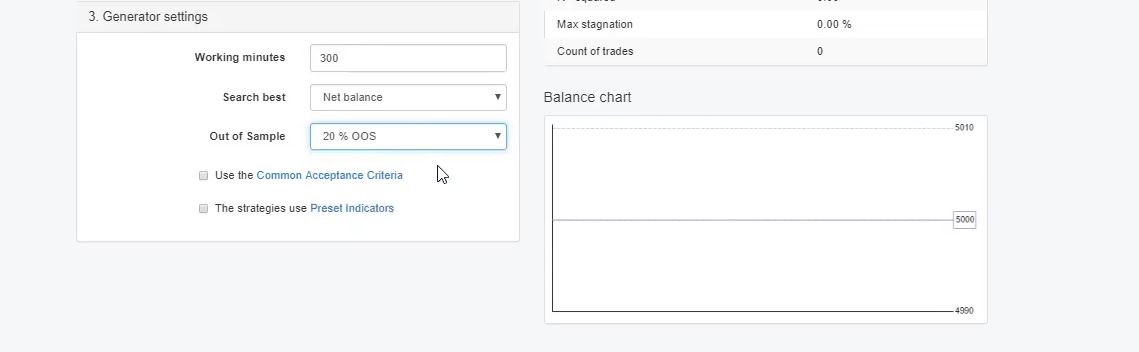
And then we have the generator settings where we set how much time we want the generator to work. I will set it to 300 minutes. And then we have Out of Sample, In Sample. Here, I will choose 20% Out of Sample.
Generator settings.
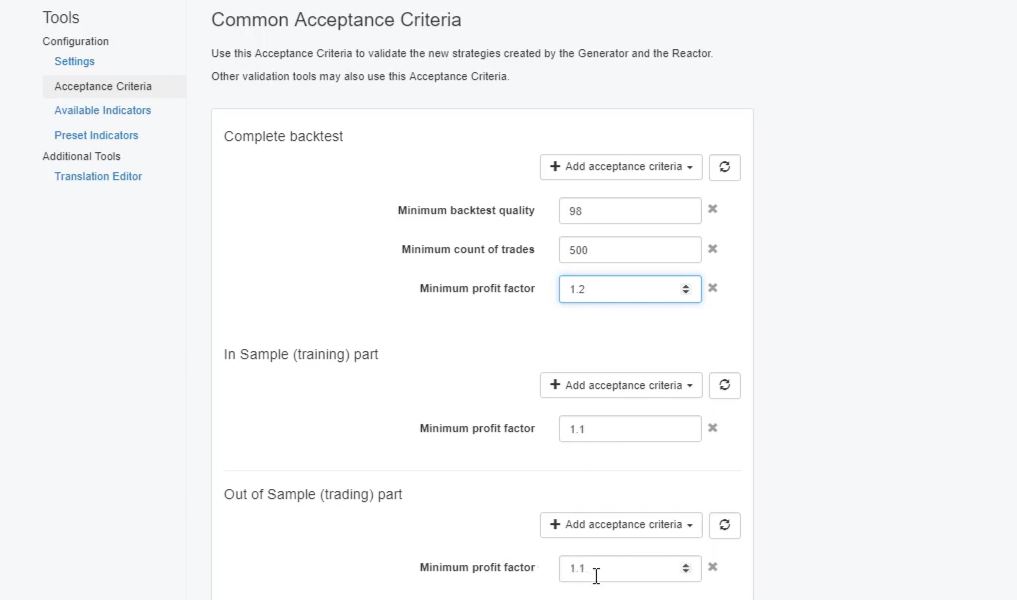
The Acceptance criteria.
What that means guys, if I click this generator right now without adding the Acceptance criteria, it will generate me many strategies. They will go into the collection. Actually, hundreds are already calculated but only some of those will go to the collection, normally the profitable ones.
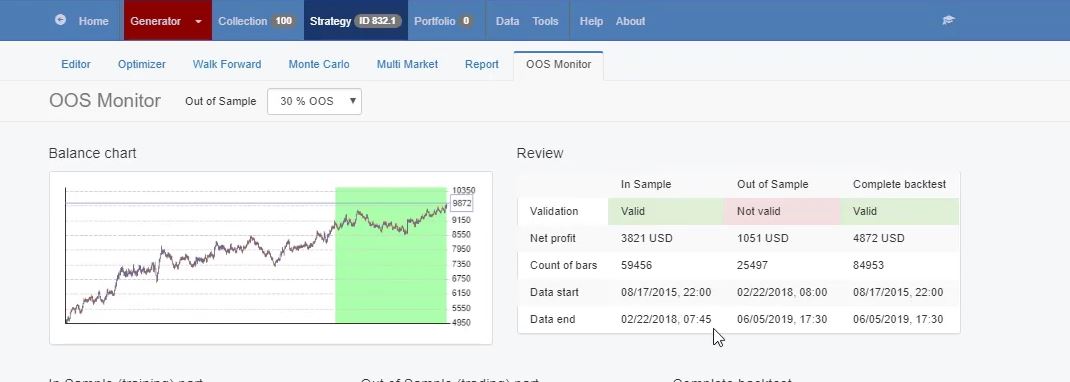
And later, I will filter them more with the common Acceptance criteria. Now, what is the idea of using the Out of Sample for those who didn’t watch some of my other courses? We have the whole period where the generator works.
Now, when we use Out of Sample 20%, it means that the generator will generate the strategies only using 80% of the historical data, the white zone. And with the rest 20%, this is the most recent historical data, it will simulate trading and it will perform a backtest for it. So we will see if this strategy performed well during the last few months.
And if I go to more details into that, I will tell you how much time is that. I will go to any of the strategies and I will click on Out of Sample monitor. So here you can see that the white zone, In Sample part, is actually from 17th of August, 2015 to 22nd of February, 2018.
The Out of Sample monitor.
The reactor.
And then Out of Sample part is from this date of 22nd of February 2018 till the current moment. So this is more than 1 year. The strategy was tested for the last 1 year and few months until the moment. It is like what would have happened if we had placed the strategy back on the 22nd of February, 2018.
This is really nice because simply we test the strategy with unknown data and not only on the known data that we have exported from the reactor. And now I will stop this generator. I will delete all of these strategies because you can see some of those are very nice strategies with very nice backtest output.
But I want to filter them. I don’t want to have so many strategies because I want to see only the top strategies into my collection. Now, I will go back to generator and I will switch to reactor. So the reactor is generator plus some optimizing tools and robustness tools.
The reactor.
Now I will leave it here same, with the same Stop Loss range and Take Profit range, same entry lot of 0.1. And generator settings, I will use the common Acceptance criteria, as well I will stick with Out of Sample 20%. So the common Acceptance criteria allows me to predefine some rules for the generator.
The Profit factor.
For example, I would like to have minimum backtest quality of 98%, minimum count of trades here I can go to 500. Normally, with the Forex, I stick with a minimum of 300. This is like the very bare minimum that I want to have.
But with the gold and because I have a nice historical data, I want to see minimum 500 count of trades for every strategy. And then I will have the minimum Profit factor of 1.1. And actually, I will increase it to 1.2 for the complete backtest, but pay attention here.
In Sample, I will have 1.1 Profit factor and for the Out of Sample, I will have 1.1.
The Acceptance criteria.
So I want to have 1.1 Profit factor in the white zone, in the green zone and for the whole period, I want to have 1.2. This means that in the collection, I will see only the strategies that are profitable during this tested period since 2018 February.
Because I don’t want to see the strategies that failed during this time. There will be such strategies but I really don’t care about them because I don’t want to trade them. I want to trade only the strategies that perform well in the testing period.
In the trading period actually. It is called trading period because it simulates trading. Now, for the people who don’t know what is the Profit factor, this is the ratio of the Net profit vs. the Net loss. Or it shows how much the profit exceeded the loss.
The Monte Carlo.
So now going back to the reactor, I will add as well the Monte Carlo validation. This is one of the robustness tools. I’m not going to talk in details about each one of those but the Monte Carlo, simply said, it tries to break the strategy before we actually test it even on a Demo account. So it performs a variety of tests.
In this case, I will stay with 20 count of tests and I want 80% of those tests to be validated. And if I click on Monte Carlo, you can see the different simulations it runs. It can run simulations for the market variations, for execution problems, strategy variations.
The Monte Carlo.
And normally, I test it with randomized indicator parameters and randomized backtest starting bar. Which means that for each strategy, it will run different backtests with different parameters.
If they fail, it means that the strategy was over-optimized with the parameters. And it will run different backtests with different starting bar. And this way we will make sure that whenever we start trading with the strategy, it will still be a robust strategy.
EA Studio has a unique speed.
Now going back to the reactor, I think I am ready to start it. I will click on start and the speed of EA Studio is really unique. And these are actually generated strategies. And those of the strategies that passed the validation for the Acceptance criteria right over here, they will go to the Monte Carlo.
The reactor.
Those of the strategies that pass the Monte Carlo, I will see them into the collection. I don’t see so many strategies actually till the moment I don’t have any.
But this way, I want to filter the better strategies and I want to have at the end good strategies into my collection that have Profit factor of 1.2. For the complete backtest, minimum 500 trades. And for the In Sample and for the Out of Sample, I want to have 1.1 Profit factor.
So I have set the generator to work for 300 minutes which is 5 hours. And normally, I run it even for more, like 8 hours to 10 hours I run it. You can see what strategy passed the validation but failed to pass the Monte Carlo.
Generator results.
Feel free to ask if you have any question about EA Studio.
So what I wanted to say is that normally I run it overnight. I leave it working during the night and in the morning I can see the strategies into my collection. So now it will run for 5 hours and after that, I will see the results into my collection and I will continue the video showing you the results.
So if you have any questions about EA Studio, write in our trading Forum. I will make sure to answer you as soon as possible to any questions that you have along the course.
Forex algorithmic trading strategies for the Top 10 GBPUSD EAs course
Forex algorithmic trading strategies is the core of our trading course. Hello, dear traders, and welcome to the10 FAQ for the Top 10 GBPUSD Expert Advisors Forex Algorithmic Trading course. I will answer the 10 frequently asked questions that I receive for the course and I will give more details about each one of them.
1. “Should we avoid trading with the Expert Advisors from the Forex Algorithmic trading strategies course at the end of the month, at the end of the year, or any other time?”
Now, personally, I aim at full algorithmic trading. This means that I am trading all the time but true, I avoid ending the year. The last two weeks of December and the first week of January.
First of all, I take a rest during this time and second is that during this time there are huge transactions that happen on the market and they impact the Forex market.
These are huge transactions between corporations, companies, and banks. Huge companies taking their profits, exchanging into their currency. And I’m talking about millions and billions here so any of these transactions, they impact the market.
And it’s an expected move that comes which normally will cause you some losses. It could profit with the Expert Advisors but, I can say, there’s some uncertainty during this time. Also, many traders avoid trading during the last day of the month, so every last day of the month but I don’t. I keep it trading all the time.
So it’s up to you. With some Expert Advisors, I have concluded it is better to pause during the news, with some I see it’s great to trade all the time. But as I said already, I aim at fully algorithmic trading.
So I aim at trading all the time no pausing.
2. “When there is some uncertainty on the market as Brexit should we avoid trading with Expert Advisors?”
Now, guys, there will be always uncertainty on the market. It will be Brexit, then it was the Russian ruble, for example, the Bitcoin crashed if you are trading Bitcoins with Expert Advisors as I showed in many of my courses. There will be always some uncertainty, there will be always an event in some country which will impact the Forex market.
But keep in mind guys, this is the Forex market. That’s why it has this huge variety of currency pairs, of assets to be traded, especially with the Expert Advisors we have the chance to trade so many different assets. They represent the connection between different economies especially the currencies.
So exactly this huge news and events, these are the things that are moving the market. They cause volatility and we are looking to trade the volatility. We will need the volatility trade with Expert Advisors.
So I can suggest especially for the GBPUSD, and if there is something with the Brexit, or after time it will be something else connected to Great Britain when you have Stop Losses in your Expert Advisors, nothing dramatic will happen. It could be some dramatic, I can say, move with the GBPUSD but if your Stop Loss is there with Expert Advisor you will not really have huge account losses.
3. “Can I trade in one account $1000, the Experts Advisors with 0.01 lot?”
Well, I normally avoid to suggest any trading amount but I receive similar questions not only in this Forex Algorithmic trading strategies course. Like people share how much they want to trade, “Is it alright with this lot?” I always suggest the students and the traders open live accounts after they have tested the same amount on a Demo account.
So first, open the Demo account. If you are planning a $1000, open a Demo account with $1000. Test it with 0.01 for some time, see how much margin will be left in your account. Because it depends a lot on the leverage you are using.
But in this case, no matter the leverage you’re using with 0.01 I think it will be fine to trade the 10 Experts Advisors with $1000 of an account. OK? But always what you’re planning for the live account, do the very same thing on the Demo, see how it’s going and you will decide for yourself. Is it enough, is it too risky, should you increase the lot or reduce it.
4, ” For how much time should I trade the Expert Advisors from the Forex Algorithmic trading strategies course?”
Now there is no precise answer to this question. And I cannot say anything because probably it will be wrong. We never know how much time the Expert Advisors will last on the market.
Because it depends actually from the market. And this is why I update the Expert Advisors from time to time, like every 2 months or every 3 months. Simply at the end of the month, I check if the Experts Advisors are doing good during this month, if it was needed to make some change with any of the Expert Advisors, so they will be working better according to the recent 1 month and I simply add the historical data from the last month.
And I improve the Expert Advisor. So we never know how much time one Expert Advisor will last. Recently, I had some comments on the forum that people are using one and the same Expert Advisor profitable from last October, which made me really happy.
So this means that for 6 months, one and the same Expert Advisor that I shared in last October made a profit which is just great. It makes me happy. But it doesn’t happen all the time. So we never know how much time one Expert Advisor will fit the market conditions.
5. “Do you update the Forex Algorithmic trading course with new parameters for the Expert Advisors or with new Expert Advisors?”
Particularly these top 10 GBPUSD in the Forex Algorithmic trading strategies course, I update with new parameters of the Expert Advisors. As I said, at the end of the month I check if it is needed or it’s not needed, and I do an update. But I don’t create new Expert Advisors in this course every month.
Because these Expert Advisors are already trading quite a long time. I’m just updating them, they work fine. I really don’t get any negative feedback for the Expert Advisors so far which makes me happy.
Because it’s not only me testing them, there are already hundreds and thousands of students testing them, which actually gives me a better idea of the Expert Advisors and so far I don’t see a reason to change them. Of course if one day I see such a reason, I will do my best to create new and even better Expert Advisors if possible.
6. “As your students, can we get discount for EA studio license?”
Well, guys, this is one of the frequently asked questions that I receive. Yes, as our students we do our best to get some discounts from the Forex software company. And they always give some discount which is really nice.
And just write to our email at [email protected] and my colleagues will assist you with that.
7. “Should I perform a backtest with the Expert Advisors that you include in the Forex Algorithmic trading course?”
Backtest with Meta Trader 4.
It is good always to make a backtest with any Experts Advisor before placing it on the Demo account. Now if you see the backtest is great you can just go ahead and trade with the Expert Advisors. If you see that it’s not really what you expect to see, it is good to perform optimization.
But make sure first to do the optimization with round numbers. Steps of 5 and 10 and to run some robustness testing as Monte Carlo, Walk Forward and Multi Markets when you do the optimization. Because the chance to over optimized the strategy is huge and you really don’t want to trade over optimized strategies.
8. “What is the good money management with the Expert Advisors for these Forex algorithmic trading strategies?”
Now as said above, I avoid suggesting trading capital, starting amountand the money management, of course, I can tell you that you should not risk more than 2 to 5% from your account. And when I say 2 to 5%, this means that if you are trading these 10 Expert Advisors and you have, for example, some 200 or let’s say 300 pips as a Stop Loss. So you should look at the Stop Loss of all Expert Advisors, calculate it, sum it and see what is the maximum.
Now let’s say the worst-case scenario, you have the 10 Expert Advisors hitting the Stop Loss at the same time, or let’s say the same day which I don’t think will really happen. But this is the worst-case scenario. You should know how much is that risk at one moment.
And this risk should be no more than 2 to 3% or maximum to 5%. So the sum of all Stop Losses in your trading account and this is not only with this course, but with any course, with any strategy with any system. You should always know what is the maximum Stop Loss that might happen to you.
And especially if you are trading with a couple of Expert Advisors, you need to summarize it. And you will need to calculate with how much you should be trading in order to avoid losses bigger than 2 to 5 % from your account.
9. “If we create Expert Advisors by ourselves, can we sell them?”
Absolutely. If you are using EA Studio and you generate strategies and you export them, they are yours. You can do whatever you want with them.
You can sell them, you can share them with friends, it’s up to you. There is no property, I mean Forex Software Company does not hold any property for the Expert Advisors. Because first of all, it is useless.
Second, the idea of the software is to give freedom to the traders. Freedom to have as many Experts Advisors as they wish and to do with them whatever they wish.
So you can trade with them, sell them or whatever will be beneficial for you.
10. “When I restart the computer will the Expert Advisors continue to manage the trades?”
Now the magic numbers come in handy here. If something happens with your trading platform, the computer restarts or you lose internet connection for some reason or anything, the open trades you have, they are with the magic numbers. And when you start the platform again, the Expert Advisors will recognize the opened trades using the magic numbers and they will continue to manage them.
Now, of course, if you pause for a long time like a couple of days, probably some of the trades will be closed. This is because of the Stop Loss or the Take Profit.
If you have Expert Advisors without Stop Loss or Take Profit they will not close. Actually, they will have exit conditions. They might close. Even the Expert Advisor is not working or even your platform is not on.
But if it is a quick restart, the Expert Advisors recognize the opened trades because of the magic number. And they will continue to handle it.
JFD bank Review – an honest review to make your choice easier
JFD bank review is written by our team to give more information to our traders and students about a regulated broker which we and many of our students tested.
The broker JFD Bank is with locations in Spain, Bulgaria, Germany, Cyprus, and Vanuatu. It offers three different platforms for trading (more information below) with a large variety of trading instruments.
Since the company started in 2013, it has won a multitude of awards every year, making it a popular option for many traders.
Below you will find all the information you need to decide if JFD bank is the right broker for you.
If you feel that this is not the right broker for you, you can easily compare the conditions with more brokers we have on the Recommended brokers page.
Account Types
JFD Bank does not offer multiple different kinds of accounts. They say they do this to maintain transparency and give every trader access to everything they need. Some people prefer this approach, while others may miss the options provided by other brokers.
This is really just personal preference. While this does make it more straightforward in many ways, it is important to understand how they deal with rebates, promotions, and deposit and withdrawal fees as it is more specific than some other trading brokers out there.
Below you will find all the information that you need about the JFD Bank Standard Account, including the minimum deposit, the leverage, the commissions, and the platforms offered.
There is an option provided by JFD bank known as a demo account. This kind of account is free and mimics the exact conditions that you would find in a real account.
It is great for novice traders who are trying to learn about Forex trading, and it also allows traders to test out the broker before making any commitment.
Unfortunately, the demo account will only support MetaTrader 4 and MetaTrader 5; you will not be able to test or practice with the Guidance platform (more information below.)
When you sign up for a demo account, you will put in your information and then select a hypothetical deposit amount between five hundred and five million dollars. If you know how much you are going to deposit when you start trading, it is suggested that you practice with that same amount.
JFD bank review for platforms offered
JFD bank offers its own platform in addition to offering compatibility to both MetaTrader 4 and MetaTrader 5, the two most popular Forex trading platforms out there.
Also, MetaTrader platforms are most suitable for algorithmic trading and the expert advisors created with EA Studio and FSB pro.
MetaTrader 4 and 5 are both accessible through Webtrader, mobile, and PC. They both have various widgets and tools that can be added on, 1-click trading, and technical analysis tools.
As far as differences, MT5 supports ten additional languages, provides access to more markets, and offers more pending order types. Despite that, MetaTrader 4 is actually preferred by many traders.
This because MetaTrader 4 is more suitable for algoritihmic trading:
The Magic numbers are set automatically when using FSB Pro
You can set Only Long or Only Short positions
You can compile 99 Expert Advisors with one click of a mouse
Yes, when trading with many Expert Advisors it is a headache to compile all the EAs from the Meta Editor. But with MT4 you can right click over the Experts tab, and select Refresh. This compiles them all.
JFD Bank Review: the benefits of MetaTrader 4 are coming from the Meta Quote company, not from the broker
JFD bank’s third party platform is called Guidance. It provides many of the things that MetaTrader 4 and 5 offer, but there are a few important differences that you need to note.
Embedded into the platform are social tools and various webinars. A lot of new forex traders will use Guidance, while people who already know MetaTrader 4 or 5 may prefer to stick with that. You can use Guidance through the web, or you can download it onto your PC, but they do not currently offer a mobile option.
Leverage
Leverage is basically the ratio of how much money you deposit and how much money that allows you to control. Different brokers will all have different leverages.
Some companies have one leverage ratio for everything, but others, such as JFD bank, have leverage limits individualized to what asset is being traded.
Our JFD Bank review research showed that the usual leverage limits are the following:
major CFDs have a leverage limit of 1:30
minor CFDs have a leverage limit of 1:20
non-major equity indices and commodities have a leverage limit of 1:10
individual equities have a leverage limit of 1:5cryptocurrencies have a leverage limit of 1:2
These limits are a lot lower than some other brokers, and less than their advertised leverage rato of 1:400.
That ratio is for their professional clients. When you sign up for JFD banks, they will assess what leverage ratio they want to offer you. You may be able to get better leverage after you gain some experience.
JFD Bank review: Trade Sizes
Trade sizes are often referred to as lots. It is the amount or number of currency units (whether that be USD, AUD, EUR, etc.) that you buy or sell.
For forex trading, the minimum order size is 0.01 lot, which is one micro lot. For CFDs on indices and commodities, it is 1 lot, which is equal to 1 CFD. Sometimes there is an exception with some instruments where mini lots (0.1 CFD) are enabled.
A margin call is when a trader does not have any free or usable margin-left and therefore requires new/additional funding. On JFD bank, the margin call is set to 100 percent.
Stop out level is the point where the broker (in this case, JFD bank) will automatically close a trader’s active positions due to their margin level decreasing. JFD bank sets this point at 50 percent.
Trading Costs with JFD Bank
JFD banks requires commissions, overnight financing fees, and currency conversion fees, all of which are fairly common for most brokers. The fee that most traders view as the biggest drawback to JFD bank is the inactivity fee.
That means they will charge you if you take a break from trading. This does prevent the accumulation of abandoned accounts, but it can also be rather pesky if traders want to take a break for whatever reason.
JFD Bank review: Assets
JFD bank offers over 1500 instruments. That broken-down looks like:
+6oo physical stocks
500 plus shares
64 currency pairs
21 ETFs
14 index CFDs
7 commodities
5 cryptocurrencies
4 ETNs
2 precious metals
This amount and variety of instruments are what draw many people to JFD bank. They offer above and beyond what is considered standard in the field.
For people who are looking for instrument options, JFD bank is really one of the best brokers in that area. Pretty much everyone should have the instruments they want with JFD bank.
Spreads
A spread in Forex trading is the price difference between what a trader purchases an asset for and what they sell an asset for. This broker does not have a ton of published/advertised information about what types of spreads traders should expect.
In algorithmic trading the spreads are very important because the EAs trade all the time. This is why beofre writing this JFD Bank review, we have ran variety of tests to check the spreads.
They say that they use inner-banking core spreads starting at 0 pips for Forex trading and that there are not minimum spreads. Tests done on their demo account option shows that the spreads generally start at 1 pip, which is considered to be competitive.
Deposits
Most brokers require a minimum initial deposit from traders. That is basically the amount of money a trader has to deposit to get started. Usually, once they make that first deposit, future deposits can be with any amount of money (this is the case with JFD bank.)
The minimum initial required deposit for JFD Bank is 500 dollars, which is higher than many other brokers. Most other brokers require around 100 dollars for an initial deposit, which may be much more accessible to novice traders.
While expert or experienced traders may have no problem starting with 500 dollars because they are confident in their ability, someone new to forex traders may feel more comfortable starting smaller. Nevertheless, 500 dollars is not to out of reach for most people to save for.
You can make your initial (and other) deposit through a variety of methods:
bank wire transfer
SafeCharge (with MasterCard, Visa, and Maestro)
Skrill
SOFORT
Neteller
The deposits that you make must be from a bank account under the same name as your account with JFD bank, and there can be various fees depending on the currency you deposit.
Withdrawals
Withdrawals can be made from the same sources that deposits are made with. So that is a bank wire transfer, a SafeCharge (with MasterCard, Visa, and Maestro), Skrill, SOFORT, and Neteller.
When you are choosing how you want to make your deposit, you should consider withdrawal fees because your withdrawal will have to go through the same source your deposit did.
Bank Wire Transfers do not have any charge (unless there are charges on the bank’s side), but if you use SafeCharge, Skrill, or Neteller, you will have to pay some extra withdrawal fees.
The other thing you want to consider when deciding how you want to withdrawal is how fast you expect to get the money. Skrill and Neteller are both processed in 24 hours, making them the fastest options.
SafeCharge can range in time depending on what kind of credit you are withdrawing, SOFORT generally takes 1 to 3 days, and bank wire transfers usually depend on where your bank is.
JFD Bank review: Tools Offered
There are two main types of tools that forex trading brokers will off their clients: research tools and educational tools. Research tools are tools that help a trader plan and make decisions. These tools can include things like calculators and economic calendars.
JFD bank does offer an economic calendar with their Guidance platform, but other than that, they do not offer a lot in the research department. Instead, they focus on educational tools.
They have articles on market trends and other news that pertains to forex trading (this can also be considered research.) They also offer webinars where clients can watch live streams on various subjects pertaining to forex trading.
Whether you are a new trader or an experienced one, there will probably be webinar topics that will interest and aid you. While their research is lacking, their educational tools definitely outshine some of their competitors.
Customer Service
Customer service is generally a priority for most forex traders as they are trusting their chosen broker(s) with their money. JFD bank has 24/5 LiveChat customer service.
Before writing this JFD Bank review we have tested the support as we believe this is very important especially for the beginner traders.
That means that from 23:00 CET Sunday to 23:00 CET Friday, clients can reach live customer support. Beyond that (and for hours, the LiveChat is not available), they can be reached via phone and email. They also have social media accounts on Twitter, LinkedIn, Facebook, and Youtube.
Countries Offered
Of course, it is important that the broker you choose is actually available in the country of which you reside. JFD Group LTD is authorized to work with clients in the EEA and a few other countries such as Belarus, China, Turkey, Ukraine, Switzerland, and the UAE.
They also have a sister program, JFD Overseas LTD, that can work with even more countries, and offers all the same things. There are restrictions placed on JFD bank in countries, including the United States (there are options for the US, though), Russia, and any other country where it is considered illegal.
Pros and Cons Summary for JFD Bank review
The PROs:
They are a regulated company. They are under the Cyprus Securities and Exchange Commission, which provides various benefits to traders such as negative balance protection and a required client compensation scheme, which ensures clients’ trading capital up to a certain point, in this case, 20,000 EUR.
It is also regulated by BaFin and VFSC.
As mentioned above, JFD bank offers competitive spreads. Their spreads seem to start at 1 pip, with no stated minimum. Most traders consider brokers to have competitive spreads if their standard account starts with spreads below 1.5 pips. As this broker only offers a standard account with 1 pip spreads, it is considered competitive.
JFD bank is a Straight-Through Processing or STP broker. That means it passes trades directly to the reference market, so it does not trade against its clients.
They offer 60 currency pairs, including minor and exotic currency pairs.MetaTrader 4 and MetaTrader 5 are both supported, the two most widely used forex trading platforms, which makes JFD bank an accessible broker to most traders.
The CONs:
The deposit that they require as an initial deposit is rather high. As mentioned above, most other brokers are around 100 USD and do not go past 250 USD. This may seem especially steep to some traders, especially newer ones.
Additionally, deposit (and withdrawal) fees must be paid by the client. Their leverage is pretty conservative, though you do have the ability to get a bigger ratio with time, once you prove your experience. It is worth noting that newer traders may actually see this as an advantage, as a smaller ratio is considered less risky.
We hope this JFD Bank review was useful and we will be happy to read your experience with this broker below in the comments.
Use the Brokers Page to compare more brokers and pick the right one for your trading.