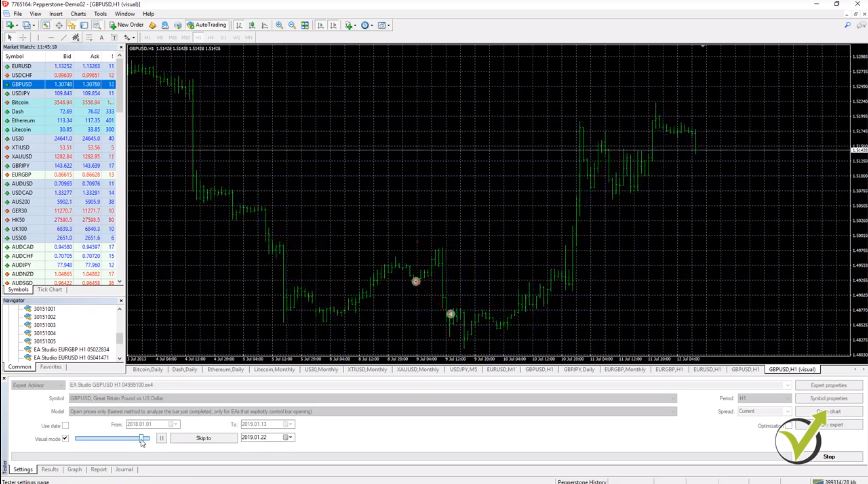
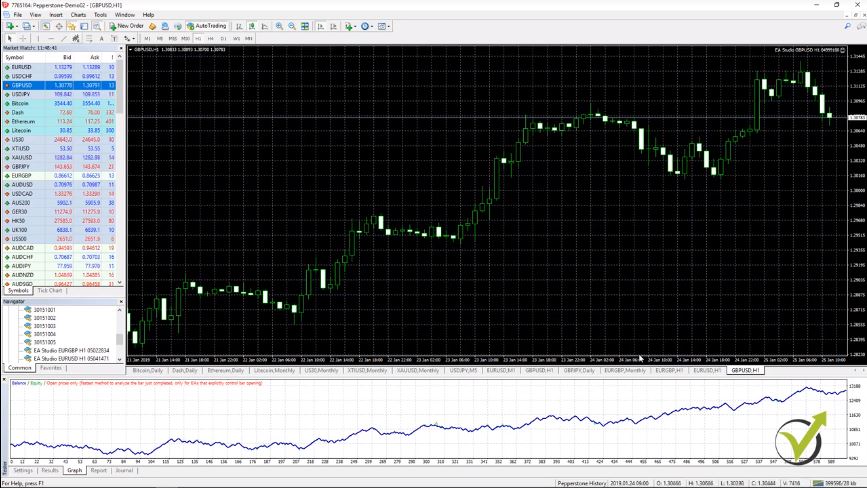
Hello dear traders, I’m excited to start with the 1st strategy which I call the RSI Indicator strategy for Bitcoin M15. Why? Because it is for the Bitcoin and I traded on M15 chart, and the entry rule is based just on the RSI Indicator.
Honestly, with time I saw that it is not really necessary to make your strategies too complicated or to use complicated strategies. Many people think that if they use complicated strategies with many rules, indicators, and drawings on the chart, it is a more profitable strategy.
Not necessarily and you will see that sometimes the simpler strategy is the better, and especially for manual trading, because you are following just a few Indicators.
This Bitcoin strategy is part of the Top 5 Strategies (+EAs) for Cryptocurrency Algorithmic Trading course which you can find in the Algorithmic trading section.
At first, I will start explaining this RSI Indicator strategy by adding the RSI Indicator, which is in the group of the Oscillators. It is the Relative Strength Index, or it is known as the RSI.
How to add RSI indicator
When do we buy and sell with this RSI Indicator strategy?
Now the default period is 14, but what I will be using is a period of 28.
RSI parameters
And for levels, I will just change 70 and 30. So on the top I will have 70 add below I will have 30. I will click on OK.
RSI levels
So you can see how it will look below the chart. Here it is.
The RSI as it appears on the chart
We have 2 lines. That is the 70 and below we have 30. The blue line is the RSI. I’m not going into details about how these Indicators are calculated because you really don’t need to know that. I studied in London, but with time I saw that what’s most important is to learn how to use the indicators and not how they are calculated. You don’t really need to know that.
So straight to the point, what is our entry to buy? This is when the RSI crosses the level line upwards, the 70 line, and we sell when the RSI crosses the 30 line downwards.
The confirmation with the RSI Indicator strategy
So the entry is when the RSI crosses the 30 signal line downwards. This is one we want to sell. And we Buy when the RSI crosses the 70 level upwards.
Let’s take an example. I will just put 1 vertical line. We have the cross on the opening of the next bar. We wait for the next bar to open. When the next one opens, we have the confirmation to sell it.
I will put as well 1 horizontal line so we can see exactly where is the entry. It is 10 692.
The entry
I say the next bar opening because the RSI, like most of the indicators, is a repeating indicator. This means that if we have the cross at this bar and then the price reverses, later we might not see the cross.
The RSI will just change and we will not see the cross. We usually wait for 1 bar for confirmation that it’s an actual cross of the RSI. This applies to all of the Indicators and all the strategies that we use. The entry with this RSI Indicator strategy happens on the next bar after the bar is opened and after we see there is an actual cross.
The Money Flow Index
So this is our entry with the RSI Indicator strategy. At this point we sell. What is our exit rule? We use the Money Flow Index. I will go to Indicators and I will insert the Money Flow Index, which is in volumes,
How to insert the Money Flow Index
and then I will use period of 44 instead of 14.
As well, I will use levels of 24 and 76, and I click on OK.
Money Flow Index levels
You will see the indicator just below the RSI. It’s a very similar indicator but it’s calculated differently.
Money Flow Index as it appears on the chart
In this case, you can see that the MFI or the Money Flow Index crosses the level line later, which is actually our exit condition.
The exit condition
We enter at that moment when the RSI crosses the level line downward, we sell. Then when the MFI crosses the level line downwards, we take the profit, and again I will put 1 vertical line so we can see where exactly it is.
The cross
Here, and on the opening of the next bar, we have the confirmation and we close the trade. We Sell at $10 692 and then we take the profit at $10 590 which is about $102 or $100 and something. Pretty much, this is the trading. We enter because of 1 trading rule.
The Stop Loss in this RSI Indicator strategy
We exit because of a different trading rule. Also, we have a Stop Loss and a Take Profit. The Stop Loss is a level at which the trade will close automatically. It is easy to set. So if I want to sell, I would go to Trading, and I would go to New Order.
Click on New Order
You can see that I have the Sell button and I have the Buy button, and I have the option to put a Stop Loss and a Take Profit. In this case, the Stop Loss is $240.
The order
It will be $240 above the entry price. Let me use the calculator, so you will see how I calculate it.
The entry price is $10 692 plus $240, that would be $10 932.
The calculation
I take another horizontal line, $10 932. I’m not going to do it very precisely.
I add another horizontal line
I just want to show you how I calculate it. Then what we have is the Take Profit.
We have the entry price, one more time, at $10 692 because we are selling. The Take Profit is $170. That would be $10 522. I take another horizontal line, $10 522. Let me make the horizontal line green for the Take Profit.
I make the Take Profit horizontal line green
The Take Profit in this RSI Indicator strategy
I will summarise what we have. We have the entry because the RSI crosses the level line downwards, and on the opening of the next bar we sell.
On the moment we sell, what we need to do is to place the Stop Loss and the Take Profit. This means that if the price goes towards the Stop Loss, we will be on a loss, but it will close automatically. We will take a loss, but we will protect our capital. We are not taking a huge loss.
Then if the price goes downwards towards the Take Profit, you are not in front of the screen and it reaches the Take Profit, it will close the trade automatically and you will have your profit.
If you are in front of the screen, you can use the exit condition when the MFI or the Money Flow Index crosses the level line downwards, which happened at this moment. So the Stop Loss and the Take Profit are there to protect the trade.
It is very important to protect the capital
If anything happens, let’s say you are not in front of the computer or if you have to go out, maybe your internet connection is disturbed, you lose electricity or whatever, and you cannot manage the trade with the exit condition, then the Stop Loss and the Take Profit will close the trade. Especially with this strategy, it happens quite often that the Take Profit or the Stop Loss are hit before the exit condition.
So, for example, just a little bit later, we have a new entry. The RSI crosses the level line downwards again.
The new entry point
On the opening of the next bar, we must enter another trade. We should sell again. This is the level of $10 478.
We must enter another trade on the opening of the next bar
Let’s place the Stop Loss and the Take Profit. I will do it very quickly again with the calculator. $10 478 minus Take Profit of $170, we have $10 308.
The new Take Profit value
So our Take Profit will be lower at the level of $10 308. I’m trying to put it just in the right place. If you want to put it exactly where it must be, you can just go to horizontal line properties,
Horizontal Line properties
and from Parameters, you can enter it, $10 308.
Horizontal Line parameters
How do we sell without having the asset?
We enter at that moment because the RSI crosses the level line downward and then the Take Profit is hit perfectly with this candlestick, and we will take the profit. The Money Flow Index is below the level line.
There is no other cross downwards. It goes upwards. So with this strategy, when I trade it, I see more frequently that the Take Profit is hit or the Stop Loss. But sometimes, well, the Money Flow Index plays the role of an exit rule. I really hope that you understand this strategy.
It is very simple: 2 Indicators, 1 entry, 1 exit, Stop Loss and Take Profit. And I started with this example for a sell because, with cryptocurrency trading, we can sell even if we haven’t bought it previously. This is one of the most frequently asked questions that I get from the students, how we sell if we don’t have the asset.
Well, this is the balance that we have in the account. No matter whether it is Demo or real money, it’s your balance. With this balance, you can buy and you can sell it.
CFD trading works great for this RSI Indicator strategy
I am sure that in this case, again, we will hit the Take Profit, but I’m not going to make the lecture any longer. When we buy, we can close the trade at a more expensive price. And when we sell, we sell and we close the trade at a lower price and we benefit from the difference.
We benefit these USD as difference. In this case, the Take Profit is $170 if you trade a complete lot or a complete Bitcoin. This is called CFD Trading or we trade on the value of the asset. CFD stands for contract for difference.
CFD trading
Every time we sell, we make a contract with the broker that if we close the trade at a lower price, we will benefit from the difference. And, of course, if we close it on the loss, we will be losing from our balance. And I mentioned the lot.
In trading, when we execute the trades, we call this 1 trading lot. And for the Bitcoin, this is 1 Bitcoin. So if you are trading 1 lot, basically, you are buying 1 Bitcoin and because we have leverage, we can buy more from what we have in the account.
I will attach a PDF to describe the RSI Indicator strategy
I don’t need to have $10 700 in my account to Buy 1 Bitcoin or to Sell 1 Bitcoin. It’s because we use leverage. It depends on what type of account you open with your broker. How much is the leverage you selected to use? Different brokers offer different options.
You can check out this with the broker. Basically, that’s cryptocurrency trading. We can sell, we can close the trade at a lower price, and benefit from the difference. So stay with me until the end of the course. You will see how the other strategies work and you will see as well how I trade this strategy and the rest 4 with Expert Advisors.
One last thing here for each of the strategies, I will attach a PDF which will describe the strategy very briefly. For example, this is the RSI strategy.
The RSI strategy PDF
It works on the Bitcoin for M15 timeframe. We have the Stop Loss and the Take Profit. I have written it as $240 because it depends on how many digits your broker uses.
For instance, the Pepperstone broker uses 2 digits after the decimal. Some are 3 and people get confused. How many points is that? How many pips is that? But here, we have just Stop Loss of $240 and Take Profit of 170.
We need to constantly modify the RSI Indicator strategy
Something important to mention is that when you buy the course, you will see different parameters inside the PDF because while the market changes, we need to modify the strategies. Don’t expect that you get 1 Expert Advisor or 1 strategy, and you do profits constantly with it without changing anything or working on the strategy.
However, that’s my work and I monitor these strategies and these Expert Advisors, and if I need to make a change, I will change it. Or if there is no change, I just put under no changes so you know that the strategy is the same as it was before.
When you take the course, it will be in a future moment. Obviously, from the time I’m creating the lecture, you just need to look at the PDF attached to this lecture, and the same for the other strategies and use the parameters that are inside the PDF. Obviously, those will be different from the examples I showed in this lecture.
Thank you for reading. I will see you right in the next video.
Choosing a Forex broker is the first step that you need to take before starting with actual trading and in this lecture, I will how to identify the best one.
So when you start looking for a Forex broker, you will see hundreds and thousands of them. And once you start searching in Google about best Forex brokers, then you will see ads anywhere, on your Facebook or on your Instagram, because they will know you are looking for the best Forex brokers and you will see ads anywhere.
Now, be very careful when you leave some contact details because many of the ads will ask for your email, phone number. And if someone starts calling you daily to offer you different stuff, to ask you to fund an account, to promise you they will manage your funds and give you some robots with unrealistic high returns, 99%, this is a scam broker and you just need to stop answering the phone. There are so many people being scammed from Forex brokers.
It’s like everything else around nowadays. There are trusted websites, there are websites where you order something, you buy something, but you never receive it. Right? So it is something very similar to the Forex brokers. You fund an account, but you will never be able to withdraw your money. So selecting a regulated broker is essentially important and I will attach a PDF with the regulators that you need to bear in mind.
Always go for a regulated broker
So when you choose a broker, look for the regulators, and depends on where you are. Are you in the US, in Europe, Australia, South Africa? Doesn’t matter where you are. There are different regulations.
So the more regulations the broker has, the better it is. It means that these regulatory companies are regulating the Forex brokers to make sure they follow all the rules, they give you fair trading conditions, they allow you withdrawing money into your account.
And what I always suggest to the traders is to start with a virtual account or this is a Demo account. So you can first practice, learn strategies, master the trading system that you will be using for a real account, and then start with a real account. But before you start a real account, the best thing would be to fund a small account like $100, $200, and then withdraw them.
So you will make sure that the broker you’re using is actually trusty and you know that at any moment if you need your funds, you will be able to withdraw them.
Do you need a broker actually?
Now, the next very important thing is, why do you need that broker? For what reason? What are you going to trade? Is it Forex, stocks, cryptocurrencies? For example, I use different brokers for Forex, I use different ones for stocks, and I use brokers and exchanges to trade and invest in cryptocurrencies.
And, for example, if you want to trade Forex, I guess you want to trade Forex since you are reading this lecture, then you need to decide are you going to do it manually or algorithmically.
Most of the Forex brokers, and probably, I should say all of them, allow manual trading. This is when you actually purchase with your mouse, with your finger. You execute the trades, buy and sell manually, or you do it from the phone, which I really don’t recommend for Forex trading.
I purchase cryptocurrency, stocks sometimes from the phone, from their apps when I’m outside, not able to sit in front of the computer. But when it comes to Forex trading, I wouldn’t suggest you do it from the phone. It’s just not serious to buy EURUSD or sell the USDJPY from the phone. Most people end up losing this way because they cannot see the bigger picture. They don’t see the chart, they don’t see where the price is going.
Most of the mobile apps don’t have indicators, and it’s really hard to follow a trading strategy from the phone. If you were just buying and selling randomly, alright, then you can use the phone. But if you are looking for longer-term trading, then you need to take it seriously and sit down in front of the laptop or the computer.
Best Forex brokers for trading with Expert Advisors
Now, when we trade with Expert Advisors or the so-called robots, it’s a different story because we don’t need actually to be in front of the computer. The robots are trading by themselves, they execute the trades.
And when you decide what exactly you want to trade, then you need to choose the best Forex broker that offers the appropriate trading platform. In our lectures and courses can see the MetaTrader platform, which is the most common platform for algorithmic trading. And this is where we trade with the Expert Advisors or the robots.
The MetaTrader platform should be installed on the computer. It’s very easy. With just a couple of clicks. I will show you how it works. And interestingly, the interface looks outdated. And I receive comments from other traders and students on my courses, that the video lectures are outdated because the MetaTrader looks old. Actually, this is how it looks and this is how it was in the last decade. I guess it will be the same in the next decade.
They didn’t really update the interface, the outlook, and it looks outdated compared to the stock exchanges and some of the crypto exchanges we have nowadays.
And actually, there are two versions – MetaTrader 4 and MetaTrader 5. From the official website of MetaTrader, the MQL 5 website, you can download only MetaTrader 5. This is because they want to push all the traders from MetaTrader 4 to MetaTrader 5.
But most of the traders still use MetaTrader 4, I still use Meta Trader 4. I use MetaTrader 5 just for stock trading. Because most of the brokers that offer stocks on MetaTrader, offer it on MetaTrader 5. But for Forex, I stick with MetaTrader 4 and I personally believe that they will support it much longer.
The best Forex brokers offer MetaTrader
The MetaTrader platform was developed by the Meta Quote company, which is a third-party company. Then the brokers pay to the Meta Quote company so they can offer the platform to us, the clients, the traders. And it’s super easy to install it, I will show you just in a second.
Once you download the installation file from your broker, you will see a small setup menu. All you need to do is to choose where exactly you want to install the platform.
For example, I will write down MetaTrader and you click on Next and it will start installing. So it’s really that simple to install the MetaTrader platform, with just a few clicks.
And as I said, you cannot download MetaTrader 4 from the official website. You can download it from your broker. So that’s another thing. When you are choosing the best Forex broker and you want to use MetaTrader 4, make sure to check if they offer MetaTrader 4.
And once you open a Demo account or a Live account, usually you will get an email with a download link. You will be able to download it, install it, and login into your account.
So the best Forex broker is the regulated broker, the one that fits your needs. It has the assets you want to trade. It has the platform that you need. So if you want to trade with Expert Advisors, you need a broker with MetaTrader 4 or MetaTrader 5.
Consider which Forex broker offers the best spread and commissions
And lastly, the best thing should be a Forex broker with low costs like spread and commissions. I don’t want to go into details about any of the brokers. Because they change their trading conditions all the time. So if I tell you which are my top 3 best Forex brokers right now, in a few months’ time or by the time you are reading this lecture, it could be outdated. And these brokers might not be the best choice at this moment. But if you follow the tips that I shared with you, I’m sure you will select the best Forex broker for your needs.
If you have a hard time finding a broker, you can check out our website. We have the Brokers section where we have the trusted brokers at any moment. Basically, these are the brokers that I personally use. So you can use that page and go back to it at any moment when you’re looking for a new broker or you want to change your broker.
So you will see which are the brokers that I currently use. However, if you have a really hard time finding a broker, you can ask me, I will always assist you. Or you can read our brokers’ reviews and learn more about the brokers, before deciding to open a trading account with any of them.
But usually, I avoid recommending brokers in my lectures and courses. Because I am not connected to any of the brokers. I really don’t like promoting brokers. And this is why in most of my courses, I ask my editor usually to hide the broker’s name. Because it is a personal choice, indeed, which broker you will be using.
And that’s why I always suggest the students first to start with a Demo account and test the broker. And if they are happy with it, they can actually go for real trading at the moment you decide.
How to choose the Best Forex broker?
Now, we are going to be discussing brokers. We will be opening Demo accounts with 4 regulated brokers and I’ll show you step by step how to do this.
I’ll also share with you some of the pros and cons that I have found while trading with them and we’ll discuss some of the important things to look out for like commission, swaps, and spreads.
To keep our students updated with the best Forex brokers that we use in the Academy, we have prepared the Brokers Page, where we have listed the brokers we use at the moment.
If you are a United States resident, please keep in mind that most brokers implement the FIFO rule, which is the first in first out.
And basically, what that means is that you cannot hedge and you cannot have multiple buy and sell positions open at the same time. You would need to close one before opening another.
We are going to look at IG as a broker. One of the pros with IG is that they are one of the few brokers that accept US clients when it comes to CFD and Stock trading. They were established in 1974. Some of the other pros are that they have a very low spread on most of their currencies and they don’t charge a commission on a lot of their currency pairs as well.
Creating MT4 Demo account
One of the drawbacks that I found is that when you open a Demo account, you have a set amount of 10 000 U.S. Dollars and set leverage of 1:200. You cannot change that. That is what you have when you open a Demo account. And their support isn’t as good as some of the other brokers that I’ve used.
I have called them once or twice trying to get through to one of their support people but I wasn’t able to get through. And when I tried their live support, their live chat support, it didn’t work. So when I am talking about te best Forex broker I want to give you the CONs with the brokers as well.
So how do we go about opening a Demo account with IG?
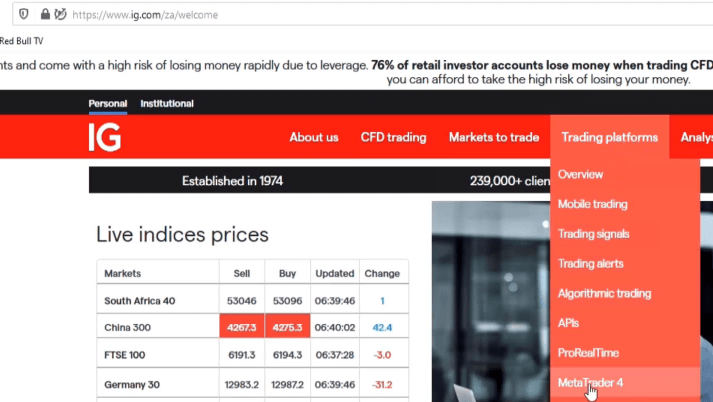
The first thing we will do is going to their website, which is ig.com. Once we put that in, it will redirect us to the local country website. From there, we’re going to go to Trading platforms then MetaTrader4.
The IG website
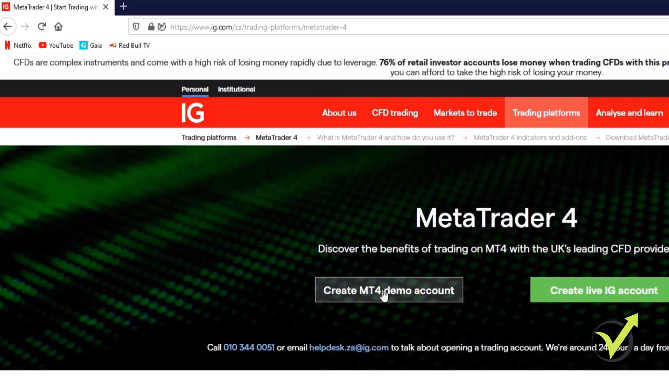
We click on Create MT4 Demo account, click on it again, and then we fill in our details.
Click Create MT4 demo account
And then you can select if you’d like to receive information from them by email. I’m going to click on No and then we click on Sign Up for your Demo.
Installing MT4 Demo account
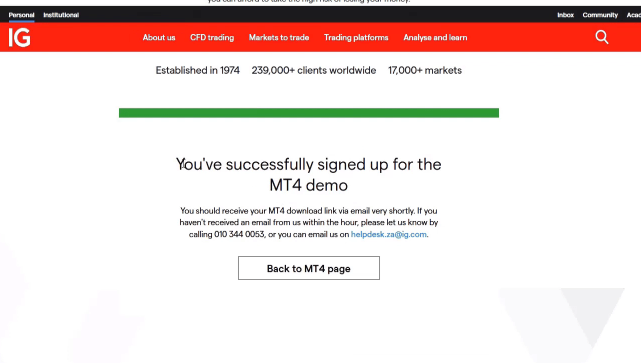
You’ll get to a confirmation page saying that you’ve successfully signed up for the MT4 Demo and they will send you an email with instructions on how to install and set up an account.
The confirmation page
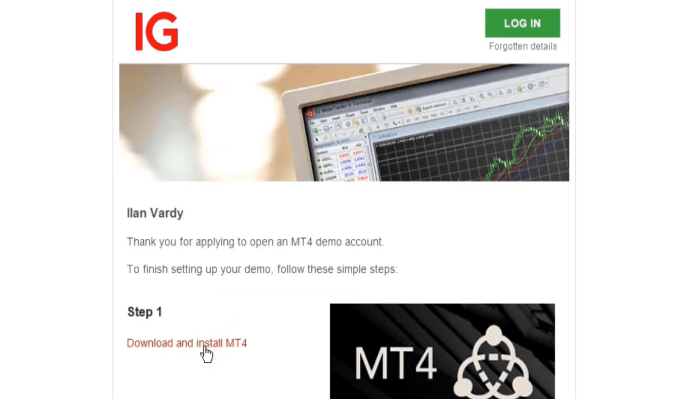
Then we receive an email from them.
So are IG the best Forex broker? I will leave it to you to decide after you read the whole post.
It is a little bit different from some of the other brokers that we’ve signed up with. In this case, we don’t get an account number and a password straight away. What we need to do is to first just run through these steps that are in the email.
So the first thing we need to do is to download and install the MT4 platform.
Step 1
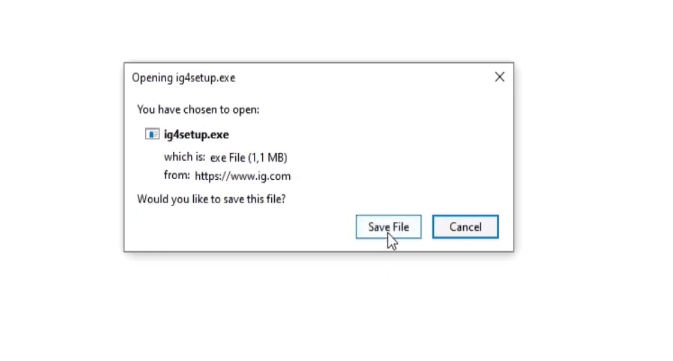
Once we’ve done that, we will create an account within Meta Trader 4. We’re going to click on Download and install MT4, it comes up with the file and we’re just going to click on Save File and then that gets saved into our default downloads directory.
Click Save File
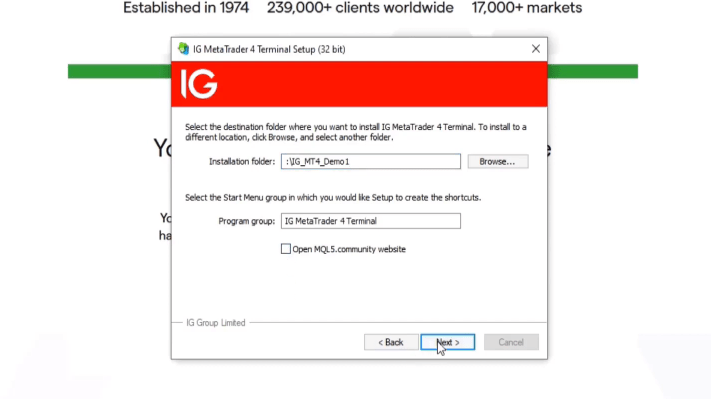
From there we launch the program and we run through the steps of installing the Meta Trader 4 platform. So the first thing we do is click on Settings. I’m going to change the default install directory and I’m going to put it in my route. I’m going to call it IG_MT4_Demo1.
We will go with IG Demo: the best Forex broker is the one that offers Demo account
You can put it anywhere you want and call it anything that you like. This is just the system that I use. When I look in my folders, I know exactly which platform I am looking at and what I am using it for. I’m going to unselect Open MQL5 community website and we’re going to click Next, and that’s it.
The settings
And I would just wait for it to install.
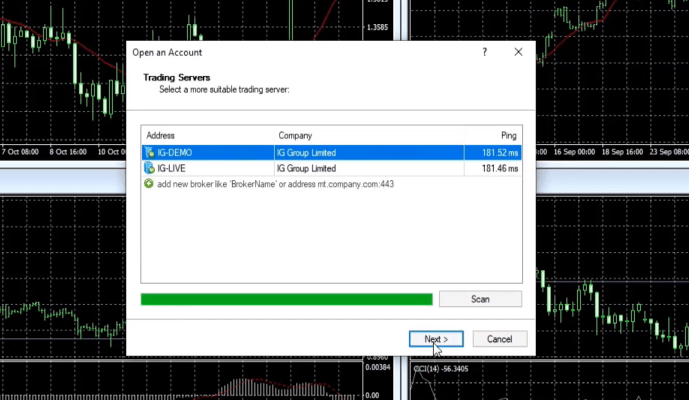
Once it’s finished, we’re going to click on Finish and the platform will launch. So once the platform launches, you’ll see that you have two services that you can choose from. We’re going to obviously go with IG Demo and we’re going to click next.
The program launches
We don’t have an account, as I said earlier.
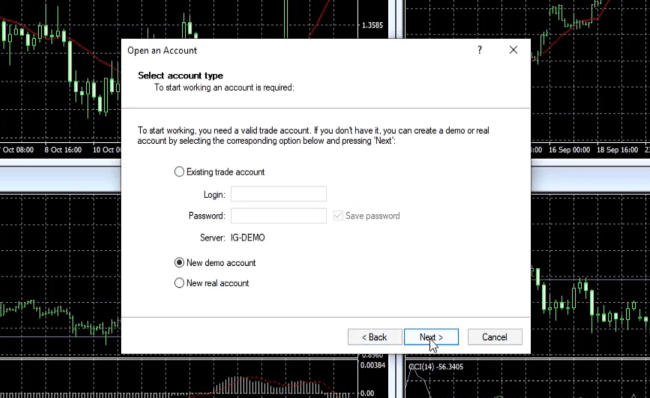
So what we’re going to do is we’re going to select new Demo account and we’re going to click Next.
Select New Demo account
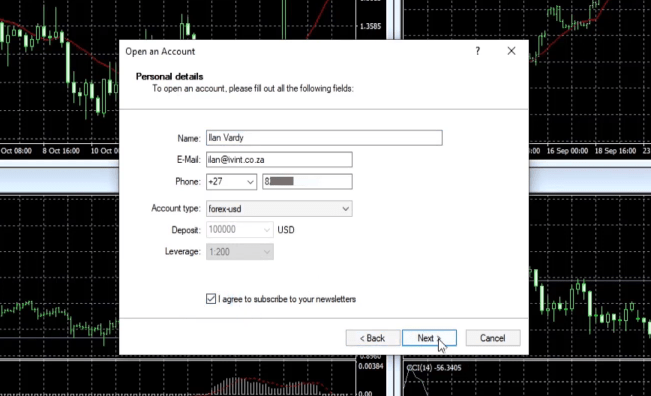
We’re going to put in our details here as seen below. Mine already is auto-filled. And then you’re going to have to click on I agree to subscribe to your newsletters and then you click Next.
Fill out your details
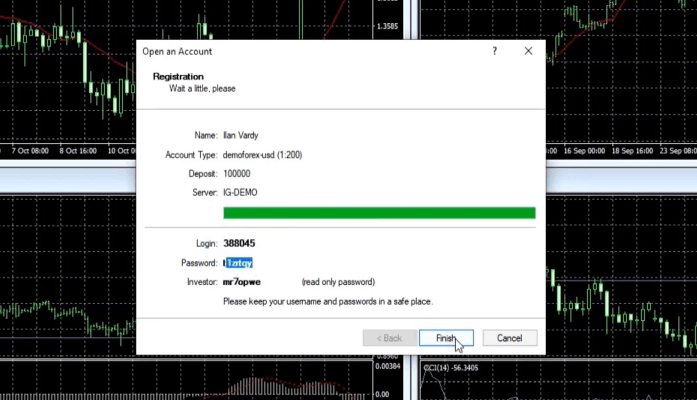
Very quickly, you get your login details. So your login number and your login password, and then we click Finish.
Login details
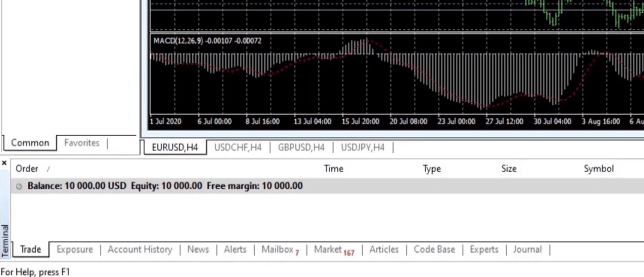
Now, what you see is underneath here we have a balance of 10 000 US dollars and our leverage is 1220.
The balance and leverage
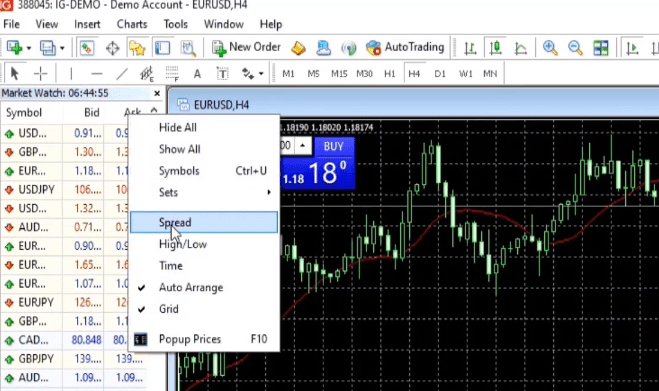
In order to see what our fees and commissions are going to be, what we are going to do is in the Market Watch window, we’re going to right-click on Ask. We’re going to select Spread. When looking for the best Forex broker you need to keep an eye on the spreads.
Right-click on Ask and select Spread
Historical data
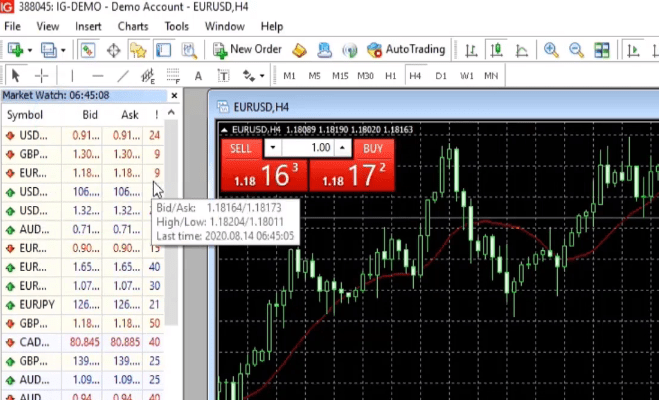
Then, as you’ll see below, there’s another column that has appeared here on the right and with the EURUSD, which is the one that we’re going to be using for this course, it is a spread of 9.
A new column appears
It’s floating. So it will change slightly, but it kind of goes between about 6 and 9 points. That is a good spread for any of my best Forex brokers.
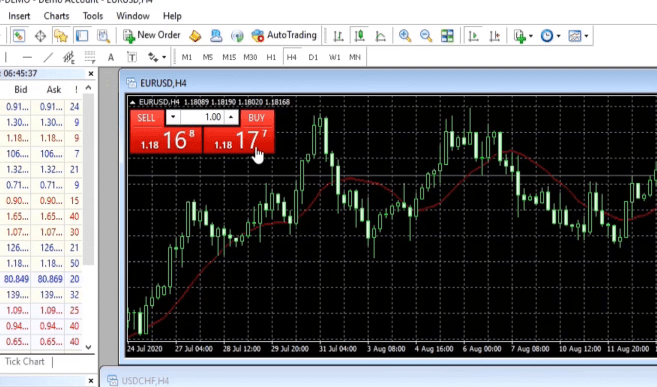
In order to see what the commission is, all we’re going to do is to click on either the Buy or the Sell in the OneClick Trading.
Click on either Buy or Sell
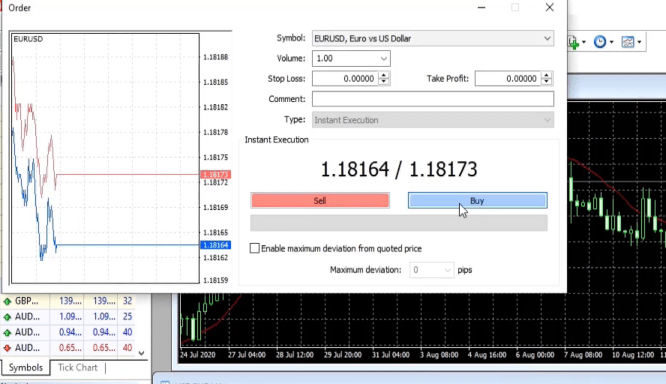
We click once and then we just click on Buy.
Select Buy
Then we can look in the terminal window.
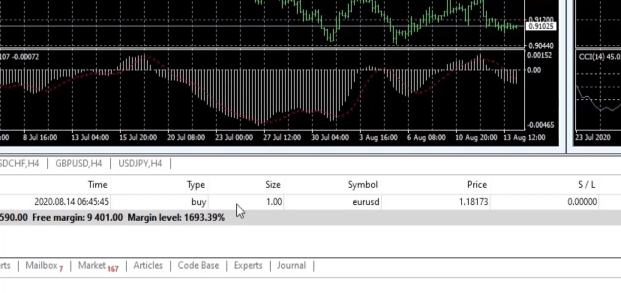
And then what you see is underneath here, we have executed an order, full 1 lot and the commission is 0.
The Terminal
So then what we know that our spread is around 9 and our commission is 0. We’ll just close this order for now. And that’s it, guys.
Now we have a working Demo account with IG and we can start to pull historical data, export that historical data into EA Studio, generate our strategies, generate our Expert Advisors, and then put them back into the platform to start to test them.
JFD broker
We will now look at JFD as a broker. I’m going to run through some of the PROs and CONs that I have found while using them as my best Forex broker. And I’m going to show you how to open a Demo account. So one of the advantages of using JFD Bank is that they’re a very well known broker. They’ve been around for a long time.
They offer many different types of platforms and it’s very easy to open a Demo account. Some of the drawbacks or the CONs that I found is that once you’ve opened a Demo account, you cannot log in and change your balance. So if your EAs or your trades go against you, you cannot add additional funds to your account.
In other words, you don’t get a profile when you open a Demo account and the leverages are set. You cannot change your leverage. Having said that, it is still definitely one of my favorite brokers and one that I use probably 80% of the time that I trade.
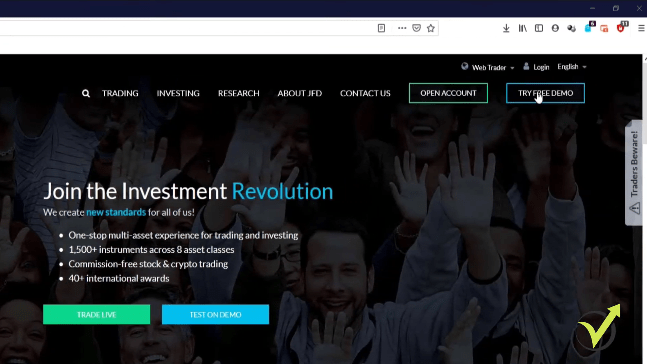
So in order to open a Demo account, the first thing we’re going to do to go to their website, which is jfdbank.com, and click on Try Free Demo.
JFD platform
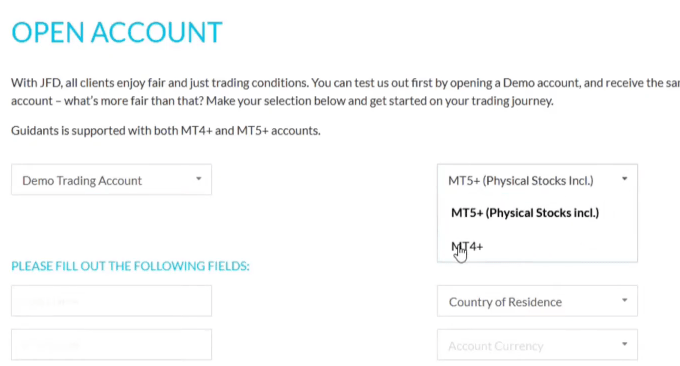
So what we’re going to do is to select the Demo trading account at the top of the account. We’re going to change this to Meta Trader 4 (MT4).
Opening the account
You should have the same amount across all brokers being tested
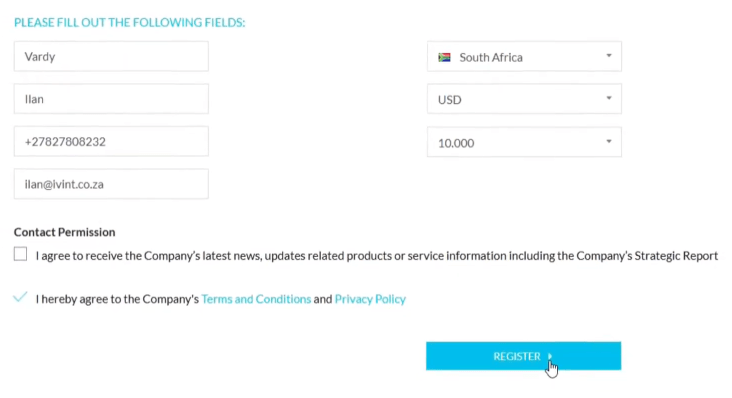
Then all you need to do is put in your details, which is very quick and very easy. Country of residence, I’m in South Africa. Account currency- I always use USD.
But generally speaking, USD is the most popular and it’s the one that I prefer to deposit an amount. Now here, you can choose the amount, but you cannot put in any amount that you want. You have to select one of these that is pre-programmed.
So it runs from $500 and it changes in increments or increases in increments all the way to $5 000 000. I’m going to put it at 10 000 because that’s the same amount that I always start with. And when we are generating and testing our EAs and later analyzing them, you’ll see why it is quite important to have the same amount across all the brokers that you are testing.
So I select 10 000, you’re going to click on I hereby agree to the company’s terms and conditions and privacy policy. And then if you want to receive news and latest newsletters and updates, etc, you can select this. I’m not going to for now. So I’ve done all that and we press register.
Fill out your details
Click the activation link
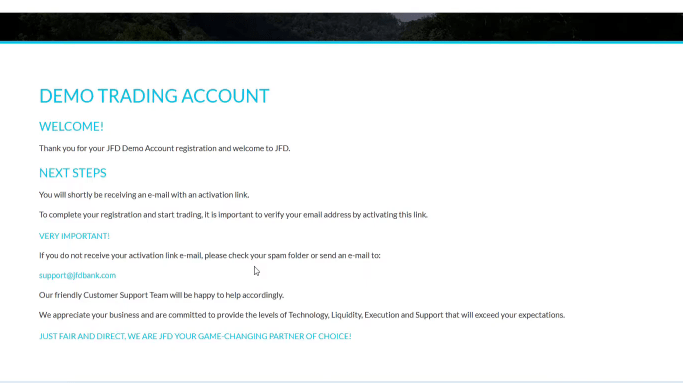
Then it’ll bring you to this page where it says welcome and the next steps that you need to take. And it tells you that you will shortly be receiving an email with an activation link. So we’re going to get the first email.
Welcome page
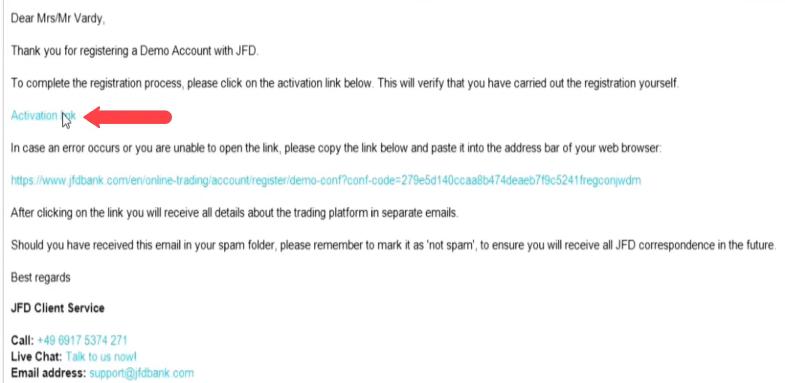
We’re going to click on the activation link and then we’ll get a second email with our account details. So here’s the first email. As you can see, it says, Dear Mr. Vardy, thank you for registering a Demo account with JFD. To complete the registration process, please click on the activation link below.
This will verify that you have carried out the registration yourself. So all you do is just click on the activation link,
Click on the activation link
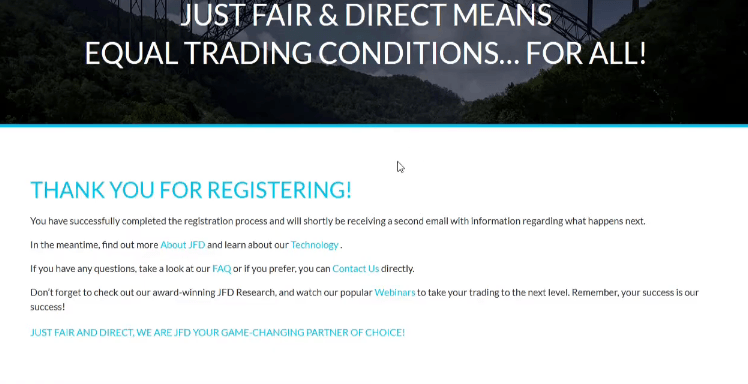
and then it brings you to this page and it says, Thank you for registering. You have successfully completed the registration process and will shortly be receiving a second email with information regarding what happened next.
Registration successful
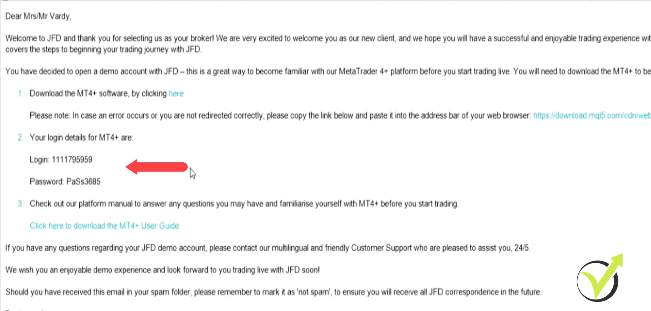
So all we do now is sit and we wait for the second email. When that comes, we’ll have all of the information that we need in order to open a Demo account. Here’s the second email. As you can see, it just says welcome to JFD, and thank you for selecting us as a broker.
The leverages are set with JFD
There’s a bit of information there. Then the first thing you can do is you can download the Meta Trader 4 platform from JFD and once it’s downloaded and installed, we are going to use these details here to login.
The 2nd email
That’s about it, it’s that easy to open a Demo account with JFD which makes it one of my best Forex broker.
There are just one or two things that I want to mention when it comes to JFD. The first is leverage. Now, with some brokers, you can actually select the leverage that you want to trade with, whether it be on a Demo or a Live account.
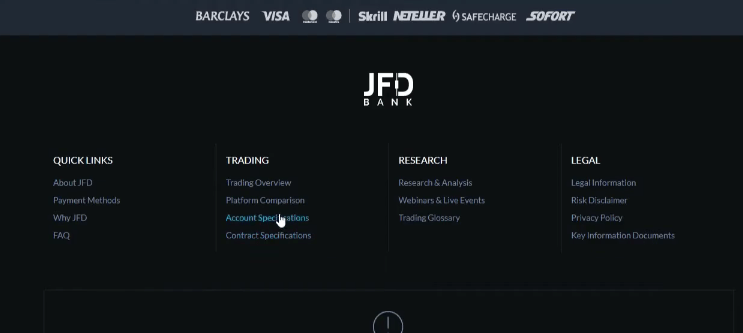
But with JFD, the leverages are set. So if you want to see what they are, it’s really very easy. Just get down to the bottom of the website of the home page. You’re going to go to Account Specifications at the bottom.
Account Specifications
We’re going to select Forex and Meta Trader 4.
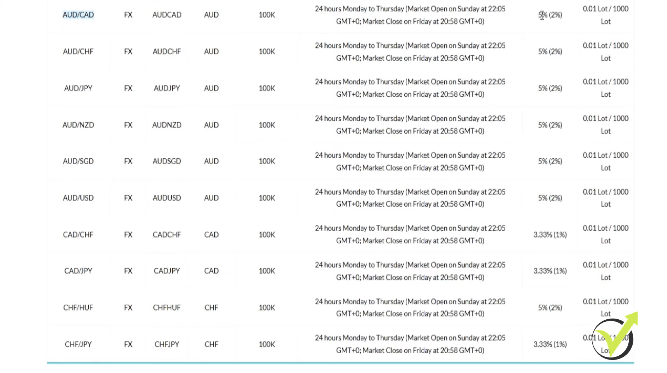
What you can see below is that there’s a table and there’s a few pages with all the various financial instruments or assets.
Tabular information
So, for example, with the AUDCAD, there’s 5% and then in brackets is 2%.
Understanding the leverage will help you to find your best Forex broker.
Basically, what that means is if you’re an EU resident or if you’re a European citizen, you’re going to look at the number that is not in brackets. If you live outside of the European Union or you’re not a European citizen, you’re going to look at the number that’s in brackets.
Now, to understand the leverage, basically, all you need to do is just take 100 and divide it by this number. So in this example, it is 5% and 100 divided by 5 is 20. So your leverage will be 1:20. However, again, if you’re not a European citizen, your leverage or your margin is 2%. 100 divided by 2 is 50.
So your leverage will be 1:50. It does change according to the asset. So, for example, CHFJPY, if you’re a European citizen, it’s 3.33%. So your leverage will be 1:33. But if you’re a non-EU resident, it is 1%. 100 divided by 1 is 100.
So your leverage is going to be 1:100. It is quite important to understand, it is quite important to know. As I said, on some of the other brokers you can choose the leverage across any of the assets. On JFD you’re stuck with the leverage that you are given.
You can create as many Demo accounts as you possibly wish. The best Forex broker is that one that gives you no limitations
The other thing is you can open as many Demo accounts as you want to. There are no limits on that. You can open a whole bunch of Demo accounts and then trade different assets or different groups of EAs on them to test. And there is no time limit, which is also fantastic.
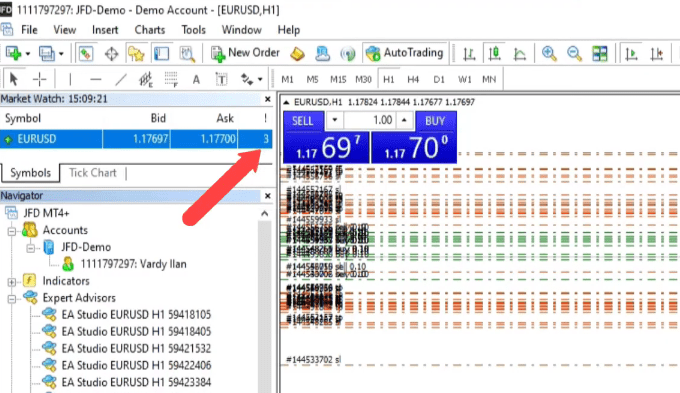
So you can put your EAs on a Demo account and you can run it for months or even years and just monitor the performance of your EAs. Also, it’s very cool with JFD Bank is we’ll just look at one of their platforms. So as you can see, this is one of my Demo platforms and this is the EURUSD.
Now, if we go to the top, at the Market Watch, you’ll see that our spread is very small. It’s between 3 and like 5 points.
My EURUSD Demo platform
And that’s really good. However, you are going to pay a commission and that is $6 per lot because we’re only trading 0.1 lot.
Our commission is 60 cents. That’s US cents. So it will change according to the lot size, and it is proportionate to the lot size that you trade. But you can always just take 1 lot, which will be $6 and just divide it by whatever your lot size is just to understand what the commission is.
I will now show you how to open a Demo account with DukaScopy and I’m going to share with you some of the advantages and disadvantages that I have found while using them as my broker. DukaScopy, like JFD, is also a very well known broker, it’s been around for a long time.
They’re based in Switzerland and they offer different types of trading on different assets across different platforms. The advantages of DukaScopy is that they have nice tight spreads, very easy to open a Demo account, although when you open a Demo account it is for 14 days.
If you email their support team and request an extension, they will extend that indefinitely for you. And the other great thing about DukaScopy is that the historical data on our website, on the Historical Data App, we get from DukaScopy. So it pulls it directly from DukaScopy.
If you need live support, the Dukascopy might be your best Forex broker
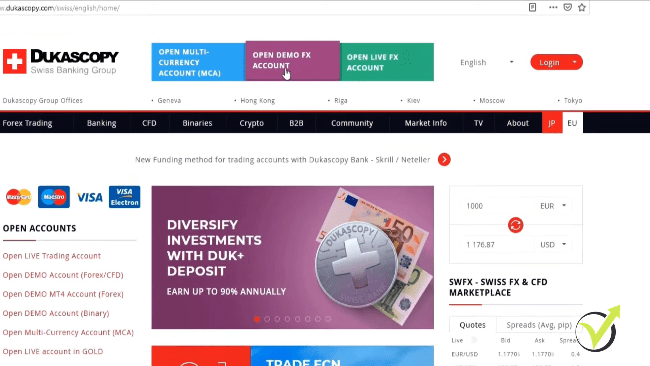
So a huge amount of historical data is available to you. Let’s begin to open a Demo account. Very simple. All you do is you go to dukascopy.com, and then you go to the tab here – Open Demo FX Account and you click on that.
Opening a Demo account
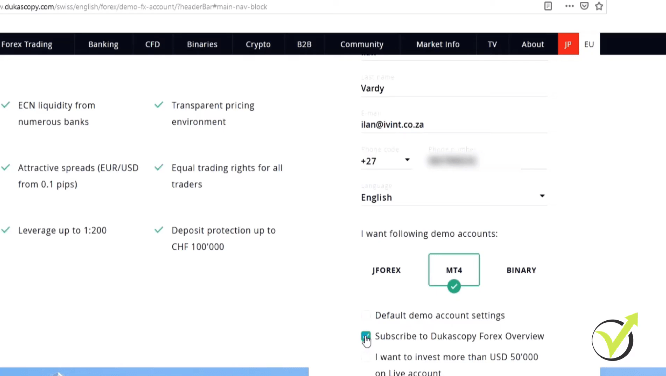
And again, all we do is we just fill in our details. Here we’re going to choose MT4, we unselect JForex. We are not going to use the default Demo account settings.
So we are going to unselect that. And for the purposes of this demonstration, I’m going to unselect subscribe to Dukascopy Forex Overview, and then we go to the next step.
Fill out your details
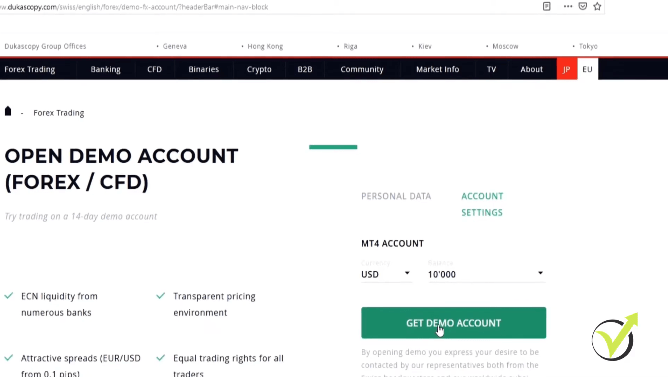
Like with JFD, we’re going to select our currency as USD and our balance of 10 000.
Click Get Demo Account
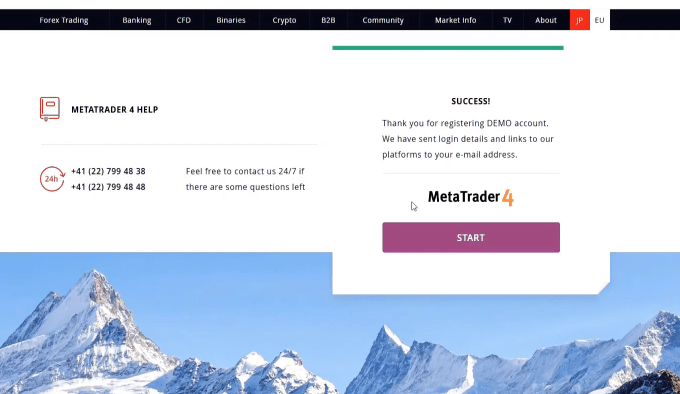
Simply, creating a Demo account brings us to this page here. Success. Thank you for registering Demo account.
Registration successful
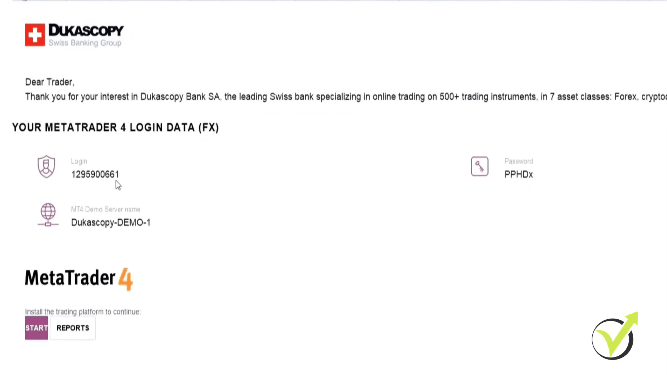
Then they will email you your account details. Below you will see the email that we got from DukasCopy. It has our login details. Our account number and the password and the server that we’re going to be connecting to where we install Meta Trader4.
Having reliable Historical data makes Dukascopy one of my best Forex bbroker.
And there’s a link to download Meta Trader 4. Very easy. We’re going to click on the link. We download Meta Trader and then we log in using these details that we have received from them.
The login data
That’s about it. That’s how quick and easy it is to open a demo account with DukaScopy, please keep a few things in mind. The first thing is that the leverage that you will get on a Demo account will be 1:100 that’s it. You cannot change that.
You can email the support and ask them to change it. But as a default, you get 1:100. And the other thing you need to be aware of is on the platform. Again, a very nice tight spread, ranging between 3 and 4 points. Commission slightly higher than JFD. On JFD, it was $6 per lot.
That’s about it when it comes to DukaScopy. Like I said, very quick and very easy. And we have a huge amount of historical data that we can get from them. But we get it from the Historical Data App on the website.
FXTM
Finally, we’re going to be looking at FXTM, I’m going to share with you some of the pros and cons that I’ve come across while trading with them. I’m going to show you how to open a Demo account. So the pros when it comes to FXTM, is that I have one of the best websites that I’ve ever used when it comes to opening Demo accounts or making any changes that you want on your Demo account as well as live.
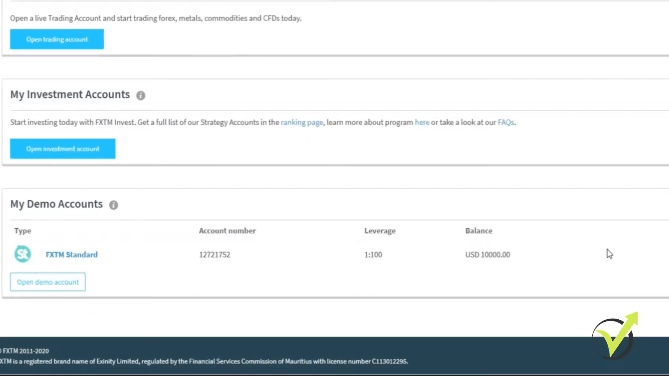
Very easy to register and open a Demo account. And once you have registered, you can open up multiple Demo accounts and you can make changes to those Demo accounts, so you can change your leverage. You can add funds, you can delete accounts, you can create new accounts, different types of accounts and just a great website to work with.
Some of the cons is that the historical data isn’t as big as some of the other brokers, although it is more than enough to generate strategies using EA Studio.
And the spreads are a little bit higher than some of the other brokers, but they don’t charge a commission on many of their assets that you trade.
So all in all, I would say they are a good broker. However, as with all of the others, please do not take this as a recommendation. My advice to you, as always, is to try it out for yourself. And if you are happy, continue.
Opening an account with one of the best Forex brokers out there.
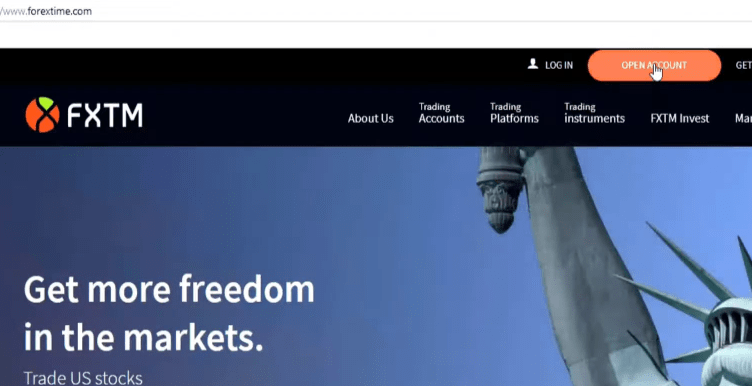
So let’s open a Demo account. How we do that is very easy. We go to their website, which is forextime.com. From there we’re going to click on Open Account at the top.
FXTM website
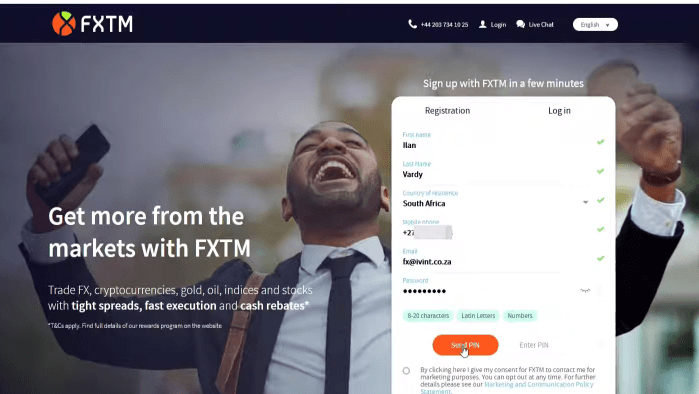
We have to fill in some of our details. So let’s quickly run through this. We’ll just put in our details.
Phone number, email address, it is important to have all of this correct because you will be receiving PIN numbers from them that you’ll need to activate your account, quickly, generate a password, and that’s it. Then we click Send Pin.
Fill out your details
Now, we just wait a few seconds. We wait for the SMS to come or the text to come through our PIN number. Just put the PIN number in that we received and click on Register now. Easy as that.
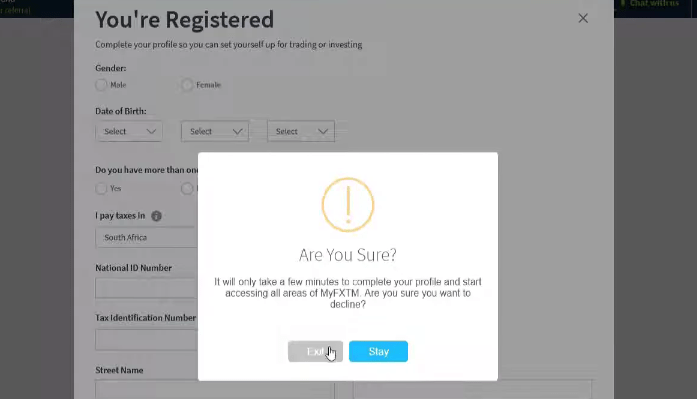
It says you are registered, now here it asks you to fill in a whole lot of details. You don’t have to do this right away. So we’ll just close that. Are you sure? Yes, I’m sure.
Registration successful
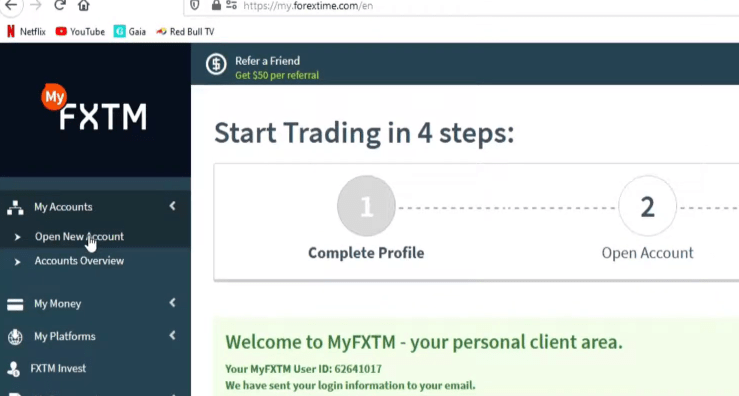
So then we come to their website. As I said, really easy website to navigate.
Account leverage
The first thing we do is on the left in the navigation pane, we are going to click on the arrow next to my accounts, and then we’re going to say open new account.
Open New Account
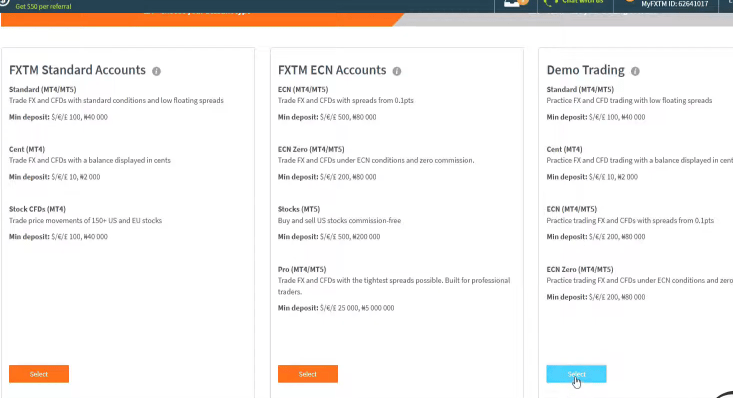
And as seen below, you can choose different types of account that you want.
We’re going to open a demo account. So we’re going to go to the last one and we’re going to select that.
Select Demo account
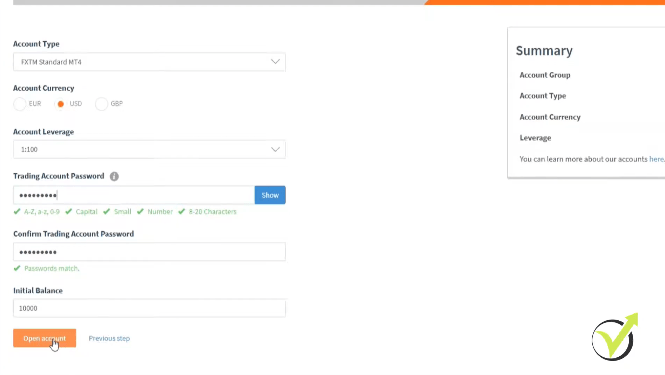
And then what we’re going to do here is to select the top of the account. For the purposes of this lecture, we’re going to go with a standard MT4 account.
Account currency, we’re going to keep at USD. Account leverage, I wouldn’t recommend having it anything higher than 1:100, maximum 1:200 when you are a beginner trader, because while having higher leverage when you’re having good trades will increase your profits, when you have losses, it will increase the losses proportionately.
So we’re going to go with 1:100. We’ll just create a password. That’s easy initial balance. We’re going to start with 10 000. And then we click on Open account.
Open account
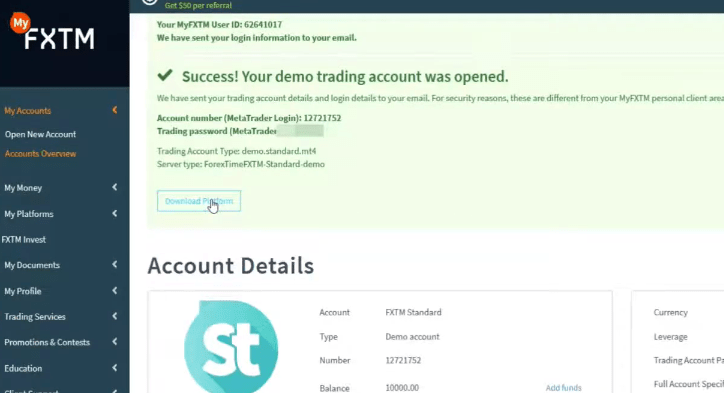
Within seconds, we have a Demo account open. Relative that is, it’ll give you all of your details, your account number, your trading password, the type of account, and the server that you need to connect to when you install Meta Trader 4 which we will run through in a later lecture.
Start trading on a Demo account
You also have a link here to download the platform. You will need the platform. So what we’ll do is to click on that.
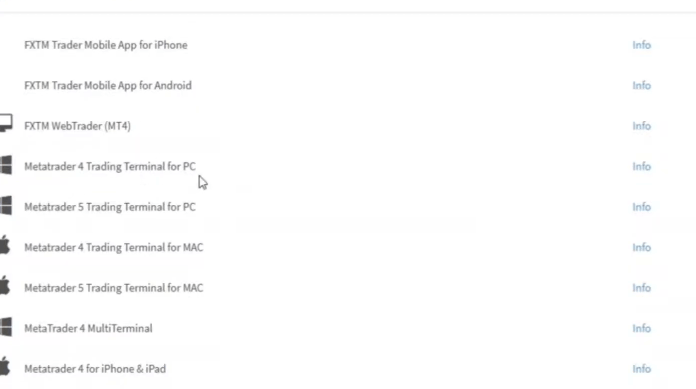
Click on the link
We’re going to select Meta Trader 4 Trading Terminal for PC and we click on Download, Save the File and then it’ll go into our download location.
Meta Trader 4 Trading Terminal for PC
Now, going back to our Demo account, we are going to Accounts, Accounts overview, and there is our Demo account at the bottom here.
The Demo account
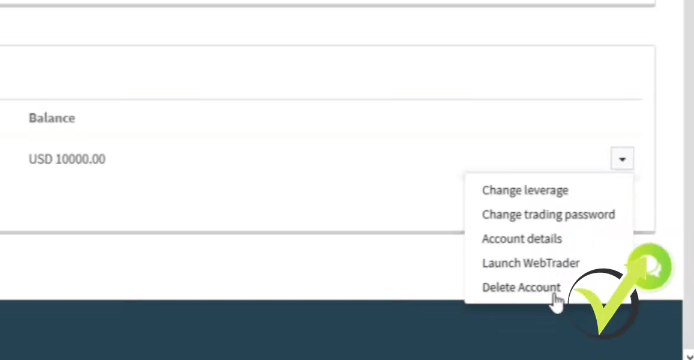
So like I was saying from here, it’s very easy to change things in your accounts. So if you click on the arrow on the right, you have a whole bunch of options.
Change leverage, change trading password, your account details, launch the web trader, and delete the account.
Account options
So you can have a look at some of those when you open your Demo account. I’ll just give you a better understanding of the website and some of the options that you have.
It really is that easy to open a Demo account with Forex Time. As mentioned in the beginning, there are pros and cons. As always, my advice to you is to open a Demo account if you’re interested, have a look at it to trade with it, generate EAs, test EAs on the platform, compare to some of the other brokers, and then decide if this is the right broker for you or not.
Thanks for reading. I hope this lecture will help you to find the best Forex broker for your needs. I will see you in another lecture.
Hello dear traders, today I’m going to talk about the top 10 cryptocurrency exchanges you can have a look at and you can check out. I will give you just some statistics and you will decide which one you would prefer to use.
The cryptocurrency exchanges list, I have prepared according to the daily volume, the assets that are traded, and I will give you an idea of when these cryptocurrencies exchanges were launched.
Binance
The first one, obviously, is Binance with over $16 billion of daily volume, and it has 630 different assets to be traded, a huge choice between different cryptocurrencies.
Binance
Everyone knows Binance which is pretty much the biggest cryptocurrency exchange and it was launched in July 2017. It is not an old cryptocurrency exchange but it’s at the top of my list of cryptocurrency exchanges.
Huobi
The second one is Huobi. It has about $3 billion daily volume and it has 556 different assets, and it was launched back in 2013.
Huobi
It’s quite a popular cryptocurrency exchange.
Coinbase: My favoorite among all crytpocurrency excahnges
Number 3 is Coinbase with above $1.15 billion daily volume and it has just 73 cryptocurrencies to be traded, and it was launched in May 2014.
Why do I use Coinbase?
Coinbase
First of all, it is very easy to use and it’s very easy for beginner traders to get used to it. This is why I show it in my courses because even if you don’t have any experience in cryptocurrency exchanges and you just want to buy some Bitcoin or any other crypto, it’s quite easy to register and to have a look at all the assets and to buy.
Then you can withdraw either to your Visa that you have used or you can withdraw to your PayPal account which I find pretty cool. And the withdrawals are instant. Anytime you need your money from the Wallet, you can withdraw and it goes to your bank immediately which is pretty cool with Coinbase.
You can make an instant withdrawal
You can find a detailed Coinbase review here and learn more about it if you wish to.
Kraken
Number 4 is Kraken with over $700 million of daily transactions and it has 177 assets. It was launched in July 2011. Pretty much, it’s one of the oldest cryptocurrency exchanges we have nowadays.
Kraken
Bithumb
At the fifth spot is Bithumb with over $500 million of daily transactions, 103 assets are available to be traded, and it was launched in January 2014, so pretty much a trusted cryptocurrency exchange with over 7 years of history now.
Bithumb
Bitfinex
Number 6 is Bitfinex with $630 million of daily volume, it has 116 markets.
Bitfinex
ZB.com
Number 7, ZB.com, probably you’ve heard about them. They have above $1.8 billion of daily volume, and they offer 116 markets, launched back in November 2017.
ZB.com
BitFlyer: the one with lowest number of assets among the 10 cryptocurrency exchanges
We have bitFlyer on the eighth spot which has $200 million of daily volume, but the concern there is that they offer just 5 different markets to be traded and this is the kind of thing that pushes the people away because usually, the traders and the investors want to trade more assets. It was launched in January 2014.
Abit
Number 9 goes to Abit with over $700 million of daily volume. The good thing here is that you can choose between 192 different cryptocurrencies to be traded. And Abit was launched in 2017 in October.
Bittrex
At number 10 is Bittrex with $129 million volume per day. The great thing here is that it has 442 different assets that you can choose from.
That was the list of cryptocurrency exchanges that you can use before risking any real money on the market and I would suggest you check any of them, compare the fees, and decide which one will work best for you.
As for the moment, I use Coinbasethe mostas I’ve said. Don’t take it as a recommendation, make sure to choose a regulated cryptocurrency exchange and make sure to test it with small amounts of money. You can purchase some crypto, sell it, then withdraw back to your bank account and see if they are legit and if their trading conditions will fit your trading style.
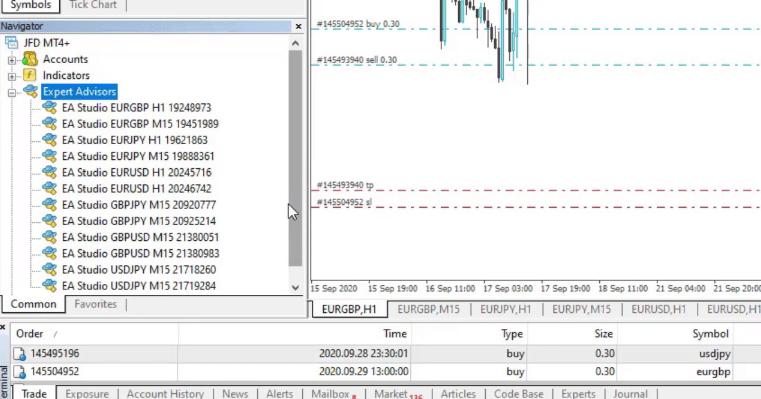
Hello, everyone, today I will be explaining with simple words what is EA in Forex Trading. And I will show you one of my trading accounts where I have different Expert Advisors trading on different assets. If you look at the Navigator, you will see that I have a variety of assets and I have been trading with different Expert Advisors on each chart.
The navigator
I have Expert Advisors and they are all trading at the moment. In this lecture, I would like to talk more about what is EA in Forex trading. For the beginner traders, I will demonstrate how to make a backtest. And simply, you will learn more about these trading Robots.
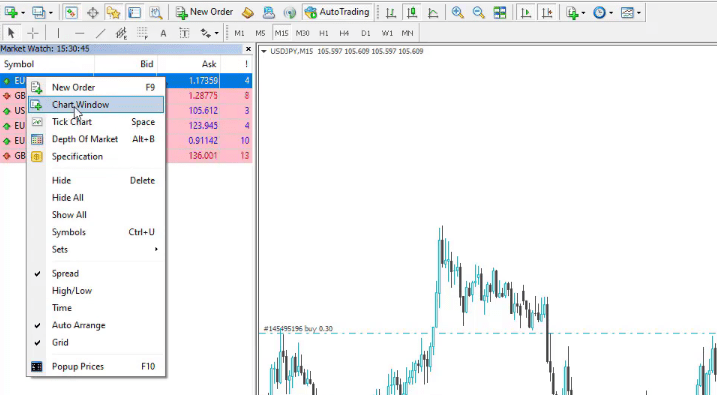
I guess you already know how to place the Expert Advisor over the chart. And I will place the very same Expert Advisor on a new chart window. It was for EURUSD, so I will right-click over EURUSD and I will select a chart window.
I right-click over EURUSD and select Chart Window
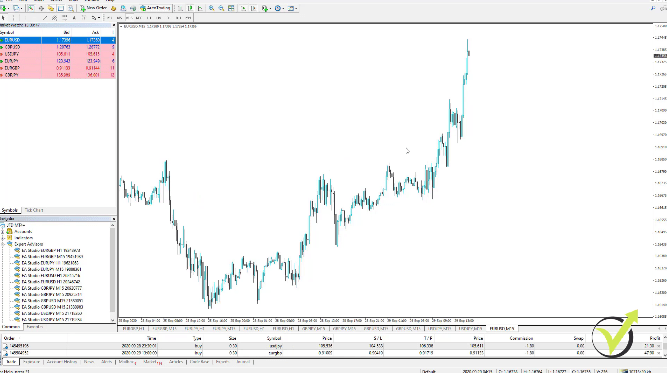
And here it is.
The chart window
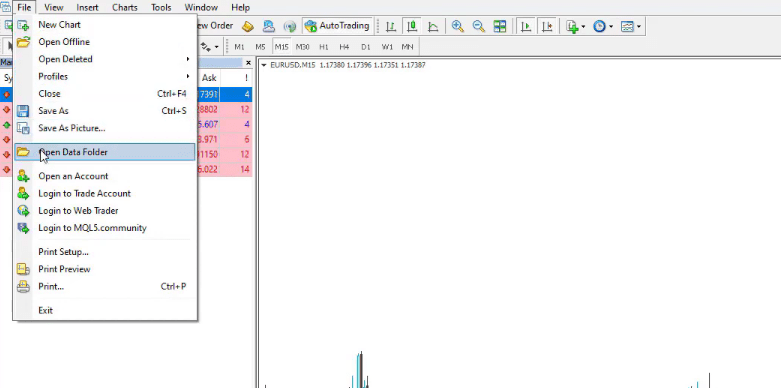
Now, what I need to do is to go to file, open data folder,
Go to File, then Open Data Folder
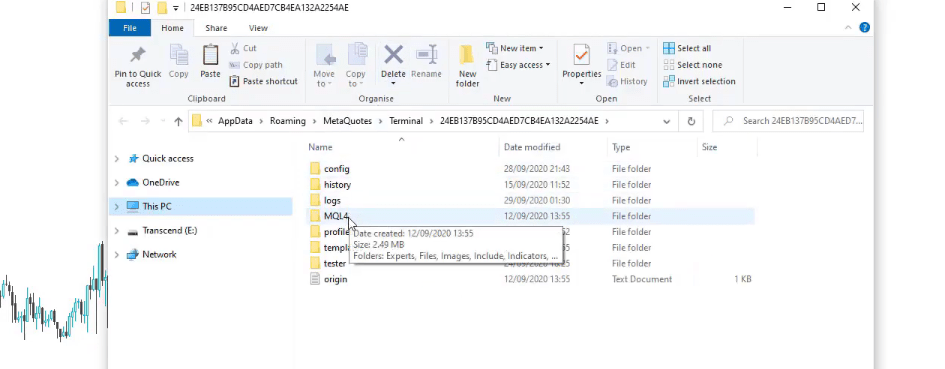
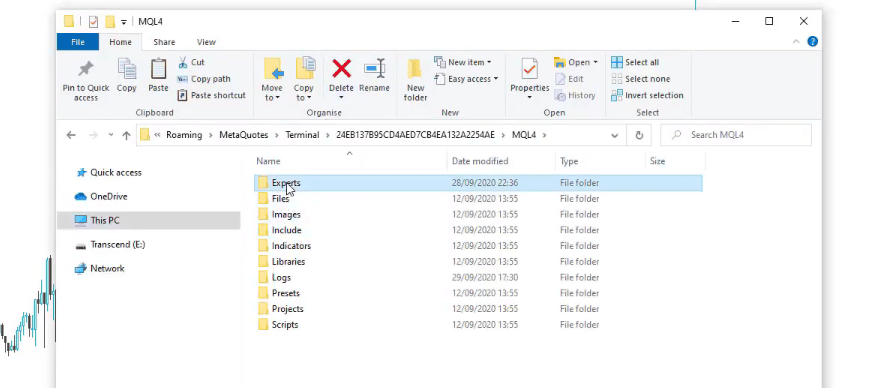
and then I click MQL4,
I click MQL4
and I go to Experts.
I go to Experts
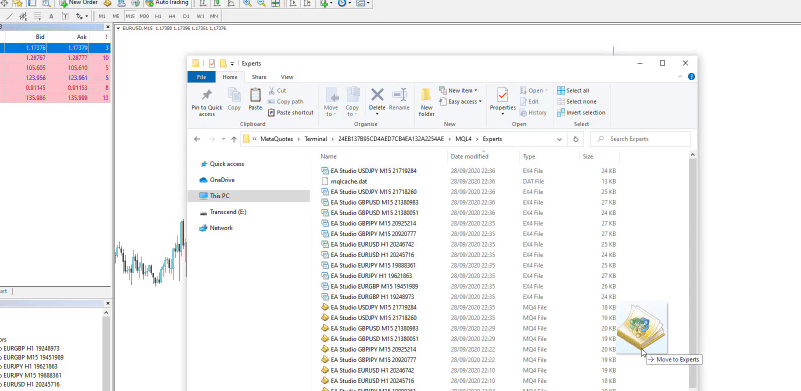
I will drag and drop the Expert Advisor and I will close the folder.
I drag and drop the Expert Advisor
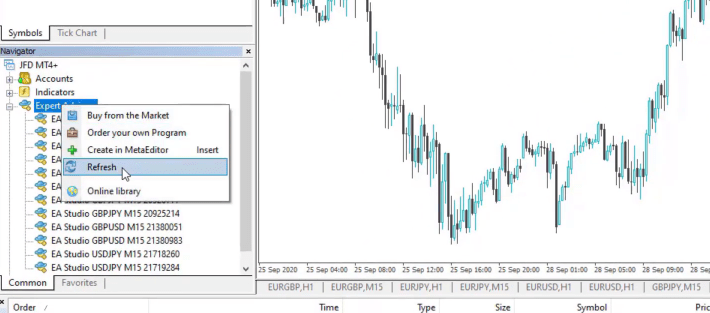
I will go to Expert Advisors in the Navigator, I right-click and refresh.
Right-click on Expert Advisors and refresh
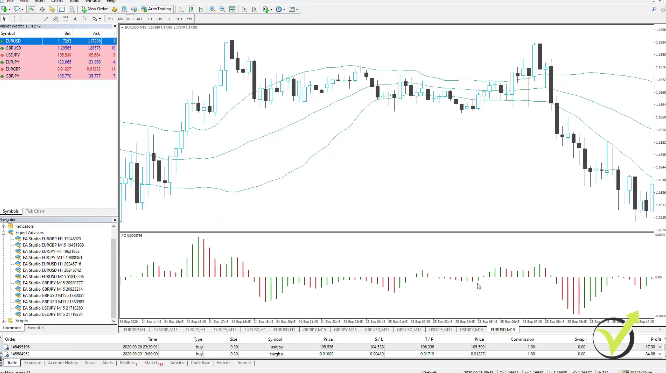
The Bollinger Bands
So this is how I will compile this Expert Advisor. It was for EURUSD on M15 and it has the magic number of 51812206. Now, before I drag this Expert Advisor on the trading chart and I show how to make a backtest, I will show you what is the strategy behind this Expert Advisor and these strategies for all Expert Advisors that we use are different.
So they buy on different rules and they sell on different rules. That’s the idea of trading. This is why we traded many Expert Advisors or many trading Robots because we want to buy based on different entry conditions and to close the trades based on different exit conditions.
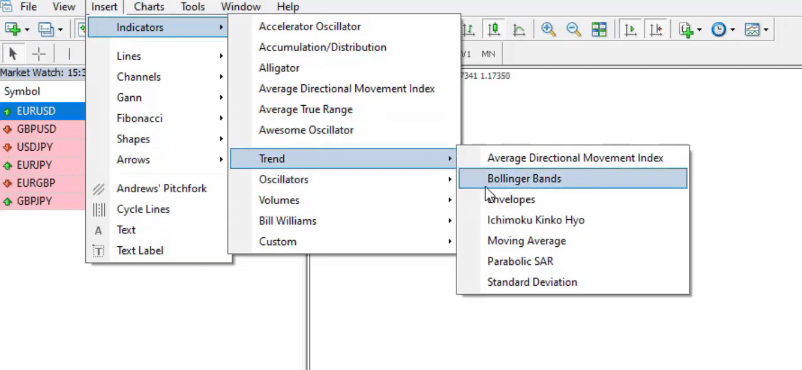
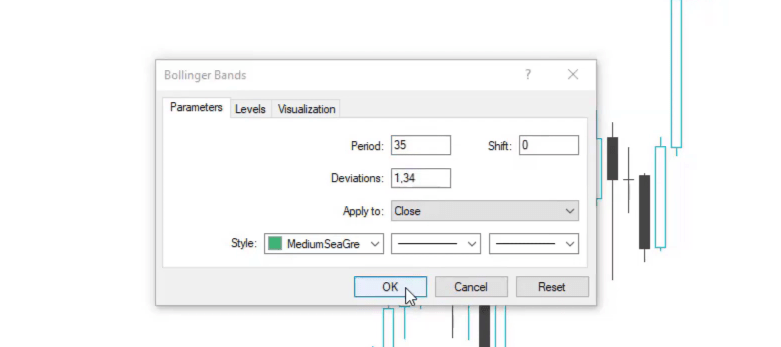
So, for example, this Expert Advisor uses 2 entry conditions and 1 exit condition. Let me zoom the chart and I will place the Indicators over it. I will go to insert and Indicators. The first Indicator that I will place is the Bollinger Bands.
The indicators
For this strategy, we have a period of 35 and we have a deviation of 1.34. I click on OK.
The Bollinger Bands
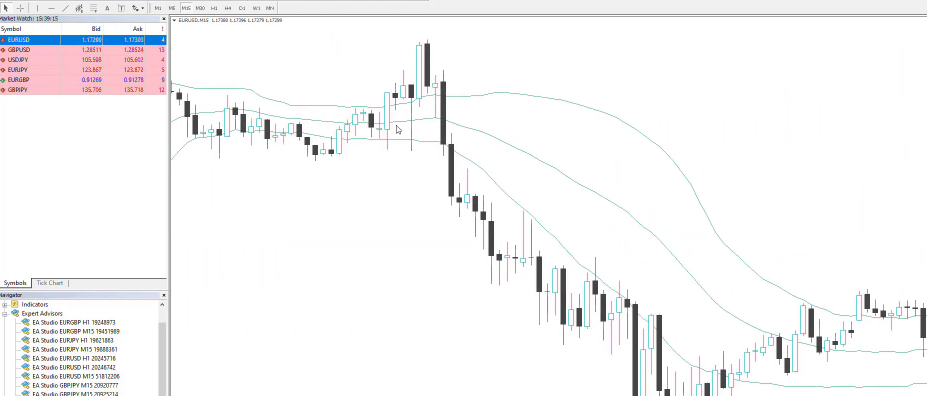
You will see the indicator displayed on the chart. Here it is.
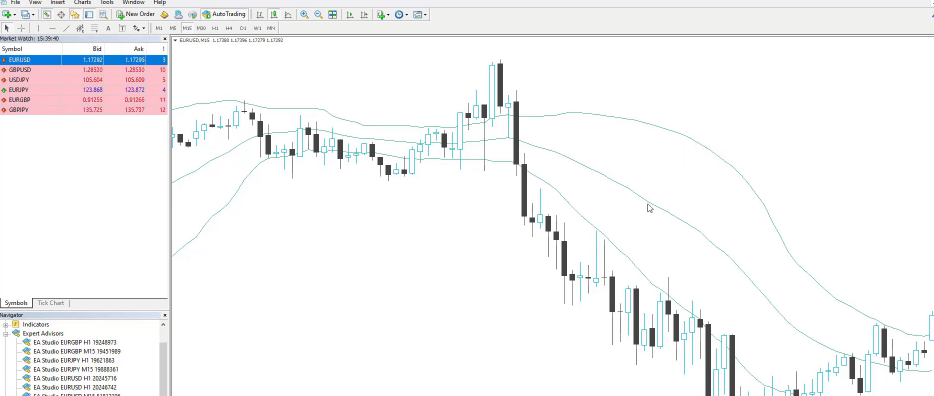
The Bollinger Bands displayed on the chart
We have 3 lines. And how the Bollinger Bands Indicator works is that when we have volatility on the market, for example, when you see in this period here, the price went down and the Upper Band and the Lower Band went far from the middle line.
How the Bollinger Bands display volatility in the market
What is EA in Forex trading with the Accelerator Oscillator inside
When there is no volatility and the price goes just sideways, they come closer together.
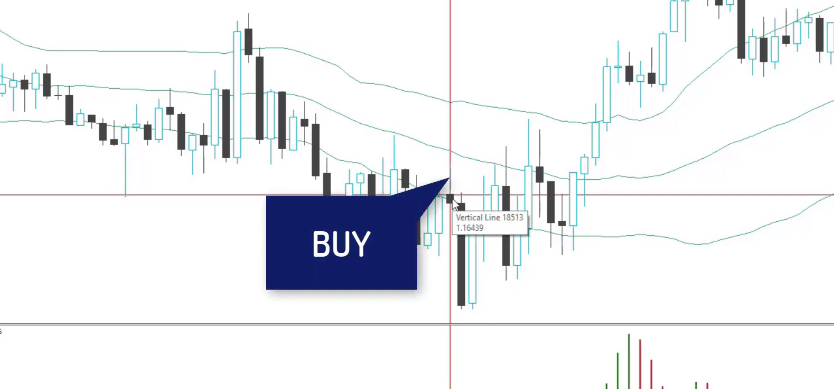
So the entry condition that we have with the Bollinger Bands is that we buy with this strategy when we have 1 bar opening above the Lower Band after opening below it. We have 1 bar that opened below the lower Band.
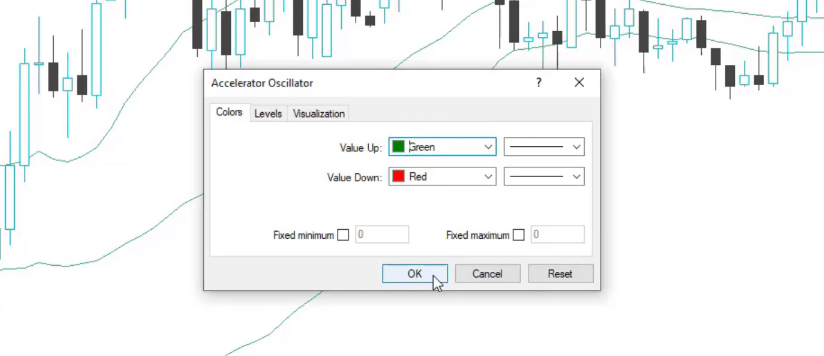
And if the next one opens above the Lower Band, this is our signal to buy. But we have as well confirmation with another Indicator called Accelerator Oscillator. I will just add it from insert Indicators and it’s the first one on the list. It does not have any parameters or levels.
It is displayed below the chart by green and red bars. I click on OK.
The Accelerator Oscillator
You will see them right below the chart.
The red and green bars displayed
And the rule here is that we have the confirmation for the Bollinger Bands to buy if the Accelerator Oscillator crosses the level line downwards.
The confirmation
As you can see it is a lot to follow if we do it manually. When you underestand what is EA in Forex trading you will know that it works much easier.
At the very same time, when we have the signal to buy from the Bollinger Bands, we need to see that the Accelerator Oscillator crosses the level line, which is the 0 line, downward. In this case, with this example right here that I just took randomly, you can see that the Accelerator Oscillator crosses upwards.
The Accelerator Oscillator is if you connect the bars or the ending of the bars, I can say. So in the middle, we have the 0 line. And then if you connect the tops and the bottoms of the green and the red bars, you will have the imaginary line. When it crosses the level line, this is the confirmation.
Let me look for such an example. We have a bar opening above the Lower Band after a bar that opens below the Band.
Or in simple words, this means that the price crosses the Lower Band. And at the same time, the Accelerator Oscillator crossed the 0 line downward, and here there would be an entry. Let me put one vertical line and I will put another line exactly on the opening of that bar.
The Moving Averages
So right here we have the confirmation to buy and this is our entry with this strategy.
The confirmation to buy
The very opposite thing applies if we are selling. We should see a bar that opens above the Upper Band and a bar that opens below the Upper Band, and that would be a sell signal.
What is EA in Forex trading? Its all of that but automatically…let’s keep it going
But at the same time, we will need to see that the Accelerator Oscillator crosses the 0 line upwards, which in this case happened a little bit earlier, 2 bars earlier or 2 candlesticks before the signal from the Bollinger Band. So there is no confirmation.
Now, let’s stick to this example so I will show you what is the exit rule for the strategy and when we enter the trade, this is pretty much half of the work. We need to exit from the trade.
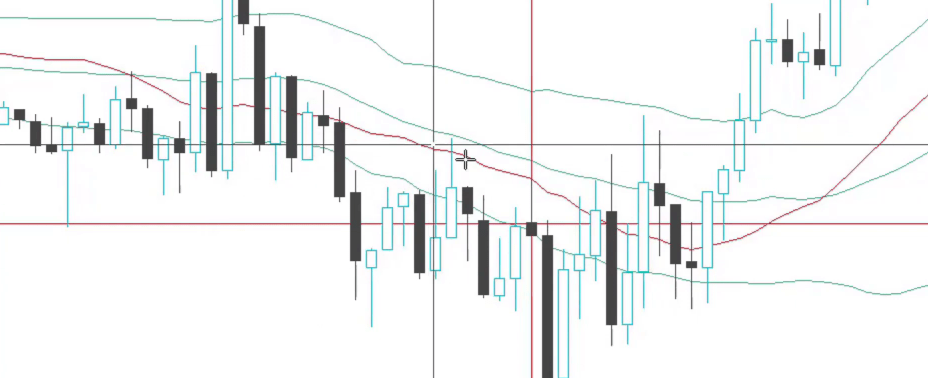
Now, for this strategy, we have a very nice exit condition, which I like a lot, and this is the crossover of the moving averages. If I go to insert indicators and I go to trends, I will see the moving average and I will need to place 2 moving averages. One will be with period of 22.
You can use any color of your choice
I click on OK, and you can see the line with the red color below.
The Moving Average displayed by the red line
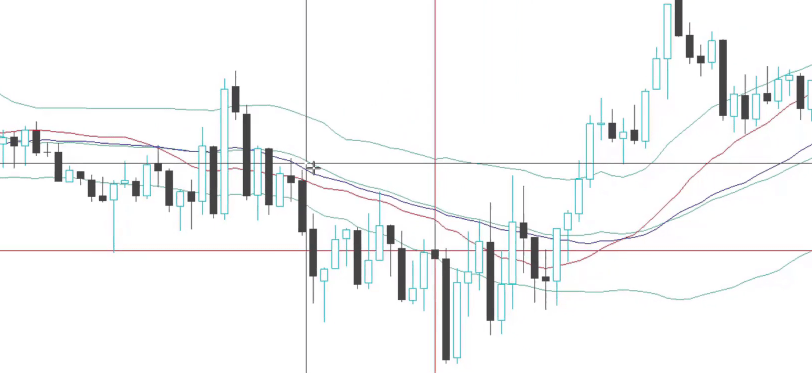
I will add one more moving average with period of 32, and I will change the color to anything. Let’s make it just some more visual. I will make it blue. I will click on OK, and you see here is the blue line.
The Moving Average displayed by the blue line
Since the blue line is the slower moving average with a bigger period, you can see that it changes its direction later than the red moving average, which has a period of 22. And because their parameters are different, they cross.
The cross is our exit condition. So for the long trade or for the buy, we will exit when the fast moving average, and in this case, it’s the one with a period of 22 or the red one, crosses the slow 32 or the blue one upwards, which comes a little bit later.
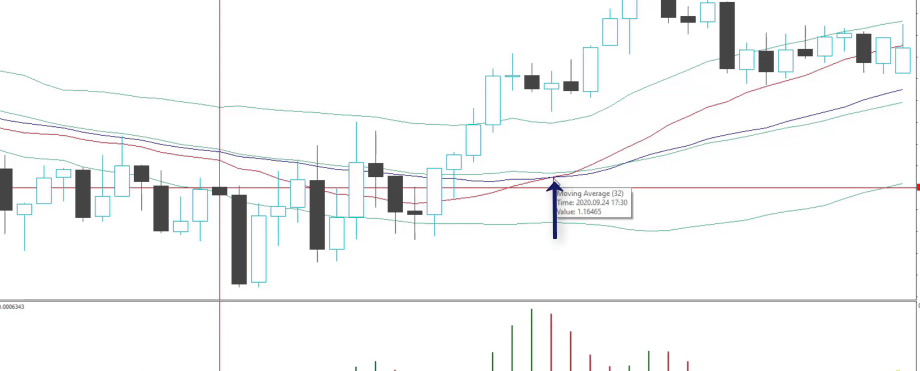
If I zoom the chart, you will see that we have our entry and we also have the cross, and the cross is very near to our entry price but the price at this moment is higher.
The cross
The cross happened on the candlesticks. On the opening of the next one, we will have our exit.
What is EA in Forex trading:The buy signal
We benefit with this example, about 20 – 19 pips, I think, and something. We enter at the 1.1644, exit is at 1.16638
So about 19 Pips. And something interesting with this strategy is if I zoom out, you will see how the moving averages go. And usually, when the fast moving average crosses the slow moving average, this is a buy signal. But instead of buy, we are taking the profit here because obviously, they will cross when there is an up movement. Anyway, they will not cross.
And you can see what happens after that. The price goes sideways and then it goes down. So if we enter at that moment and if we don’t take our profit in here, then we might lose. That’s quite interesting with the strategy.
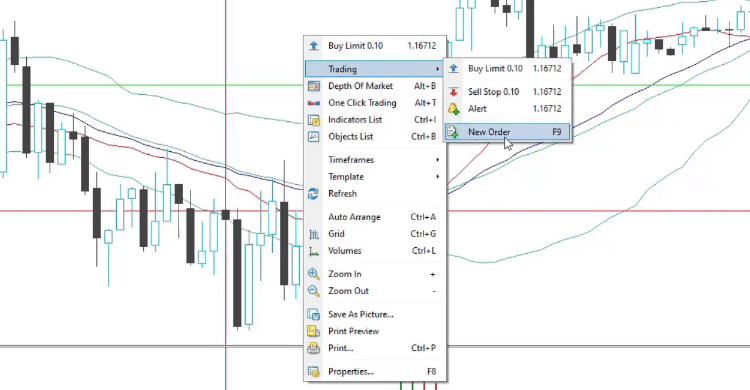
It brings quick profits and as well we have a Stop Loss and Take Profit, which means that when we place the trades in MetaTrader, you can use the one-click trading, which allows you to buy and sell faster when you see the signals, or you can go to Trading, New Order.
Go to Trading, then New Order
Stop Loss and Take Profit
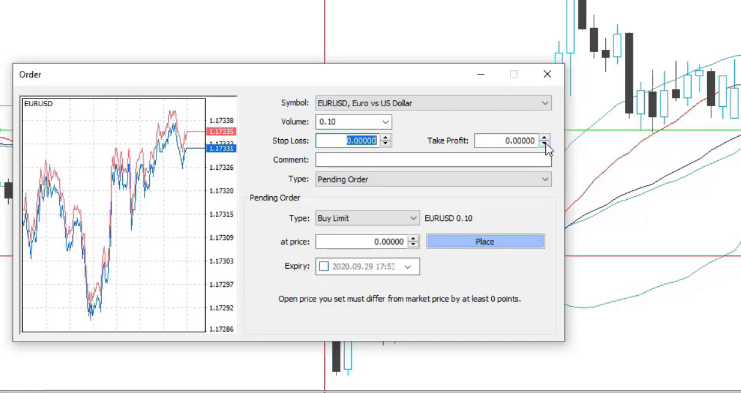
And from here we can enter the price, the different type of order we want to use. If it’s pending, it means that we put the price at which we want to enter and we have the option to put the Stop Loss and the Take Profit. For beginners, the Stop Loss is the level at which we want to stop the loss or in other words, to exit the trade if we are in a loss.
And the Take Profit is the level at which we would like to take our profit or to close the trade if we are on profit.
The order
So, for example, if we enter at 1.1644, we can put a Stop Loss at 1.1625, Take Profit at 1.1680, or anything like that. I’m just giving some numbers randomly.
What is EA in Forex trading if we have so many rules, stop loss and take profit? It is all of that combined into a code.
But for this strategy, we have a Stop Loss of 77 pips and Take Profit of 65 pips. So 77 pips below the entry price is our Stop Loss and 65 pips above the entry price is our Take Profit. Now, I’m not going to put these levels, but what I wanted to show you is 1 regular strategy, I can say, which has 2 entry conditions, 1 exit condition, which is the moving average, but it’s formed by 2 moving averages.
As I’ve said, we have a Take Profit and as well we have a Stop Loss level. We have like 3 Indicators, 4 in this case, the Stop Loss, the Take Profit, and imagine if you have to follow that on 1 chart. You will be able to do it.
Diversify the risk between different strategies
I’m sure you will practice for some time and you will know what you are doing. I am teaching such strategies in my courses, many of the students are applying them. But the hard thing comes when you want to trade many strategies at the same time to get more profits.
You should diversify the risk between different strategies. Because as you know, every strategy has a losing period and a profitable period. You will see that in the next lecture where I will show the backtest of this strategy. But if you are trading just one strategy and you hit on the losing period, that could be a couple of days, a couple of weeks, or even months.
So imagine you are following the trades every day, executing the orders at the exact moment, and you are just losing because you are using this one strategy and it’s in the losing phase. You won’t feel comfortable and you won’t be satisfied with your work.
So the solution is to trade with Expert Advisors because we can trade such strategies automatically. This is what the Expert Advisors are. All of that is executed automatically by the Expert Advisor or in other words, the Expert Advisor is the coded strategy, just what I have described here.
The Expert Advisors are convenient
Especially the strategies that have many Indicators over the chart, like 3, 4, 5 entry rules, 2, 3 exit rules, it becomes really messy. And at one moment, you will not be sure what you are looking at.
It just gets confusing. Most importantly, we cannot follow the strategies manually all the time. Obviously, we need to rest. We need to sleep, eat, spend time with our family, workout, or whatever you do as a hobby.
Or if you have a full-time job, most probably you won’t be able to trade more than a few hours in the day, which means that you will not have the time to follow the charts and the indicators.
And this way, we have the chance and the opportunity to trade many strategies similar to that one. And we do it for 24 hours from Monday until Friday. No pause, whatever we do, work, sleep, eat. The Expert Advisors are executing these strategies accurately and we don’t spend time in front of the screen.
In this HotForex Review, we will take a look at the broker’s regulations, their trading assets, fees, and the HotForex MT4 platform. We will also dive deeply into the different account types at HotForex broker and will try to make it clear who they are suitable for.
HotForex and HF Markets are unified brand names of the HF Markets Group, which provides reliable, award-winning services to clients all over the world.
HotForex is a multinational company that has been in the field since 2010. Moreover, the company currently has over 2.5 million live trading accounts, and over 200 employees spread worldwide.
The company also offers its live trading services in 27 languages and has successfully taken advantage of the explosive growth in online Forex trading. This explosive growth has helped the company to increase its market share on an international scale.
HotForex is regulated in six different countries, and it claims that it gives priority to transparency and security above all else.
HotForex Review – Regulations & Trading Assets
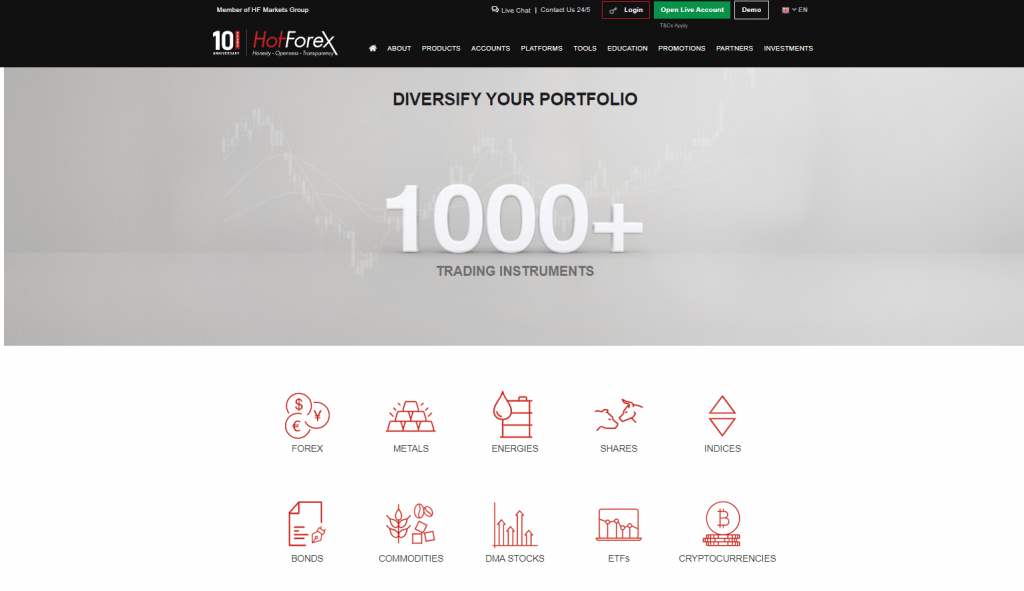
According to the company, traders can choose from +1000 different assets, and all the internal processes are implemented with the help of modern technological advancements.
According to the company, the topmost asset is their traders, and they are extremely important to the operation. This is why the company focuses on offering an excellent trading environment for its traders.
The spread starts at 1 pip without commission and 0 pips with a commission. This offers a versatile trading environment to the traders, and the company employs a transparent rollover policy offering positive swap rates that are easily credited to traders’ accounts. All the client funds are kept safe and secure with the help of major banks worldwide.
If you wish to find a broker with a tighter spread, please, have a look at the Recommended Brokers we have on the website.
The customers have free access to a wide variety of trading tools that help them make well-informed decisions for their investments. These tools include free VPS hosting for automated trading solutions, multiple account types for multiple trading options, and expert advice for trading.
HotForex also offers amazing brokerage services, and the traders can participate in weekly webinars and QA sessions with the experts of the industry. This helps them lay a solid foundation for their trading accounts. Moreover, the clients can also get negative balance protection and tailored solutions to earn additional income with live trading.
HotForex Fees
This HotForex review aims to explore the company’s different aspects to offer a better understanding of its internal structure and processes. Firstly, HotForex has no hidden charges. The company only generates its fees and revenue from the different types of spreads and commissions offered to the traders.
If you are familiar with live trading, you must understand that spread means the difference in bid and ask prices.
HotForex currently offers a spread as low as 0.1 without commission and 0.0 with the commission. The 0.1 spread is only usable for premium accounts, and there is no commission or fees associated with this type of spread.
However, if the traders choose to go with a 0.0 spread, they will have to pay a little commission on their investment. The company also charges fees on indices at a rate of USD 1 per lot or on CFD stocks at 0.10% of the total trading value.
One amazing thing about Hot Forex is that it reimburses its traders for any deposit fees they have had to face with their payment provider or bank transfer. This shows that the company cares for its traders and does not believe in any hidden charges.
HotForex Demo Account Review
Now we will show you how to register for a Demo Account at HotForex.
The Demo Account is a virtual account where the broker allows us to practice with virtual money.
Usually, we use Demo Accounts when we are testing many Expert Advisors. By following the results of the Robots, we decide which ones we will put on a Live Trading Account at HotForex.
And if you are a beginner or you are testing a new system, a new strategy for the 1st time, you better do it first on the HotForex Demo Account. So you’re not risking real money for the test and you can have an actual simulation of the trading. Because having a Demo Account is the very same thing as having a Live Account. But this is not real money.
And if something goes wrong, the system that you’re testing is losing or it’s not your type of trading, you can just restart or open a new demo account.
How do you open a new account with HotForex?
Let’s start by visiting the website of HotForex. On the right side, you can see the option Demo, which will bring you to a page where you can select is you are a new client or an existing client.
Click on Demo
In this HotForex broker review, we will go first with the “New clients” option.
Click on New Clients
After that, you will see a form where you need to enter your country, phone, name, email, and what will be your account base currency.
Fill out the “New clients” form
After you register, you will receive an email with the ID and the password. Then you will be ready to go for your HotForex Demo Account.
If you click on Open Live Account on the top, you will see pretty much the same form. But after you register with HotForex, you will be required to send some more documents like proof of address, ID and you will get an email with further instructions. And the type of documents you will need to send depends on where you are located.
Click on Open Live Account
The HotForex MetaTrader 4 & 5 platforms
Now, let’s go back to HotForex.com and click on Platforms. You will see that on the left we have all HotForex MT4 platforms and then, we have all HotForex MT5 platforms.
Click on Platforms
At the Academy, we still prefer to use the MetaTrader 4 platform because it’s more suitable for algorithmic trading. You can select Windows or Mac or you can just click on HotForex MT4 for Desktop and that’s the platform we will show you in this review.
And then below again, we have the option to choose for Windows, Mac, or Linux.
Specify the computer you use
Now, when we do algorithmic trading, it is very important to be on the computer. Not trading from the phone.
There are apps for MetaTrader, as you see with HotForex as well for the phone, for the tablet. But when you use Expert Advisors and Robots, then you need to use your computer or laptop and install the MetaTrader platform.
HotForex MetaTrader 4 installation folder
Now if you open the .exe file, which is the HotForex MT4 installation file, you will see how it looks like.
Click on the EXE file
In a few clicks, you can install the HotForex MetaTrader 4 platform. You can go to Settings actually and predefine the installation folder.
The EXE file settings
Using different accounts
The Settings are very important when you want to install 2, 3, or more platforms and use different accounts.
From there we can just change the name or we can write down Demo 1. Or if you’re using a Live Account, you can just write down Live Account, and then it will install a new version of HotForex MetaTrader 4.
So for example, right now we have just installed HotForex MetaTrader 4 and we will be using it for the purpose of the review.
But if we want to install one more platform on that computer, then we could just change the name or change the location and this will install a platform. This is very useful if you want to have 2 Demo Accounts or 1 Demo and 1 Live Account.
Switching from HotForex demo account to live account
If you want to have different accounts to test Expert Advisors, you cannot switch from one account to another.
So if you have a HotForex Demo Account and you have a Live Account on the one and the same platform and you switch from Demo to Live, you will disable the Robots that are on your HotForex Demo Account.
And the same thing with your Live Account. If you are in your HotForex Live Account and you switch to your Demo Account, then you will disable the Robots that are on your Live Account.
This is why if you want to have different accounts at HotForex, you need to have different MetaTrader platforms. This is very, very important in algorithmic trading.
So after you are ready, you just click on Next and this will start the HotForex MT4 installation. That’s it – 2 clicks and there is one more window that pops up and you click on Finish and you will see the HotForex MetaTrader 4 platform installed on your computer.
Logging in the HotForex account
So once you install HotForex MT4, all you need to do is go to File and click on Login to Trade Account.
Click on Login to Trade Account
A small box will appear where you need to type in your login details and the password that you received previously in the email from HotForex.
Then click on login and you will be logged in.
Type your login details
You need to see the green bars in the bottom right-hand corner, which will identify that you’re connected to the HotForex trading server.
The green bar indicates that you are connected to HotForex server
If you see red here, it means you’re not connected to the server and probably you have mistaken your username or password. But if it’s green and if you see the Market Watch with all the prices changing and moving, then it means you are connected and you are ready to practice trading.
So this is how easy it is to open a Demo Account and to install the HotForex MetaTrader 4 platform.
HotForex MT4 and MT5 Platforms
If you are interested in learning more about the different swap rates or rollover rates, you can head over to the HotForex MT4 & MT5 trading platforms to get a better understanding of these rates. The HotForex MT4 & MT5 will offer you a detailed breakdown of the different swap rates or rollover rates for different types of live trading accounts.
The first thing you will have to do is right-click on the desired symbol in the HotForex MT4 & MT5 platforms and go over to the “market watch” window to select “symbols”. Once you have selected this “symbols” window on the HotForex MT4 & MT5 platforms, you can then select your desired currency and check the “properties” on the right-hand side of the screen.
You will have to scroll down on this property’s screen until you see the “swap long” or “swap short” option. This will tell you the different swap rates associated with your account and other premium accounts for trading.
HotForex MetaTrader 4 Tutorial
Now, we will tell you more about HotForex MT 4 platform and what are the costs. We will also review the pros of using this platform, especially when you do algorithmic trading. And I will go through the most important things that you need to know so you can feel more comfortable when trading with Expert Advisors.
Time frames
So on the left side, you have the Market Watch with the Bid and the Ask price.
The Market Watch
This is from where you can select the assets you want to trade. If you don’t see all the assets, you can right-click and check Show All.
Click on Show All
This will display some more assets depending on the broker you’re using.
And if you want to open a new chart, you just click on the symbol and go to Chart Window.
Select Chart Window
So right here we have already opened 2 charts for Bitcoin and we have some more for Forex which was opened by default when we installed the HotForex MetaTrader 4 platform.
We have 2 Bitcoin charts open here
We will remove those. And we have 1 chart for Bitcoin on the hourly timeframe and the other one we can change, for example, to the M15 timeframe.
Types of charts
We have actually 3 types of charts. We have bars, we have candlesticks, and we have a line chart.
Types of charts
The most popular is candlesticks.
So when we are on M15, this means that 1 candlestick or 1 bar represents 15 minutes of a time. The chart is a representation of the price which we have on the right side and the time which we have below the chart. Where these 2 meet, we have the candlesticks.
And if we are on an hourly chart, then 1 candlestick or 1 bar represents a 1-hour time frame. And for each candlestick, for each bar, we have the opening of the bar, we have the closing of the bar, the highest point, and the lowest point.
Positive bars and negative bars
So in this case, the negative bar is represented with white color and the positive is with black color.
Representation of positive and negative bars
So if we put the mouse on the closing of the bar, you can see exactly what are the values for the open, high, low, and close.
The values
And what happens after the bar closes, a new bar opens. So we have the closing of that bar and then the new bar opens. The price goes up and down. It closes at one level.
And because the closing was higher than the opening, we have a positive bar that is fulfilled with black and all of these colors you can change from Properties.
Click on Properties
And if you go to Colors, you can change what you want to see on your chart.
Select Colors
The price always matter
Now, we are not touching this because when trading with Expert Advisors, it really doesn’t matter what you see on the chart. It doesn’t matter if you are on a candlestick chart, on the bar chart, or what are the colors.
We don’t put any Indicators. Nothing over the chart. We just wanted to give you a brief idea of what we see on the chart as price, because at the end of the day, the price always matters. And that’s the most important thing that is on the chart.
But for trading and strategies and Expert Advisors, we use different Indicators. So if we go to Insert, Indicators and click randomly on any of those, let’s select the trend Indicator called Bollinger Bands, which is a very popular Indicator in algorithmic trading.
Click on Bollinger Bands
You will see 3 lines that are around the price. But we are not going into Indicators.
The Bollinger Bands on the chart
Creating strategies
We are not going to explain any complicated stuff because you really don’t need to know it. And we will go to Indicators List.
Click on Indicators List
Then we will remove it.
Remove the indicator
One more time, when trading with Expert Advisors or with Robots, you don’t need to place anything over the chart. The Indicators, the trading rules, will be inside the Robots.
Then on the left, below the Market Watch, we have the Navigator.
The Navigator
This is where we have the accounts. As we said, you can have many accounts with HotForex broker, but if you want to test Expert Advisors on different accounts, you need to install different trading platforms as well.
The Expert Advisors
Below, we have the Indicators. Very similar if you want to insert them from Indicators or you will insert them from the Navigator, just double click on it and it will be over the chart. For example, the Accumulation Indicator is displayed below the price, not over the chart.
The Accumulation Indicator
So let me remove it. And then we have some scripts that are useful for algorithmic trading and different purposes. But the most important is Expert Advisors. And we have an Expert Advisor for Bitcoin.
Do you want to know how we create trading strategies, what rules do we use, and how we test them even before putting the strategies in a Demo Account? Enroll in the Bitcoin Algorithmic Trading course to learn how we create Robots. Moreover, you will receive 99 new Expert Advisors every month.
Below the Navigator, we have the Terminal where we see our balance or our account, the equity, and the margin.
The Terminal
Leverage
So basically, the margin is how much free money we have in the account, how much we have blocked from the account, and how much free margin we have in the account. So when we start opening positions, some of this amount will be blocked.
And this depends on the leverage you’re using. For example, in Europe, we have the ESMA regulation since 2018 and we cannot have leverage more than 2 to 1 for the Cryptocurrencies, which means that if we want to Buy a whole Bitcoin, we will need at least to have somewhere about $10 000. It depends on what is the price of Bitcoin is at the moment.
But the leverage for the beginners with simple words is the amount of money that the broker borrowed the trader to use for trading.
So if you have $5,000 in your account and you use leverage 2 to 1, then you will be able to Buy with a maximum of $10,000. If we use leverage 100 to 1, then we will be able to Buy 100 times more from what we have in the account. The leverage is very useful.
Trade small
You should use the leverage very carefully. You don’t Buy with all of the money in the account because if you use high leverage and you open a position with all of the money, then it is very likely that you will blow your account.
Of course, you can make very quick profits, but that probably will be more of lucky trading. And at the same time, as we said, it is very likely that you will just lose everything in the account.
So take it easy with the leverage. It varies on where you live and what type of broker you use. But it is always very important to trade small pieces from your amount so you are not risking the whole capital in a few trades. And this is how usually beginner traders lose their money in the 1st month of their trading.
This is a brief review of the HotForex MetaTrader 4 platform. However, if you just play around with it, you will see that it is very easy to use, especially for algorithmic trading. In just a few clicks you put the Expert Advisor on the chart and make them start trading for you.
HotForex Review – Trading Options
As already mentioned in this HotForex review, its platform allows traders to invest in over 1000 different trading options and assets. This allows traders to enjoy different options to minimize the risk as much as possible.
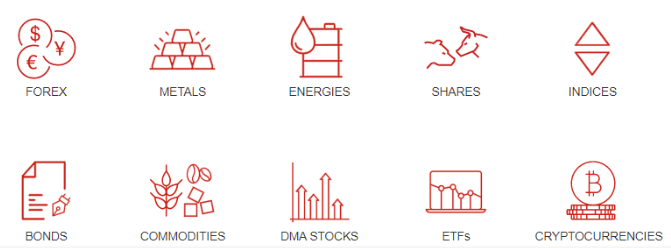
The most popular choices at Hot Forex include CFDs on:
Cryptocurrencies
Energies
Commodities
Rare Metals
Company Shares
Indices
ETFs and DMA Stocks
Bonds
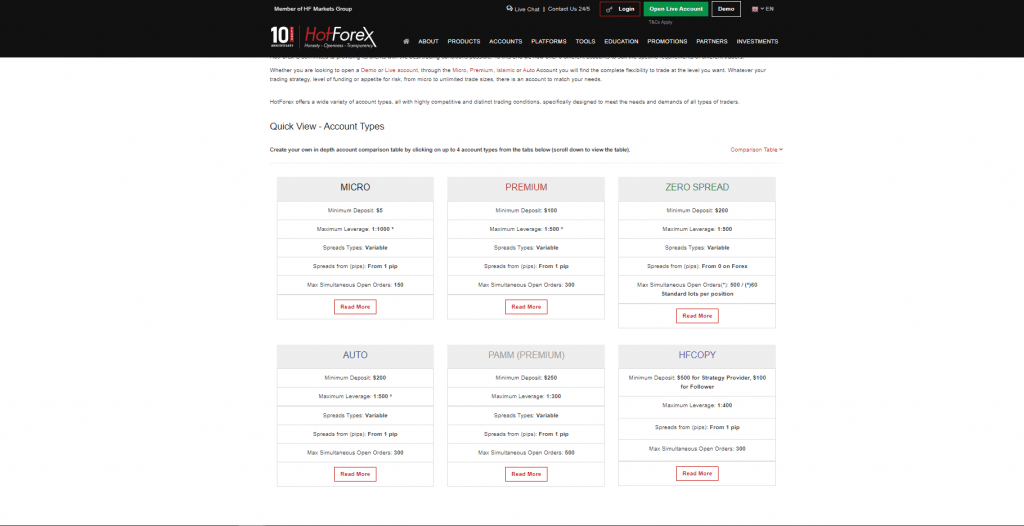
What Are the Different Account Types at HotForex?
This HotForex broker review aims to explore all the different aspects of HotForex that may be useful to interested traders. One of the most important elements of understanding this Hot Forex broker review is understanding the different kinds of accounts available to the users.
While conducting this HotForex broker review, our team understood the different types of user accounts available for the traders. There are six different account types available to live traders and interested traders at HotForex. However, there are some regions where the company offers fewer account types.
The different account types come with different minimum deposit rates, spread options, and commission fees. Let’s explore the different account types in our Hot Forex broker review.
What Is the Premium Account? Who Uses This Account?
The first type of account you should know about is the Premium account. It is one of the most highly used accounts at HotForex.
During our Hot Forex broker review, we found out that this account is most commonly preferred by new traders or professional traders who have been in the field for over a few months.
Additionally, we also found out that this type of account is most popular among traders with account balances below 5000 British pounds or US dollars. This account is famous for offering an amazing trading experience and a low minimum deposit of $100.
This most positive selling point of this account is the low deposit rate as it helps different traders lay down a strong foundation before moving on to other options.
What Is the Zero Spread Account? What Are the Benefits?
In our HotForex review, we also reviewed the zero spread account for traders. The traders get to enjoy as low as 0.0 pips but have to pay commission. Moreover, the minimum deposit also starts at USD 200.
Here are the different elements you should know before choosing this account for yourself:
Raw Spreads with 0 Markup
Low Costs for International Markets
Low Commissions
Super tight Spreads
Minimum Deposit of USD 200
What Is the HFcopy Account?
Next up in our HotForex review is the HFcopy account. This account allows professional traders to help out amateur traders by offering tailored strategies for investments.
The professional traders can earn their income on the fees charged to their followers. The followers have to pay for the strategy, but they are guaranteed higher chances of success.
The maximum fee is 35%, and the minimum deposit for a strategy provider is USD 1000. The minimum deposit for followers is USD 300. The minimum spreads begin from one pip. The maximum total trade size is 60 standard lots per position, and the minimum trade size is 0.01 lot.
The traders can also enjoy a trade size increment of 0.01 with a stop out level at 80%. This kind of account also offers you the option of telephone trading and a personal account manager. This personal account manager will help you take care of your different investment options. The maximum number of followers you can have is 400.
What Is the Islamic Account Type? What Makes It Different?
This account is the same as a Premium account or Zero spread account. However, one of the major differences of this account is that it follows Islamic law and is not a swap account. The users get to enjoy a swap-free trading experience.
What Is the Micro Account for HotForex?
This account is also perfect for new users and potential traders who have a low balance and want to enjoy a minimum deposit of USD 5. However, in our HotForex broker review, it is rarely used as the Premium account is also an excellent option for traders but with a minimum deposit of USD 100. The majority of new traders go for the Premium account as it offers more benefits.
HotForex Free Tools for Traders
As already mentioned, HotForex account users get access to a wide variety of free trading tools that help them make the right decision and earn a secondary income source. During our HotForex broker review, we found out that these tools are designed to enhance their trading experience and help them find the best trading opportunities depending upon their financial status and current balance.
Moreover, these tools also help understand the market in a better way and allow the different traders to enjoy the maximum potential of HotForex. If you head over to the “tools” section of the HotForex website, you will see hundreds of different in-house tools or third-party tools available for traders at no additional cost.
All of these tools have service-specific purposes for different users and help the traders make the best possible decisions. Let’s take a look at some of the best tools we found during our HotForex review.
How Does the Premium Trader Tools Pack Help Traders?
During our HotForex review, we found out that the most commonly used tools are the premium trader tools. This package is filled with the different tools that help you enhance your trading experience and allow you to take a quick look at the Forex market to see how you can enjoy the different trading options according to your budget.
This is an in-house package from HotForex that offers a wide variety of trading tools at your fingertips. You can use these tools to get a basic overview of the ongoing trends in the HotForex market, and you can also see what options are going at the top to invest your money in the right place at the right time.
What Is the Benefit of Using the Autochartist Tool at HotForex?
This is not an in-house tool but a third-party scanner tool that helps you identify the different patterns and trends available in the market right now to help you make the right decisions for your investment and trading opportunities. It can analyze the market by itself and offer you the topmost patterns currently in trend and can help you bring in the most revenue with your budget.
HotForex Autocharist tool
If you are using the HotForex MT4 platform or MT5 platform, you will get this for free, and you will be able to use this to analyses and understand the market more efficiently. It is an automated pattern identification tool that can help traders with different account types to understand the ongoing patterns before investing their money.
Here are the topmost benefits of using this tool for yourself:
Identification of Three Types of Patterns: Chart Patterns, Fibonacci Patterns, And Key Level Patterns
Available 24 Hours A Day
Easily Understand and View Different Opportunities in The Market
Time Efficiency with Automated Scanning Abilities for Traceable Patterns
Multi-Language Email Market Reports and Alerts
Customizable Filter And Refinement Options for Custom Watch List
Volatility Analysis
Useful Insight into Instrument Movements
The First Market Scanner for Hotforex MT4 Platform
Easy to Use
What Is VPS Hosting and How Does It Help the Traders?
This is a must-have tool for all beginners and professional traders looking to make the best of their HotForex account. If you are also interested in deploying this tool and taking care of your trading operations throughout the day, VPS hosting is the perfect option for you.
HotForex VPS
The specialized servers help you take care of your trading operations and requirements around the clock, and you will get to enjoy the best out of your HotForex account with 24/7 operations. There are three different types of server options for users.
In this HotForex review you will find the topmost benefits of using VPS hosting for yourself:
24-Hour Trading
Reduced Latency
Minimize Downtime
Compatible with All EAs
Password Protected Connections
Global Access
Easy Installation
Easy to Use Interface
Smooth Running
What is HFcopy and How to Make the Best of This Tool?
If you think you have gained enough experience to become a strategy provider for new investors and traders, the HFcopy tool is here for you. This tool allows you to use your trading experience to develop tailored strategies for new investors and traders. It allows you to charge a fee for your services.
Moreover, this tool is also perfect if you are a new trader, and you want somebody to help you with coming up with the most powerful strategy depending on your budget and requirements. This tool automates the entire process and connects successful traders with beginners.
It allows different people to connect minds and share their knowledge of the market to get the best out of their hotforex experience. New traders will be able to enjoy innovative trading solutions from experienced traders, and they will also be able to get refined results with shared knowledge.
This also allows successful traders to generate a secondary revenue source other than their own trading experience and opportunities. They can create different strategies for new users and generate more capital for their personal investment options. This is an automated trading tool with mutual returns for both leaders and followers..
HotForex mobile application – HF APP
HF app allows traders to have constant control over their account and stay up-to-date with everything forex, on the go. Feature-packed and with an easy navigation HF app is the essential Forex app for traders who want to keep up to date on the markets, plan their trades and keep an eye on performance from anywhere. Some of the features of HF App are:
Direct access to a personal account
Deposits, withdrawals, and transfers on the move
Daily market analysis and live quotes
Economic Calendar
Trading Calculator
Can traders take advantage of HotForex bonuses?
HotForex offers three types of bonuses:
100% Supercharged Bonus: it is automatically calculated and credited and can be either traded or withdrawn.
100% Credit Bonus: it increases the account leverage and can be withdrawn if traders meet volume requirements
30% Rescue Bonus: it is intended to protect accounts from drawdown periods.
HotForex Review – Deposits and Withdrawals
HotForex currently allows different options for deposits and withdrawal, such as:
Bank Transfers
Wire Transfer
Credit Cards
Debit Cards
Skrill
Neteller
Bitcoin
There are no maximum deposit limitations for wire transfers or bank transfers. However, there is a limit per transaction of USD 10,000 when you use credit or debit cards and other online payment methods.
Most deposit options are also withdrawal options and both AML regulations apply. The minimum withdrawal amount is USD 100 for wire transfers and USD 5 for most of the other options available. Withdrawals for most online payment methods are processed instantly whereas for cards and wire transfers it may take 2 to 5 business days to see the amount in your account.
One of the best features of using HotForex for your trading experience is that it does not apply any deposit fees You do not have to worry about paying any additional charges or transaction fees on your trading amounts this way.
What Are the Frequently Asked Questions for HotForex (FAQs)?
Where Is HotForex from?
Hotforex is an international brokerage firm, and it is registered in multiple countries. It currently operates from the EU, the UK, the UAE, South Africa, and other countries.
How Does Hot Forex Generate Its Revenue?
HotForex makes money from the commission and spreads across different account types. However, if the users try to go for VPS hosting services, HotForex can also charge money if the users do not meet the minimum deposit requirements, but they still want to use this option.
The Cyprus Securities and Exchange Commission (CySEC)
The Financial Conduct Authority (FCA)
The Dubai Financial Services Authority (DFSA)
The Financial Sector Conduct Authority (FSCA) in South Africa
The Seychelles Financial Services Authority (FSA)
The Financial Services Commission of the Republic of Mauritius (FSC)
Final Words
During this HotForex review, we found out that HotForex caters to the needs of different traders from all over the world, and it is truly amazing for beginners and professionals alike. The ease of investing money, depositing funds, using tools, and understanding the market patterns helps HotForex stand taller than other trading platforms in the market.
HotForex is truly a remarkable international brokerage firm that is not only registered and regulated in different countries, but it is also among the best trading platforms when it comes to low deposit amounts, best swap rates, and an easy-to-understand pricing structure.
This platform is intended for use by different types of traders, from beginners to professionals. Moreover, this platform is also perfect for high-frequency traders and scalpers who want to make the best trading experience with automated tools and an easy-to-use interface.
Additionally, HotForex also reimburses its clients for any transaction fees charged by the bank for fund deposits, etc. The availability of hundreds of different automated tools also makes it among the best trading platforms for new users who want to feel the market before getting started with big investments.
Furthermore, the HFcopy strategy account allows new users to get in touch with professional traders to get the best investment strategies. This is a big win-win situation for both professional traders and beginner traders. Professional traders can also generate a secondary revenue source by getting a portion of the fees charged for beginners. HotForex is definitely worth the try if you are interested in the trading business.
Disclaimer: Products and Services differ based on the entity of HF Markets Group
Dollar cost averaging – a precise investing strategy for buying an asset at the right time time
Dollar cost averaging is a popular strategy for investing where you buy assets divided into different amounts. This way you reduce the risk of volatility and you have a final average price.
Most of the cryptocurrency exchanges offer the deal where you can set recurring purchases for any asset. This way if you buy every week a piece of Bitcoin at the end of the year you will have an average price or this is called Dollar cost averaging.
I will show you a strategy that we use at the Academy to buy cryptocurrencies following Bitcoin. You should use a strategy to buy at the right moment, and not using time intervals.
In the picture below we have another great opportunity to buy cryptocurrencies, flag. The counter trend line is our entry moment.
The flag
After the last counter trend line, the price reached the Take Profit. I sold some of the cryptos in the previous lectures. And then the Bitcoin continues higher. It reached nearly 11,500 and that’s a huge level for the Bitcoin having in mind that it failed to take the 10,000 many times.
But now it is about 10,000. We’ll see what happens. I’m just strict with the system and I’m taking any new opportunities that are there on the market. The target is very close at 12,169, so it’s just about $1,100 higher. I think it’s very achievable at that moment when Bitcoin is very bullish.
So now I have the counter trend line again, I have the failure, I have an aggressive break, and the price actually just returned to where my entry was. This is a great moment to buy another piece of crypto and to add to my dollar cost averaging strategy.
The counter trend line
I saw it just a couple of minutes ago while recording this lecture. Now I will be buying some more cryptocurrencies.
Ethereum performed well
I will go to Prices on Coinbase and I will have a quick look over the cryptocurrencies that I’m having at the moment. The Tezos, not really moving a lot, same with the Stellar and the Chainlink. Ethereum did a great move together with Bitcoin. I have some Ethereum in my Wallet from another strategy that I follow.
But below you can see that it’s above the yearly highs. And simply, it did a new high.
The Ethereum
I think there is a lot of potential in Ethereum. However, I’ll be happy to buy it at a cheaper price because I think now it’s a little high. If you look at the yearly chart, it’s great that it covered these highs that we had in February.
But I will look for opportunities to buy more Ethereum at a lower price. Just cheaper. Now, I will buy some more OmiseGo this time because I want to average the price. Last time I bought it at a more expensive cost.
This way I am not aiming just at dollar cost averaging in this strategy but I want to buy the next piece at a lower price.
We have an uptrend
It is important to buy an asset if the trend is upwards. But just look at the chart, it had a drawdown, now it’s going up again. And if I go to the yearly chart, you will see something very interesting. Here are the highs. And this was the moment when I noticed the OmiseGo thus I bought it.
But I bought it quite expensively. Not on the top. And now we have a small uptrend on the one year chart. We have higher highs and higher lows and now it is on the next low. So I think it might be a good opportunity to buy the OmiseGo.
The OmiseGo
The next time when Bitcoin reaches the target, I will have bigger chances to have the OmiseGo on profit and not on loss. So I’ll see what happens. If it drops lower, I will look to buy some more so I will have a better average price. But now let’s buy another €500.
Now, I will not be using my Visa card, but I will be using my EUR Wallet which will make the transaction cheaper for me. I click on Preview Buy and here it is below.
Order preview
The price in EUR is 1.39 at the moment. You see my Coinbase fee is just €7.34 and I click on Buy now.
Confirm your tax laws before you start trading or investing
So let’s go back to Bitcoin and I will keep you updated with what’s going on next. We’ll see how it goes. Is it going to reach the Take Profit of the Fibonacci at 12,160 and something? Actually, if I go back at the beginning, I will see exactly what the price is. It is 12,168.
This is the next target I am looking at. So I use dollar cost averaging strategy for my entries but at one moment I want to sell it all and take the profits. And we will see at that moment what I will have in my portfolio. And something I missed to cover in the previous lectures, and I guess now would be a good time to do it because I really didn’t want to make a separate lecture about it, are the taxes.
Make sure to check how the taxes work when you are trading cryptocurrencies in your country. For example, in Bulgaria where I live, we have to pay tax on the profit that we do. As you saw last time, I did a withdrawal of €559.
Since this is a profit, I need to pay tax on that, which in Bulgaria is 10%. But if I buy more cryptocurrency until the end of the year with more value, I will not need to pay this tax. Just at the end of the year, if I have a profit and I didn’t buy more cryptocurrency with this profit, I will not pay the tax.
My withdrawal
Stay tuned for more examples with this dollar cost averaging strategy
But if I have just a profit in the account and there are no opportunities to buy anything, I will have to pay the tax. This is how it’s working in Bulgaria. Make sure you check that in your country.
Thanks for reading the lecture. I will continue recording some more examples with the cryptocurrencies so you will learn the strategy and the system better so you will not be missing any opportunities on the market. All the examples you can find in the Cryptocurrency investment course as videos.
In this XM broker review, we will give you a better idea about XM broker – their conditions, the XM demo account, the XM bonus system, and etc.. The XM review will cover the advantages and disadvantages a user may face if they decide to use the XM broker.
Online broking is an art which mixes skill with knowledge. Over the years, the online broking industry has seen a sea change. With the advent of technology, sophistication has increased.
There are software systems which provide the user with umpteen choices and make his workload easy. The market is replete with numerous choices, where every software company has unique selling propositions for their particular online broking systems.
XM Broker Review
Website of XM
XM is an online broker that trades in online Forex and commodity trading.Their platform is easy to work with and can be used by both beginners and experienced traders.
Founded in 2009, Trading Point Holding is a global CFD and FX broker.
Before we delve deep into the XM broker review, it is pertinent to mention that CFD is a complex instrument and should be dealt with utmost alacrity and care. The possibility of losing one’s investment is pretty high and it is recommended that an investor needs to have adequate knowledge before embarking on this venture.
This XM review will also be beneficial for traders who want to know more about the CFD market in general. Though not in detail, it will still give them a fair idea of what to expect when trading.
The XM broker is an all-round system which allows the user to view the market from all aspects. The situational awareness that the user gets by using this system will put him or her at some advantage vis a vis other investors and traders.
A quick XM review of the XM broker will give you the following advantages of using the broker:
XM Broker has the lowest CFD fee. And not just that, it has the lowest withdrawal fee too.
While other systems and companies may dither on account opening and may take donkey’s years to get it up and running for you, opening an account in XM broker is fast and easy.
For the uninitiated, there are enough educational resources that will help the user understand the nuances of online broking as well as the process to operate the tool.
Bonuses and Promotions for new clients that are attractive compared to other brokers (Trading bonus is not eligible for all clients who register under Trading Point of Financial Instruments LTD and Trading Point of Financial Instruments Pty Ltd)
Tide spreads starting from 0.0 PIPs on EURUSD
Compare XM Broker with other Trusted Brokers. If you wish to find a broker with better trading conditions, please, have a look at the Recommended Brokers we have on the website.
The XM broker, however, has a few disadvantages that may act as a spoilsport. They are:
The product portfolio is quite limited and that can hamper the overall return on investment.
A larger product portfolio provides the customer with great cushion in case of a market crash. It is highly unlikely that every portfolio will suffer a downfall. Some would survive. In a limited portfolio scenario, this becomes impossible and the loss would become severe. XM Broker has focussed its entire portfolio on CFD and Forex. Hence, that is the reason why there is a dearth of diversification.
The Forex fee is merely average.
Other online brokers charge lesser than XM broker. However, that doesn’t mean that they are on a higher side. XM broker charges a middling fee that may attract many and lose quite a few too.
Investors for EU clients have protection against the volatility of the market. However, there is no such provision for those with clients from non-EU nations.
This is a major disadvantage especially in a world economy which is increasingly becoming interconnected. Trade has transcended borders and with technology playing such a big role, the concept of multiple markets is gradually getting blurred.
XM Broker Regulations
XM Group is a group of regulated brokers. Trading Point of Financial Instruments Ltd was created in 2009 and it is regulated by CySEC.
Trading Point of Financial Instruments Pty Ltd was established in 2015 and it is regulated by the ASIC.
XM Global Limited started in 2017 and is regulated by the FSC and Trading Point MENA Limited was established in 2019 and is regulated by the DFSA.
For investors, one of the interesting things to note is that XM broker is a globally available tool and the following financial authorities regulate it:
Cyprus Securities and Exchange Commission (CySEC)
Australian Securities and Investment Commission (ASIC)
International Financial Services Commission of Belize (IFSC)
XM Broker is recognizable with the following details
The XM Broker is suitable for beginner traders because:
It has a low trading fee
The amount charged for withdrawing is $0
One has to have a minimum deposit of $5
XM broker takes not more than a day to open an account
The trader can deposit the amount with a debit or a credit card
There is also an electronic wallet available, so there are a whole lot of options
XM demo account is also available for the user
The products that are offered to the investors are Forex, CFD and stocks for clients under the IFSC
A few disadvantes might be considered as well:
The broker tools do not support many of the base currencies. XM broker does support 11 base currencies
There is a fee which is charged if the account remains inactive for long
XM Forex is one of the premier offerings of XM broker. The XM broker review suggests that traders and investors need to have a look at it since the smooth interface is a joy to use.
XM Broker Fees
We have already talked about the various fees and charges that may or may not be levied. Let XM Retail go into a bit of detail and check what the breakup of the fee is:
For assets concerning Standard & Poor (S&P), the fee levels are low. This is based on the average spread cost of 0.7 for peak hours.
For Assets concerning Europe 50 CFD, it is low since it is built into a spread of 2.6 during peak hours.
For EURUSD, the fee can be stated as Average. XM Zero accounts attract a fee of $3.5 commission per lot.
The XM broker Inactivity fee is $15 for an inactive account for One year. There off, it is $5 per month of inactivity.
If you do not want to pay commissions you can try with some of the Trusted Brokers we have on the website. Just compare two or three, and see which one would work better for you.
XM Forex Trading
For this XM review, we have looked into working with the XM Forex Trading and found out the efficiency with which the tool functions. The XM Forex Trading can be used for both beginners and veterans and is user friendly.
XM Forex Trading is one of the major instruments of the XM broker. The fee that XM broker charges for XM Forex Trading is average in comparison to the other online brokers.
Advantages of XM Forex Trading
A quick example to illustrate the XM Forex fee: for assets concerning EURUSD the XM Forex fee is $17.1, XTB charges $14.8, and eToro $16.4.
This XM broker review aims to educate the user about the pros and cons of using XM broker. It is therefore quite pertinent for the trader to give the XM review a good read before plunging into the thrilling world of CFD. As mentioned earlier, CFD is an intricate maze that leaves even the most experienced dazed and depressed.
However, with time and practice, this can change. The XM broker has educational tools that spread awareness amongst its users. The education material primarily aims at beginners who are keen on learning the nuances of a complicated system.
There is no non-trading fee that XM broker charges. Bank withdrawals may cost the individual $15 for amounts less than $200. As it has been mentioned earlier, there is a one-time inactivity fee of $15 for a year of inactivity. This becomes a recurring fee of $5 every month if the account remains inactive.
XM broker has grown to become a sought after platform with almost 1.5 million clients from 196 countries. It has built quite a reputation for itself over the years and prides itself as a company that focuses on customer service.
XM Demo Account
One of the customer-centric platforms that XM broker has created is the XM Demo account. The XM Demo account offers the client a demo of the activities that are possible on the platform. With an XM Demo account, the client can get acclimatized to the complicated trading system that is CFD.
So why is an XM Demo account relevant?
The XM demo account is a tool that is mainly used by beginner traders. They can use a virtual currency to trade and understand the complexity of the entire process.
An XM Demo account is part of the XM broker’s continued effort to spread awareness amongst its vast clientele. Armed with the knowledge gained by practicing on the XM Demo account the trader can now graduate to the real world and take more risks.
An XM Demo account gives the user access to multiple MT4 and MT5 trading platforms.
The XM broker review suggests that beginners register in the XM Demo account to get a feel of how the real world functions. The XM review is a guide for the new user to have a look at how the platform works. This is a vast platform which deals with Forex and CFD and provides the user with detailed insights about maximizing returns.
XM Bonus
Another interesting feature that the XM broker provides is the XM Bonus. Now one might ask what is XM Bonus all about?
Well, XM Bonus is what XM broker gives to users who sign up in the real account for the first time. The XM Bonus is the no deposit bonus for first-time real account creators. Important to remember that if traders make a profit off the bonus amount, the profit made is available for withdrawal at any moment.
The XM bonus is one of the ways XM broker advertises its platform. It has also been quite a hit amongst the trading community. XM Bonus also gives a kind of impetus to the user and acts as a motivating factor too.
XM Promotions:
We found this quite an innovation and with the improvement of the XM platform, this marketing act will surely prove to be handy.
Users who wish to kick-start their trading session can avail of the XM bonus. However, as we mentioned before in this XM broker review, this bonus does not apply to the users who are already using the platform for a period of time.
One of the main purposes of the XM bonus is to provide the user with an XM demo account experience but with a real account. All one has to do is register and lo and behold, the application is ready to serve you.
It is important to mention that users who would be signing up for XM Ultra-Low Account, will not be eligible for XM bonus.
The XM bonus can also be used as extra credit by the traders without risking their funds. This is also an added attraction to trade on this platform. It is also an incentive for traders to register for a real account rather than an XM Demo account.
XM Broker Trading Platforms
XM Broker offers its users two trading platforms – MetaTrader 4 (MT4) and MetaTrader 5 (MT5). These trading platforms are accessible from both the real account and the XM Demo account.
Our trader Petko Aleksandrov uses the MT4 platform from XM broker but that is his personal preferance.
MetaTrader 4 is primarily a Forex trading platform. MetaTrader 5 is a trading platform that deals with multi-assets and provides users access to indices, stocks and precious metals.
XM Trading Platforms
XM Trading Instruments
Though XM Broker has often been derided for having a limited portfolio, its CFD and Forex portfolio is vast. The financial instruments which are usually traded on its platforms are the following:
Forex Trading
Stocks CFDs
Commodities CFDs
Equity Indices CFDs
Precious Metals CFDs
Energies CFDs.
XM Forex is also available for 55 pairs which include the following:
USD
GBP
EUR
JPY
XM review has noted that XM broker does not offer any binary options or futures and traders need to be aware of that.
XM Broker Mobile App
For the intrepid trader who wishes to trade on the go, there is the XM Mobile app which is available on both Android and iOS phones.
It is an extremely well-built app with a smooth interface and user-friendly controls. The login procedure is easy and secure too. There is fingerprint recognition, that allows a user to log in using the fingerprint.
The XM broker apps are extremely functional applications and allow the user to monitor trading activities on the go. One can also trade while being mobile. The desktop application allows a one-click trading method for both PC and Mac.
XM Account Types
One of the prime areas of emphasis for the XM broker review is to make traders aware of the benefits they would get whilst trade with XM broker. The XM review is all about providing them with information concerning both the pros and the cons that they may face when they use the XM Broker.
There is a variety of account types to choose from. Traders can opt from a plethora of accounts and continue trading on the XM Broker platform.
XM Broker Review – Opening an Account
The registration at XM does require a few documentation as proof. XM broker usually follows the normal KYC regulations. Documented proof for residence also needs to be provided.
XM Ultra Low accounts require a deposit of $5 while XM zero accounts require a minimum amount of $5
There are numerous ways to make a deposit. A user can deposit money through all the major debit or credit cards, electronic payment methods, bank transfer et al.
Deposits can also be made in any currency which will then be converted into the currency which the user had selected as the base currency. This entire process is automated.
For withdrawals, 24 hours is the processing time. Also, no fee is charged when money is being taken out of the eWallet.
XM Broker Educational Sources
As stated before in this XM review, one of the key features of XM broker is the amount of educational material it provides to its users. XM Broker is a social platform that loves to interact with its registered users.
It regularly hosts webinars to educate its young crowd as well as beginners. The company has a team of instructors who are tasked to train users in operating the platform as well as gain knowledge about the domain.
XM also has a well-staffed research team that regularly publishes research and technical analysis. This analysis is helpful both for the beginner and the experienced trader. It gives a lot of understanding of the subject and helps traders make informed decisions.
One of the disadvantages of using XM broker is that the customer service is only available from Monday to Friday. This limits the amount of interaction between the users and the platform. Then there are licensing laws that forbid traders from certain locations from opening an account.
XM review does not find any security flaws with the website. Personal data is secured and data accumulated by the user over a period of time is stored in protected databases. The privacy policy of the XM broker is extremely clear about the usage of personal data and any breach that would be dealt with utmost sincerity.
The countries from where traders cannot use XM Broker are:
United States of America
Canada
Israel
Iran
Final Words
The XM broker is an effective tool for trading in Forex and CFD. Its award-winning MetaTrader 4 provides the requisite technological muscle. Overall, the XM broker is an excellent choice for both the beginner and the experienced trader.
If you want to compare more Forex brokers, go back to the Brokers Page.
Forex Expert Advisor Generator is all you need as a trader
Hello traders, in this lecture, I will show you how we create strategies with EA Studio. There is the Forex Expert Advisor Generator which is the best thing in the software because based on the historical data that we have imported, we can create new strategies.
We can decide here with what lot we want to create the strategies. But later, when we put the Expert Advisors on Meta Trader, we can still change the lot. And I will stick to 0.1 lot. For Stop Loss and Take Profit, we have the option to select the range.
So if I keep it from 10 to 100, it means that all strategies will have Stop Loss and Take Profit somewhere between 10 and 100 pips. It’s up to you if you want to narrow the range. But I personally prefer to give the freedom of EA Studio to create the strategies with Stop Loss and Take Profit and to combine it with different indicators, and I keep it from 10 to 100.
For the Stop Loss, I will stick to Always use, so I will have always a Stop Loss for the strategies, and as well, I will stick to Fixed. There is the option to generate strategies with trailing Stop Loss but I stick to Fixed. And as well Take Profit, I always want to have one in my strategies.
Strategy properties
Preset Indicators in the Forex Expert Advisor Generator
Now, in generator settings, we have the option to select how long we want the Generator to be working. Usually, I run it for 10 hours, which is 600 minutes. But let’s give it a little bit more this time, I will give it up to 720, which is 12 hours.
Now, it’s late in the evening and I will leave it working until tomorrow, and I will see what results I have. And usually, I use it this way. I leave it in the evening and in the morning I see the results. The rest, I will leave it this way. I want to search best by Net balance, meaning that on the top, I will see the strategies with most profit.
Out of Sample is a great tool that I will explain just in the next lectures. I will not use it now. I will leave it to In Sample. And we have the option to select how many entries and how many exits we would like to have. And by default, it was 4, but I just increased it a little bit to 5.
You have the option to use preset indicators, which means that if you have a favorite indicator, let’s say MACD indicator, you can select it and add it or you can find it as well in Tools, Preset Indicators.
Generator settings
And if you add any of the indicators, for example, MACD, the Forex Expert Advisor Generator will always be part of your strategy and in every strategy you will have that indicator with that rule.
Preset indicators
Acceptance criteria is how you will get only the best Expert Advisors
It could be a different rule, MACD line crosses the zero line upward, for example. And this indicator with this rule, with these parameters that you have set, will be always in your strategies. It will be in all the strategies that the Forex Expert Advisor Generator will create.
So basically, the generator will use this indicator and will add some more, will add the Stop Loss and the Take Profit to build the strategy for you. Really cool thing but I’m not going to use it in this course and in this example of generating strategies.
So this is what the generator is about. It creates strategies based on the historical data that we have imported for the symbol, for the timeframe we want. We have the range for the Stop Loss and the Take Profit and we decide if we want to use some preset indicators or not.
And very important, at the end is the Acceptance criteria, which allows us to set some rules for the strategies or to filter the strategies that the Forex Expert Advisor Generator will show at the end in the Collection. Usually, I go with Minimum count of trades. Every time, minimum of 300 or even more, I go to 500.
Common Acceptance criteria
Profit factor is a must in the Acceptance criteria
What I said in the previous lecture is that the more count of trades we have, the more robust strategy it will be. Because if we have the event of entry rule and exit rule, many times, like 500 times for these 5 years of historical data, it means that this strategy executed many trades and it’s a strategy that we can rely on.
If we have a strategy that executed just 10, 20, 50 trades for 5 years, well, we don’t really know if this will continue to repeat in the future. So the more count of trades we have, the more robust strategies we get from the Generator. And, one more time, having fewer bars with more count of trades allows us to have more active strategies.
And because I have refreshed the page from the previous lecture, I will go to Data, and Data Horizon, and I will check Use start date limit, one more time, from 15th of July, 2015. And today we are on the 15th of July, 2020. So 5 years, and this is about 31,000 bars.
Now, the other thing I put in the Acceptance criteria is the Profit factor. Profit factor is very simple and it filters the strategies very well according to me. And it’s calculated by the Net profits divided by the Net losses. Strategies with Profit factor above 1.2 are really good.
The Reactor is the next level after Forex Expert Advisor Generator
And basically, everything we have above 1 shows that the strategy is profitable. We will have more Net profit than Net losses. However, 1.2 works great for me. Now, if I press on Start, the Generator will start calculating strategies.
However, I want to add something more, and this is the Monte Carlo which is a robust tool that we have for each strategy. And before, we were doing it manually. After we have some strategies in the Collection, we were running Monte Carlo, Multi Market, or any other robust tool.
But now we have the Reactor which allows us to do the whole process automatically. So the Reactor is the Generator plus optimization and robustness options.
The reactor
So we can optimize all the strategies that are generated with full data optimization, very similar to Meta Trader optimizer but this one works much faster.
And then we have the Walk Forward optimization, a little bit more advanced tool, I’m not going into details about it. We have a lot of free videos on YouTube about this optimization. And then we have the normalization, and robustness testing is what I focus on.
Monte Carlo
And I always use the Monte Carlo. What Monte Carlo does, in simple words, it performs a variety of tests.
Monte Carlo
So it’s a backtest but it backtests the strategies with Randomize indicator parameters. So, for example, if we have MACD 12:26:9, it will check with 13:26:9, 14:26:9, or 12:27:9, or 12:26:10.
Basically, it will change the parameters, it will try to break the strategy. And if the strategy is still robust, it will perform well and we will see all the results here. I will show you that later when we have some strategies ready. But for the moment, I will leave it like that. Forex Expert Advisor Generator plus Monte Carlo.
And if I click on Start, you will see how it goes. All the strategies are being calculated, and those that pass the Acceptance criteria will go through the Monte Carlo. If they pass Monte Carlo, I will see them in the Collection. automatically.
This is how the Reactor works, really great because it does everything
Now, as I already said, the best thing with EA Studio is that we can run a couple of Reactors simultaneously. I will simply duplicate the top. But make sure to keep it in a separate browser so it will work faster. And if you keep it active, it will be even better.
Data Horizon
Now, I will go for EURUSD on H1 chart. And I will change the Data Horizon quickly, we set 15th of July, 2015 and it will be until today if I don’t check on Use end date limit.
Data Horizon
Going back to the Reactor, what we have – strategy properties is the same.
Let’s have a look at the Acceptance criteria. Working minutes, 720 and Acceptance criteria, it has saved. Going back to the Reactor, Monte Carlo is checked, and that’s it. I’m ready to run the EURUSD. Press on Start and it starts calculating for EURUSD.
I will need to open now one more Reactor for EURGBP, but I make sure to use DukasCopy data that I have imported, and I will go for EURGBP on H1 chart. Going quickly through the Data Horizon and I will use start date limit, 15th of July, 2015.
Reactor, I just check the strategy properties, Generator settings, the Acceptance criteria. Usually it saves, but I always make one more check and then I am ready to go. Click on Start and I see it.
Run many Forex Expert Advisor Generators depending on the computer you use
Now, what I have is 3 Reactors running simultaneously. If you are doing that, make sure to follow the speed. You can see that because I have opened 3, it gets a little bit slower. But this is because I have too many tabs and browsers opened on this computer. I will make sure to close them to increase the speed.
But if it gets slower, what you can do is just to stop one of them and continue with the other 2. You can see the speed increases. Or if I stop that one as well, I will push it just on the first one. So it depends on the computer you are using. And keep in mind that EA Studio works in the browser.
So give it a try, see how it goes with 3-4. It depends again on what else you have opened on the computer. But if it gets really slow, you can just run one, and then another one, and then another one. It depends really on what machine you are using.
Now I will leave it generating strategies for 12 hours. And once I have the results, I will continue and I will share with you some more tricks about how I test the Expert Advisors before doing real trading with them.
My strategies do not perform by luck
I continue now 12 hours later with the results from the reactor in EA Studio and I have the GBPUSD as seen below. So what I have is 307,829 strategies generated. From those, just 36 passed the Acceptance criteria.
The generated strategies
Now, this is not by luck. I have tested it so many times to figure out that this Acceptance criteria that I have set of 500 count of trades as a minimum and 1.2 Profit factor works great.
And it brings me at the end nice strategies with very good equity lines and backtest statistics.
The collection
So I run the Forex Expert Advisor Generator for 10-12 hours and in the end, I have not a huge number like hundreds of strategies but I have a decent number which I would like to test.
From these 36, 26 passed the Monte Carlo validation. And for the beginners, I will quickly show what is the Monte Carlo. I will click on any of the strategies and go to Monte Carlo. You can see it below. You have different simulations for Randomize history data.
The Monte Carlo
We have done here the best thing we can do with history data so I’m not testing it there. Then we have Randomize spread. As we said, I’m always putting a little bit higher spread to be more pessimistic in the backtest so I don’t need to test for Randomize spread as well.
Randomize backtest starting bar
And then, execution problems, this is only if you have some execution problems with your broker. But if you have such problems, you better change the broker because executing the trade when we do algorithmic trading is essentially important. So if you notice any problems with the execution, just look for another broker.
On the bottom is what’s most important for me, strategy variations. Randomize indicator parameters – this means that we will have different backtests. For example, this strategy has Accelerator Oscillator and Momentum. And the Oscillator doesn’t have any parameters but the Momentum has a period of 43.
So the Monte Carlo will test with period of 44, 45, different parameters. Same with the exit conditions that we have below and it will try to break the strategy.
The strategy properties
If it succeeds, the strategy will not go into the collection. So let me click on Start and you will see the results that we will have.
And one last thing, here we have Randomize backtest starting bar – this means that we will do a backtest on different starting bar which is very logical since we will be trading this strategy in the future. And we want to make sure that whenever we place it on the chart, it will be profitable.
The resolved correlations
And you can see that we have 18 out of 20 validated tests. And as validation, here we have just Minimum count of trades of 100. I keep it at the default, you really don’t need to make it any more complicated. So this is what the Monte Carlo does.
It runs variety of backtests according to the simulations we have set. So, one more time, from the 300,000 strategies, just 36 passed the Acceptance criteria of minimum 500 count of trades and 1.2 Profit factor. And then from these 36, 26 passed the Monte Carlo meaning that 10 strategies failed the Monte Carlo.
And finally, I have 25 strategies in the collection. Where is this one strategy? It was a resolved correlation. If I scroll a little bit lower, you will see Resolved correlations – 1. And again, for the beginners, the resolved correlations means that there was a strategy which was very similar to any of the other.
Either the equity line was very similar or it had similar entry or exit rules so it was removed. This way, we have 25 different strategies. Absolutely different from each other. And this is how we achieve risk diversification because we trade one asset but we trade with different strategies. We don’t expose the risk on one single strategy.
EA Studio: The fastest Forex Expert Advisor Generator
Now, let me scroll lower to show you all the strategies. They all look really good. Even if I go to the second page, it’s right here, and I go down. You will see that all of the equity lines are really nice. I will go through the third one as well, here it is.
All of the strategies are nice. And something very important, I really don’t go through each strategy to check what are the entry and exit conditions, to check the indicator chart. Of course, you can do that but with time I saw that it’s not really needed.
EA Studio has a really good Forex Expert Advisor generator and I don’t need to spend time looking into each strategy.
Now, what I need to do, I will just leave it doing nothing. As I said, for one month, I will not do anything with these collections. I will just download it.
And I have the very similar results actually for EURUSD, I have about 30 strategies there. And for EURGBP, I have about 25 I think, it’s just on my other screen. So I will download these collections and I will wait for 1 month to have the new data from the market.
EA Studio free trial: Generate as many EAs as you wish for 15 days
So what I usually do after tha, I will download it again from the Forex Historical Data App and I will recalculate the strategies to see which of these strategies performed best during this 1 month.
This is how I test the strategies recently and it works really nice. So this is how we use EA Studio to have many great strategies at the end of the collection. And don’t hesitate to give it a try. It’s absolutely free to test EA Studio. There is a free trial that you can use for 15 days and all the strategies that you export during this time are working for a lifetime.
EA Studio free trial
So there is nothing to lose, there is nothing engaging. Just give it a try. It’s a great experience for every trader to practice Expert Advisors and I’m pretty sure you will like it more than manual trading because it’s less work, better results.
Thank you for watching and don’t forget to have a look at our free course as well which is available on our website at EA Forex Academy. The Forex Expert Advisor Generator might sound unbelievable, but it is very real.
One of the regulated brokers that we recently use in Forex Academy is ATFX. Our trader Petko Aleksandrov recognized a well-regulated broker in the face of ATFX and we decided to write a detailed ATFX Review for our students and traders.
So if you are on the lookout for a regulated trading platform that offers various types of financial products and services, then you are in the right place, and in this ATFX review, we will share with you the PROs and CONs we experienced with ATFX broker.
ATFX broker platform
There is no denying the fact that identifying the right online platform makes the main difference between being successful or not. However, choosing the right platform in a highly competitive online environment is not easy. It requires spending time, doing the right research and then deciding as to which is the best option.
If we are to go by customer feedback, reviews, and also feedback from experts, there are reasons to believe that it might be a good idea to choose ATFX trading as a reliable and trustworthy platform.
There are reasons to believe that ATFX broker has stood the test of time and therefore it could offer the traders, both beginners, and experts the right avenue for buying and selling various financial products and services.
The best way to know more about this platform would perhaps be to go in for an impartial and factual ATFX review.
We are sure this ATFX broker review will be able to provide the readers and other stakeholders with the right information and knowledge based on which they can make the right decision.
Who Is ATFX?
Put in plain and simple words, ATFX is a broker that has been around for many years now. They are a well-renowned broker who has the capability, experience and expertise when it comes to offering traders the facility to trade on a range of assets.
Their main objective always has been to ensure that their platform is simple to use and they have the best of technologies including MetaTrader 4 Software to support.
Hence when you become an ATFX broker-client you can be sure that you are in a place where you can expect the best of protection as far as the clients are concerned.
They have been around for many years now and are fully regulated and are in compliance with the law of the land. The headquarters of ATFX is situated in London. Their main office address and other such details are also available on their website and therefore there is quite a bit of transparency as far as their dealings are concerned.
Hence, there is no denying the fact that when you are a part of ATFX you are dealing with a client portal that has the best of encryption systems apart from having the most modern technology to help clients in their dealing as far as various financial products are concerned.
ATFX Review – What Sets Them Apart from The Rest of The Crowd?
It would be pertinent to mention here that ATFX makes use of the most advanced and most modern bridging technologies. This helps traders to not only enjoy the best of ATFX bonus systems and ATFX spread conditions but also enjoy other benefits and facilities.
They have an excellent track record when it comes to offering the best rates as far as their liquidity providers are concerned. It would also be pertinent to mention here that they offer the best of payment systems.
Ask any trader or any expert on online trading of financial products and services, they will have a few things to mention about the payment systems. Any reputed and reliable ATFX review will prove that this service provider is super-fast when it comes to both withdrawals as far as deposits.
It also would not be out of place to mention here that the entire process of opening accounts is safe, easy, efficient and quick. This allows the traders to get into the act right away without any wastage of time.
Further, there is one more takeaway as far as the traders are concerned. They have a free demo account that can be used for training, testing and then getting into a live trading environment. All these and much more go in making ATFX broker quite different from the rest of the crowd in more ways than one.
This is a common question that comes to the minds of those who are seeking an honest and impartial ATFX review. As mentioned above, the headquarters of ATFX in the United Kingdom.
It would also be important to mention here that the service provider is regulated by FCA. The full form of ATFX is AT Global Markets (UK) Limited.
The company and its operations are completely regulated and authorized by the FCA or the Financial Conduct Authority. They have a valid registration number and it is 760555 and the number of the company is 09827091.
As per the regulation norms, it is quite clear that they are an authorized FX broker as far as a CFD broker. There are some strict CASS rules that have permitted this ATFX broker to hold client funds during the course of daily transactions.
However, they are strictly regulated and this goes a long way in ensuring that the money of the client stays protected and the clients are treated fairly at all points in time. It would also be pertinent to mention that apart from Malaysia and other countries, they are also actively present in North America and the Middle East.
ATFX Global Markets & ATFX Country Restrictions
Apart from these places, it is interesting to note that they also have a sister company by the name ATFX Global Markets (CY) Ltd. This company has its operations in Limassol, Cyprus. A part of the overall operations of ATFX, therefore, is under the operation of CySEC which is the full form of the Cyprus Securities & Exchanges Commission.
CySEC is also fully regulated and they allow complete and unhindered access to EEA and EU countries. Even countries in the Middle East and Switzerland also have the right access to ATFX through the CySEC regulation mechanism.
Hence, when the above is taken into account, there are enough reasons to believe that ATFX Malaysia is well regulated in more ways than one and therefore the client, their money, and operations are quite safe.
The above few paragraphs go to prove that ATFX broker is a well-known and reputed global brokerage organization.
However, as per the existing rules and regulations that are accepted across the financial capitals all over the world,
The services of ATFX broker are not available in some countries.
These countries include:
Sri Lanka
Tunisia
Yemen
Trinidad and Tobago
Bosnia & Herzegovina
A few other countries where ATFX trading is not allowed include countries like Syria, Iraq, Ethiopia, Sudan, Canada and DPRK or the Democratic Peoples’ Republic of Korea. It also is not available in Japan and Iran.
Therefore, at the end of the day, there are many reasons to believe that the service provider is well structured and knows their business well and is fully compliant as far as the international rules and regulations are concerned.
Adhering To MIFID
Apart from the regulatory and compliance related rules and regulations that ATFX meets, there are a few more things that are worth mentioning.
ATFX broker also meets the MIFID standards. This is an important directive that was adopted by the EU Parliament on Nov 1, 2007. The main objective of MIFID is to ensure that the financial instrument markets are regulated.
It also aims to provide investment services along with other allied activities as far as the European Economic Area is concerned. A powerful regulatory push that has the backing of all the 27 member nations of the EU. It also has other non-members in it and they include Iceland, Norway, and Liechtenstein.
Therefore when you are a member of ATFX trading, you can be sure that you are dealing with a service provider who is governed by MIFID. The main goal of MIFID is to ensure that there is harmony as far as the financial markets are concerned, particularly with reference to countries of the EEA and also other countries such as Malaysia.
MIFID ensures that all investment firms including ATFX are able to offer the best of efficiency, transparency, competitive business dealings and most importantly 100% consumer protection.
This umbrella called MIFID also ensures that investment firms are in a position to offer their services seamlessly and freely to other member states and even those in third party locations. However, services can be offered by third party locations only when they are authorized by the local authorities to offer these services to their clients.
ATFX Review – Legally Transparent
When you visit the website and also look at some positive and honest ATFX review articles, there are a few things that will stand out quite clearly.
ATFX offers a wide range of legal documents and these are available on its website. The documents include each and every bit of paper and communication that pertains to regulation and ruling. Each document is completely transparent and downloadable and can be read by the clients and traders.
The legal documents are quite exhaustive and cover almost all aspects of trading including spread betting and CFDs. This is where the interested persons and other stakeholders will be able to get a complete picture about the various terms and conditions that are specific to certain products and services.
All these are quite impressive and therefore customers and traders can be sure that ATFX trading, ATFX bonus and even ATFX spread are completely protected.
A Look at ATFX Trading Platforms
Any online trading house that deals with financial products and services has to bear in mind a few important things.
The trading platforms and the technology that it offers is of paramount importance. It would be pertinent to mention here that it offers MT4 trading platform and therefore as traders and clients, you can always be sure that you use the most trusted platform for algo trading and manual trading.
We also would like to mention here that this trading platform is considered to be one of the most successful and also one of the best on planet earth. This has been proven time and again by various ATFX trading experts and many genuine ATFX review articles are also testimony to this.
If you ask any expert they will have many good things to tell about the MT4 platform. It comes with a number of user-friendly tools and other such features. Also, it is available in the basic form and the same can be used for buying as well as selling.
It also allows the traders to add as many indicators as they want apart from getting the help and assistance of expert advisors and tools. The impressive thing about the MT4 platform is that all these tools are automatic strategies and they will do the entire trading for the traders at any given point in time.
The entire MT4 platform is quite easy to understand and put to use and even new entrants will not have to struggle too much to learn and master the use of this trading platform of ATFX.
ATFX broker offers variety of educational sources
There are also a number of interactive webinars and also many informative and useful videos. When you make use of all these and spend limited time on MT4 platform you will certainly be platform ready and will be raring to go.
As mentioned above, the demo version that is available on the MT4 platform is also a good learning experience for new entrants and they can get into the live market after being reasonably well versed with the platform, and after having a clearer understanding about the features and other such things that it offers.
ATFX Broker Trading Fees
Let us now get into some interesting aspects of ATFX trading fees. There are different types of accounts and the fee structure would depend accordingly. Hence, it is important to understand the same if you really want to be a successful ATFX Malaysia trader, for example.
It would be pertinent to mention here that overall the trading fees are quite competitive. Some ATFX broker reviews have been able to have a closer look at the Standard Account and it looks quite impressive. There are no charges or commissions but at the same time the ATFX spread is comparatively much higher.
They also offer a reasonably wide variety of choices when it comes to trading in different types of currencies. They offer combinations such as GBP/USD, EUR/USD, USD/AUD, and EUR/GBP amongst other options.
A look at CFD Fees
When compared to other trading platforms, ATFX offers a very competitive and impressive CFD fee structure. Though the stock index fees are comparatively a bit higher when compared to others, when it comes to other parameters, there are reasons to believe that they are better off when compared to other service providers.
Non-Trading Fees
This is also another area where ATFX scores quite impressively when compared to many other leading trading platforms in Malaysia and across other countries of the world. They do not charge any account fee, deposit fee, inactivity fee or withdrawal.
When we look at other major players, there are reasons to believe that they offer a much better option when compared to them. This is also an area where they stand out from the rest of the crowd.
Account Opening Process
This is one of the most important points that traders consider when opening a trading account. According to most ATFX review articles, there is unanimity as far as the account opening process is concerned. It has an extremely user-friendly and completely digitized account opening process.
ATFX broker account opening
The whole process of opening a trading account should not take more than a day. However, some traders are not too happy with the minimum deposit amount. Accordingly, to them, it is very high for those who wish to operate and maintain non-standard accounts. The minimum deposit amount for any Standard account is $500. However, it is higher for other non-standard accounts.
ATFX Broker Account Types
Basically, the ATFX broker offers four different types of accounts. They are different as far as minimum deposit, fees, leveraging and additional services and facilities are concerned. The four different types of accounts are Standard, Edge, Premium and Professional.
ATFX trading accounts
The minimum deposits applicable for the four types are as follows:
It is $500 for standard accounts.
For Edge accounts the minimum deposit amount is $5,000.
Premium account holders should start their operations with a minimum deposit of $10,000.
As far as Professional Account holders are concerned the minimum deposit amount has been fixed at $5,000.
These are quite okay and when we compare it across various equivalent products in the market, it is quite obvious that the rates are quite competitive and market friendly.
ATFX Spread
Let us now spend some time having a brief look at the ATFX spread across various products that they offer to their clients.
The spread for the Standard account is an impressive 1.0 pip. However, as far as the Edge account is concerned, the spread is not too impressive at 0.6 pip. The Premium account spread is unpredictable and it is called raw spread in market parlance. It could start from as low as 0.0 pip and therefore is not too impressive or worth talking about. Finally, when it comes to Professional accounts the spreads start from a low of 0.6 pip.
ATFX spread starts from 0.0 pips
When it comes to commission, no commission is chargeable for Standard, Edge and Professional accounts. However, for Premium Account, it is around $25 per 10.
How simple is the Account-Opening Process?
As mentioned above, the entire process of opening an account is simple, straightforward and completely digitized. It essentially involves five different steps and they are as follows:
You have to initiate the account opening process by entering your personal details.
The next step is to complete the entire verification process. You have to upload the required KYC (Know Your Customer) documents. These could be your driver’s license, passport or your main ID card issued by your government. You also should prove your proof of residence and this could either be your bank statement copy or any utility bill where your current address is mentioned.
As a client, you are also supposed to give some brief information about your financial details.
You are also required to answer some simple questions with regard to your overall trading experience.
Further, you also will be required to go through a basic test that will examine and assess your overall knowledge of the financial markets.
The entire process of initial registration should not take more than 15 to 20 minutes. You go through any reliable ATFX broker review you will get the same feedback as far as the completion of the initial registration process for account opening.
The KYC and other documents that you have submitted will be verified and completed within 1 to 2 days. In most cases, traders have found that the entire process is completed within 24 hours or one full day at the most.
Once the document checking and credential checking have been completed ATFX broker reaches out to the traders and the account validation and the opening process is gone through. This is done quite efficiently and you can choose the language in which you would like details pertaining to your account opening.
Withdrawals and Deposits
There are reasons to believe that the ATFX broker is quite efficient, fast, and reliable when it comes to account deposit and account withdrawal. As a trader, you can fund your account either through debit or credit cards, bank transfers, or even through electronic wallets.
This is quite good and the entire process of deposit and withdrawal is completely protected and is encrypted end to end using the best of encryption processes. The entire process is audited regularly and therefore traders can be sure that their personal information, banking information, and financial information are always kept safe at all points in time.
ATFX offers different methods for deposits and withdrawals:
Visa Card
Master Card
Skrill
Neteller
Bank Transfer
Trustly
Customer Support and Services
There are reasons to believe that the customer service standards of ATFX broker are quite impressive. You can get in touch with them over the phone, live chat, and mail services. However, they lack 24/7 support and this is a problem that ATFX broker needs to address. The communication process via email though reliable is slow and some more efficiency is the need of the hour.
PROs
Stable regulated Forex broker
Easy and fast account opening.
Limited but extremely trader-friendly product portfolio.
Overall low fee structure.
Reasonably good customer support and services.
Decent spreads.
No back breaking commission structures.
Demo facility available.
CONs
Email support is slow.
Lack of fundamental data.
Conclusion
If you are keen on being a partner with a reliable, safe, proven and trustworthy online as well as mobile-based trading platform, then you are perhaps in the right place.
Based on many ATFX review articles, there are not many reasons to find too many negatives as far as their product options, trading options, deposits, withdrawal facilities and other such options are concerned.
Their customer service standards and safety standards are also comparable to the best in the industry. They are well regulated and the clients’ money is fully protected at all points in time.
If you feel that this is not your trading broker, you can check out the recommended brokers on our website.
Today, I would like to show you several different ways that you can use to backtest Expert Advisor. I show some of them in my courses but in this lecture, I will show you a few more which I recently used and they work really well for me.
It doesn’t really matter which method you will be using, the results will be very similar and you will choose nearly the same Expert Advisors every time when you’re testing many EAs.
With EA Studio, we create many Expert Advisors and we test them to see which are the Expert Advisors that make the most profit on the current market conditions.
So the first method I will show you is called Out of Sample, and this is available in EA Studio. If you click on the Generator settings, there is Out of Sample.
Out of Sample
The Out of Sample is a really great method because it allows us to test the Expert Advisors while we are generating them.
For example, if I want to generate strategies for EURUSD on H1 chart, I have my strategy properties of 0.1 lot, minimum 10 pips, and maximum 100 pips for the Stop Loss and the Take Profit range.
Strategy properties
And then in Generator settings, we have Working minutes – how long we want the Generator or the Reactor to be working.
Out of Sample is the first method to Backtest Expert Advisor
Then we have the Search best where we can select how we want the software to arrange the strategies into the Collection.
Usually, I keep it to Net balance so on the top I will see the strategies with the most profit. And then we have the Out of Sample.
So if I click on it, you will see that I have 5 different options to backtest Expert Advisor – 10%, 20%, 30%, 40%, and 50%, and the 6th option is the In Sample.
Out of Sample options
So what is that? Let’s generate some strategies very quickly selecting 20% Out of Sample. The Acceptance criteria I will remove, I will remove Monte Carlo validation as well, and I will click on Start.
What I want to see are some strategies very quickly into the Collection. Here they are. I will stop the Generator. What you notice is that there is this green period for each strategy. And this is what we call Out of Sample.
The green period is the Out of Sample
So all the historical data that we have, in our case, is from the 15th of July, 2015 until the 15th of July, 2020, 5 years of historical data.
This means that the complete period is 5 years. And I have selected 20% Out of Sample which means that the Generator uses 80% of these 5 years, of this historical data. And in the recent 20%, it backtests the strategy. Or in other words, it simulates trading.
Historical data
This is really nice because it’s a real simulation, let me click on the strategy and there is the Out of Sample monitor which will show us exactly the dates. So In Sample, we have the beginning of the historical data, July 2015 until July 2019. You can see it in the picture below.
And then Out of Sample is July 2019 and July 2020. This is very easy because we have exactly 5 years of historical data, 20% out of it is 1 year. Or in other words, it means that the Generator has used the first 4 years from the historical data to generate the strategy and then it simulated trading during the last 1 year. Or it did a backtest Expert Advisor on an unknown data.
And you can see it’s a profitable strategy during the last 1 year. And below, we have more details about the In Sample part and about Out of Sample part, and then we have the complete backtest.
More information
So this is the first method that you can use to test the strategies, or to backtest Expert Advisor, and you are simulating trading back in time.
It works really nice by the way. And you can change the period or the Out of Sample to 10% or a higher number. This is the first method that you can use, and that I use when I create strategies using the Out of Sample in EA Studio.
Data Horizon (2nd method to Backtest Expert Advisor)
Now, the second method is quite interesting because if you have noticed the In Sample, it has 10%, 20%, 30%, 40%, 50%. And if I go back to the strategy and I go to 10% Out of Sample, that would be about 6 months. I will be testing the strategy for 6 months.
What if you want to backtest Expert Advisor for just 1 month? This is possible with the Data Horizon. We have the start date on the 15th of July, 2015, and I can set Use end date limit just a month ago.
Data Horizon
So I can put it on the 15th of June, 2020. What that means is that the Generator will use the data except for the last 1 month.
And if I go back to the Reactor, I will remove these strategies that I have generated previously. And you can see the 15th of July, 2015 until the 12th of June, 2020.
The Reactor
Probably the 13th and the 14th of June are over the weekend. This is why I have set the 15th but it starts from 12th.
Not probably, I’m sure this is the reason. So I have removed from the historical data the recent 1 month. Now, let me again generate strategies quickly so I can show you what exactly I’m doing. And I already have some strategies for the Collection.
I remove the recent 1 month from the historical data
I will wait to see at least 15 to 20 strategies. It works a little bit slower now because I have the other 3 Reactors working simultaneously. 20 strategies. I will stop now. Now I will go to Data, Data Horizon, and, one more time, I have removed the recent 1 month from the historical data.
What I will do now, I will change the Data Horizon to the recent 1 month so it will be 15th of June, 2020 until today which is already 16th of July, 2020. And this means that I have only the recent 1 month now as Data Horizon. And I will go back to the Collection and I will click on Recalculate. That method of backtesting Expert Advisor simulates Demo or Live trading.
The Collection
This way, I will see how these 20 strategies performed during this last 1 month. I have some correlations to be resolved and here it is. And don’t really look at the results because I have run the Generator just for less than a minute.
But, for example, looking at the first 2 strategies, what I have here is the first strategy had 2 trades for this month and they were on profit.
The first strategy
If I click on Report and I go to Journal, I have 2 short trades and both had $61.80 as a profit. What about the second strategy?
Better to have a few positive trades
It had 9 trades during the month.
The second strategy
And then if I go to the Report, I can see exactly what were the trades. Some decent trades over here. So this is how you can backtest Expert Advisors for Forex trading with EA Studio using the historical data, and it’s a really quick method to do that.
Just remove the recent 1 month, and then recalculate the strategies for this 1 month.
The 3rd Method to Backtest Expert Advisor
The third method is the most common one and this is what I show in most of my courses. Let me go back to Data Horizon, I will bring it back to the way it was, 15th of July, 2015.
I will not use the end date limit. I go back to the Collection, I recalculate the strategies that I generated quickly, and here they are. Now, what is the third method to backtest Expert Advisor? The most common way to test Expert Advisors is to place them on MetaTrader with EA Studio.
It’s very quick because, with one click, you download the strategies. So when you have many Expert Advisors, you can put them on MetaTrader and leave them trading for 1 month on a virtual account. And then with the Magic numbers, we see which are the top performers following the results in FX Blue, MyFXBook, what I show in my other courses.
Have 2 MetaTrader platforms installed on your computer
And this is really a great method to test many Expert Advisors by placing them on Meta Trader. But as you know, each Expert Advisor works on a separate chart. So sometimes it’s a little bit of work. For example, if you are trading with 99 Robots like what I demonstrate in my Automated Forex trading course, we need to have 99 different charts opened and then we need to place 99 Experts.
It takes some time. For some people, it’s a lot of work. For me, it’s not because I’m used to it and it happens quite quickly. But for this method, you need to leave your Meta Trader open all the time. And something very important, if you are testing Expert Advisors on a Demo account to see which are the top performers to place on a live account, make sure you have 2 Meta Trader platforms installed on your computer.
Don’t switch between Demo and live account because if you are in Demo, you put many Expert Advisors, they start trading, and then you switch to a live account in the same platform, you will disable the Demo account and the other way around.
If you are in a live account and you switch it to Demo, you will disable the live account. So if you have live and Demo account, you need to have 2 different platforms. So this is the third method, the one that I show in most of my courses.
Backtesting Expert Advisors might be a lot of work
But, one more time, it takes a little bit more work to place each Expert Advisor on a separate chart. And if you are testing hundreds of Expert Advisors, it is a lot of work and this is what I do.But this is my job so I don’t complain about it.
The fourth method which saves me a lot of time, and this is what I will show you in this course, is to generate the strategies and then I download just the Collection. From there, I wait for 1 month. For 1 month I don’t do anything.
I just wait, prepare my next strategies, I record courses, I travel a lot recently, basically, nothing to do with this Collection. So usually, with this method, I do not backtest Expert Advisor in the past but I wait 1 month for the new unknown data. I gust generate strategies for different assets.
And then I will download the Collection and I will do nothing for 1 month. Why? After 1 month, I will add the data for the last month, I will download it from the Forex Historical Data App, and then I will recalculate the strategies in the Collection.
This is a real future testing for the strategies. I don’t know what will be the data in the next 1 month. Nobody knows that. But I’m generating the strategies now and I will save them as Collection, this is the easiest way to go. After 1 month, I will add this new data in EA Studio and I will recalculate the strategies.
It is easy to do all of that with EA Studio:
How to Backtest Forex Expert Advisors – the only way to test a strategy
Now, I will show you how to backtest Expert Advisor when you place them on the MetaTrader platform. Now, what backtest means is that you can actually see the results for this Expert Advisor for this strategy on MT4, over the past. And this is possible with MetaTrader because we see the charts back in time.
What I showed you with the other platform right here, trading the strategy manually, is because I wanted to show you how these strategies work:
where exactly is the entry,
where exactly is the exit,
the Stop Loss,
the Take Profit etc.
Historical data and EA Backtesting
But imagine here if I press the HOME key on my keyboard, I will go back to the beginning. This means the maximum chart I see back in time.
MetaTrader platform and the Historical data
And if I take the cross here, this is 9th of January, 2018, so imagine I go 1 year back to follow every signal and every confirmation, it will take me a long time and I cannot do it so precisely. So what we can do with MetaTrader is actually to perform a backtest.
What do we see when Backtesting Forex EAs:
entries for the trades
exits for the trades
the exact time the orders were executed
trades that we were having with the strategy, for all of the historical data.
We say this is historical data. The chart back in time.
If you don’t see much historical data you should press the HOME key on your keyboard and hold it. Because I have already done that, it’s not moving. But normally if you have just installed a MetaTrader and you press HOME key it will move quickly. Just like this, and it will load you as maximum as possible.
Have much data while conducting a backtest
So when we do backtesting Forex EAs, it’s good to have as much data as possible. And what you need to do in order to perform the backtest, is just right click and then go to Expert Advisors and then go to MT4 Strategy Tester or you can press F6 as well. You see a small window comes up where we have the symbol and we have the Expert Advisor. We don’t need to change anything right here:
Backtesting Forex Expert Advisors
And then you have model, open prices only, you have three options normally with MetaTrader:
every tick,
control points
open prices only.
This is how we create our strategies to open the trades on the open of the bar as I have explained why.
That is why here, as a model, you need to select open prices only. This is if you want to select a date, from which to which date to test the strategy. Or if you untick it, you will be using the whole data. The whole historical charts that you have with your broker that is. And then here you have visual mode so I will first remove it and then I will show you what the difference is if we use it.
And then on the right side, you have the period, so it’s on H1 and then you have the spread. You can enter any spread or you can leave it to current. Now, one of the other reasons that I have decided to show you on this platform is because here, my spread is a little bit bigger with this broker.
Why I perform backtesting with Expert Advisors on different brokers
If I go to spread, you will see that it’s just a little bit above one pip for the major currencies, which for me is high spread. But for all the Expert Advisors for all my courses, I always test the Expert Advisors on a few different brokers to make sure that they’re working properly for different brokers. Because obviously, you, as a trader, will take it and you will place this Expert Advisor on some other broker, so I always make sure that it works on a couple of different brokers well.
And of course, I cannot test it on all brokers because as we said at the beginning of the course there are thousands of brokers but I always test it on few brokers to make sure they work properly. So here as a spread I normally leave it to current spread. If I press on start you will see very quickly the backtesting Forex test is done.
And I go to results and here you can see all the trades that were opened and closed, the profit, the losses that we have, the balance on the right side, what it was was it a sell, what happened after that Take Profit was hit, then another sell Stop Loss was hit, then another sell Take Profit was hit and so on. If you go to the graph, you will see the equity line of this Expert Advisor. So here you can see that we have so far very good equity line for this Expert Advisor.
Use a Demo account first.
Of course, as I’ve mentioned it is never a guarantee that the performance will continue. That’s why the best thing to do is to test these Expert Advisors on Demo account. And if you like their performance you can try them on the live account. But one more time this is your own risk that you’re taking, your own responsibility.
The Equity Line for the Expert Advisor.
The purpose of the lecture is just educational
I provide these Expert Advisors for you, guys, just to give it a try, to practice trading with Expert Advisors and see if you will like it. Then with the Backtesting Forex report, we have some more statistics as profit factor, which is the ratio between the net profit and the net loss. And then we have the absolute drawdown, total trades. So you see there was an execution of 581 trades with the backtest, which is a pretty good number I can say to depend on this strategy.
So, there was the execution of 581 trades during the backtest. We can say this is a robust strategy because if we were having only 10, 20, 50 trades, it would be a very small number to depend on this strategy. And there are other statistics here that I’m not going to read all of them. Then in the journal, there are some more details about each open trade.
Backtesting Expert Advisor in visual mode
So now, I said that I will do a backtest with a visual mode so we can see the difference. And here we have a scale from which we can change the speed. So let’s leave it to the middle and I will press start which means it will perform another backtest.
As you can see, it shows us the backtesting Forex test very slowly where the trade was opened. For example, here we have a buy order. Where was the Stop Loss, here was the Take Profit hit, another order etc. And if I just move it a little bit to the right it will go a little bit faster.
So here you can see how it is moving. How the chart is moving, what happened in history, where the trades were opened, where was the Stop Loss, the Take Profit. Just the Take Profit was hit and another trade was opened. And normally, when we use the visual mode it opens another chart. So it’s not over the EURGBP where I have started the backtest.
It opens another visual chart and if I just make it to the right to the maximum you will see how quick it is and it does the backtesting Forex strategy test. It shows you the indicators but as we said, if we are trading with the Expert Advisors, we don’t need to place the indicators over the chart. Just at the end of the visual backtest it shows us the indicators.
The visual mode gives an idea of how active the strategy is.
And here again, if I go to the results, to the graph you will see the graph. So the visual mode gives us an idea, how active is the strategy, how many trades were opened, and you see if I just go back there are small arrows. When we have a long trade we see a green arrow, and then where it was closed.
And then we have a short trade with a red arrow, and then here the Stop Loss was hit. So here when we have a Stop Loss hit or a negative trade, we see this red line and when we have this profitable trade, like here, we see a blue line. I don’t know if it is really visual but you can see there is one blue line, as well here there is a blue line and so on.
And then here, there’s another red line, so here the trade was open for quite a long time and then other trades are here. The visual mode gives us a better idea about the strategy, you can play around with it it’s very interesting. I will close it and I will do a backtesting Forex test for the others as well.
So this was for EURGBP, I will do it for EURUSD as well. I will go to Expert Advisor, strategy tester…so you can see when I go from the chart where the Expert Advisor is, we have everything set here; the chart, time frame, the Expert Advisor, nothing really to do. Let me slow it down a little bit so you can see how this strategy will work. I will just start moving it a little bit to the right.
Backtesting the trading strategies is fast because the code of the Expert Advisors is well written
Here it is, you can see the trades are opening, closing, opening, closing and let’s make it really quick. You can see it performs the backtest very quick because the coding of the Expert Advisors is very good. There is nothing unnecessary in the code which makes the backtest very quick.
And in the results and the graph you can see the graph of this strategy for EURUSD and here is the report and here is the journal. And I will make a backtest as well for a GBPUSD. Right-mouse, expert advisors, strategy tester and I will make it a little bit to the left first.
I press on start and you will see how the price is moving. This Expert Advisor, if you remember the strategy, it has a signal and then it has two other indicators which are confirming the trade. That’s why you see there are not so many trades like the other Expert Advisors, but only when the other indicators confirm the new trade.
The Expert Advisor has a signal and 2 other indicators.
Backtest Expert Advisor with your broker data as every broker has different historical data
Let’s make it quick and we will see the results. Here, the indicators that were used are displayed and I go to results, then to graph and you see another very stable graph that I have. So to make it one more time clear, when I am building these strategies, these Expert Advisors, I am using the historical data of one broker.
Then I do backtest on a couple of more brokers. I do this to make sure that the performance of the Expert Advisors remains profitable. So it is good to make a backtest on your broker when you place it because every broker has different historical data. This is very important.
The different brokers provide different bid and ask price, they provide different spread which forms different candlesticks. It could be a very small difference, guys, but with algorithmic trading, it is not a small difference. That is why it is good to make such a backtest to see the performance of your broker.
Expert Advisors from the market are very expensive.
But one more time, the course is for educational purposes. I provided these three Expert Advisors so you can actually get free Expert Advisors. Because, if you want to buy Expert Advisors from the market they are very expensive. Also, basically, you don’t know what you are buying. Backtesting EAs does not guarantee future profitable trading.
So here, I have explained what exactly the strategy is, where exactly the trade is opened, where exactly it is closed and as well I have shown you how to place them over the chart and how to perform Expert Advisor backtest in MT4. One more time the EA backtest is not a guarantee that this strategy will continue trading profitably in the future. And that is why I am trading with many Expert Advisors over different currency pairs, different assets, cryptocurrencies, commodities, stocks but mostly I am trading Forex.
Backtesting on a Chart.
I am testing hundreds of Expert Advisors on a Demo account. I am doing a lot of backtesting and I choose which ones to use on my live accounts. And if any starts to lose, I just replace it with another one. One that I have already created, backtested and tested on all Demo account. Alright?
Step-by-Step Guide to Performing a Basic Backtest
If you are backtesting an Expert Advisor on MetaTrader, follow these steps:
Attach the Expert Advisor to the Chart
Double-click the EA in the Navigator panel or drag and drop it onto a chart.
A small input menu will appear where you can configure parameters.
Enable the Strategy Tester
Right-click over the chart and select Expert Advisors > Strategy Tester.
A new window will appear below the terminal for configuring the backtest.
Select Backtesting Parameters
Choose the currency pair (e.g., EUR/USD) and timeframe (e.g., M15, H1).
Select Model: Open Prices Only (for accurate backtesting).
Set the spread (leave it as “current” or enter a fixed value).
If desired, select a date range for backtesting.
Enable Visual Mode (Optional)
Checking this option allows you to see trades in real-time as they would have executed historically.
Start the Backtest
Click Start and let MetaTrader process the backtest.
The system will generate trade results, including entry/exit points and profit/loss.
Analyze the Results
View trade results in the Graph tab to analyze performance.
Check the Report tab for key statistics (profit factor, drawdown, etc.).
Ensure a sufficient number of trades (at least several hundred) for statistical relevance.
Over-Optimized Strategies Warning
Many traders fall into the trap of curve-fitted strategies, which perform well in backtests but fail in live trading. These strategies often have parameters that are too finely tuned to past data and do not adapt well to real market conditions.
Warning Signs of Over-Optimized EAs:
Unrealistically smooth equity curves in backtesting.
Very high profit factors (above 5) with low drawdowns.
Lack of logical strategy behind entry/exit conditions.
Poor performance in live demo trading.
To avoid this, test EAs with out-of-sample data and on different brokers to ensure robustness.
Test the different ways to backtest Expert Advisor and see which one works for you.
And I will see which strategies performed the best during this 1 month and those strategies, I will be trading. This is really a time-saving method and I’m using it more recently and I will demonstrate it to you in the 30 Best Strategies course.
In the course, I will show you the whole process and how exactly I’m trading with the strategies, and how easy is to backtest Expert Advisor.
Conclusion
Backtesting is a crucial process for evaluating the effectiveness of an Expert Advisor before deploying it in live markets. By using different methods, testing on various brokers, and ensuring reliable historical data, traders can make more informed decisions and improve their strategy’s success rate.
By incorporating these additional sections, this guide now provides a comprehensive and structured approach to EA backtesting while preserving all previous valuable content. This ensures that traders can confidently analyze their strategies before deploying them in live markets.
Thank you for reading the lecture and if you have any questions, post them below in the comments or in our trading Forum.