Blog

  • How to Pass the FTMO Challenge: Comprehensive Guide (with BONUS FTMO Challenge Strategy)

    As a trader, one of the biggest challenges you may face is passing the FTMO Challenge. This is a program that allows traders to prove their skills and get funded by a professional trading firm. FTMO Challenge rules are tough and passing this challenge can be difficult, especially if you are new to trading or have limited experience. That’s why developing a robust FTMO trading strategy would increase your chances of passing the FTMO challenge.

    This guide combines various strategies and tips to help you succeed. From effective but simple money management system that can help you pass the FTMO Challenge with just two trades to developing a strong trading strategy that will prepare you for trading success. We will also cover the vital FTMO Challenge rules that you must adhere to throughout the process.

    What is the FTMO Challenge?

    The FTMO Challenge is a structured evaluation process that traders must pass in order to get funded. It consists of two main phases:

    1. The Challenge: You must trade a demo account with a specified profit target within a certain timeframe while adhering to strict risk management rules.
    2. The Verification: Once the Challenge is passed, you move on to the Verification, where you repeat the same process on a live account. If you pass the Verification, you get funded and can trade with larger amounts of money – or with other words you receive access to trading with FTMO’s funds.

    The FTMO Challenge is a great way to prove your trading skills and get funded. However, it is not easy to pass, and many traders fail. The Challenge requires you to make a profit within a certain time frame while following strict risk management rules. The profit target and time frame depend on the account size you want to get funded with.

    FTMO Challenge Rules

    Understanding and following the FTMO Challenge rules is vital to passing FTMO Challenge. Key rules include:

    1. Profit Target: Achieve a certain profit target, usually 10% for the Challenge and 5% for the Verification.
    2. Maximum Daily Loss: The maximum amount you can lose in a single day, typically 5% of your initial account balance.
    3. Maximum Loss: The total maximum loss you can incur during the Challenge or Verification, typically 10% of your initial account balance.
    4. Trading Days: Trade a minimum number of days during the evaluation period to demonstrate consistent performance.

    If you fail to comply with these rules, it will result in failing the Challenge, regardless of your profit performance.
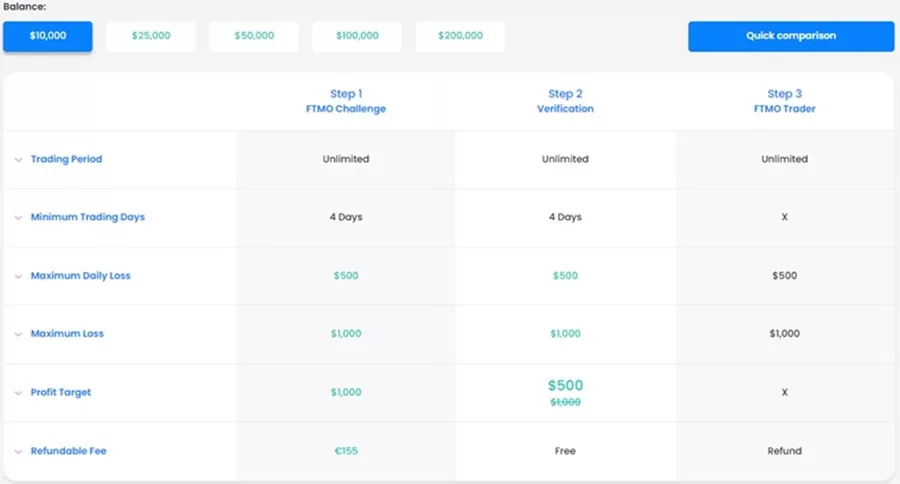
    FTMO challenge rules

    Strategies for Passing the FTMO Challenge

    Effective Money Management

    Using a reliable money management system is very important for passing the FTMO Challenge. Here’s an effective approach:

    Risk-Reward Ratio 1:3

    The first step in this system is to use a risk-reward ratio of 1:3. This means that for every trade you make, you should risk 1% of your account and target 3% of your account. For example, if you have a $10,000 account, you should risk $100 and target $300.

    To achieve this, you need to set your take profit three times bigger than your stop loss. This way, even if you lose a trade, your losses will be limited to 1% of your account, while your gains can be up to 3% of your account.

    The second step in this system is to use a risk-reward ratio of 1:3 again. But this time, you should risk 4% of your account and target 12% of your account. For example, if you have a $10,000 account, you should risk $400 and target $1,200.

    This step involves reinvesting your profits from the first trade into the second trade. This way, you are still risking 4% of your account, but your potential gains are now up to 12% of your account.
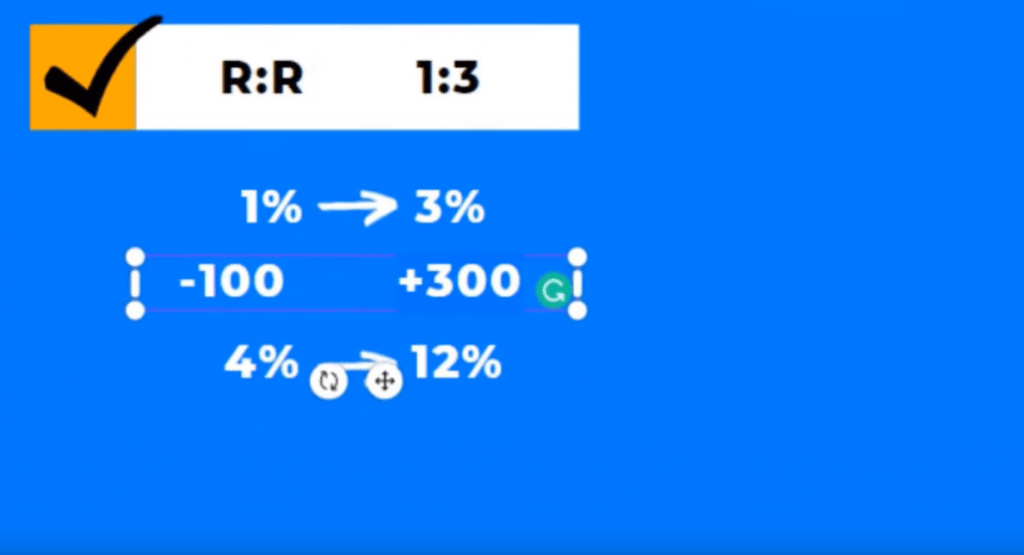
    To summarize Risk-Reward Ratio 1:3:

    • First Trade: Risk 1% of your account and target 3%. For example, with a $10,000 account, risk $100 to target $300.
    • Second Trade: Reinvest your profits by risking 4% of your account to target 12%. With a $10,000 account, risk $400 to target $1,200.

    Alternative Risk-Reward Ratio 1:2

    If you cannot achieve a risk reward ratio of 1:3, you can use a risk reward ratio of 1:2 instead. This means that for every trade you make, you should risk 1% of your account and target 2% of your account.

    Use a Trading System

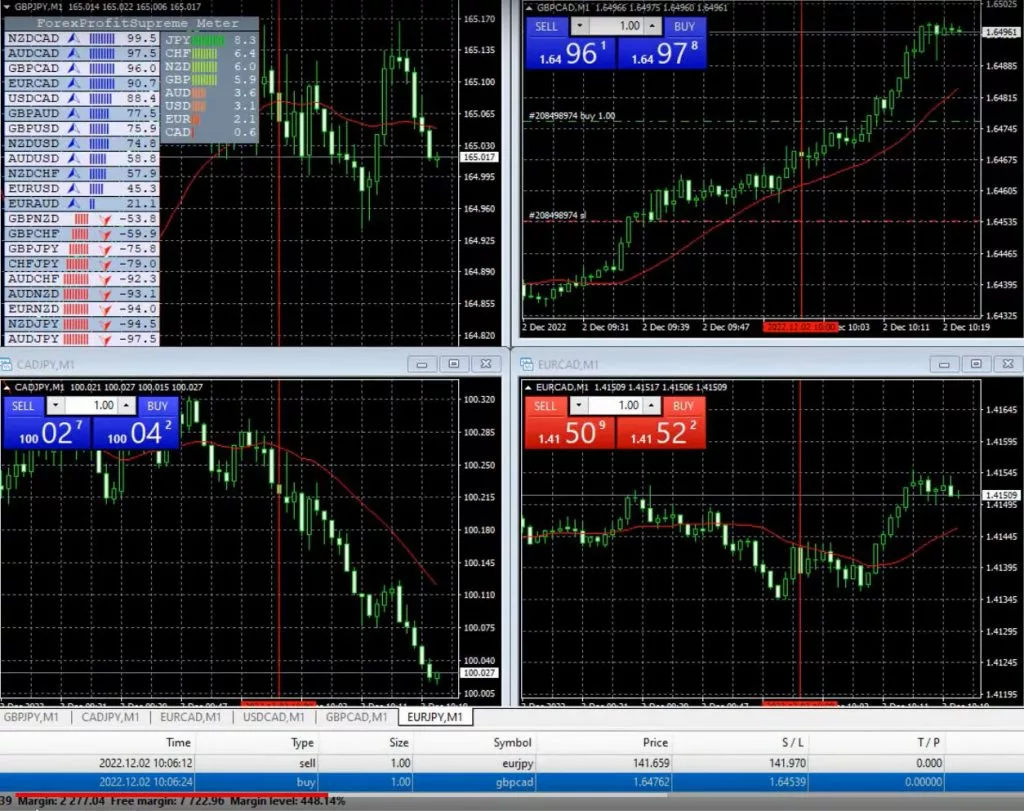
    Using a trading system is essential when trading the FTMO Challenge. A trading system is a set of rules that you follow to enter and exit trades. It helps you make objective decisions based on your analysis of the market. Accordingly, you can use a trading system that you have developed or buy one from a reputable source. Tools like the Forex Profit Supreme Meter will greatly help you achieve your goals.
    Record Your Trades

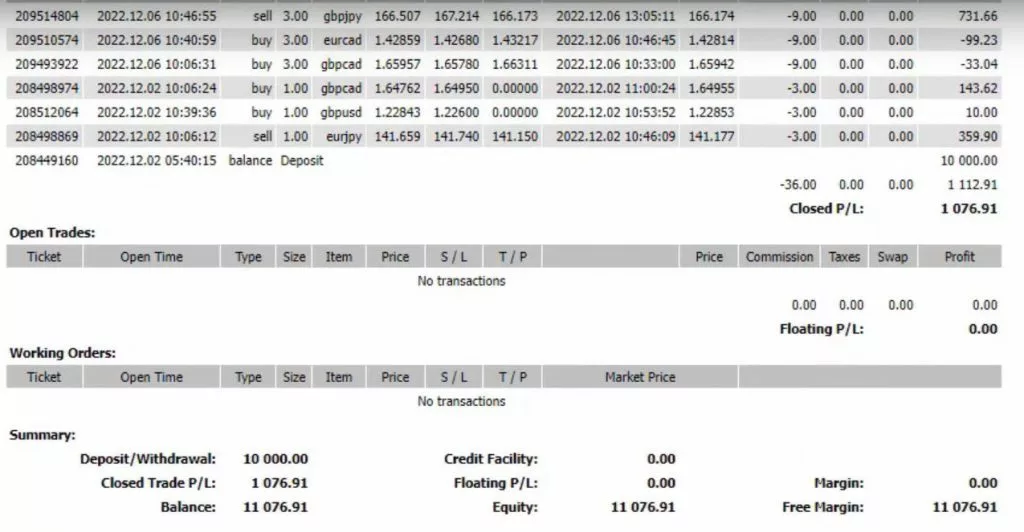
    One of the best ways to improve your trading skills is by recording your trades. By doing so, you can go back and review your mistakes, identify areas of improvement, and optimize your strategy. Plus, it can help you avoid making the same mistakes in the future.

    Recording your trades is important when trading the FTMO Challenge. It helps you analyze your trades and identify your strengths and weaknesses. You can use a trading journal or a spreadsheet to record your trades. Make sure you record the entry and exit points, position size, and profit/loss.
    Follow a Disciplined Approach

    Trading can be an emotional rollercoaster, but it’s essential to stay focused and avoid letting your emotions dictate your trades. Greed and fear can lead to irrational decisions, so maintaining discipline in adhering to your trading plan and FTMO Challenge rules is fundamental. Avoid emotional trading and stick to your strategy.

    What Happens If You Lose a Trade?

    If you lose a trade, you should not worry. You can move on to the next trade and try again. However, if you lose 10 consecutive trades, you will lose 10% of your account and fail the FTMO Challenge.

    In this case, you should reevaluate your trading strategy and make some changes. You can use other proven strategies and manage your money wisely to avoid consecutive losses.

    Passing the FTMO Challenge with a Small Account

    Below, we will discuss how to pass the FTMO challenge with a small account. If you have $1000 in total to risk, it can be challenging to pass the FTMO Challenge. You would have only one shot! However, it is possible if you follow the right strategy. Here are some tips to help you pass the Challenge with a small account:

    Start Small

    It is best to start with a small FTMO Challenge. For example, if you have a $1,000 to invest, start with the $10,000 Challenge instead of the $100,000 Challenge. Starting small will help you build confidence and improve your skills. Once you pass the small Challenge, you can move on to the larger ones.

    Diversify your Risk

    Diversifying your risk is important when trading with a small account. Instead of taking large positions on a few trades, take smaller positions on several trades. This way, you can spread your risk and increase your chances of making a profit. Diversification also helps you avoid losing all your capital on one trade.

    How to Prepare for Trading Success – Developing a Robust FTMO Challenge Strategy

    Preparing for the FTMO challenge is a critical step in becoming a profitable trader. While some YouTubers showcase passing the challenge within a few hours, it’s important to remember that consistency is key to long-term success. FTMO Challenge rules are tough and in next paragraphs, we’ll explore how to develop a strong FTMO challenge strategy to prepare you for trading success.

    Consistency is Key

    As we already mentioned above, consistency is key to long-term success. Trading every day with a certain target or maximum drawdown, which prop trading firms will set up for you, is crucial to your long-term success. It’s not about getting lucky with a few trades, but rather building a sustainable trading system.

    Develop a Risk Management Plan

    Risk management is an essential aspect of any trading strategy, and the FTMO challenge is no exception. Before you start trading, it’s fundamental to develop a risk management plan that includes your maximum daily loss, maximum loss, and target profit. These parameters will help you manage your risk and avoid blowing your account.

    Currency Strength Analysis

    When it comes to trading, currency strength is a crucial factor to consider. By using a tool like the Forex Profit Supreme Meter, you can identify which currencies are the strongest and weakest. This information can help you make more informed trading decisions and increase your chances of success.
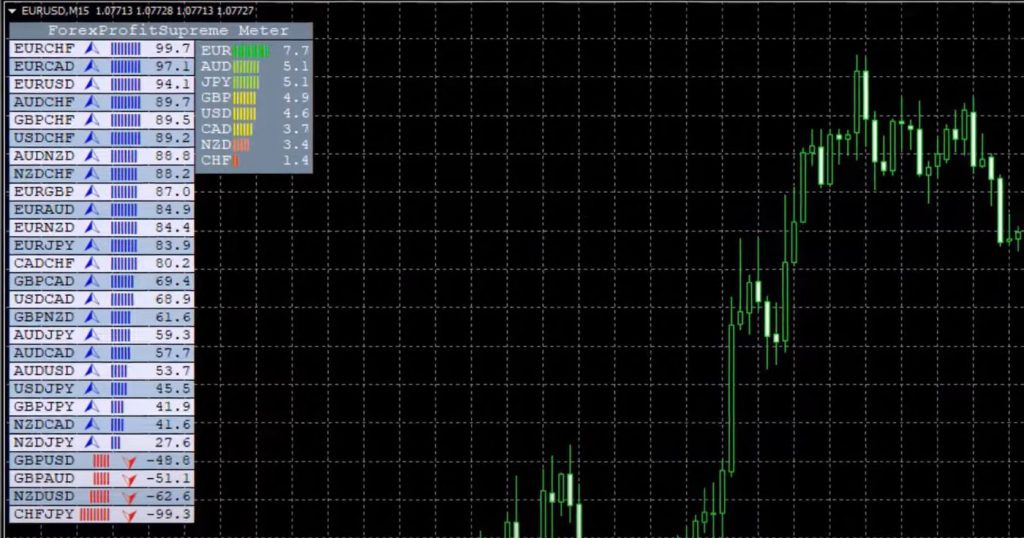
    Forex Profit Supreme meter attached on the trading chart

    Use of Technical Indicators: Fibonacci Retracements

    Incorporate technical indicators such as Fibonacci retracements and moving averages (20, 100, 200) to identify potential trades and manage entry/exit points. Fibonacci retracements are a popular technical analysis tool that can help you identify potential support and resistance levels. By using these levels in conjunction with currency strength analysis, you can increase your chances of success.

    Trade Selection

    Select trades based on solid analysis and avoid pairs that do not align with your strategy. For example, focus on pairs like EURJPY, which show strong trends based on your analysis.

    Tips for Successful FTMO Challenge Trading

    To achieve successful trading in the FTMO Challenge, there are some tips you can follow:

    1. Follow a disciplined approach to trading
    2. Use specific indicators to identify potential trades
    3. Minimize your losses and take profits
    4. Look for confirmation on the daily chart
    5. Keep an eye on the 20, 100, and 200 Moving Averages
    6. Take advantage of free resources and educational materials

    BONUS: The FTMO Challenge Strategy

    This FTMO Challenge strategy requires a disciplined approach to trading. Once you grab your profits, it’s important to forget about it and not get into the same direction because the move is already gone. To identify potential trades, the strategy involves using specific indicators, including the Fibonacci retracement, Forex Profit Supreme Meter, and 20, 100, and 200 Moving Averages.

    To use the Fibonacci retracement, you need to take the retracement after the first move. 

    The Forex Profit Supreme Meter is another important indicator in this strategy. You can download it for free using this link. The indicator helps identify potential trades by measuring the strength of the currency pair.

    The daily chart is also crucial in this FTMO strategy. You need to look for confirmation on the daily chart to confirm a potential trade. Additionally, the 20 Moving Average is used to help identify potential trades. If the price is below the 200 and 100 Moving Averages, you should consider selling. The 20 Moving Average is also used to identify potential trades, as a break below it can increase momentum.

    The FTMO Challenge Strategy: Example

    To demonstrate the FTMO Challenge strategy, let’s take a look at a recent trade. The trader identified the GBPUSD pair as the best pair to trade based on the indicators. On the second day, the trader took a small loss, which is normal in trading. However, the trader minimized their losses and continued trading.

    On the third day, the trader identified a strong Aussie against the Euro and took a short trade. They placed a Stop Loss above the tops and a Take Profit above the support level. The price went in the trader’s favor, and they minimized their loss to just $12.71 before the market hit their Stop Loss.

    The trader achieved their profit target of $500 in just 3 days, surpassing the objectives of profit and maximum loss. The trader also had an average reward risk ratio of 3.01 and a Profit Factor of 4.01, indicating profitable trading.
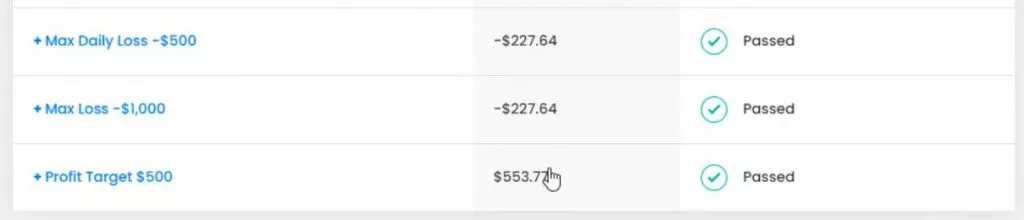
    The FTMO Challenge Strategy: Trade Selection

    To start off, it is important to select the right trades. In this strategy, we avoid trading Swiss pairs, especially Swiss/Yen, and instead focus on the EURJPY pair. We make this decision based on the Forex Profit Supreme Meter, which indicates that the Euro and Swiss are on the top while the Yen is the weakest. We buy EURJPY, which is the strongest at the time of the trade.
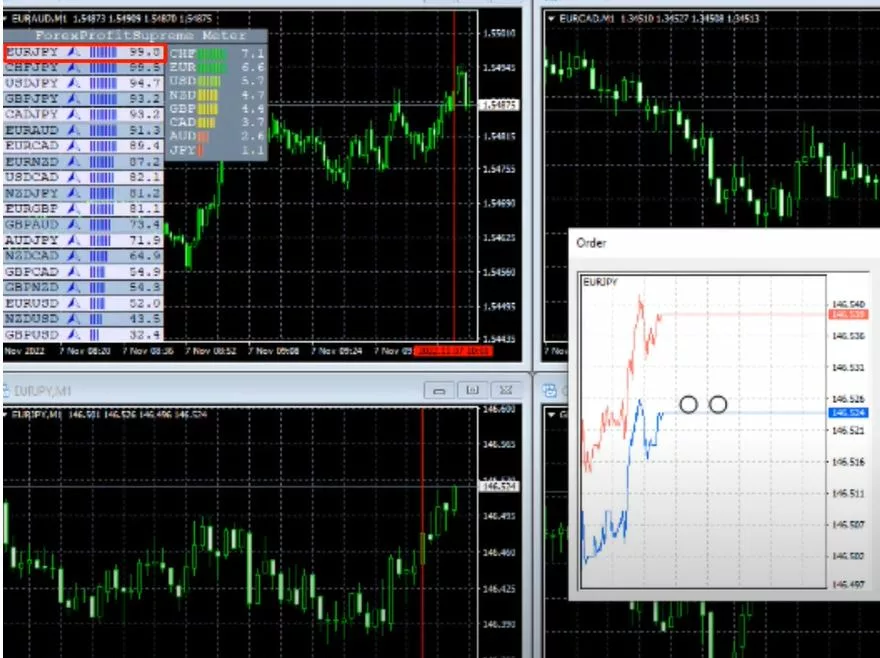
    The FTMO Challenge Strategy: Risk Management

    We place our stop loss just below the recent lows, and our take profit way higher, at 146.95. This decision is based on three reasons: the counter trendline on the daily chart, the zone of resistance, and the desire to have it below the 147 roundish number. Our risk is 124.77, which is just above 1.2%. We execute trades on M1 but always look at the higher time frames.

    The FTMO Challenge Strategy: Analysis on Higher Time Frames

    We perform our analysis on higher time frames, specifically the daily and M15 charts. From there, we observe a series of higher highs and high lows on the daily chart, and a very good momentum from the trading session on Friday on the M15 chart. We notice that the price is already above the 20 Moving Average on daily charts, as well as the 100 and 200 on M15. We keep a close eye on the moving averages, as they are crucial indicators for our trades.

    The FTMO Challenge Strategy: Improving the Average Price

    After a great reversal in the market, we open a second trade to improve our average price. We keep our stop loss at a safer place and place our take profit at 146.65, which is below the top of the most recent move or below the highest point of the London session. We take profit manually at a point where we notice resistance in the market.
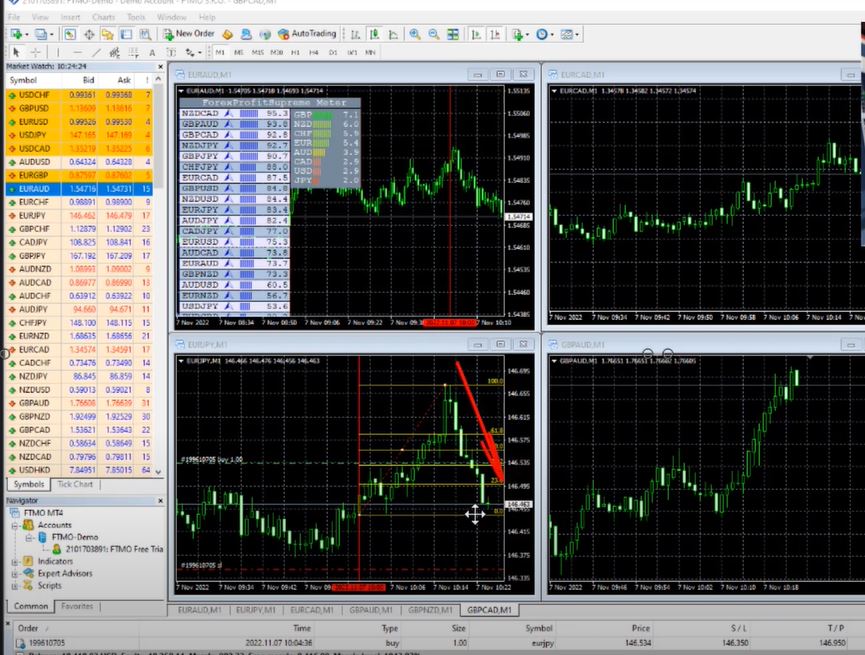
    FTMO-Challenge-Strategy-6

    The FTMO Challenge Strategy: Closing Trades

    We close our trades manually several times due to strong resistance in the market. When we notice that sellers are stronger, we exit the trade and take our profit and are very happy with the session because we achieve our target without any losses. In the trial period, it is important to prepare as if it were an actual funded account and to spend longer if necessary.

    The FTMO Challenge Strategy: Key takeaways

    In conclusion, achieving the 5% target in the FTMO Challenge is possible with the right trading strategy. It is important to select the right trades, use proper risk management techniques, perform analysis on higher time frames, improve average price, and close trades manually when necessary. By taking the challenge seriously and mastering your trading system, you can pass the FTMO Challenge and move on to trading with a funded account.

    How to Pass the FTMO Challenge: Conclusion

    Passing the FTMO Challenge can be challenging. But with the right money management system, you can increase your chances of success. This simple system involves using a risk reward ratio of 1:3 for the first trade. Then, 1:3 again for the second trade, risking 4% of your account and targeting 12% of your account.

    How-to-pass-the-ftmo-challenge-5

    Remember, FTMO Challenge rules are tough and passing the Challenge is not easy. However, it is worth the effort if you want to get funded and trade with larger amounts of money. A great course to show you how to pass every step of the way is available. You will see live examples and you will have a ready-to-use Robot to help you pass FTMO challenges. Grab it here.

    Good luck and happy trading!
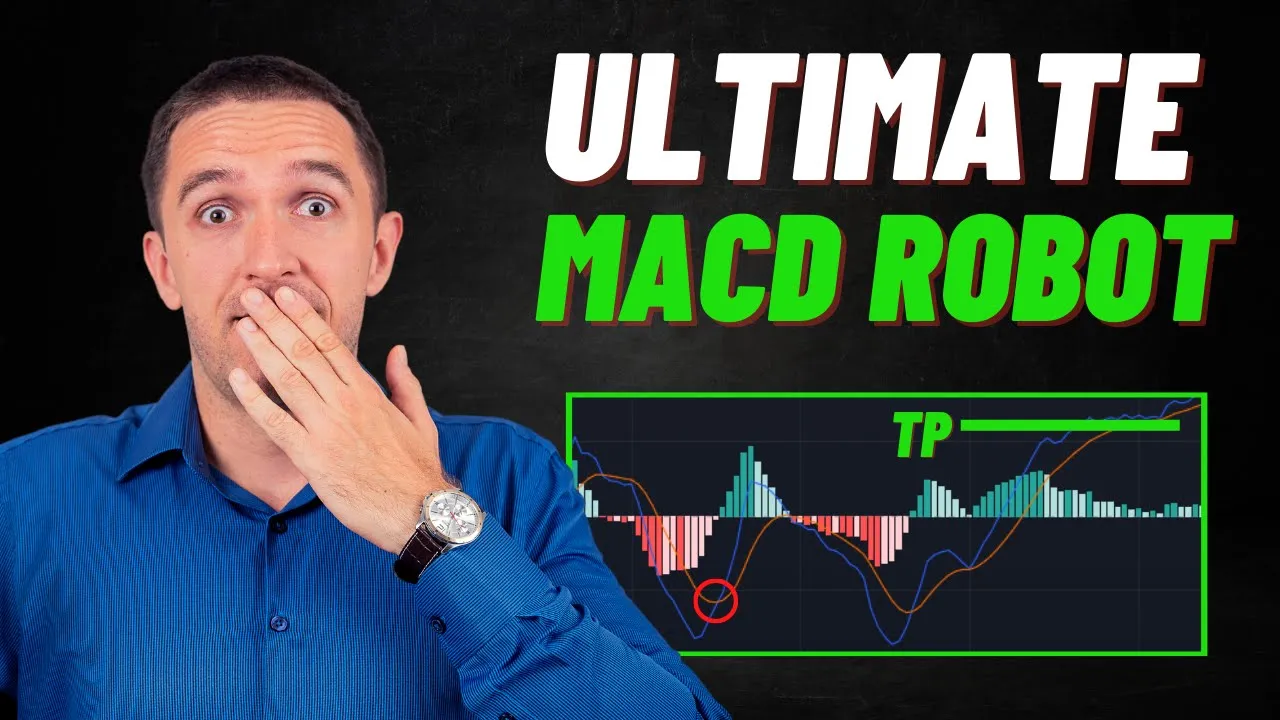
  • MACD EA Trading Robot: GBPUSD Day Trading Strategy

    MACD EA Trading Robot: GBPUSD Day Trading Strategy

    Are you tired of analyzing charts all day long in search of profitable trades? Are you looking for a more efficient way to trade forex? Look no further, because we have an amazing MACD EA trading robot that will do all the hard work for you. Plus, you can download it for free! In this blog post, we will explain how the strategy behind the robot works so that you can understand when and why it will trade for you.

    What is MACD Indicator and Why it Looks Different on Different Platforms?

    First things first, let’s talk about the MACD indicator. MACD stands for Moving Average Convergence Divergence. It is a popular technical analysis tool that traders use to identify potential trend changes and market momentum. The MACD indicator is displayed differently on different trading platforms such as MetaTrader, TradingView, and others. But the underlying concept remains the same.

    MACD-EA-1

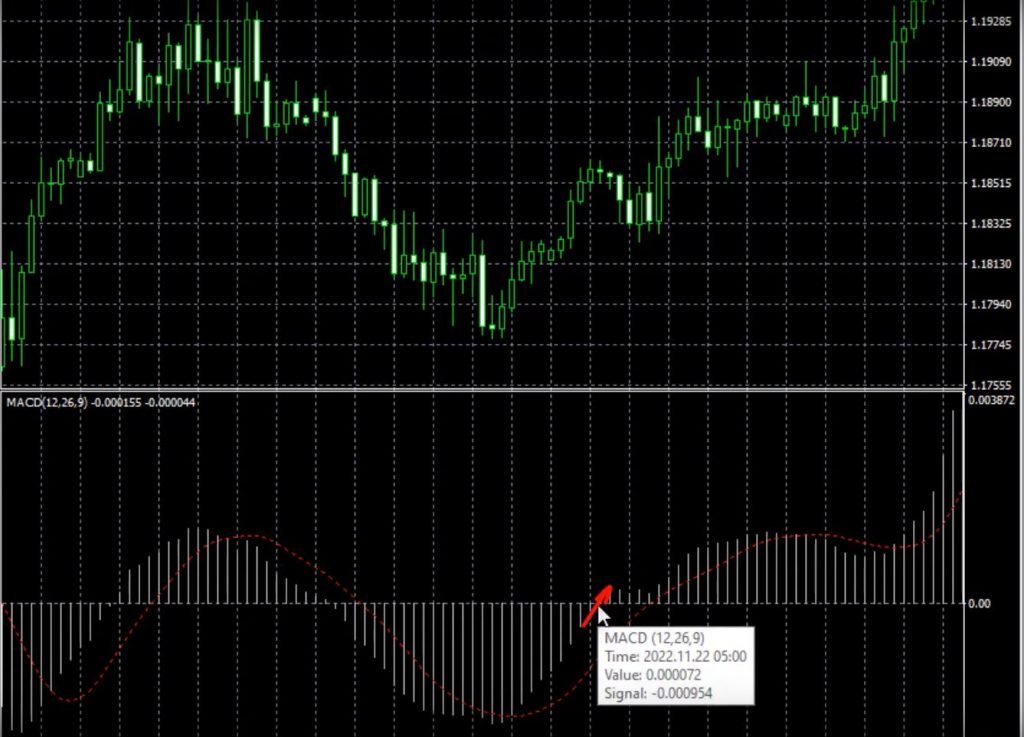
    The MACD indicator consists of two lines and bars. The two lines are the MACD line and the signal line. The bars represent the difference between the two lines. When the MACD line crosses above the signal line, it is a bullish signal, and when it crosses below the signal line, it is a bearish signal.

    On MetaTrader, the MACD indicator is displayed as bars and a single red line, which is the signal line. On TradingView, the MACD indicator is displayed with the MACD line as the blue line and the signal line as the orange line, with bars representing the difference between the two lines. It may look confusing at first, but once you understand the basic concept of the indicator, it’s not that complicated.

    The MACD EA and Trading Strategy Explained

    Now that you understand how the MACD indicator works, let’s dive into the strategy behind our MACD EA trading robot. This strategy uses the GBPUSD pair on the H1 chart, but you can use it manually on any platform or chart of your choice.

    The MACD EA trading robot uses the following settings:

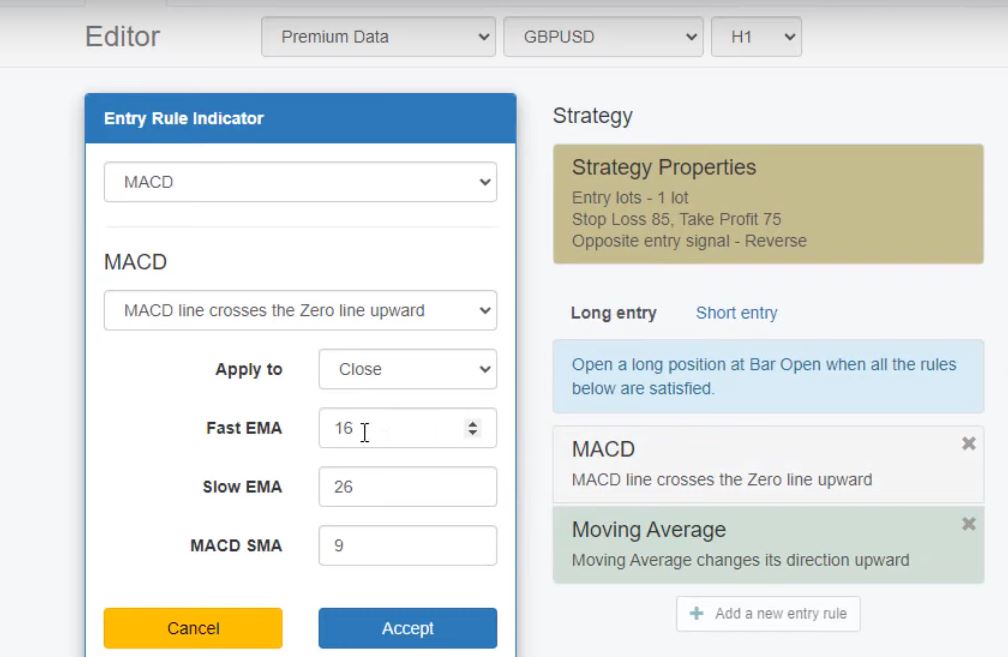
    • Fast EMA: 16
    • Slow EMA: default
    • Signal smoothing: period of 9 (default)

    The strategy uses the signal line crossing the 0 line upward to generate a long signal and crossing downward to generate a short signal. So, when the bars cross the 0 line upward, it’s a buy signal, and when the bars cross the 0 line downward, it’s a sell signal.

    The MACD EA trading robot has shown consistent profits since 2007, which means it has a stable balance chart over the years. But don’t take our word for it. You can test it yourself on a demo account to see how it performs in different market conditions.

    Indicators in the MACD EA

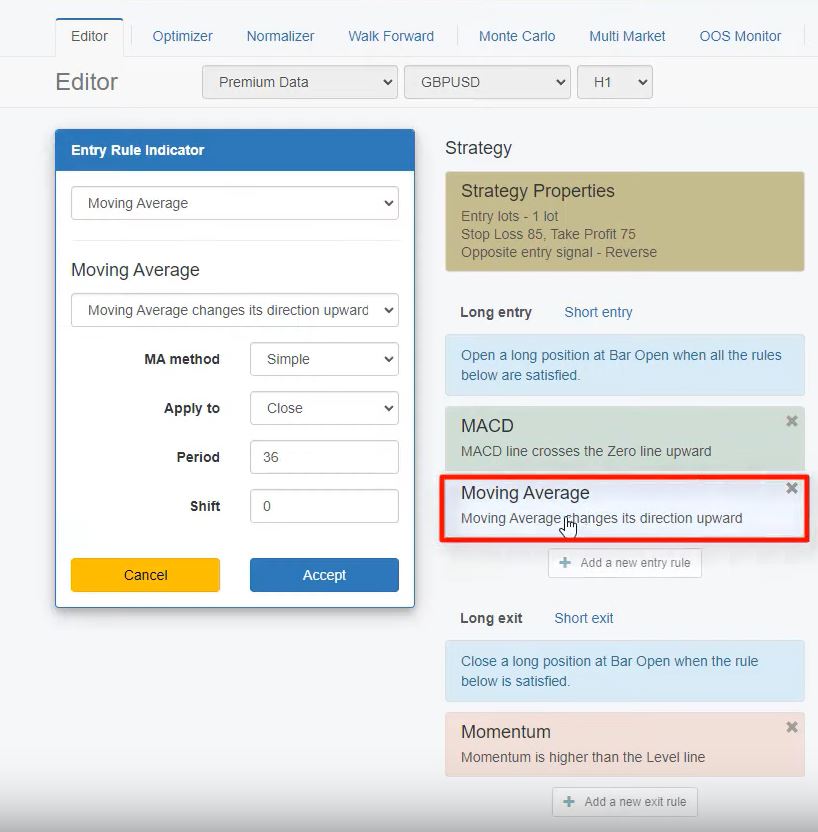
    The MACD EA strategy is based on two indicators: Moving Average Convergence Divergence (MACD) and Moving Average. The MACD is the line that connects the tops and bottoms of the gray bars. The entry rule for the MACD Robot is when the MACD line crosses the 0 line upward with a fast EMA 16. The Moving Average changes its direction upward, with a period of 36. We need to see both happening at the same time to confirm a buy or sell signal.

    MACD-EA-3

    To illustrate this strategy, let’s take a look at some examples. In the first example, the MACD line crosses the 0 line upwards, and at the same time, the Moving Average starts to climb. This is our confirmation to enter a long position. In this case, the take profit was hit, and the stop loss was below. In the second example, the MACD line crosses the 0 line upwards, and the Moving Average changes its direction upward. However, the price reverses downwards and hits the stop loss.

    The strategy has an exit condition, and the momentum needs to be higher than the level line for the trade to close. The exit condition is momentum above the 185 line, with a period of 51, level 100.85. The strategy also includes a stop loss of 85 pips and a take profit of 75 pips.

    Selecting the Right Broker to use your MACD EA on

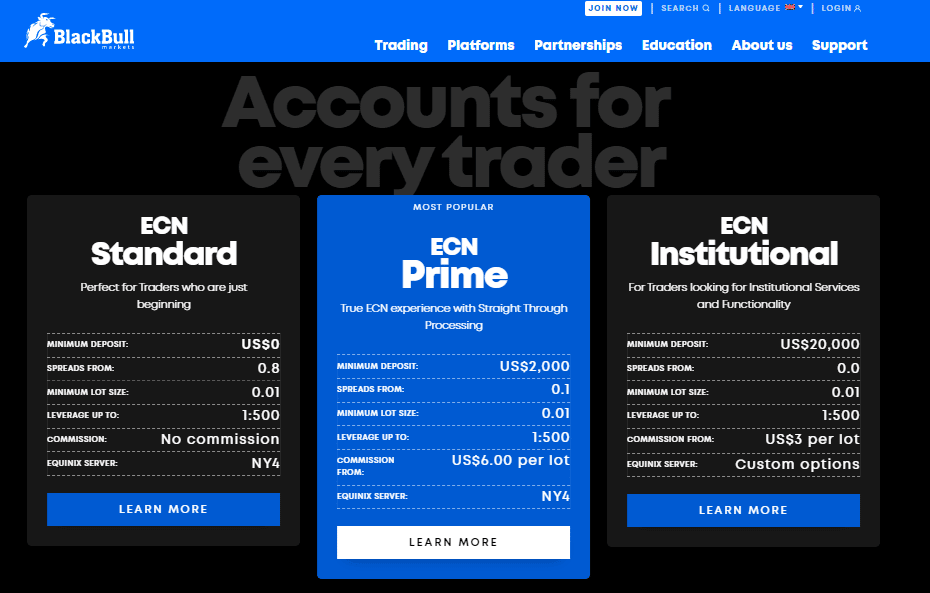
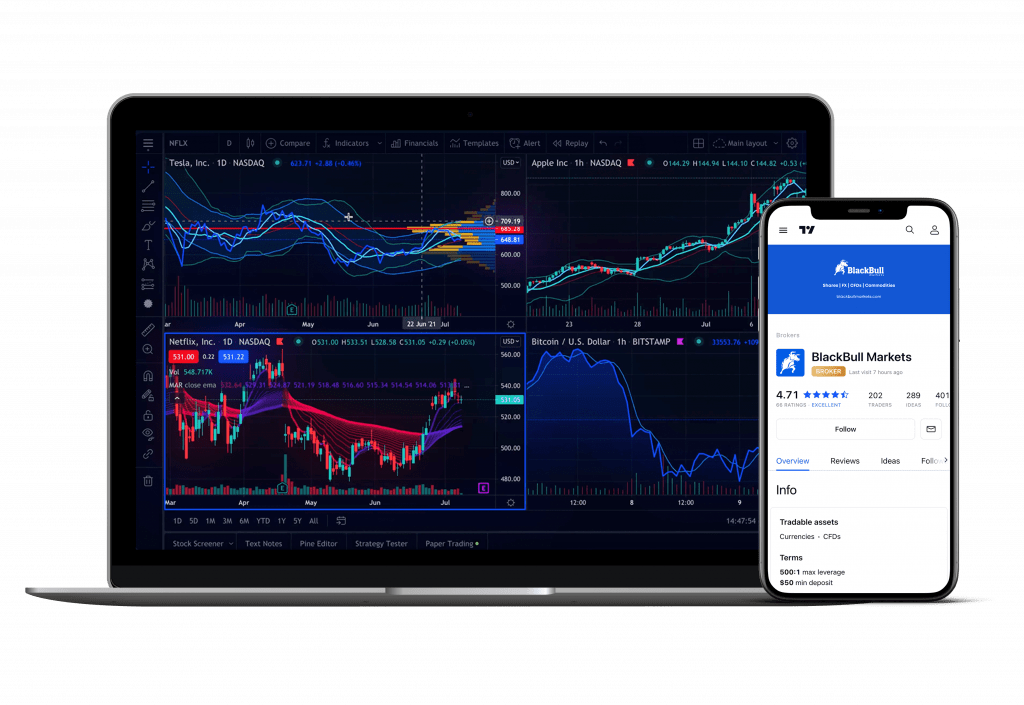
    BlackBull Markets is a regulated ECN broker that offers over 26,000 tradable instruments, and traders can leverage up to 1 to 500, which means they can trade with much larger amounts than what they have in their accounts. BlackBull Markets offers different types of accounts, including ECN Standard, ECN Prime, and ECN Institutional accounts.

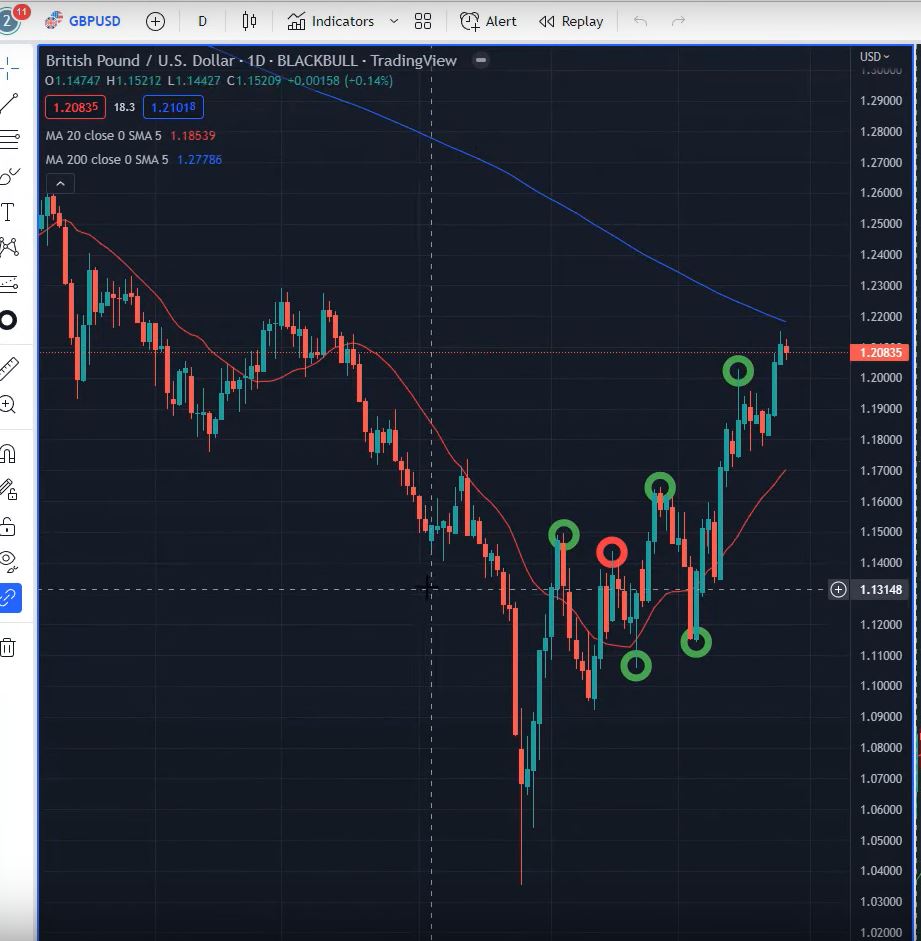
    With the ECN standard account, traders can enjoy spreads from 0.8 pips without any commission. On the other hand, with the ECN Prime account, spreads start from 0.1, with a commission of $6 per lot traded. However, the minimum deposit for the ECN Prime account is $2000. BlackBull Markets offers the MetaTrader and TradingView platforms. To connect with BlackBull Markets on TradingView, traders need to click on the CO Brokers option in the Trading panel and select BlackBull Markets. Once connected, they can trade straight away on the TradingView platform.

    MetaTrader is a popular platform for algorithmic trading, and this is what we use for our MACD Robot strategy. Traders can easily grab the Robot from today’s video and backtest it on MetaTrader with BlackBull Markets using a demo or live account. Additionally, BlackBull Markets offers a free subscription to TradingView Pro if traders open a live account with them.

    MACD-EA-5

    Risk-Reward Ratio

    With algorithmic trading, we do not follow the 1 to 2, 1 to 3 risk-reward ratio rule from manual trading. In algorithmic trading, the closer you put your stop loss to your entry, the bigger chance you have to hit it before the take profit. Therefore, don’t panic if your stop loss is bigger than the take profit.

    Download MACD EA Trading Robot for Free

    As promised, you can download the MACD EA trading robot for free. Just visit our website and follow the instructions. It’s easy to install and use, even if you are a beginner in forex trading.

    Conclusion

    In conclusion, the MACD EA trading robot is a great tool for traders who want to automate their trading and save time. The MACD indicator is a powerful technical analysis tool that can help you identify potential trend changes and market momentum. Our MACD EA trading robot uses a simple but effective strategy that has shown consistent profits over the years. Don’t hesitate to try it yourself and see how it performs in different market conditions. Remember to always test any trading strategy on a demo account before using it on a live account. Happy trading!
  • HYCM Review: One of the Best Forex Brokers

    HYCM Review: One of the Best Forex Brokers

    If you’re a trader looking for a reliable Forex broker, you might have come across HYCM. In this comprehensive HYCM Review, we’ll take a closer look at HYCM, its history, and its reputation in the industry.

    HYCM Review: History of HYCM

    HYCM is a UK-based broker that was formerly known as HYMarkets. It is a member of the Henyep Group, an international financial holding company established in 1977. The Henyep group has businesses in Asia, Europe, and North America, with divisions such as Henyep Securities and Henyep Commodities created specifically to expand trading in Asia.

    In 2016, the Henyep Group consolidated its capital markets investment brands and created HYCM with the aim of entering the multi-platform online trading industry.

    Trading Services and Instruments

    HYCM provides trading services for both retail and institutional traders and offers over a hundred financial instruments to trade with. This range of financial instruments includes Forex, metals, indices, stocks, and commodities. Traders can also access a range of trading platforms, including MetaTrader 4 and MetaTrader 5, to trade on desktop or mobile devices.

    HYCM-Review-1

    HYCM Review: Reputation

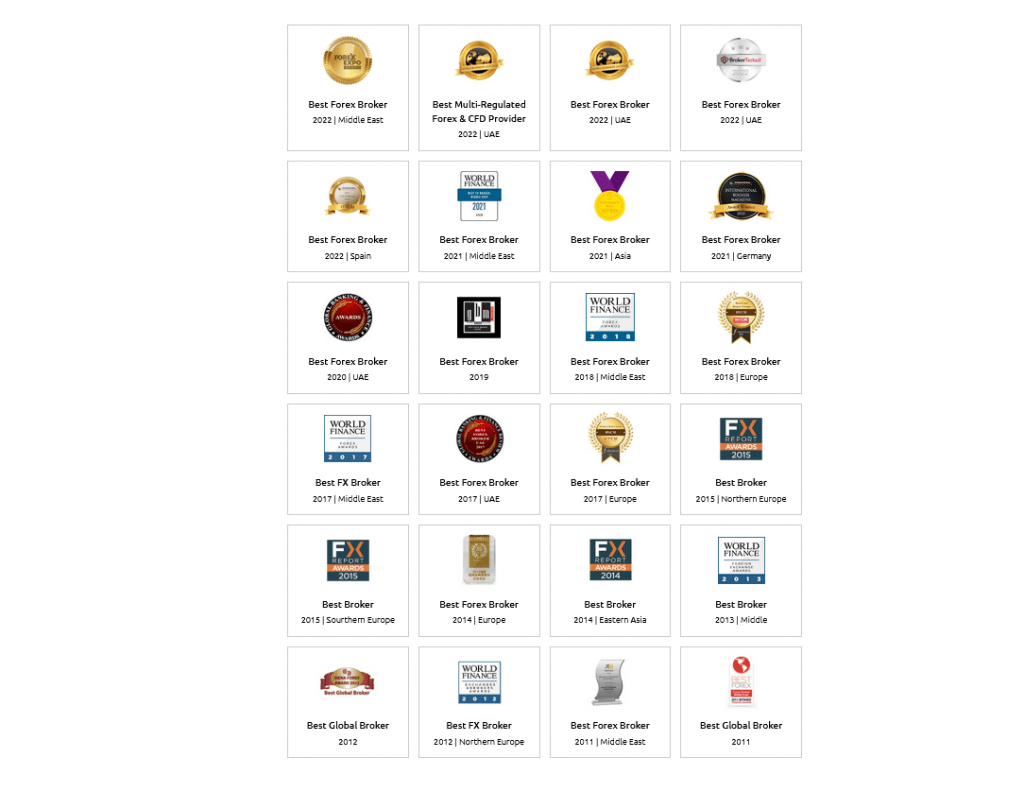
    HYCM is considered one of the best Forex brokers available in the market among several options. In fact, the broker has won several awards for its services, including the 2019 World Finance Awards’ Best Forex Broker in Europe award. This recognition showcases the company’s commitment to delivering exceptional trading experiences to its clients.

    HYCM has headquarters in London and an operational office in Cyprus. It also has a presence in both Hong Kong and Dubai, making it a global Forex broker.

    Regulation and Security

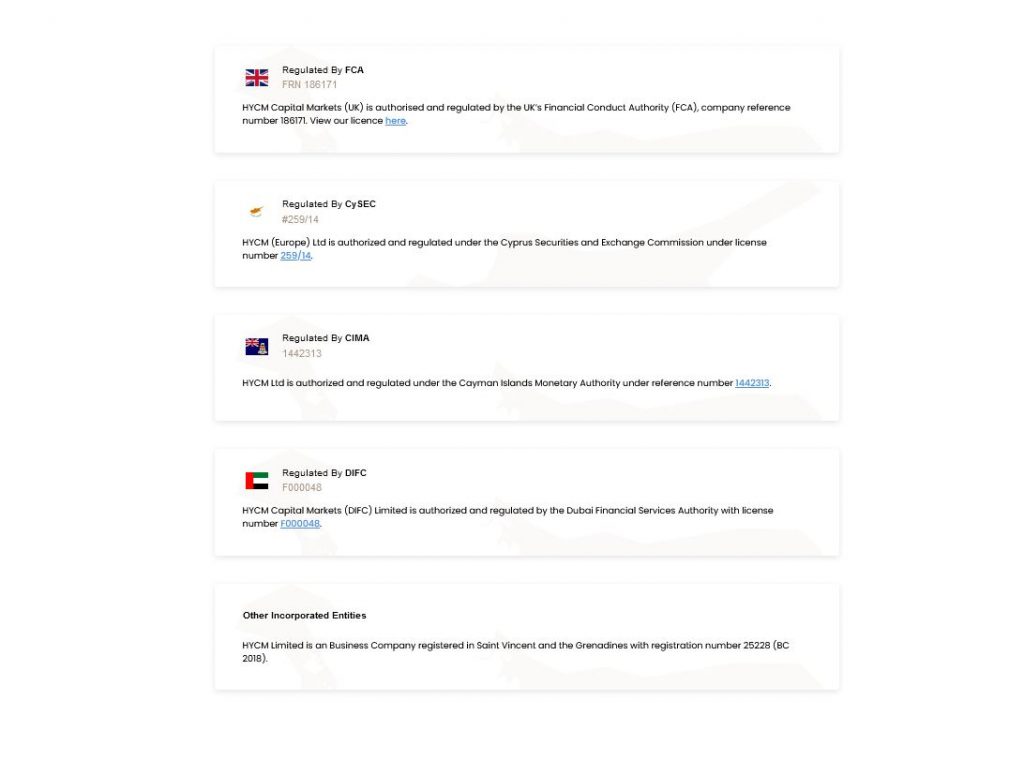
    HYCM’s reputable track record comes from its parent company, and the FCA regulates it, which is the strictest regulatory and authorizing body in the UK. By keeping client funds in segregated accounts, which are prohibited from being used for operational purposes due to the strict regulation, HYCM guarantees its clients necessary legal security.

    The relevant authorities authorize and regulate HYCM branches in Cyprus, Dubai, and the Cayman Islands in addition to being regulated by the FCA. Clients can also be assured of coverage by the FSCS.

    HYCM Review: State-of-the-Art Technology

    HYCM also provides traders with state-of-the-art technology and detailed processes where cybersecurity is concerned. The company aims to handle key areas such as user authorization, data protection, and network communication through the technology and processes it provides.

    HYCM Sign-up Bonus

    HYCM offers a welcome bonus to new traders who choose to register for a real account with the broker. As part of this promotion, HYCM offers a 10% first deposit bonus added automatically to your account when you commence trading activities.

    Here are the terms and conditions you should know if you are interested in the HYCM Sign-up Bonus:

    • New HYCM clients who deposit funds will receive a 10% Credit Bonus on their first deposit.
    • All new HYCM clients who deposit new funds of a minimum amount of $100 are eligible for this promotion.
    • The maximum bonus awarded under this promotion is US$5,000.
    • You cannot combine this promotional offer with any other promotion.
    • The client must trade 30 standard lots within 60 days to fulfill the requirement for every US$1,000 bonus awarded. Otherwise, HYCM reserves the right to reverse the bonus given to clients.

    While the bonus is a way of compensating traders for opening an account with a chosen broker, it’s important to note that traders operating out of the European Economic Area should check whether they are eligible to receive the deposit bonus, due to the broker’s regulation in this region by the Financial Conduct Authority (FCA) and the Cypress Securities and Exchange Commission (CySEC).

    HYCM Review: Deposit Fees and Deposit Methods: A Comprehensive Guide

    As a trader, one of the essential factors to consider when choosing a forex broker is deposit and withdrawal methods. HYCM offers its clients a broad range of deposit methods, and traders can choose the option that best suits their needs. In this article, we’ll take a closer look at HYCM’s deposit fees and deposit methods.

    Deposit Methods

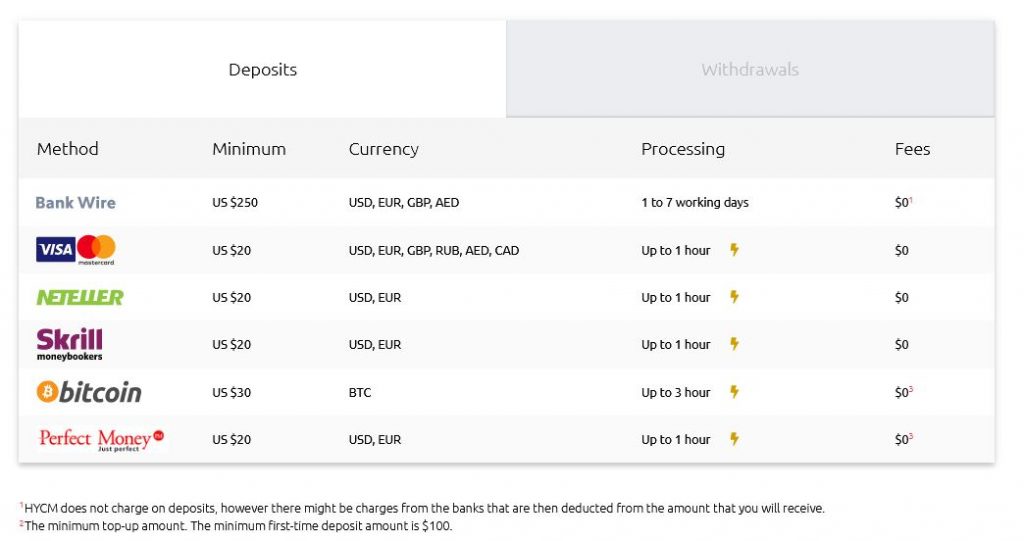
    HYCM offers traders a range of options to deposit funds into their trading accounts. The methods include:

    • Bank wire – processing can take between 1 – 7 working days
    • Visa Master Card – processing can take up to an hour
    • WebMoney – processing can take up to an hour
    • Neteller – processing can take up to an hour
    • Skrill Moneybookers – processing can take up to an hour

    Withdrawal Fees

    HYCM does not charge withdrawal fees on amounts above £300. However, traders need to note that the payment provider may deduct from the amount transferred into their bank accounts. Additionally, HYCM imposes a 1% processing fee on withdrawals over $5,000 for traders using Skrill or Neteller.

    Minimum Withdrawal Amounts

    The minimum withdrawal amount for credit/debit cards and e-wallets is $20. For wire transfers to bank accounts, the minimum withdrawal amount is $250. Moreover, traders must ensure that they have sufficient funds in their trading accounts to cover any fees charged by the payment provider.

    HYCM Review: A Close Look at HYCM’s Fees and Charges

    When it comes to online trading, one of the most important things that traders consider is the fees and charges that they need to pay. That’s why we’re here to provide you with a comprehensive review of HYCM’s fees and charges.

    HYCM’s fees are generally low compared to other brokers. They don’t charge for brokerage fees that other brokers do, or they only charge a small amount. This means that traders can use HYCM even if they trade frequently, multiple times a week or daily.

    Let’s take a closer look at HYCM’s fees for different assets.

    S&P 500 CFD

    The fee level for the S&P 500 CFD is low. The Classic and Raw accounts already have the fees built into the spread, which only amounts to 0.5 points during peak trading hours. However, the Fixed account has wider spreads.

    Europe 50 CFD

    The fee level for the Europe 50 CFD is also low. During peak trading hours, the spread incorporates the fees for Classic and Raw accounts, which is only 2.3 points.. However, the Fixed account has wider spreads.

    HYCM’s low fees and tight spreads are well-known in the trading industry. Traders can expect the following spread list:

    The spreads offered by HYCM will vary depending on the selected account type. Fixed, Classic, and Raw accounts offer the EURUSD at 1.8, 1.4, and 0.2 pips, respectively.

    With regards to commissions, Raw Accounts have a $4 commission per round on Forex trades and some commodities.

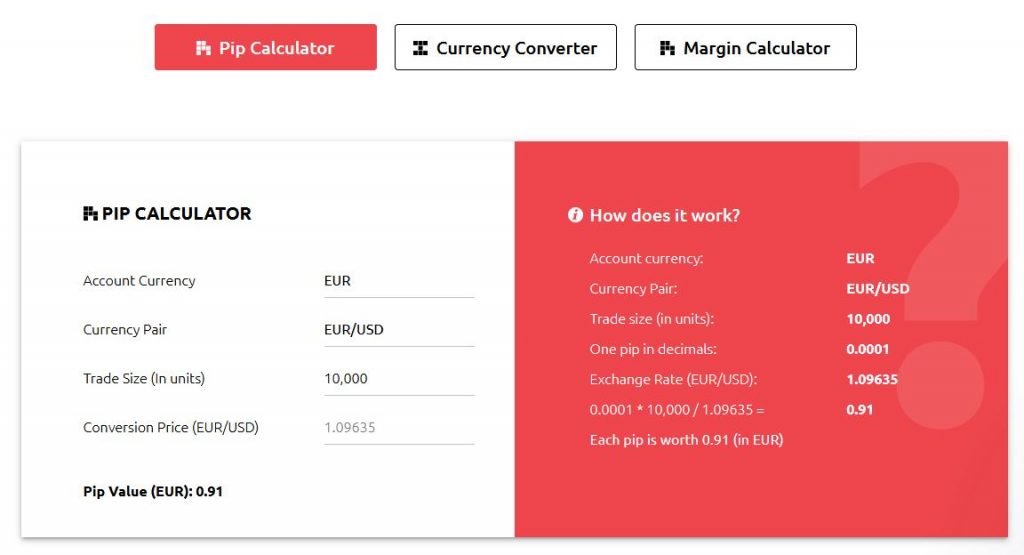
    There is also a handy calculator on the website to assist with conversion rates.

    HYCM-Review-5

    HYCM Review: Inactivity Fee

    For inactive accounts, HYCM charges an average inactivity fee of $10 each month after 90 days of inactivity. So, if you plan to use HYCM, make sure to keep your account active by logging in regularly.

    HYCM Review: Trading Platforms: A Comprehensive Overview

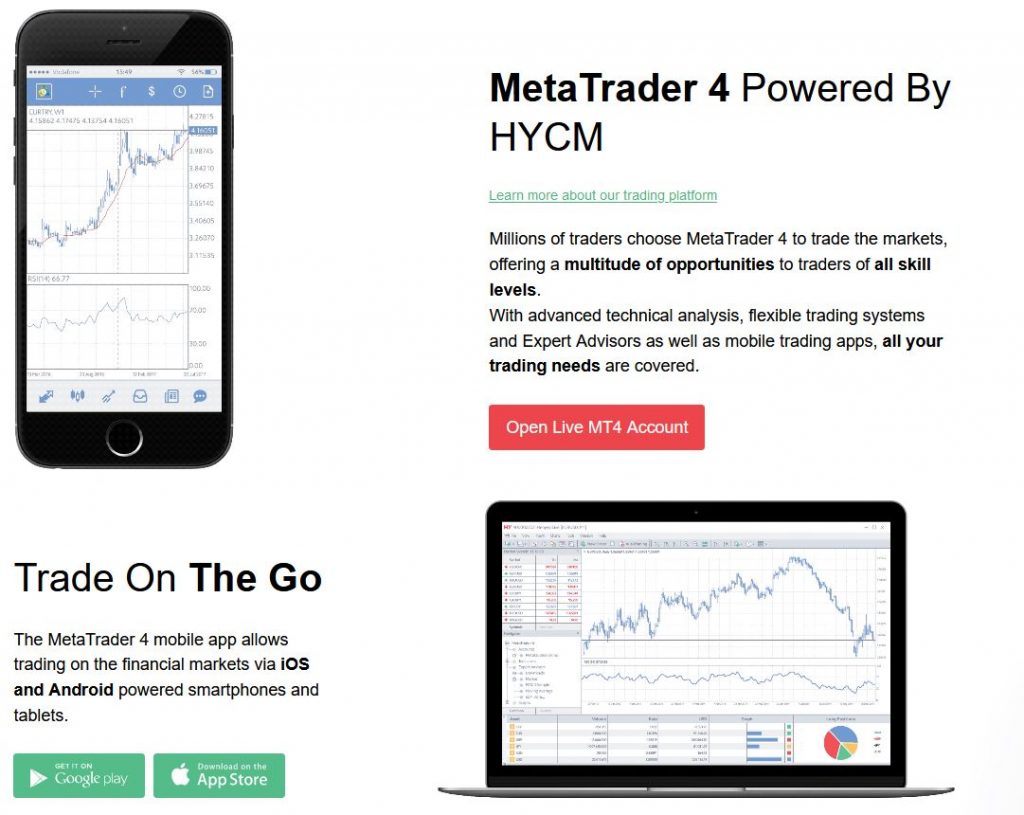
    When it comes to trading platforms, HYCM offers two options: MetaTrader 4 and MetaTrader 5. Traders all around the world widely use both of these platforms which come with their own unique features.

    MetaTrader 4: The World’s Most Popular Trading Platform

    MetaTrader 4, or MT4 for short, is the world’s most popular trading platform used by traders of all skill levels. It is available for download on desktops, iOS, and Android devices, which means that traders can commence trade from right around the world.

    Here are some features that traders can expect from MT4:

    1. Advanced Technical Analysis: MT4 makes provision for advanced technical analysis to help traders make informed trading decisions.
    2. Flexible Trading Systems: In addition, the platform offers flexible trading systems that cater to traders’ individual preferences and trading strategies.
    3. Expert Advisors: Traders can use Expert Advisors (Robots) with MT4, which are automated trading systems that execute trades based on predefined criteria. You can purchase these on the MT4 Marketplace or third-party websites. Additionally, you can easily create your own Expert Advisors with no programming experience or skills required by using a program like EA Studio.

    MetaTrader 5: The More Advanced Version

    MetaTrader 5, or MT5 for short, is the newer and more improved version of MetaTrader 4. In addition to the base provisions covered by MT4, MT5 provides additional timeframes and services that traders can benefit from. Here are some of the features that traders can expect from MT5:

    1. 21 Different Time frames: MT5 offers traders a choice of 21 different time frames to help them analyze the markets in more detail.
    2. 6 Types of Pending Orders: Traders can use MT5 to place 6 different types of pending orders, including Buy Stop Limit and Sell Stop Limit orders.
    3. Integrated Economic Calendar: MT5 also comes with an integrated economic calendar, which provides traders with a schedule of upcoming economic events and their potential impact on the markets.

    HYCM Review: Educational Resources

    HYCM has a great range of educational resources available. These include Forex Education, Webinars, Workshops as well Seminars. More information can be found on their Education Page and on their HYCM Lab Blog.

    HYCM-Review-7

    HYCM Review: PROs and CONs

    HYCM Review: Pros

    1. Reliable reputation with 40 years history of operation: HYCM is a well-established broker with a 40-year history of operation, making it one of the oldest and most respected trading platforms in the industry. This longevity can provide traders with a sense of trust and reliability when it comes to their trading needs.
    1. Regulated by FCA: HYCM is regulated by the Financial Conduct Authority (FCA), one of the most respected regulatory bodies in the financial industry. This provides traders with a sense of security and confidence that their investments are being protected and monitored by a reputable authority.
    1. Several market instruments with which to trade: HYCM offers traders a wide range of trading instruments including Forex, indices, commodities, and stocks. This variety allows traders to diversify their portfolios and potentially increase their profit potential.
    1. Educational tools available: HYCM offers a range of educational resources and tools to help traders improve their skills and knowledge. This includes webinars, trading guides, and video tutorials, providing valuable information and insights to traders of all levels.
    1. Low minimum deposit: HYCM offers a low minimum deposit of only $100, which is significantly lower than many other brokers in the industry. This low barrier to entry allows traders to start trading with HYCM without having to risk a large amount of capital.

    Cons

    1. Limited account options: HYCM offers only three account types, which may not provide enough options for some traders. However, the three account types do cover a range of trading needs and levels of experience.
    1. No US clients: HYCM does not accept clients from the United States due to regulatory restrictions. This may be a disadvantage for traders in the US who are interested in trading with HYCM. In addition HYCM doesn’t accept clients from Afghanistan, Belgium, Hong Kong or Japan

    HYCM Review: Conclusion

    Overall, HYCM is a reputable Forex broker that offers a wide range of financial instruments and trading platforms for both retail and institutional traders. The broker has a global presence and has received numerous awards for its services, highlighting its commitment to providing exceptional trading experiences. If you’re in search of a reliable Forex broker, HYCM might be worth considering. Check them out HERE.

  • ActivTrades Review: A Broker with 20+ Years of Experience

    ActivTrades Review: A Broker with 20+ Years of Experience

    ActivTrades is a global retail and institutional broker that has been around since 2001. With more than two decades of experience in the fintech industry, this independent brokerage house has grown rapidly and offers a lot of benefits to its clients, including educational tools, rewards programs, competitive spreads, and the use of MetaTrader 4 and MetaTrader 5, two industry-leading platforms. In this ActivTrades Review blog post, we will explore ActivTrades in-depth and help you decide whether it is the right broker for you.

    ActivTrades Awards and Recognition

    One of the ways to determine a broker’s quality is by looking at the awards it has won. ActivTrades has won numerous accolades over the years, including:

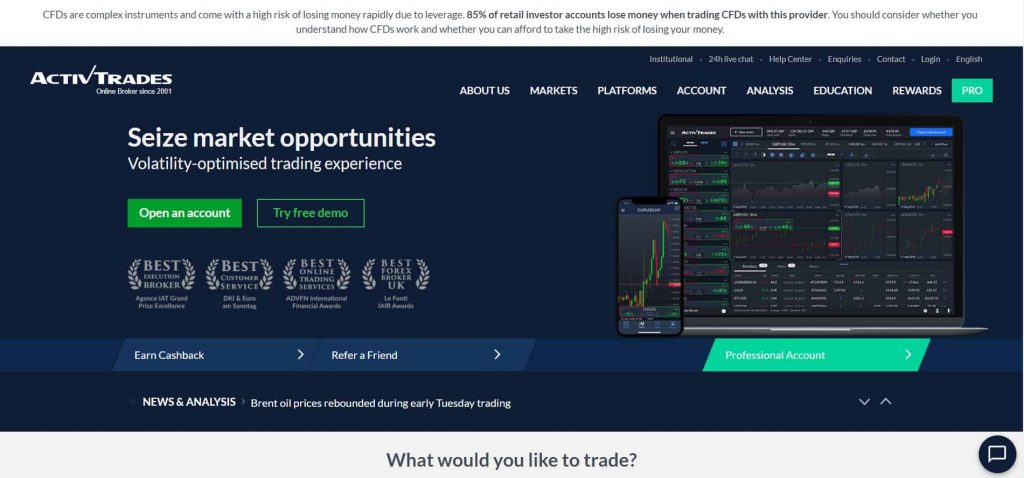
    • ADVFN International Financial Awards: “Best Online Trading Services”
    • Le Fonti: “Best Forex Broker”
    • Agence IAT Grand Prize Excellence: “Best Execution Broker”
    • Agence IAT Grand Prize Excellence: “Best Customer Support”
    • MENA Forex Show: “Most Trusted Forex Broker”
    • DKI & Euro am Sonntag: “Best Customer Service”

    With such an impressive list of awards, it is clear that ActivTrades is highly regarded in the industry.

    ActivTrades-Review-1

    ActivTrades Review: Pros and Cons

    Like any broker, ActivTrades has its pros and cons. Here are some of them:

    Pros:

    • 20+ years on the market
    • Regulated by CONSOB, CSSF, FCA, CMVM, SCB, CVM
    • No minimum first-time deposit
    • Optimal Trading Execution
    • More than 1000 CFDs

    Cons:

    • More limited country range

    ActivTrades Review: Who is ActivTrades Recommended for?

    ActivTrades is recommended for all traders, whether they are brand new or highly experienced. With more than twenty years of experience in the broker industry, ActivTrades has worked with everyone. The educational tools are strong with this broker, and its customer service, as you can see from the awards list above, is top-notch.

    Top ActivTrades Features

    ActivTrader Platforms: Web, Mobile, Download

    ActivTrades provides its clients with different trading platforms, including the popular MetaTrader 4 (MT4) and MetaTrader 5 (MT5) platforms. This ensures traders are able to trade using Expert Advisors, or Robots as they’re more commonly referred to. Either those they have bought, or created themselves using a program like EA Studio. Traders can access the platforms through the web, mobile devices, or by downloading the software on their desktops.

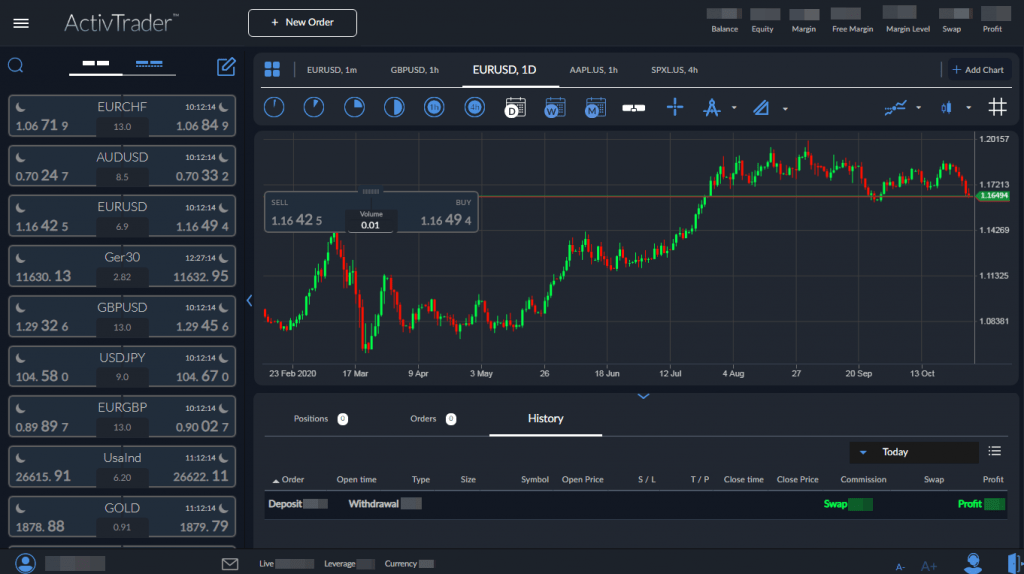
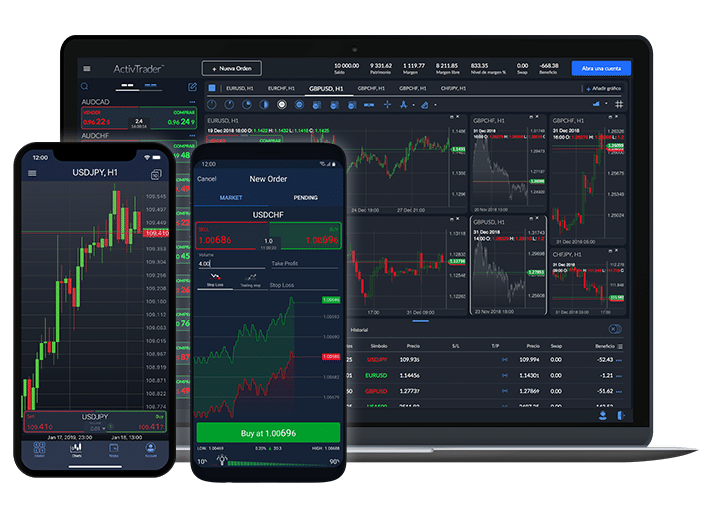
    In addition, ActivTrades has its own proprietary platform called ActivTrader, which has been enhanced with the latest tech and functionalities to create an in-depth trading experience. The platform is user-friendly and intuitive, making it easy to navigate even for beginners.

    ActivTrades-Review-3

    ActivTrades Review: Mobile Compatibility

    iOS, Android Traders who prefer to trade on-the-go can use ActivTrades’ mobile trading platforms, which are compatible with iOS and Android devices. This allows traders to monitor their positions, place orders, and manage their accounts from anywhere, anytime.

    ActivTrades Review: Exclusive Add-Ons

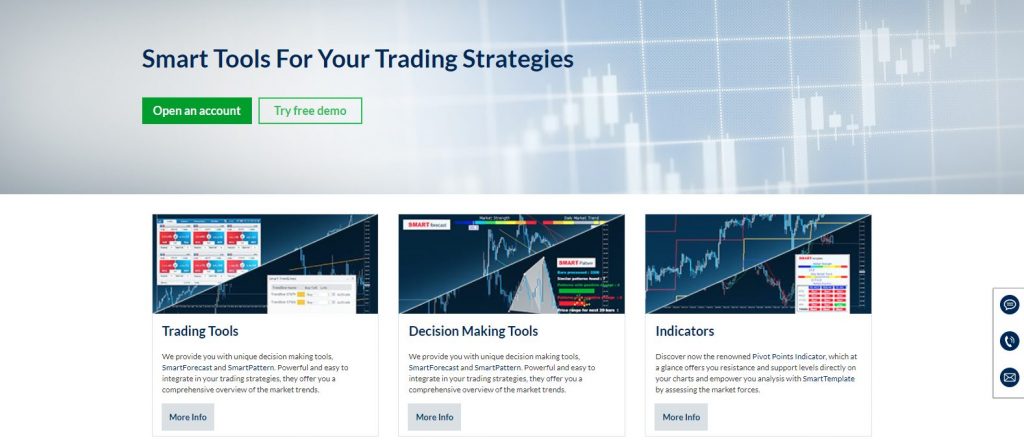
    In addition to the platforms, ActivTrades also offers exclusive “Smart” add-ons. These tools were developed to make trading more efficient and to improve your overall performance. Let’s take a closer look at each tool.

    SmartOrder 2: The Ultimate Position-Management Tool

    SmartOrder 2 is a must-have tool for traders who value speed and accuracy. This add-on allows you to manage your positions with ease, ensuring you never miss an opportunity. With SmartOrder 2, you can set your entry and exit points, as well as your stop-loss and take-profit levels, all with just a few clicks.

    SmartForecast: Your Personal Trading Assistant

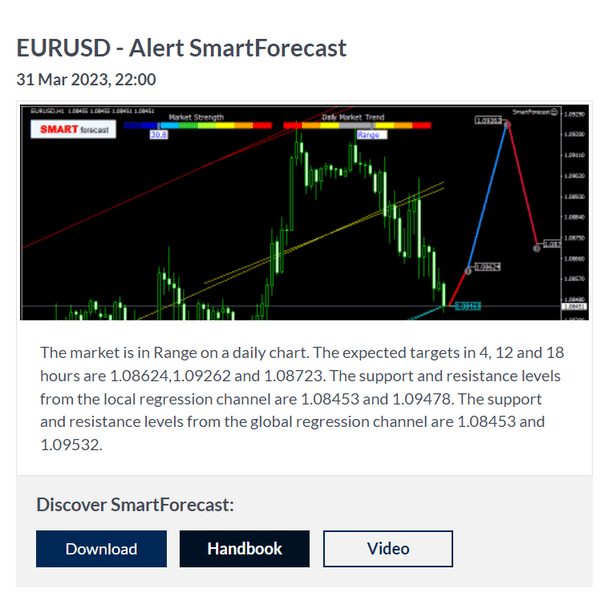
    Predicting the future is impossible, but SmartForecast can help. This tool uses advanced algorithms to analyze market trends and provide you with accurate price forecasts. With SmartForecast, you can make informed trading decisions and stay ahead of the curve.

    SmartLines: The Smart Way to Draw Lines

    Drawing lines on your charts has never been easier with SmartLines. This tool allows you to draw trend lines, horizontal lines, and even Fibonacci retracements with ease. Plus, SmartLines will automatically adjust your lines if the price moves, ensuring your charts are always up-to-date.

    ActivTrades Review: SmartCalculator: Your Trading Companion

    Calculating your position size can be a headache, but not with SmartCalculator. This tool allows you to quickly calculate your position size based on your risk tolerance and the size of your account. With SmartCalculator, you can be confident that you are always trading with the appropriate risk management in mind.

    SmartTemplate: Your Customized Trading Workspace

    Every trader is different, and SmartTemplate allows you to create a customized workspace that suits your trading style. You can save your chart layouts, indicators, and even your preferred color scheme, ensuring you always have the tools you need at your fingertips.

    ActivTrades Review: SmartPlatform: The Ultimate Trading Experience

    SmartPlatform is ActivTrades’ proprietary trading platform, and it is designed to provide you with the ultimate trading experience. With SmartPlatform, you can access a wide range of trading instruments, including Forex, commodities, indices, shares/stocks, CFDs, and cryptocurrency. Plus, you can trade from anywhere, anytime, with the web, mobile, and download platforms.

    ActivTrades Review: Pivot Points Indicator: Your Key to Price Action

    The Pivot Points Indicator is a powerful tool that helps you identify key levels of support and resistance. These levels can be used to make informed trading decisions and to set your stop-loss and take-profit levels.

    In conclusion, if you’re looking to enhance your trading experience, ActivTrades’ “Smart” tools are a must-have. These exclusive add-ons will help you trade more efficiently and improve your overall performance. So why wait? Sign up with ActivTrades today and take your trading to the next level!
    Balance Protection

    ActivTrades provides negative balance protection to its retail clients with its Balance Protection Policy. This means that you cannot lose more than the balance of your account, even in volatile market conditions.

    ActivTrades Review: Webinars

    ActivTrades offers plenty of webinars, which are updated constantly. These webinars feature guest speakers and other experts who can help fill you in on the latest in trading. Thus, these webinars are a great way to stay up-to-date with the latest trends and strategies in the industry.

    Easy Withdrawal Process

    Withdrawing funds from ActivTrades is easy, and there are no broker charges for using your debit/credit card, Neteller, Skrill, or Paypal. The withdrawal can be done anytime, and it is usually carried out the same day or the next day, depending on what time you make the withdrawal. If you’re using a bank transfer, the fee is 9GBP, but the time frame is the same as with the other payment methods.

    ActivTrades Review: Type of Broker:

    ActivTrades is a non-advisory and executioner broker, which means that the broker does not provide investment advice or recommendations to its clients. Instead, the broker executes the clients’ trades on its trading platforms and charges a commission or spread for its services.

    Regulation & Licensing

    A Regulated Broker for Traders’ Security is one of the key and most essential factors to consider when choosing a broker. This includes its regulation and licensing. ActivTrades is regulated by several financial authorities, including:

    • The Italian authority supervising financial markets (CONSOB)
    • Financial regulator in Luxembourg (CSSF)
    • FCA Financial conduct authority in the UK (FCA)
    • CMVM is the institution in Portugal
    • Securities commission of the Bahamas (SCB)
    • Securities and exchange commission in Brazil (CVM)
    ActivTrades-Review-5

    Clients Accepted from 68 Countries

    ActivTrades is a global broker that accepts clients from 68 countries, including Europe, Asia, Africa, and South America. In addition, the broker provides multilingual support, which is available 24/5 to assist clients with their queries.

    ActivTrades Review: A Wide Range of Trading Instruments

    ActivTrades offers a diverse range of trading instruments, including foreign exchange (FX), commodities, indices, shares/stocks, CFDs, and cryptocurrencies. This means that traders can access different markets and asset classes through one broker.

    Payment Types Accepted:

    Convenient Payment Options ActivTrades accepts different payment methods, including credit/debit cards, bank wire transfer, PayPal, Skrill, Neteller, and sofort. This provides traders with convenient and secure options to deposit and withdraw funds from their accounts.

    ActivTrades Review: Great Customer Service and Educational Tools

    ActivTrades’ customer service is rated highly, and this is reflected in the positive reviews. The broker also puts a lot of effort into educating its clients. It provides a range of educational resources, including webinars, tutorials, and articles, to help traders improve their skills and knowledge.

    ActivTrades-Review-7

    Competitive Spreads and Great Product Offering

    Although ActivTrades has limited account types, it offers competitive spreads and a great product offering. Its platforms are available on web, mobile, and download, and they offer various features to enhance the trading experience. The broker also offers a range of assets, including forex, commodities, indices, shares/stocks, CFDs, and cryptocurrency.

    Final Thoughts on ActivTrades

    In conclusion, ActivTrades has built a great reputation over the years, and its user ratings reflect this. The broker offers great customer service, top-notch educational resources, and competitive spreads. Its product offering is also impressive, and the add-ons help improve the trading experience. If you’re looking for a reliable and secure broker, ActivTrades is definitely worth considering.

  • How to Trade XAUUSD Using TradingView and MetaTrader

    How to Trade XAUUSD Using TradingView and MetaTrader

    If you’re interested in trading gold, also known as XAUUSD, you’re in the right place. In this article, I’ll share with you my best trading strategy for how to trade XAUUSD, which I traded last month and continue to use because of the excellent results it brings. It’s also super easy to apply, and I’ll explain how to use it on both TradingView and MetaTrader.

    How to Trade XAUUSD – Getting Started

    But first, let me explain a little bit about gold trading. For centuries, people have used gold as a precious metal to store value. Investors tend to flock to gold as a safe haven asset during times of market uncertainty, as a means of safeguarding their wealth.

    How to Trade XAUUSD – The Strategy

    Now, let’s dive into the trading strategy. The first thing you should know is that this strategy only trades on the M15 chart. The first indicator we’ll use is the Accelerator Oscillator. I recommend using the one from Everget, as it’s very visual and easy to read.

    The Accelerator Oscillator

    The Accelerator Oscillator is a histogram that shows the difference between the Awesome Oscillator and its 5-period moving average. When the AC is above the 0 line, it’s in green, and when it’s below the 0 line, it’s in red. For this strategy, we’ll use the 0 line as our only parameter.

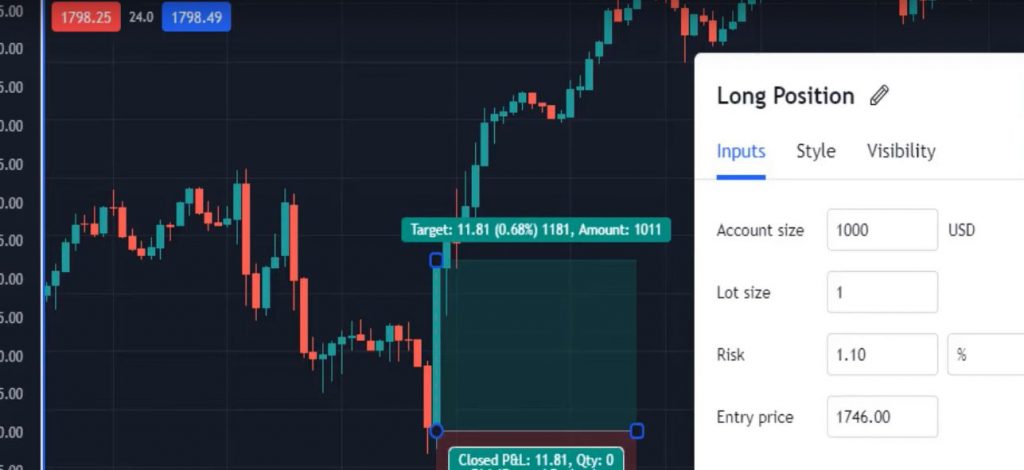
    When the Accelerator Oscillator crosses the 0 line downwards, we have a buy signal. This occurs when the AC is above the 0 line on one bar, and then below the 0 line on the next bar. The confirmation comes at the opening of the next bar. At this point, you can place a long position.

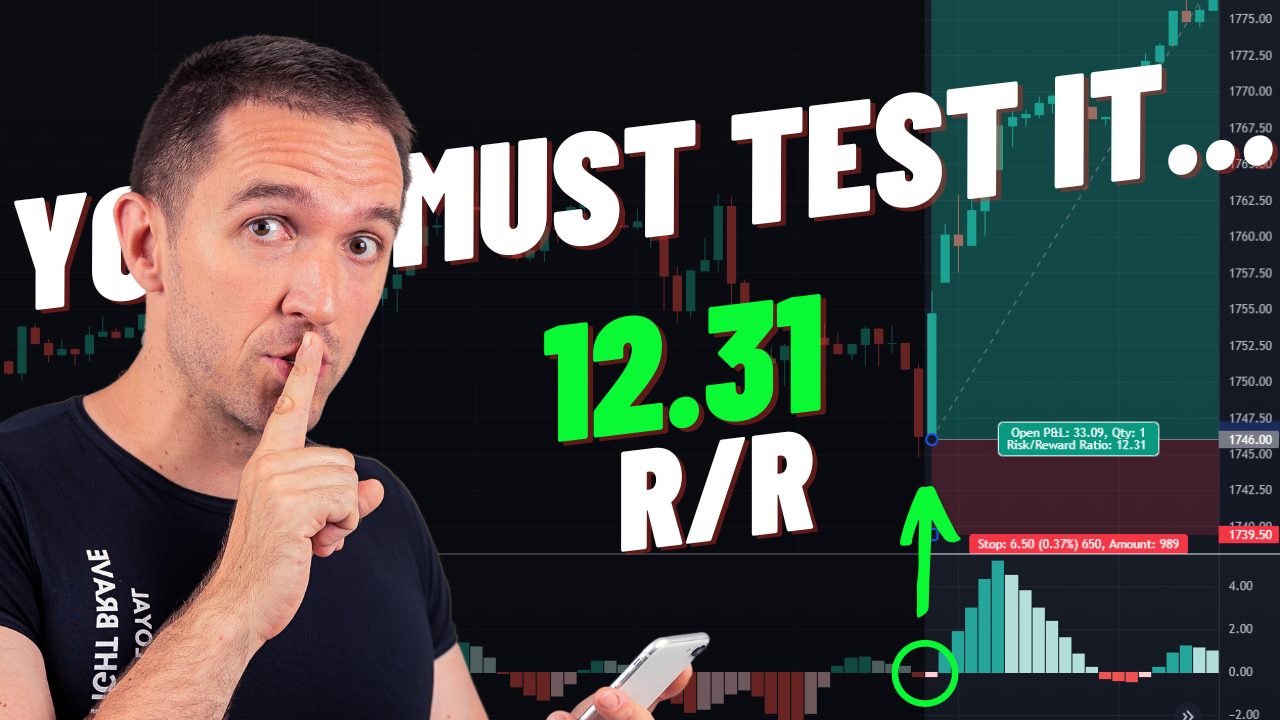
    For a long position, the entry is at the opening price of the bar, which in this case is 1746. The Take Profit is $80 from the gold price, which would be 1826 in this example. The Stop Loss would be 1739.5, which is $6.50 below the entry price.

    It’s important to note that we need to see one bar as confirmation before placing the trade. The risk-to-reward ratio for this strategy is 12.31, which is excellent.

    How-to-Trade-XAUUSD-1

    How to Trade XAUUSD – Bollinger Bands as an Exit Condition

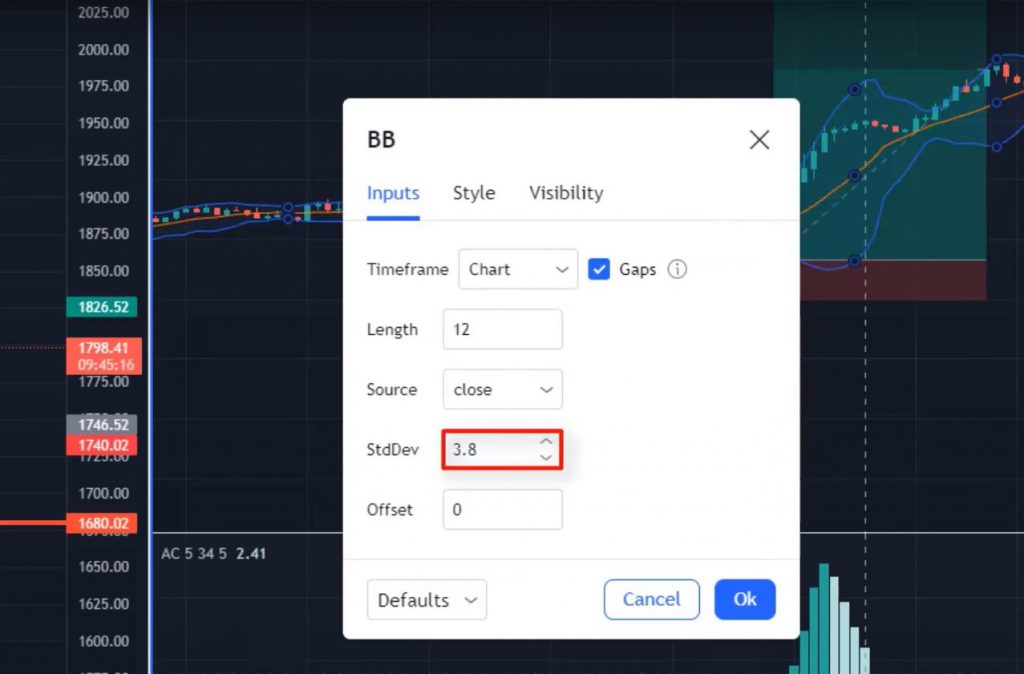
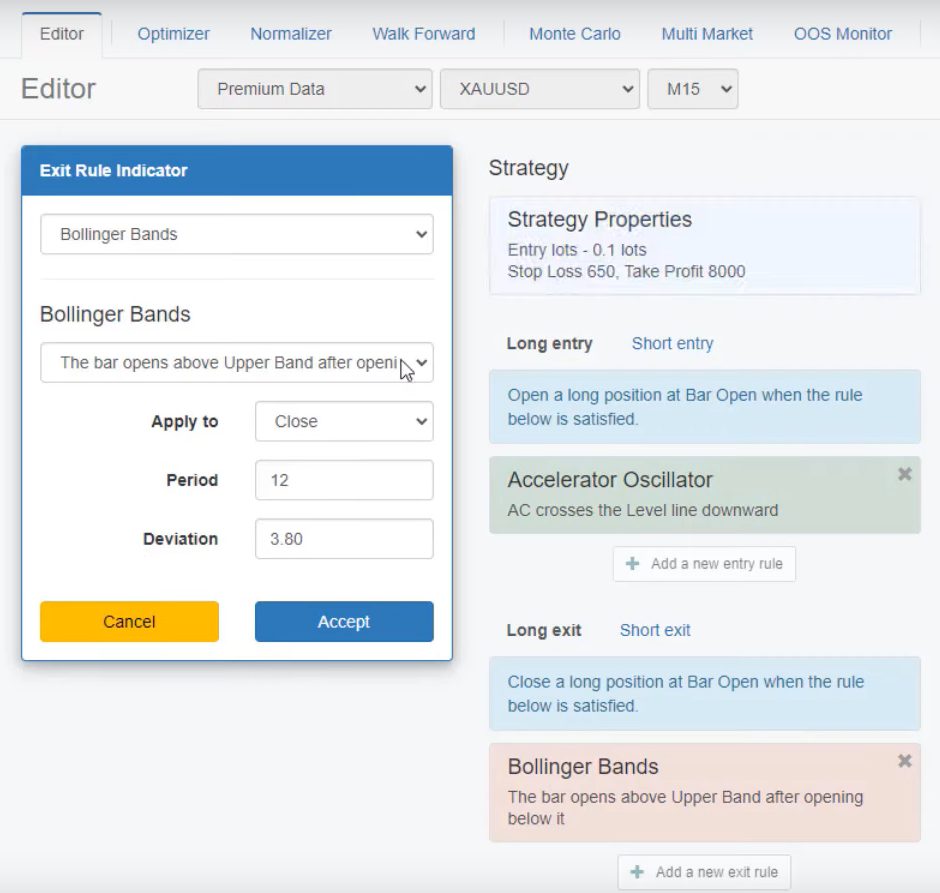
    However, we also have an exit condition from the Bollinger Bands. When using this indicator, we need to adjust the length to 12 and the deviation to 3.8. We should exit a long trade whenever we see a bar that opens above the upper band of the Bollinger Bands.

    For short trades, we need to see the Accelerator Oscillator crossing the 0 line upwards. As an exit, we should see the price below the lower band of the Bollinger Bands.

    It’s up to you whether you want to use only the stop loss and take profit or also include the Bollinger Bands as an exit condition.

    Now that you know the strategy, let’s talk about how to use it on TradingView and MetaTrader. If you want to trade manually, you can use the TradingView platform. You’ll need to add the Accelerator Oscillator and Bollinger Bands to your chart and adjust the settings as described above.

    If you prefer to use a robot to trade automatically, you can use MetaTrader. You can download the robot for free by following the link in the description. Once you’ve installed the robot, you can set the parameters as described above and let it do the trading for you. More on that a little later.

    How to Trade XAUUSD – Selecting your broker

    First and foremost, it’s important to find a regulated broker. One such broker is BlackBull Markets, which offers a variety of popular symbols like Forex, Commodities, and Crypto. They also offer different types of accounts, depending on the amount you’re planning to trade with. It’s crucial to make sure that the broker you choose is regulated, and you can verify this by checking the regulator’s page. For example, if you’re in the UK, look for FCA regulated brokers. If you’re in Australia or New Zealand, look for brokers like BlackBull Markets who are regulated for that area.

    Trading Platforms

    BlackBull Markets offers several account types and a few platforms, including the ever-popular Metatrader 4 and 5, which are the preferred platforms for automated trading, and TradingView, mentioned above. Additionally, it is very well regulated. BlackBull Markets also offer a TradingView Pro subscription, which you can get for free by clicking this link.

    vHow-to-Trade-XAUUSD-3

    How to Trade XAUUSD using Algorithmic (Automated) Trading

    We’ll focus on MetaTrader in this post for algorithmic trading. MetaTrader is the most popular trading platform used by many traders worldwide.

    Gold is a popular asset to trade, and if you’re interested in trading gold, this post is for you. In this post, we’ll show you how to use algorithmic trading to trade gold on MetaTrader.

    Before we dive into the specifics, let’s first take a look at the benefits of algorithmic trading.

    Benefits of Algorithmic Trading

    Algorithmic trading has several benefits. Some of these benefits include:

    1. Faster Execution: With algorithmic trading, you can execute trades much faster than you could with manual trading. This is because the computer can execute trades in a matter of milliseconds, whereas it could take you much longer.
    2. Removes Emotions: Algorithmic trading removes emotions from trading. You might be tempted to make emotional decisions based on fear or greed when trading manually. With algorithmic trading, all decisions are based on pre-determined rules.
    3. Backtesting: With algorithmic trading, you can backtest your trading strategies using historical data. This allows you to see how your strategy would have performed in the past, which can help you make better decisions in the future.

    Now that we’ve covered the benefits of algorithmic trading let’s take a look at how to trade gold using algorithmic trading on MetaTrader.

    How to Trade XAUUSD on MetaTrader

    To trade gold on MetaTrader, you can create a trading robot or expert advisor (EA) using EA Studio. The strategy we’ll use is the Accelerator Oscillator as an entry rule, the Bollinger Bands as an exit rule, and Stop Loss and Take Profit in Pips. Or you could simply download the FREE ready-to-use robot below.

    How to Trade XAUUSD – Backtesting

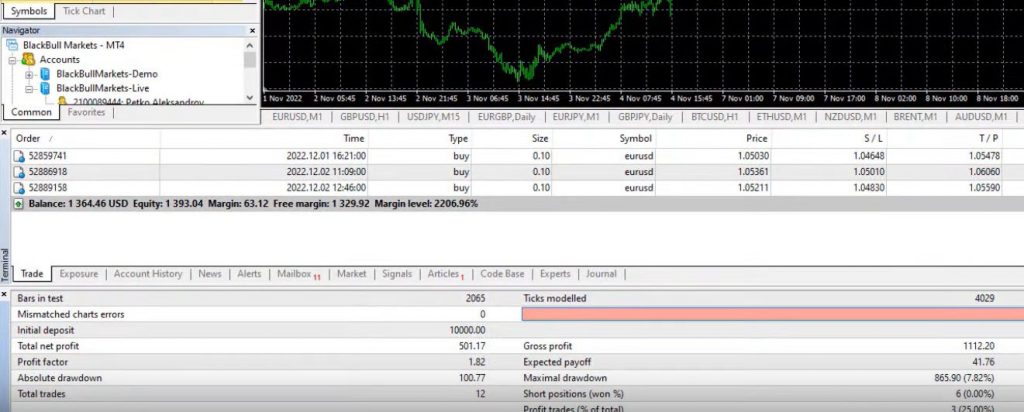
    Once you’ve created or downloaded the robot, you can backtest it using historical data. Backtesting allows you to see how your strategy would have performed in the past. If your backtesting results are satisfactory, you can then trade live using the robot.

    The backtesting results for this strategy show that it performs well on Mondays and Tuesdays. However, there will be losing periods, so it’s important to perform regular backtesting to ensure the strategy is still performing well.

    How-to-Trade-XAUUSD-5

    Conclusion

    In conclusion, trading XAUUSD can be a profitable endeavor if you have the right strategy. The strategy I shared with you is simple, easy to apply, and has consistently brought me great results. Whether you prefer to trade manually on TradingView or use a Robot on MetaTrader, this strategy is applicable for both. Remember to always practice proper risk management and wait for confirmation before entering a trade. Good luck!

  • FP Markets Review: Low-Cost, Regulated Broker

    FP Markets Review: Low-Cost, Regulated Broker

    If you’re looking for a low-cost broker that provides a versatile and affordable solution for Forex and CFD trading, FP Markets could be the perfect option for you. In this review, we’ll explore why FP Markets shines as a broker and what areas it could improve in.

    FP Markets Review: Regulated Broker

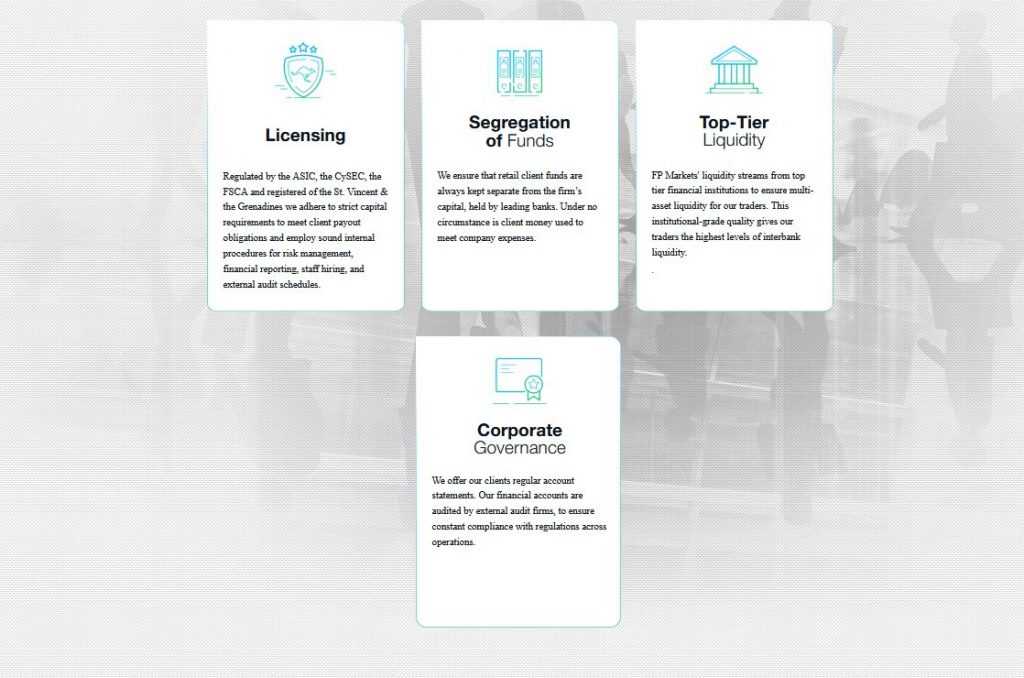
    FP Markets is a regulated broker that adheres to strict investor protection regulations. This is one of the most important aspects to look for when selecting your broker. The broker is authorized and regulated by the Australian Securities and Investments Commission (ASIC), the Cyprus Securities and Exchange Commission (CySEC), the Financial Sector Conduct Authority in South Africa as well as the Financial Services Authority in the Seychelles. By choosing FP Markets, clients can rest assured that they are trading with a broker that complies with the most stringent regulations for investor protection.

    FP-Markets-Review-1

    FP Markets Review: Low-Cost Solution for Forex and CFD Trading

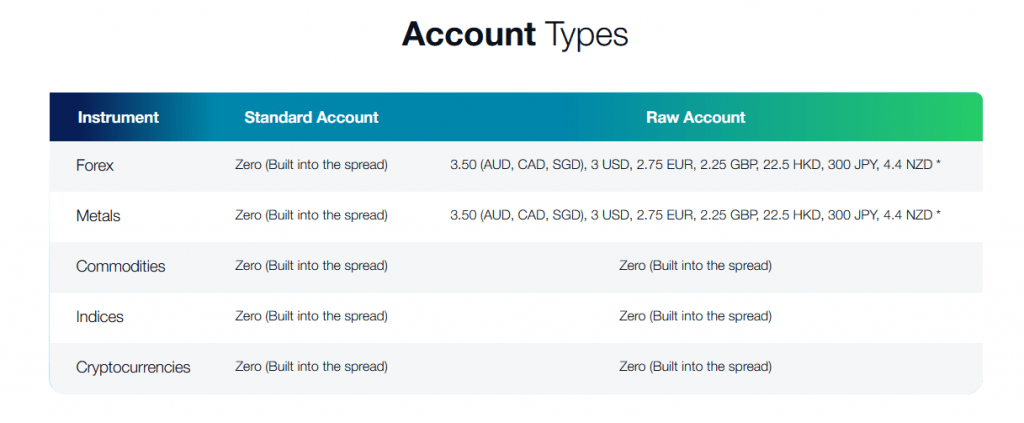
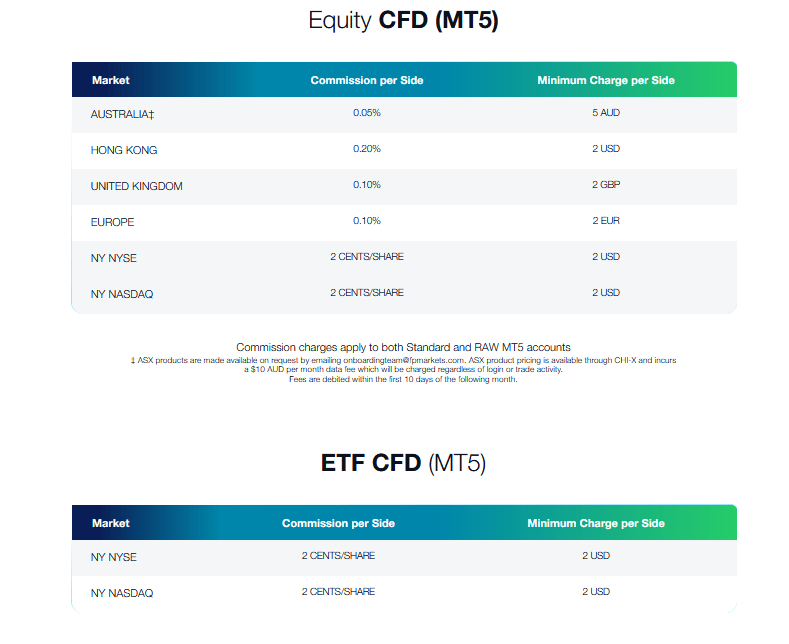
    One of the most significant benefits of FP Markets is its low-cost offering for Forex and CFD trading. As long as you use the MetaTrader or cTrader platform, you’ll be able to take advantage of competitive pricing with no hidden markups or fees.

    The spreads on major currency pairs start from as low as 0.0 pips on the MetaTrader platform.. Fees are also low, as can be seen below.

    FP-Markets-Review-3

    FP Markets Review: Versatile Trading Platforms

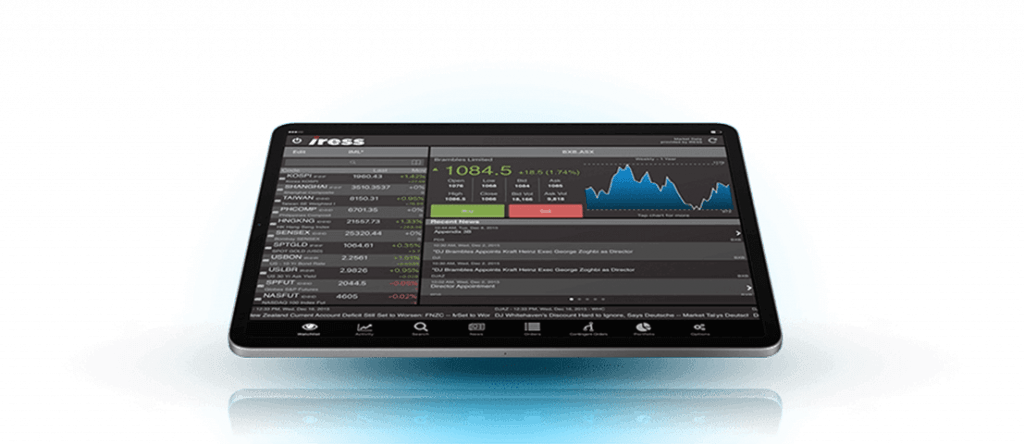
    FP Markets provides a number of popular trading platforms for Forex and CFD trading: MT4, MT5, Iress, Webtrader, and Mobile App, as well as cTrader. These platforms offer a range of advanced features, such as automated trading, charting tools, and customization options.

    MetaTrader

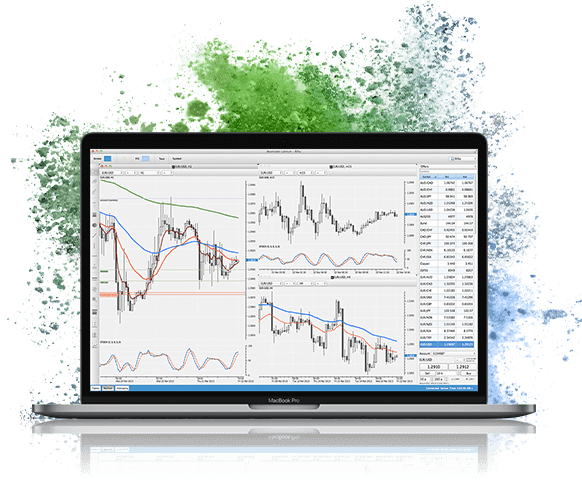
    MetaTrader is a well-established platform in the Forex industry, providing access to over 60 currency pairs and a range of CFDs, including indices, commodities, and cryptocurrencies. One of the key benefits of MetaTrader is the availability of third-party plugins, such as trading signals and expert advisors, that can enhance your trading experience. You can purchase these on the MT4 and MT5 market place, or you could create your own using easy-to-use programs like EA Studio. It is also still the most widely used trading platform in the world, however, newer web-based platforms are catching up.

    With the FP Markets MetaTrader 4 & MetaTrader 5 online WebTrader, trading becomes highly flexible. You can simply trade from a browser of your choice, on your preferred device with no OS preference (Windows or Mac), without the need to download additional software.

    FP-Markets-Review-5

    cTrader

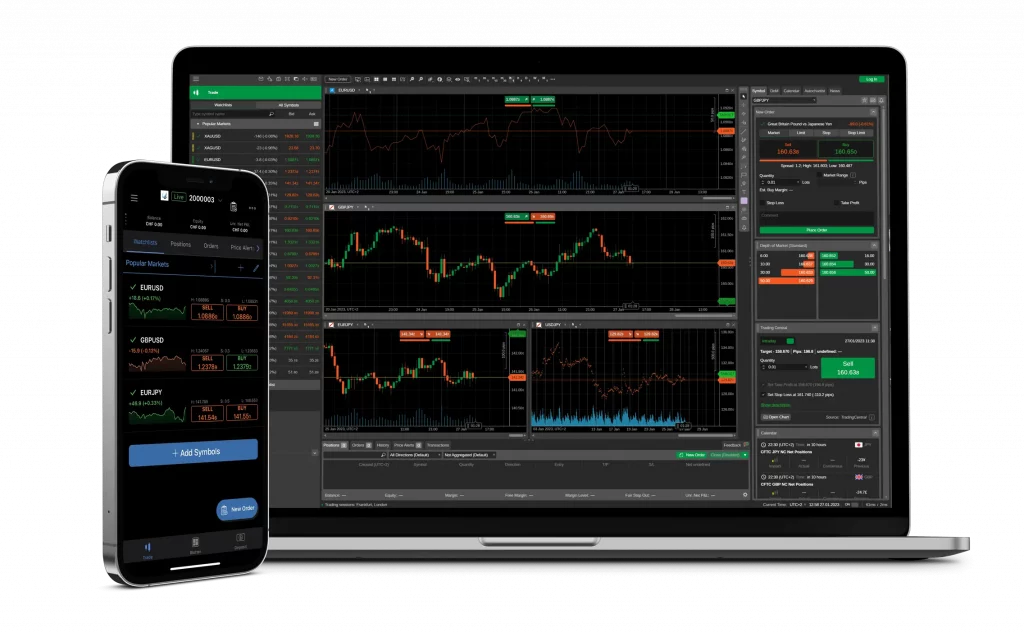
    Designed for Forex and CFDs (Contract for Differences), cTrader is a premium charting solution that offers a wide range of impressive features. With compatibility across several versions, it’s no surprise that cTrader has quickly become a go-to platform for traders around the world.

    So, what makes cTrader stand out from the competition? Let’s take a closer look at some of its primary features:

    1. Custom Capabilities: With cTrader, you can customize the platform to suit your unique trading needs. Whether you’re an active day trader or a long-term investor, cTrader offers a range of customizable options to help you make the most of your trades.
    2. Rich Charting Applications: As a trader, you know that charts are an essential tool for analyzing market trends and making informed trading decisions. With cTrader, you’ll have access to a wide range of charting applications, including candlestick charts, bar charts, and more.
    3. Easy-to-Use Style: Despite its advanced features, cTrader is designed with simplicity in mind. The platform is easy to navigate, even for beginners, and offers a practical and intuitive interface.

    Iress

    A very interesting platofrm, Iress is an ingenious & award-winning co-pilot at your trading deck for a safer & enhanced Forex CFDs trading experience. Iress Essential is an advanced trading toolbox and an exclusive trading risk manager. The Iress platform suite offers well over 10,000 tradeable symbols.

    FP-Markets-Review-7

    FP Markets Review: Tradeable Symbols: MetaTrader vs. Iress

    FP Markets offers a wide range of tradeable symbols on its platforms, including Forex, CFDs, shares, and commodities. However, the choices of tradeable symbols varies from platform to platform.

    The MetaTrader platform provides access to over 60 currency pairs and a range of CFDs, including indices, commodities, and cryptocurrencies. It’s a versatile platform that caters to the needs of Forex and CFD traders.

    The Iress platform suite, on the other hand, offers well over 10,000 tradeable symbols. However, it’s mostly a share trading platform, and the pricing is generally higher compared to the MetaTrader and cTrader platforms.

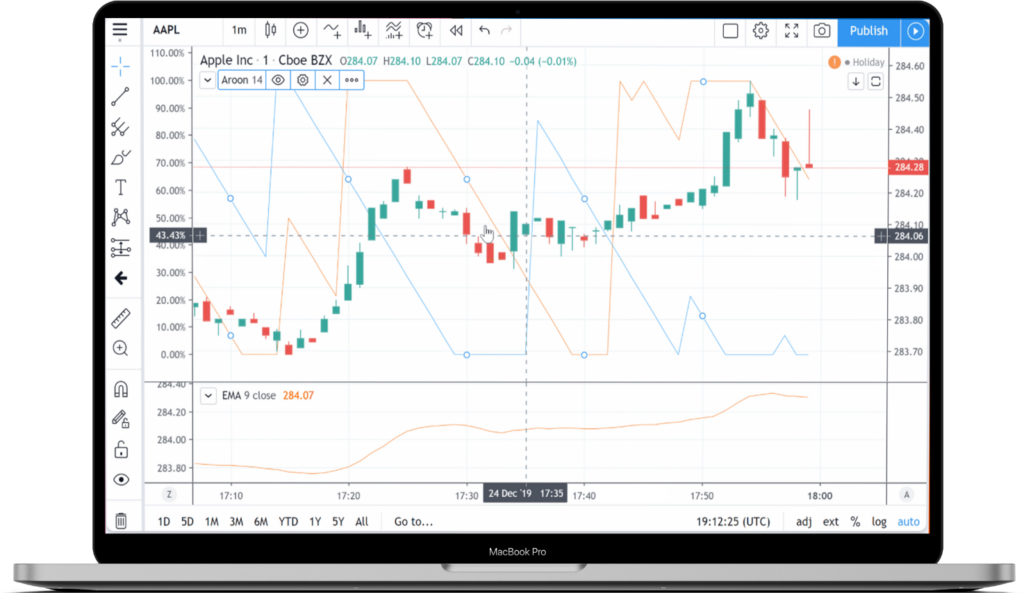
    TradingView

    FP Markets has further expanded its trading platform offerings by incorporating the TradingView Charting and Trading Platform. TradingView is recognized globally for its premium charting solutions, catering to millions of traders and investors worldwide. The platform offers advanced charting functionality accessible through desktop, web-based browsers, and mobile devices, allowing traders to explore and employ over 100,000 public indicators. With an intuitive interface, TradingView facilitates easy navigation and customization, enabling traders to create custom layouts, write, and share indicators and strategies using TradingView’s Pine Script.

    TradingView stands out for its comprehensive coverage of global markets, including Stocks, Bonds, Forex, Digital Currencies, Commodities, and Indices, supported by a vast and active social trading community. It provides real-time data, various technical analysis tools, and a wealth of educational material through community-generated content. Traders can connect their FP Markets account to TradingView, enhancing their trading experience with sophisticated charting features and tapping into a large social trading community. This addition underscores FP Markets’ commitment to providing versatile and high-quality trading platforms to meet the diverse needs of its clients.

    Leverage

    One of the most common tools in the trading world, leverage allows a trader to invest much more in their trades, with relatively small deposit amounts. FP Markets offers leverage of up to 1:500 on positions in FX and precious metal CFDs, along with stop losses, so that traders can make the most of price movements while ensuring robust risk management measures.

    By leveraging your investment with FP Markets, you can trade much larger lots and increase your exposure to the markets. This can be especially helpful when trading in more expensive assets with high liquidity. Even if you have only a small amount of capital to invest, FP Markets provides the opportunity to enter larger trades than what would have been possible with just your own capital.

    However, it’s important to note that larger leverage not only magnifies your profit but also your loss potential. As such, it’s important to assess your risk tolerance before choosing a leverage ratio. While leveraging can increase your exposure to the markets and boost potential profits, it’s not without risk.

    FP Markets offers a range of leveraged trading options and tools to help you trade on the markets with confidence. Along with stop losses, which help manage your downside risk, you’ll have access to a wide range of trading platforms, educational resources, and market analysis to support your trading decisions.

    FP-Markets-Review-9

    FP Markets Review: MAM/PAMM

    FP Markets’ Forex offering includes both Multi-Account Manager (MAM) and Percent Allocation Management Model (PAMM) allocations. As one of the leading MAM/PAMM account brokers, FP Markets’ software is perfect for traders or money managers using Expert Advisors (EAs).

    But what exactly are MAM and PAMM accounts, and how do they work?

    MAM accounts allow money managers to manage multiple accounts through a single interface, providing a seamless trading experience. This makes it easier for money managers to monitor and execute trades on behalf of their clients. MAM accounts also offer flexibility in the way profits are allocated among the managed accounts. In this way, money managers can allocate profits generated from trades among managed accounts based on each account’s investment amount with MAM accounts. This provides flexibility.

    On the other hand, PAMM accounts allow investors to allocate their funds to a money manager who trades on their behalf. Allocating funds is based on the percentage of each investor’s total investment amount which allows even those without the knowledge or expertise to trade on their own and get involved in Forex trading.

    Both MAM and PAMM accounts offer order management monitoring. This provides transparency and visibility into the trades executed by the money manager. Investors who want to know where their money is being invested and how it is performing find this feature particularly appealing.

    FP Markets’ have designed their MAM/PAMM accounts to provide money managers with the tools they need to manage their clients’ accounts efficiently and effectively. With FP Markets’ software, money managers can execute trades quickly and accurately, which can translate into higher returns for their clients.

    FP Markets Review: PROs and CONS

    PROs

    Low Forex Fees

    Forex fees are one of the most critical factors when choosing a broker. FP Markets charges low commissions, which are among the lowest in the industry, and is known for its competitive fees. Traders can qualify for an active trader rebate to further reduce these commissions.

    Fast and Easy Account Opening

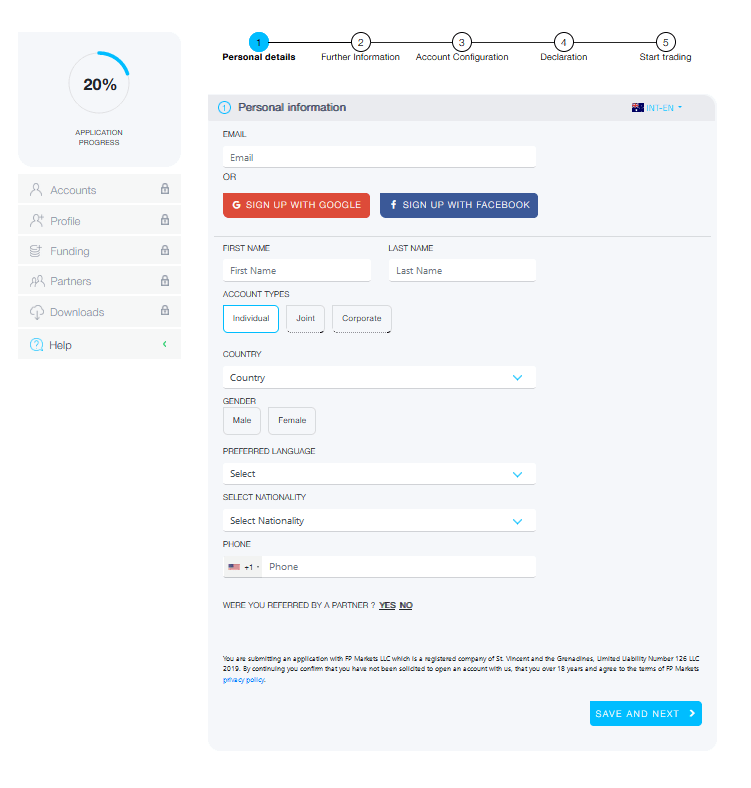
    Opening an account with FP Markets is easy and fast. The broker offers a very simple process that takes only a few minutes to complete. Once you’ve signed up, you can start trading right away.

    FP-Markets-Review-9

    FP Markets Review: Quick Deposit and Withdrawal Processes

    FP Markets processes deposits and withdrawals quickly, which allows clients to fund their accounts or withdraw their funds quickly. Traders can make deposits using various payment methods, including credit or debit cards, bank transfers, and e-wallets. The broker also covers bank withdrawal fees, making the withdrawal process even easier.

    Segregated Accounts and Annual Reports

    FP Markets takes client fund protection seriously. The broker maintains segregated accounts for client funds, ensuring that clients’ money is safe and secure. Additionally, FP Markets provides annual reports that give clients an overview of the broker’s financial performance and stability.

    Tighter Spreads from 0.0 pips

    FP Markets offers consistently tighter spreads from 0.0 pips, which is a significant advantage for forex traders. The broker’s Raw ECN account provides access to the interbank market, ensuring the tightest spreads possible.

    FP Markets Review: 24/5 Multilingual Support

    FP Markets offers 24/7 support to its clients in several languages.. The broker’s customer service team is available to assist clients with any questions or concerns they may have. This is via live chat, email, or phone.

    Educational Content

    FP Markets have a wide range of educational resources available. These include trading courses, trading guides, podcasts, live webinars, platform tutorial and eBooks.

    FP Markets Review: CONs

    CFD fees on some stocks might be higher than other brokers out there.

    FP Markets Review: Conclusion

    In conclusion, FP Markets is an excellent choice for traders looking for a reliable and trustworthy broker. They are licensed and regulated with several well known regulators. With pricing that is better than average, a wide range of products, award-winning trading platforms, excellent customer service and a wide range of educational resources FP Markets has everything you need to achieve your financial goals. So why not open an account with FP Markets today and start trading?

  • Bollinger Bands EA: A Guide to Trading with Expert Advisors

    Bollinger Bands EA: A Guide to Trading with Expert Advisors

    If you’re a trader looking to automate your trading strategies, then you’ve probably come across Expert Advisors (EAs). These are software programs that allow you to trade automatically based on predetermined rules and conditions. In this guide, we’ll take a closer look at the Bollinger Bands EA and how you can use it to improve your trading.

    What are Bollinger Bands?

    Bollinger Bands are a technical analysis tool that measures volatility in the market. Bollinger Bands are composed of three lines, which include a moving average typically set to 20 periods, and two standard deviations positioned above and below the moving average.. Equally important are the upper and lower bands that represent a range where prices are expected to stay within, providing potential entry and exit points for traders.

    Using the Bollinger Bands EA

    The Bollinger Bands EA is a trading robot that can help automate your trading based on Bollinger Bands. However, setting it up can be quite tricky. Here are a few steps to help you with the process.

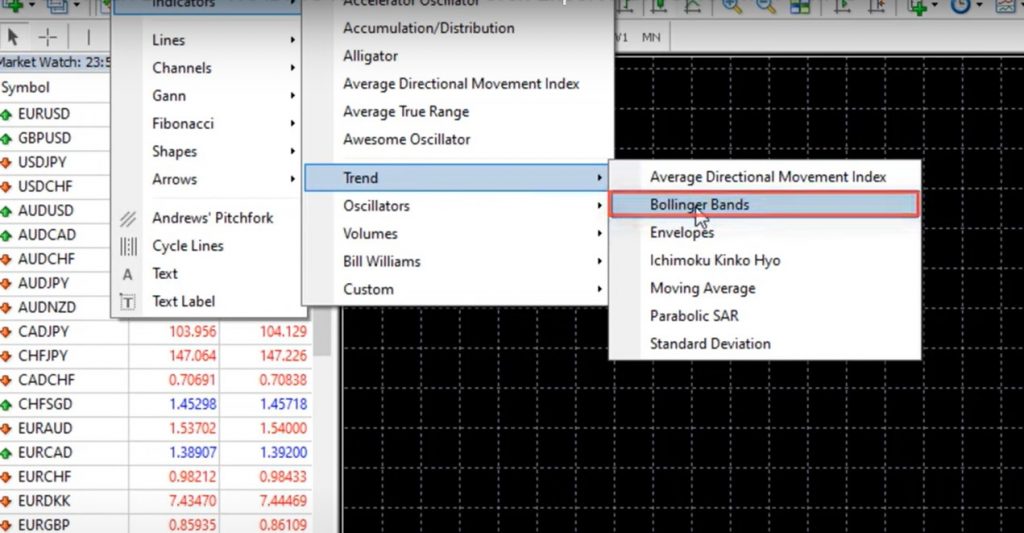
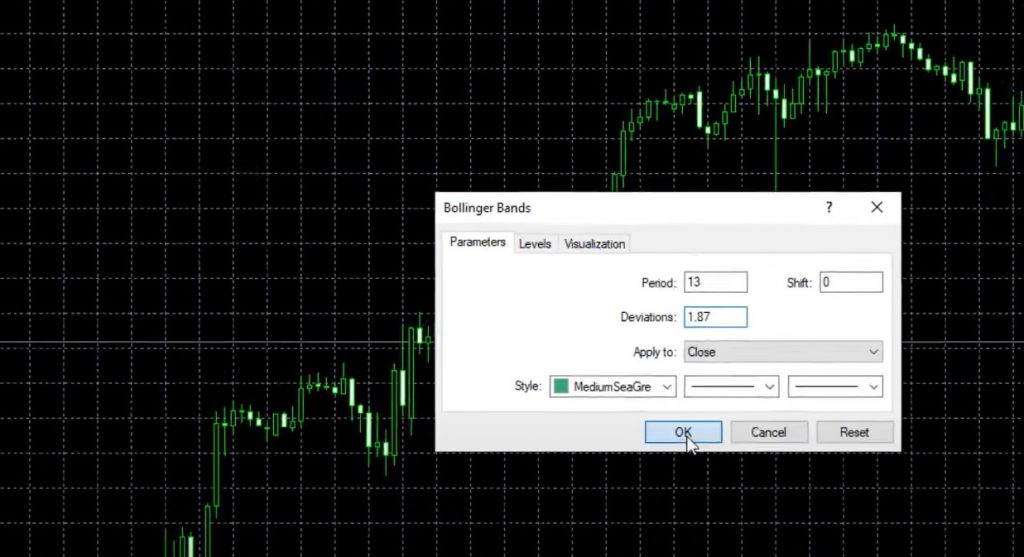
    Step 1: Add the Bollinger Bands indicator to your chart.

    The Bollinger Bands indicator can be found in your trading platform’s list of technical indicators. Once you add it to your chart, you can adjust the period and deviation settings. For this strategy, we’ll use a period of 13 and deviation of 1.87.

    Bollinger-Bands-EA-1

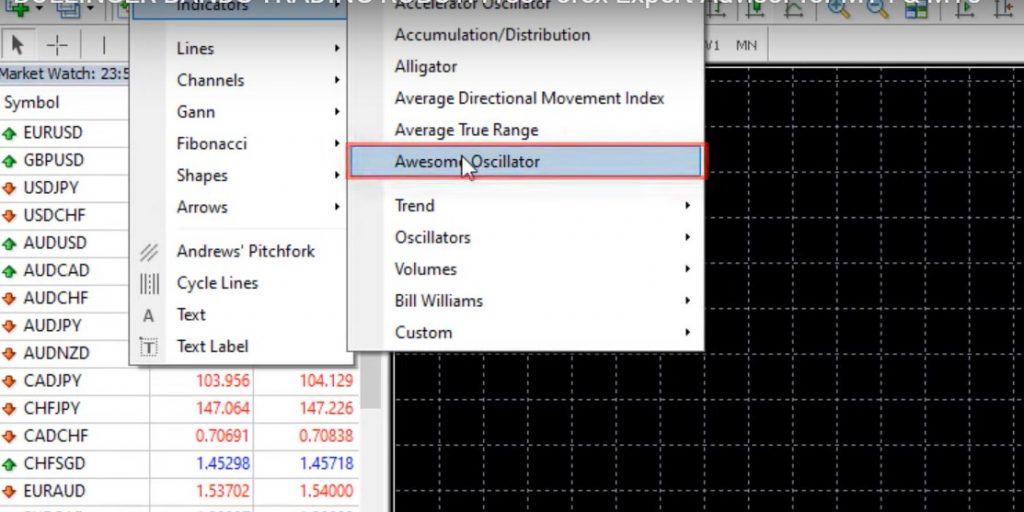
    Step 2: Add the Awesome Oscillator to your Bollinger Bands EA.

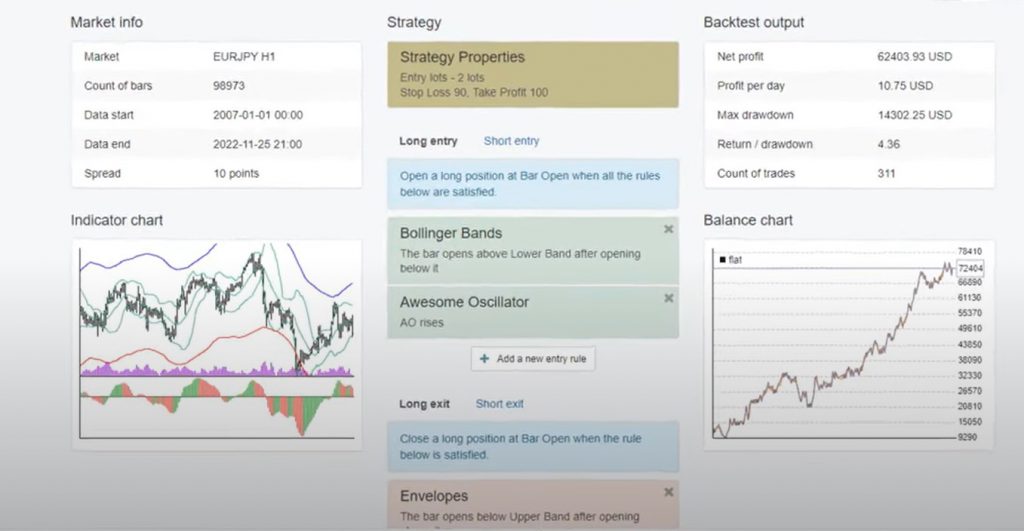
    The Awesome Oscillator is another technical indicator that can help confirm trades based on Bollinger Bands. It has a zero line, and the rule for entering a long trade is when a candlestick opens above the lower band after one opens below it. In order to initiate a short trade, it is essential to observe the price movement surpassing the upper band, trailed by a candlestick that starts below the band. It is advisable to verify that the Awesome Oscillator is ascending for long trades and descending for short trades.

    Bollinger-Bands-EA-3

    Step 3: Use Stop Loss and Take Profit.

    This strategy comes with a Stop Loss of 90 pips above the entry and a Take Profit of 100 pips below the entry price. Moreover, you can adjust these settings based on your trading style and risk tolerance.

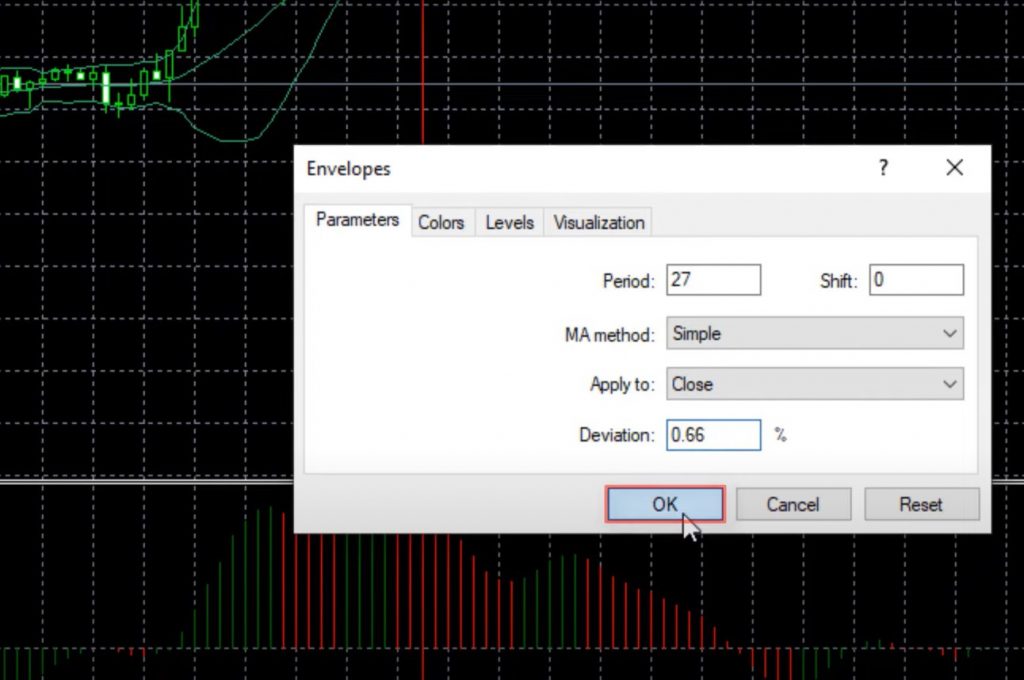
    Step 4: Add the Envelopes indicator Bollinger Bands EA.

    The Envelopes indicator is another technical analysis tool that can be used as an exit condition for trades. Located in the trend section of your trading platform’s indicators, the Bollinger Bands indicator is an essential tool that is particularly useful when using a period of 27 and deviation of 0.66, as we will do in this specific strategy.

    Step 5: Test and optimize your strategy.

    Once you’ve set up your Bollinger Bands EA, you can backtest it using your trading platform’s strategy tester. Make sure to set your timeframe, spread, and other parameters before hitting start. The strategy tester will provide you with detailed statistics and a visual representation of the Expert Advisor’s performance over time.

    Tips for Using the Bollinger Bands EA

    Here are some additional tips to help you get the most out of the Bollinger Bands EA:

    1. For both backtesting and live trading, it is crucial to choose a reliable broker. Therefore, we suggest that you check out our recommended brokers by clicking on this link.
    2. Optimize your settings based on past performance. Use your trading platform’s backtesting tool or a program like EA Studio to see how different settings perform over time despite varying market conditions.
    3. Set realistic expectations. No trading strategy can guarantee profits, so make sure to use proper risk management and only trade with money you can afford to lose.
    4. Monitor your trades. Even if you’re using an EA, it’s important to keep an eye on your trades and adjust your settings as needed.
    Bollinger-Bands-EA-5

    Conclusion

    The Bollinger Bands EA is a widely sought-after and efficient tool. It can be effective for traders who want to automate their trading using Bollinger Bands. Additionally, integrating technical analysis tools like the Awesome Oscillator and Envelopes can help create a strong and dependable trading strategy that has the potential to provide outstanding outcomes.. By utilizing these tools and techniques, traders can optimize their trading practices and enhance their overall trading experience.

  • NASDAQ Expert Advisor: Your Solution to Systematic Trading

    NASDAQ Expert Advisor: Your Solution to Systematic Trading

    Are you tired of relying on your emotions to make trading decisions? Do you want to take a more systematic approach to trading the NASDAQ? Look no further than the NASDAQ Expert Advisor!

    Developed by myself, this robot has proven to perform exceptionally well in the NASDAQ market. In this blog post, I’ll explain what the NASDAQ Expert Advisor is and how to backtest it. And al always, the strategy behind it.

    What is a NASDAQ Expert Advisor?

    First things first – what exactly is a NASDAQ Expert Advisor? In simple terms, it’s a robot that is designed to buy and sell stocks in the NASDAQ market. The beauty of using a robot is that it takes emotions out of the equation – it doesn’t care if the market is crashing or if there’s an official recession. It simply follows its programmed strategy.

    Understanding the NASDAQ Market

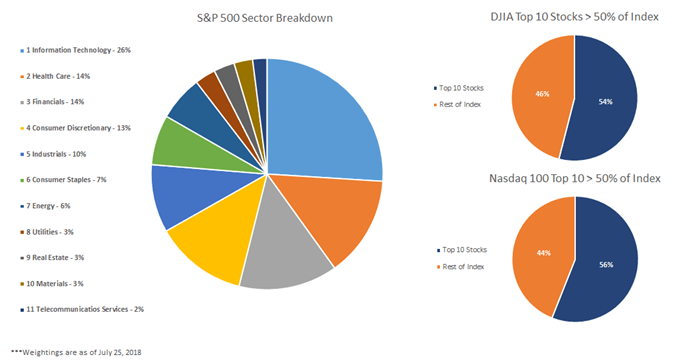
    If you’re new to trading, you may not be familiar with the NASDAQ market. Essentially, the NASDAQ is an electronic marketplace. It lists stocks for companies in various industries, such as technology, healthcare, and finance. Unlike the Dow Jones Industrial Average (which tracks 30 large companies). Or the S&P 500 (which represents companies from different sectors). The NASDAQ includes stocks that are just traded on the NASDAQ market.

    While it’s helpful to have a basic understanding of the market you’re trading in, the real key to success is having a solid trading strategy.

    NASDAQ-Expert Advisor-1

    The Strategy Behind the NASDAQ Expert Advisor

    Rather than focusing on technical theories, I prefer to focus on the trading strategies that I use with the NASDAQ Expert Advisor. After spending a lot of time developing Expert Advisors, I share the best ones with my followers.

    When using the NASDAQ Expert Advisor, you can expect it to follow a systematic trading strategy. It is designed to take advantage of market trends. By analyzing historical market data, the robot is programmed to identify patterns. Then suggest a particular stock is likely to increase or decrease in value. Based on this analysis, it will buy or sell the stock accordingly.

    Thanks to the systematic approach of the NASDAQ Expert Advisor, you can be confident that you’re not making trading decisions based on emotions. Instead, you’re relying on a tried-and-true strategy that has proven to be effective.

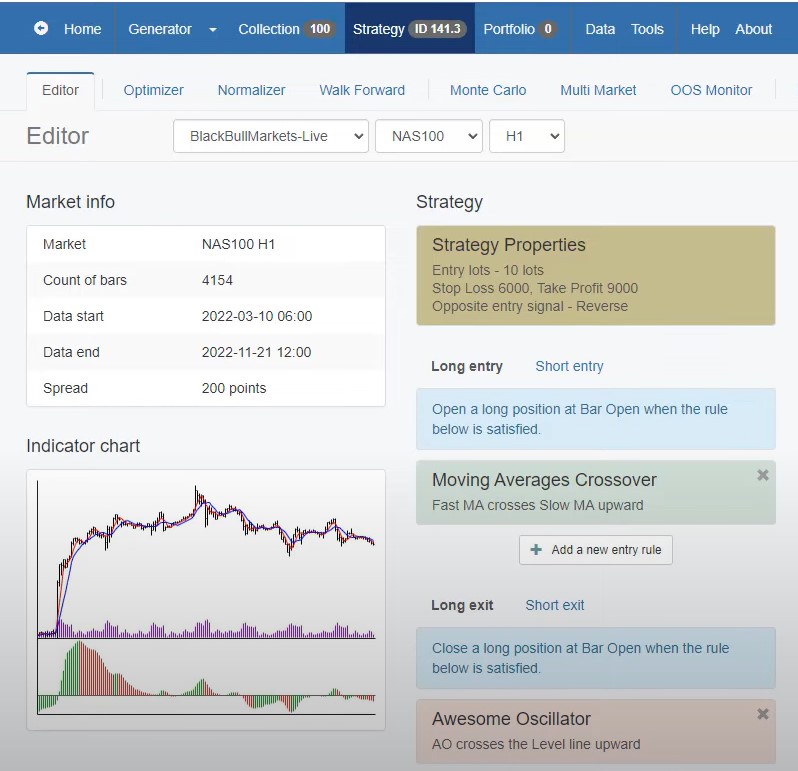
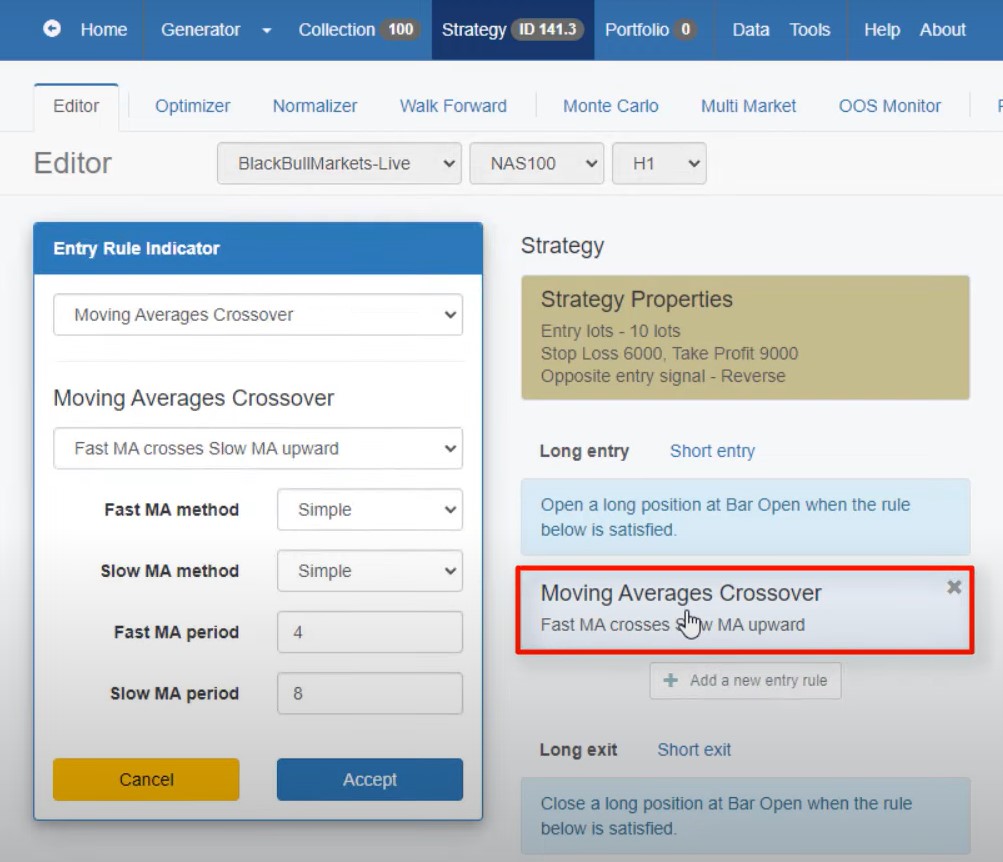
    Entry Rule: Moving Averages Crossover

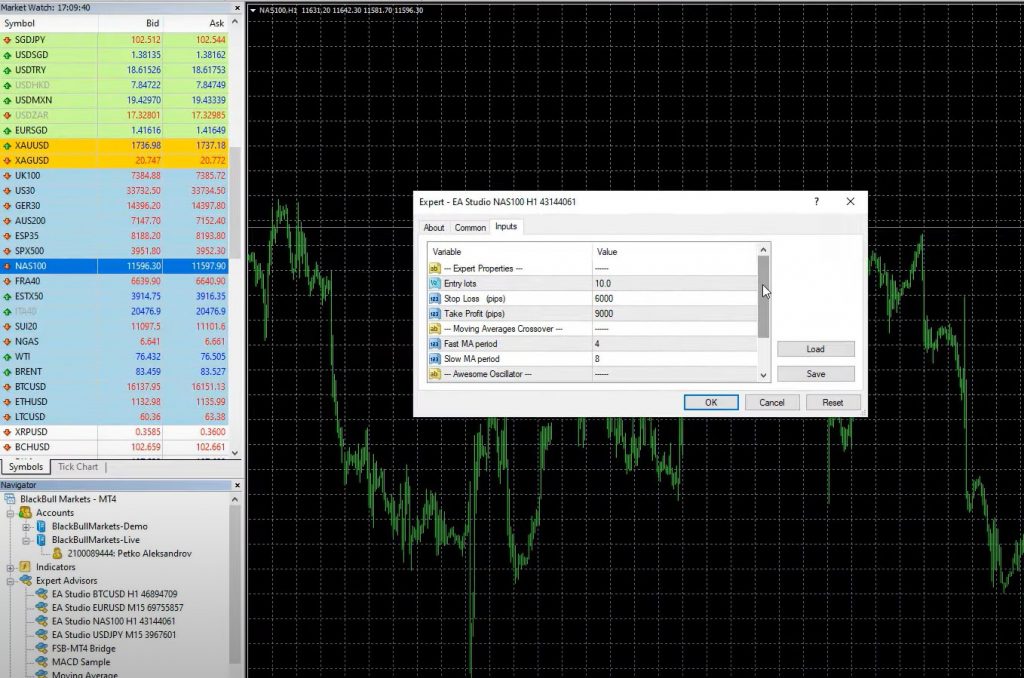
    The first rule of the NASDAQ Expert Advisor is to use the fast Moving Average to cross the slow Moving Average upwards. Specifically, the strategy uses the 4 and 8 fast-Moving Averages. They use a period of 4 for the fast and a period of 8 for the slow Moving Average. Whenever the 4 crosses the 8 upwards, we have a buy signal. If it crosses downwards, we have a sell signal.

    When the fast Moving Average crosses above the slow Moving Average, we have a long trade. We set the Stop Loss at 6000 Pips and Take Profit at 9000 Pips, which translates to $60 as a Stop Loss and $90 as a Take Profit, depending on the number of digits of your Broker.

    NASDAQ-Expert Advisor-3

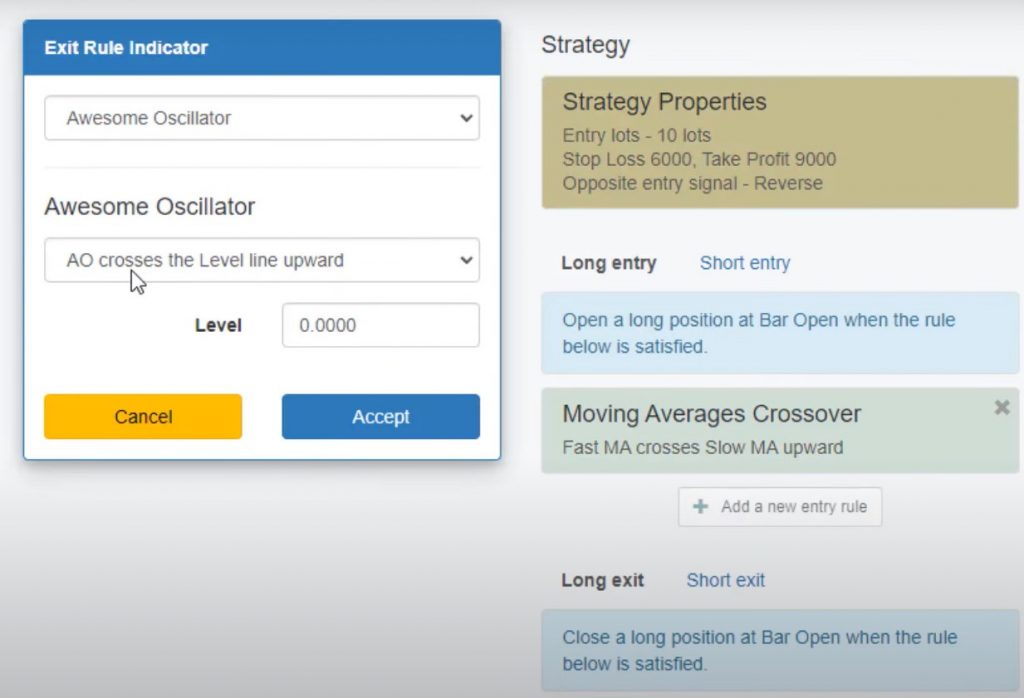
    Exit Rule: Awesome Oscillator

    If the Take Profit and Stop Loss are not reached, the Awesome Oscillator comes into play. The exit rule for the NASDAQ Expert Advisor? Close the trade if the Awesome Oscillator crosses the level line upward.

    Stability and Profitability of the Strategy

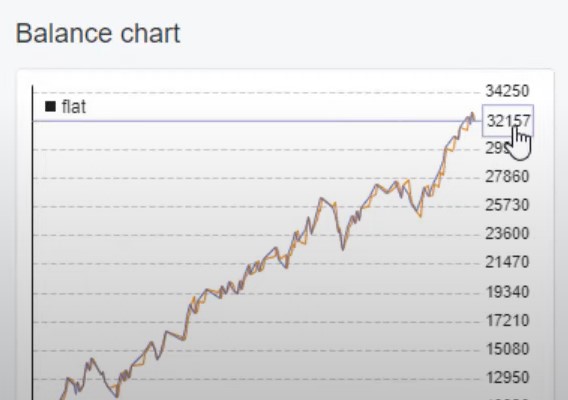
    The NASDAQ Expert Advisor has proven to be a stable and profitable trading strategy. When we tested it on EA Studio, the balance chart was stable for the last 6 months. We had an open trade about 8 to 9% of the time. The maximum consecutive losses were 4. The maximum drawdown was 19%, based on trading on a 10K account using 10 Lots as a position.

    Over the last 6-7 months, this strategy has generated a profit of $32,000. This is shown in the report and stats information.

    NASDAQ-Expert Advisor-5

    Why Trade with a Robot?

    Trading with an Expert Advisor like the NASDAQ Expert Advisor has many benefits, including:

    • Removing Emotions from Trading: With a Robot, you don’t care about the emotions of the market or the latest news; you only trade based on the rules that you have set up.
    • Consistency: A Robot trades consistently and executes trades based on the rules without deviation or hesitation.
    • Time-Saving: Trading with a Robot saves time because it can monitor the markets 24/7, even while you sleep or are busy with other activities.
    • Increased Precision: Robots can scan the markets more quickly and efficiently than humans, identifying and executing trades more precisely.

    How to Backtest the NASDAQ Expert Advisor

    If you’re new to trading or want to test the NASDAQ Expert Advisor before using it on a live account, you can backtest it using a trading platform like EA Studio or MetaTrader. Backtesting allows you to simulate trading the strategy with historical data to see how it performs and identify any issues that need to be addressed.

    Steps 1 – 3: Downloading and Installing the NASDAQ Expert Advisor

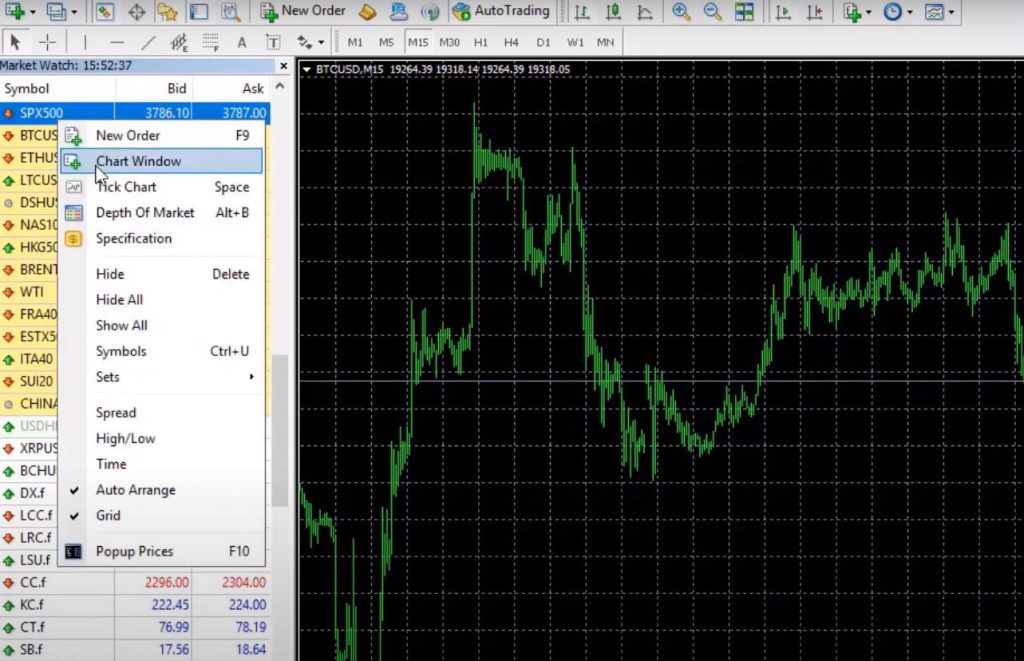
    Step 1: Download the Expert Advisor from the Description Once you download the Expert Advisor from the description, you need to find NASDAQ on the Market Watch, right-click, and go to the Chart window. This will open a new chart, and make sure you are on the H1 time frame because this Expert Advisor is designed for the H1 time frame.

    Step 2: Open Data Folder and Paste the Expert Advisor Next, you need to go to File, Open data folder, click on MQL4, hit on Experts, and paste the Expert Advisor. Then you can double-click on it, and you will see the code for the Expert Advisor. If you are a developer, you are welcome to modify it. If you don’t know anything about programming, just like me, I’ll suggest you not touching it. However, if you want to transfer this code to TradingView script, for example, and trade it on that platform, you can do that.

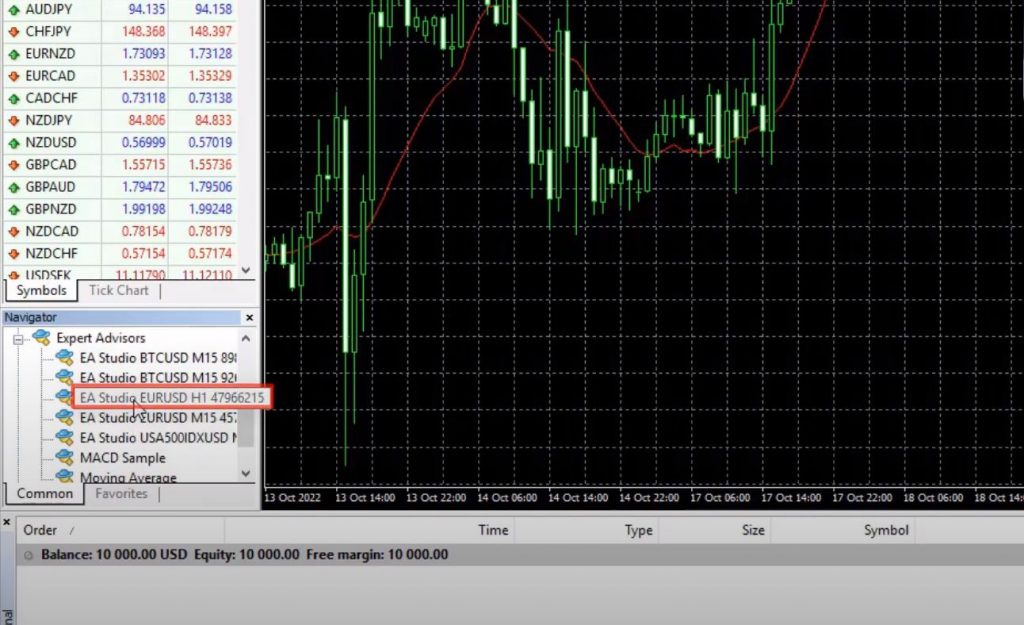
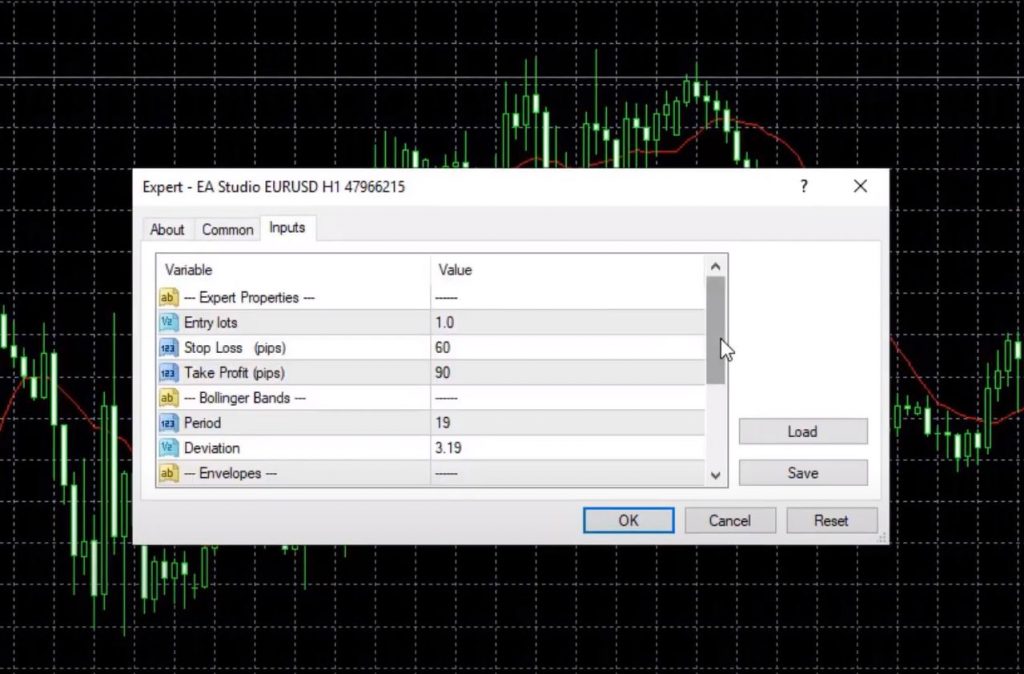
    Step 3: Hit Compile and Add the Expert Advisor to the Chart The only thing you need to do to backtest this Expert Advisor on MetaTrader is hit on Compile, and then you will see the Expert Advisor in your Navigator Tab. Hit on the plus icon in front of Expert Advisors, and you will see it right below. Then drag and drop it over the chart, and here will be the inputs, the desired Lot size, and the Magic Number on the bottom which allows us to track the performance if we trade many Expert Advisors in one account.

    Steps 4 – 6: Backtesting and Analysis

    Step 4: Backtest the Expert Advisor on MetaTrader Once you have added the Expert Advisor to the chart, hit OK, and then right-click on the chart. Go to Expert Advisors and hit on Strategy Tester. Stick to open prices as a model, which means that the Expert Advisor opens new positions at the opening of the bar if the rules are in place. Then hit Start, and the backtest is extremely fast.

    Step 5: Analyze the Backtest Results Go to Results, and here are all the orders that executed with the Broker. You can see that the balance grows up until 32,348.98. This is the graph. So pretty much, the very same graph as we have on EA Studio, but here it is just white and in EA Studio, we have it in a small window.

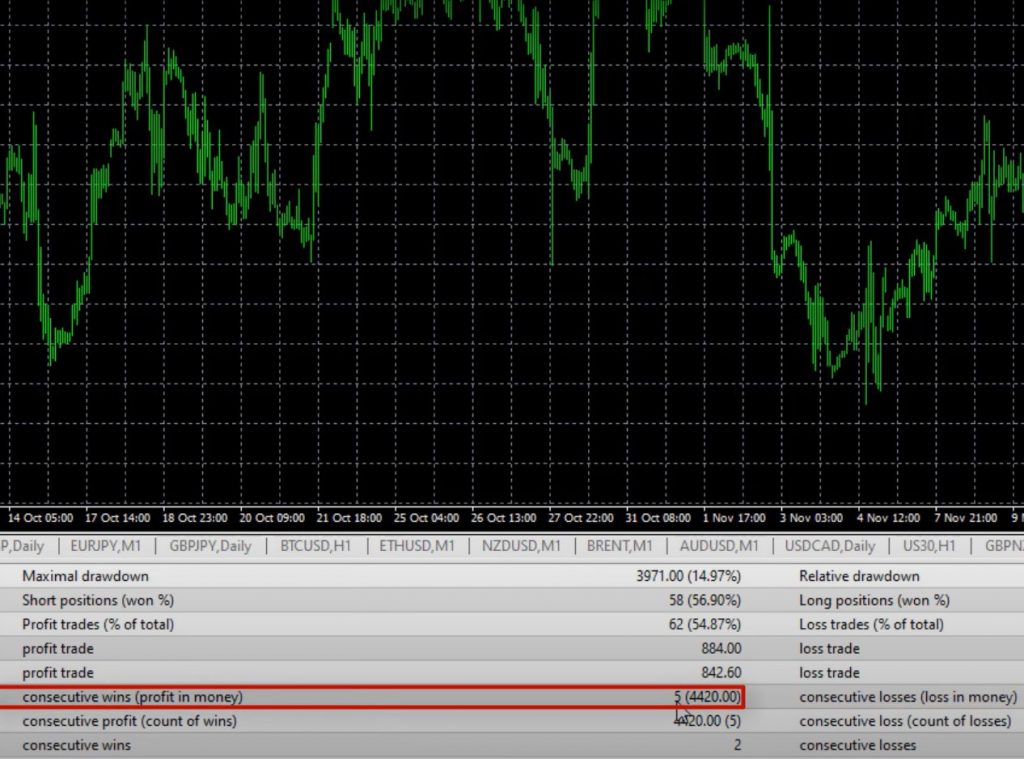
    The MetaTrader backtester shows 113 trades, while EA Studio shows 115. However, it is very close, and you can see that the balance chart shows 32,157. Profit Factor is 1.75, which means that we have more profits than losses. Profit Factor above one is a good thing. We have a pretty balanced exposure between short positions and long positions, and the Maximum consecutive losses according to MetaTrader 4 backtester are 4 as well, and we have consecutive wins, 5.

    NASDAQ-Expert Advisor-7

    Why Backtesting is Important

    Whenever you’re watching a video and to download this NASDAQ Expert Advisor, make sure to backtest it. This way you’ll see how it does in the most recent period of time. Keep in mind that there is never a guarantee that the Expert Advisors will continue being profitable. Even if we have a great backtest. However, when you have over 100 trades for the last 6 months or so, and the strategy shows such a positive result, you can be confident that it will perform well in the future.

    Other Platforms You Can Use The NASDAQ Expert Advisor On?

    You can implement the NASDAQ Expert Advisor on any trading platform. This includes TradingView or any web-based platform you are using. Just insert the Moving Averages and the Awesome Oscillator indicator on your platform, and set the parameters as mentioned above. You can use a Stop Loss of $60 from the NASDAQ price and a Take Profit of $90 to secure quick profits and protect your capital from bigger losses. Blackbull Markets offers a free Pro Subscription when signing up through this link.

    Why Use NASDAQ Expert Advisor?

    The beauty of the NASDAQ Expert Advisor is its simplicity. You don’t need to spend a lot of time learning about the stock market or analyzing every stock on the NASDAQ. All you need is a strategy that performs well, and the NASDAQ Expert Advisor is one such strategy. You can easily trade it on a decent Broker, and you can improve your trading over time.

    However, it is important to note that the markets change. One strategy may not work forever with the same parameters. This is why it is essential to keep an eye on the Expert Advisors, and constantly test them on Demo and Live accounts. Update their parameters whenever there is a drastic change in the market.

    Why Use Expert Advisor Builders?

    In the 21st Century, we use Expert Advisor Builders to create trading strategies. This is because it is impossible for a human to execute trades 24/7. Expert Advisors can execute trades super precisely and without a miss, meaning that you will not miss any trades during the day. If you want to learn more about how to use an Expert Advisor Builder, there are many resources available online.

    NASDAQ Expert Advisor: Conclusion

    The NASDAQ Expert Advisor is a simple yet effective trading strategy that can improve your trading performance. It uses two simple Moving Averages and the Awesome Oscillator indicator to generate buy and sell signals. You can implement it on any trading platform and use a Stop Loss of $60 and a Take Profit of $90 to secure quick profits and protect your capital from bigger losses.

    It is essential to keep an eye on the Expert Advisors. Constantly test them on Demo and Live accounts. Update their parameters whenever there is a drastic change in the market. With the help of Expert Advisor Builders, you can create trading strategies that can execute trades super precisely and without a miss. So, don’t be afraid to grab the free Robot and test it on a Demo account.

  • Best TradingView Strategy: How to Profit with Gold

    Best TradingView Strategy: How to Profit with Gold

    In today’s challenging economic climate, investors face difficult decisions when it comes to trading on the markets. Cryptocurrencies like Bitcoin struggle to regain their footing, and indices like the S&P 500 show a clear downtrend. There is one asset that performs well while everything else crashes – Gold. In this blog post, we’ll be discussing the Best TradingView Strategy that you can use to trade Gold.

    As you can see below, Gold has broken through the $1,800 mark and is forming new higher highs and higher lows on a daily chart. In this article, I will share with you my best TradingView strategy for Gold, which you can apply easily no matter the state of the economy.

    The current recession is an excellent time to invest in Gold. Central Banks are increasing interest rates to fight inflation, making it difficult for investors to make a profit in other asset classes. However, with my TradingView strategy for Gold, you can make a profit on both sides of the market – even when the market drops.

    Gold was in a clear downtrend for almost a year, forming lower highs and lower lows until the 22nd of November. This was the first time I traded Gold on the long side. Let me show you my setup, which has worked for me time and time again.

    Best-TradingView-Strategy-1

    The first step in developing a successful Forex trading strategy is to identify trends. TradingView offers a wide range of tools to help traders analyze trends. One of the most popular is the trendline tool. To use this tool, simply draw a line connecting the highest point of a trend to the next lowest point. If the price attempts to break through the trendline and fails, it may indicate a trend reversal. Conversely, if the price breaks through the trendline and continues in that direction, it may indicate a trend continuation.

    Using Support and Resistance Levels

    Support and resistance levels are also critical components of any successful Forex trading strategy, and this TradingView Strategy is no exception. Support levels are areas where buyers have previously entered the market and prevented the price from falling further. Resistance levels are areas where sellers have previously entered the market and prevented the price from rising further. When a support or resistance level is broken, it may indicate a trend reversal.

    One key thing to keep in mind when using support and resistance levels is that they can change over time. A support level that was previously strong may become weaker as more buyers enter the market, while a resistance level that was previously weak may become stronger as more sellers enter the market.

    Best TradingView Strategy: Entering Trades

    Once you have identified a trend and support and resistance levels, it’s time to enter a trade. One common strategy is to enter a trade when the price breaks through a resistance level. However, it’s important to wait for confirmation before entering a trade. This can help you avoid false breakouts, where the price breaks through a resistance level but quickly falls back below it.

    Another important factor to consider when entering trades is your risk management strategy. Always set a stop loss to protect your account from significant losses. You should set your take profit level should at a realistic level based on the current market conditions.

    Best-TradingView-Strategy-4

    An Example Trade

    Let’s look at an example trade to see how this TradingView Strategy can be applied in practice. In this example, we will be trading gold.

    First, we identify a trendline connecting the highest point of a trend to the next lowest point. We see that the price attempts to break through the trendline but fails, indicating a potential trend reversal. We also identify a support level at $1600, which has been tested three times in the past and held each time.

    Once the price breaks through the resistance level at $1680, we enter a long position. We set our stop loss below the support level at 1600. We set our take profit just below the previous resistance level at $1795. However, the price fails to reach our take profit level, and we exit the trade once it falls below the 20, 100, and 200 moving averages.

    According to this TradingView Strategy, we then re-enter the trade once the price breaks through a counter trendline and the 20 moving average crosses above the 100 and 200 moving averages. We set our stop loss just below the previous bottom at $1728 and our take profit at $1855.

    Conclusion

    In conclusion, TradingView offers a wide range of tools and features. These can be used to develop a successful Forex and Gold trading strategy. By identifying trends, support, and resistance levels, and entering trades with a solid risk management strategy, traders can increase their chances of success. Remember to always wait for confirmation before entering trades. And set realistic take profit levels based on the current market conditions.

  • The Best Expert Advisor Strategy: Trade with 5 EAs Simultaneously

    The Best Expert Advisor Strategy: Trade with 5 EAs Simultaneously

    Are you tired of relying on a single trading strategy that might fail in certain market conditions? Do you want to explore the potential of combining different Expert Advisors to create a more robust portfolio? In this post, I will show you The Best Expert Advisor Strategy: how I put five free Robots from my previous videos to the test by trading them together in one account.

    The Best Expert Advisor Strategy: Why Trading Multiple Strategies Makes Sense

    One of the key benefits of trading multiple strategies is that it allows you to diversify your risk and increase your chances of success. As I mentioned earlier, when one strategy fails in a particular market and time frame, another one might be profitable, which can offset the losses and keep your account balance stable.

    Choosing the Best Expert Advisors for the Test

    To make this test as realistic as possible, I selected five free Expert Advisors that I have previously shared in my videos. Two of them are for EURUSD, two for Bitcoin, and one for S&P 500. I installed them on a VPS to ensure uninterrupted trading, but you can also trade them on your desktop or laptop as long as you keep the MetaTrader platform connected to the broker’s server.

    The-Best-Expert-Advisor-Strategy-1

    The Best Expert Advisor Strategy: Testing the Expert Advisors on MetaTrader

    After compiling the Expert Advisors, I attached them to their respective charts by enabling the AutoTrading feature and double-clicking on each one in the Navigator. I made sure to choose different time frames for each market to cover a broader range of conditions. I also adjusted the inputs and indicators to suit my trading preferences and hit OK.

    Managing Risk and Leverage

    When trading multiple strategies, it’s crucial to determine how much you want to risk from your account and adjust your leverage accordingly. This will depend on your risk tolerance, account size, and trading goals. Make sure to use a position sizing calculator to determine the optimal lot size for each trade.

    The Best Expert Advisor Strategy: Example

    In this example, we’ll use the S&P expert advisor. To get started, simply press ‘S’ to find it. Once you’ve found it, right-click on the chart window, and double-click on the expert advisor. From here, you can change the trading lots according to your preferences. The lot size can range from 0.5 to 1.0 or even 0.001, depending on your broker’s requirements.

    The-Best-Expert-Advisor-Strategy-3

    Trade Without Indicators

    With the expert advisor, you don’t need to add any indicators to your charts. All the indicators, strategies, and trading conditions are embedded in the code. The expert advisor will open trades as soon as it identifies profitable signals. By using the expert advisor, you can easily keep track of all trades on your chart window.

    Introducing BlackBull Markets

    Before we show you some profitable results from the expert advisor, we want to introduce our sponsor, BlackBull Markets. Our team has reviewed BlackBull Markets as one of the best-regulated brokers on the market. You can test the broker yourself by opening a demo account and trading Forex, commodities, CFDs, cryptocurrencies, and stocks. You can choose from three different types of accounts depending on your trading needs. With an ECN standard account, you can trade with spreads below 1 pip and no commissions.

    The Best Expert Advisor Strategy: Profitable Results

    Now let’s take a look at some profitable results from the expert advisor. Within 24 hours, we made a profit of $1547.27, which is about 15% of the account. We had a small profit with S&P 500, and both expert advisors caught an awesome move with Bitcoin, bringing in about $945 each. However, we did have one losing trade with EURUSD.

    The-Best-Expert-Advisor-Strategy-5

    Equal Exposure

    It’s important to have equal exposure between assets and the account. To do this, we divided the current price of Bitcoin by the current price of S&P 500 and got 5.26. This is how much of S&P 500 we should be trading to have equal exposure. We increased the lots to 5.26, and now we have a bigger trading volume with S&P 500.

    The Best Expert Advisor Strategy: Transparency

    We want to be transparent with our trading results. If you look at our account history, you can see all the trades that opened and closed. With the help of the expert advisor, we were able to make profitable trades and increase our profits.

    Profitable Trades with Bitcoin

    Let’s start with some good news. With the Best Expert Advisor Strategy, we had profitable trades with Bitcoin. This cryptocurrency has been very active lately, making it an excellent asset to trade. By using the right Expert Advisor or robot, you can take advantage of its volatility and make good profits.

    Losing Trades with EURUSD

    Unfortunately, not all trades can be winners. You might encounter losing trades with EURUSD, like we had here for example. But that’s okay. With the Best Expert Advisor Strategy, you can minimize your losses and protect your account from huge drawdowns.

    The Best Expert Advisor Strategy: Short Trades and Drawdowns

    Sometimes, short trades can result in losses and drawdowns. But don’t panic. With the Best Expert Advisor Strategy, you can calculate your actual drawdown and keep it under control. By opening a detailed statement of your account history, you can see all the trades that opened and closed, and assess your overall performance.

    Maximizing Profits and Minimizing Drawdowns

    If you’re participating in a trading challenge, you need to achieve a certain level of profits while in turn, keeping your drawdowns low. The Best Expert Advisor Strategy can help you achieve this goal. By targeting a 10% profit and a maximum drawdown of 5%, you can pass the challenge and earn your reward. And if you reach your target in the first day, you can decide to stop trading and maintain your activity by opening 0.01 lots from time to time.

    The-Best-Expert-Advisor-Strategy-7

    The Best Expert Advisor Strategy: Creating Your Own Portfolio

    One of the best things about the Best Expert Advisor Strategy is that you can create your own portfolio of Expert Advisors and robots. By using the ones that suit your style and preferences, and by having equal exposure between different markets and time frames, you can minimize your risk and maximize your profits. This way, you can participate in the markets with confidence and peace of mind.

    The Best Expert Advisor Strategy: Final Thoughts

    Trading can be challenging, but it can also be rewarding. With the Best Expert Advisor Strategy, you can achieve consistent profits with low drawdowns. By using the right tools and techniques, and by following a disciplined approach, you can succeed in the markets and reach your financial goals.

    Thank you for reading this post. If you found it useful, please like and share it with your friends. And don’t forget to check out the links in the description to grab some free stocks and crypto. Good luck and happy trading!